
Malwarebytes vs Avast in 2026: Two Very Different Kinds of Free
The most common misunderstanding in free security: both offer a $0 download, but only one protects you continuously. Sort that out and the rest of the comparison nearly answers itself.
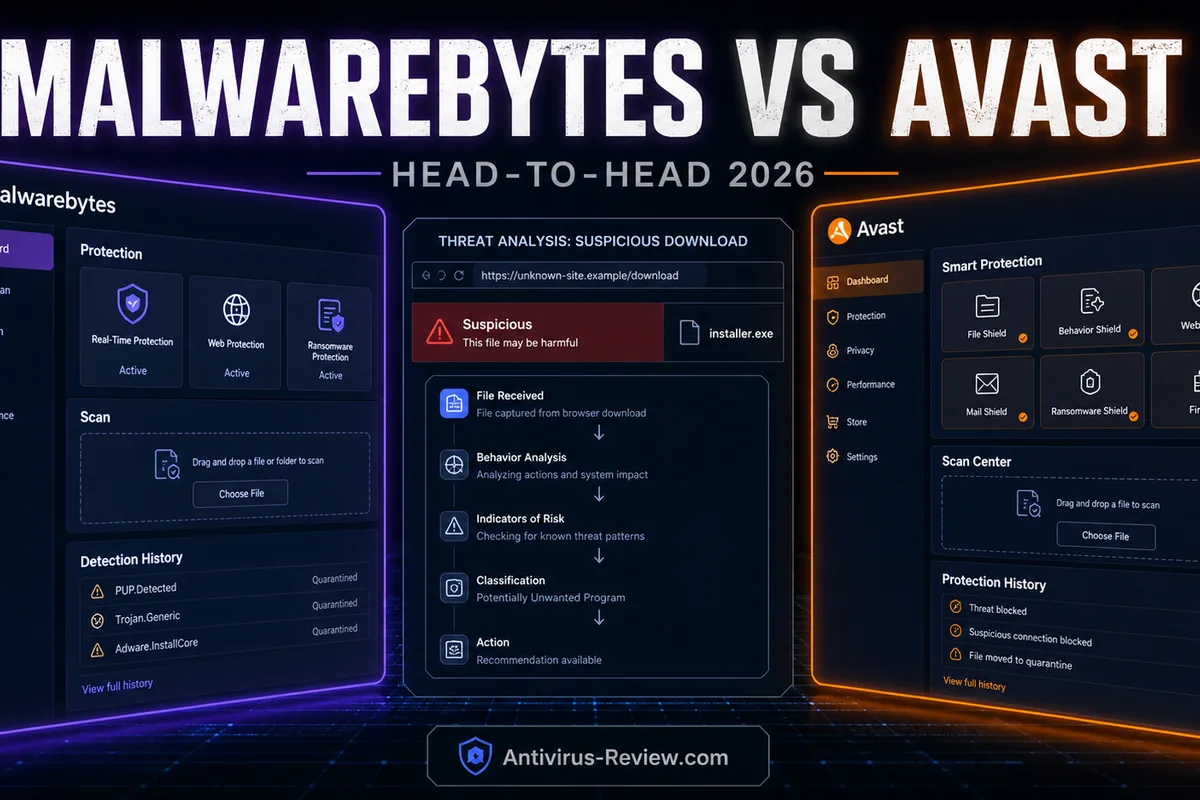
Quick answer: Avast Free is a complete real-time engine — 18/18 at AV-TEST, 99.3% real-world protection, running constantly at $0. Malwarebytes Free is an on-demand cleanup scanner: superb at removing what's already there, protecting nothing between scans. They do different jobs — and they'll happily do them side by side.
Malwarebytes vs Avast at a glance
Put the two free downloads next to each other and the confusion is understandable: both install in a minute and scan on request. The difference is what happens after you close the window. Avast Free keeps watching — Core Shields inspect files, web traffic and behavior continuously. Malwarebytes Free goes to sleep until you next click Scan.
On paid tiers the products converge into direct competitors, and there the current labs favor Avast clearly: 99.3% vs 98.8% real-world protection, five false alarms against thirty-nine, and a 5.5 vs 17.6 impact score.
| Malwarebytes | Avast | |
|---|---|---|
| Editorial rating | 8.2 | 8.6 |
| AV-TEST (Mar–Apr 2026) | 17.5/18 Top Product (Premium 5.5, March–April 2026; 5.5/6 protection) | 18/18 Top Product (Free 26.2/26.3, March–April 2026) |
| Price path | Standard ~$44.99/year (1 device) or $59.99 (3); Plus adds VPN at $79.99 (3) / $99.99 (5) | Free $0; Premium Security (10 devices) $69.48 first year → $99.99; Ultimate $69.48 → $139.99 |
| Best fit | Cleanup, second opinions and a simple paid engine — with a false-positive caveat | Excellent free protection for someone comfortable managing prompts |
Lab showdown: what the current cycles actually say
| Current test | Malwarebytes | Avast |
|---|---|---|
| AV-TEST Windows 11, current cycles | 17.5/18 Top Product (Premium 5.5, March–April 2026; 5.5/6 protection) | 18/18 Top Product (Free 26.4/26.5, May–June 2026) |
| AV-Comparatives Real-World, Feb–May 2026 (400 cases) | 98.8% protected · 5 compromised · 39 false alarms · Standard award | 99.3% protected · 3 compromised · 5 false alarms · Advanced+ |
| AV-Comparatives Malware Protection, Mar 2026 | 92.4% offline detection · 99.59% online protection · 23 false alarms | 96.3% offline detection · 99.97% online protection · 9 false alarms |
| AV-Comparatives Performance, Apr 2026 (impact, lower is better) | 17.6 — best Office score of the report (97.4) but slow file/app tasks | 5.5 — among the lighter products of the cycle |
Avast's row is the strongest any free product has ever carried: 18/18 at AV-TEST, three compromises in 400 real-world cases, 99.97% final online protection in the malware test. Malwarebytes Premium — its paid engine, the only one AV-Comparatives can test — managed 17.5/18 and 98.8% with a false-alarm problem (39 real-world, 23 in the malware test) that cost it award tiers.
The offline row favors Avast too: 96.3% vs 92.4% detection with cloud disconnected. Malwarebytes' engine is credible now — worth repeating, because it wasn't always — but nothing in the 2026 numbers says it should replace an engine that tests better and costs less.
Pricing and renewal reality
| Malwarebytes | Avast | |
|---|---|---|
| Checked July 14, 2026 | Standard ~$44.99/year (1 device) or $59.99 (3); Plus adds VPN at $79.99 (3) / $99.99 (5) | Free $0; Premium Security (10 devices) $69.48 first year → $99.99; Ultimate $69.48 → $139.99 |
| Refund window | 60-day guarantee on eligible direct purchases; app-store and reseller terms can differ | 30-day money-back window on paid plans |
| Free tier | Free tier is on-demand cleanup only, not real-time protection | Full real-time engine at $0 |
The free tiers aren't comparable products, so compare what each unlocks. Avast's paid tiers ($69.48 → $99.99 for Premium Security, 10 devices) sell features around an engine that's already free. Malwarebytes' paid tiers ($44.99+ Standard) sell the real-time engine itself — the free version deliberately withholds it.
That structure means paying Malwarebytes gets you what Avast gives away, while paying Avast gets you a firewall and tools around an engine you already had. Neither upsell is compelling if the free pairing below covers your needs — and for most people, it does.
Feature comparison
| Feature | Malwarebytes | Avast |
|---|---|---|
| Platforms and devices | Windows, macOS, Android, iOS, ChromeOS | Windows, macOS, Android, iOS |
| VPN | Privacy VPN in Plus and above | SecureLine VPN in paid bundles |
| Password manager | None | Discontinued as a standalone product |
| Firewall / hardening | No firewall — relies on Windows Firewall | Core Shields in free; full firewall in paid |
| Cloud backup | None | None |
| Parental controls | None | None |
Avast Free: continuous protection, web shields, scan scheduling, a modern dashboard — minus a real firewall and with steady upgrade offers. Malwarebytes Free: the best remediation workflow in consumer security — quarantine, PUP and adware removal, rootkit scanning — presented so a stressed novice can drive it during an incident.
Neither free tier includes VPN, firewall or family features. The magic is that they don't overlap: one is prevention, the other is cure, and an on-demand scanner coexists cleanly with any real-time engine.
What changes on Windows, Mac and mobile
A feature-table check mark doesn't mean equal coverage everywhere. Malwarebytes currently supports Windows, macOS, Android, iOS, ChromeOS. Its firewall/hardening position is: No firewall — relies on Windows Firewall. VPN: Privacy VPN in Plus and above. Backup: None.
Avast currently supports Windows, macOS, Android, iOS. Its firewall/hardening position is: Core Shields in free; full firewall in paid. VPN: SecureLine VPN in paid bundles. Backup: None. Before paying, list the devices you actually own and mark the one feature you need on each. A Windows-only backup or separately configured family tool shouldn't be counted as a full cross-platform benefit.
The practical test is one Windows machine plus the least-supported device in your household—usually a Mac, iPhone or Chromebook. Check that web protection, account login, notifications and removal all behave sensibly there during the refund window. That exposes platform gaps faster than comparing another row of marketing icons.
Setup, alerts, support and the exit route
Malwarebytes: the cleanest scanner-first interface in this set; Free and paid modes must not be confused. The current refund position is 60-day guarantee on eligible direct purchases; app-store and reseller terms can differ. Its official support page linked below is the right place to verify removal, renewal and platform-specific steps before the refund clock expires.
Avast: clear status controls, but the free tier asks users to distinguish real warnings from paid-feature prompts. The current refund position is 30-day money-back window on paid plans. Save the order email and identify who charged the card: a vendor, an app store and a reseller can have different cancellation paths even when the product name is identical.
For a fair trial, install only one contender at a time, update it, run the same normal workload for several days, then check browser launches, file copies, notifications, quarantine restoration and account cancellation. Protection scores come from controlled laboratories; ease of ownership is the part you can verify on your own hardware.
Performance on a real PC
Avast's 5.5 April impact score is verified light. Malwarebytes' 17.6 comes with the workload split we detail in its review — best-in-field Office score, slow file/application tasks — but it only applies to Premium's real-time engine. Free Malwarebytes costs you nothing between scans by definition.
The recommended combination (Avast or Defender real-time + Malwarebytes Free on-demand) has the performance profile of the real-time engine alone, plus a coffee break's worth of deliberate weekly scanning.
Can you run Malwarebytes and Avast together?
Don't leave both paid real-time engines active by default. Malwarebytes Free is different: it's an on-demand cleanup scanner and can be kept for a manual second opinion beside Avast. Malwarebytes Premium enables real-time layers, so running it beside another registered antivirus can duplicate web filtering, quarantine the same file twice or make a slowdown impossible to diagnose.
Choose one primary engine, uninstall the other real-time suite, reboot, and confirm Windows Security names the product you intended. Then run an EICAR-safe test or the vendor's status screen—not live malware—to confirm protection. If you keep Malwarebytes Free, disable any trial that silently turns real-time protection back on and update it before each manual scan.
How we compared Malwarebytes and Avast
Our editorial testing and fact-check method separates four questions that are often blended into one score: protection and false alarms from the latest comparable independent Windows cycles; system impact from AV-Comparatives' April 2026 protocol; ownership cost from dated first-term, renewal and refund terms; and fit from platform limits, included tools and the setup a reader actually needs.
The lab rows aren't our home-made malware test and the community links aren't votes. Each result keeps its test name, date and denominator so a small one-cycle margin isn't presented as permanent truth. Prices are snapshots, not promises: checkout region, campaign and seller remain the contract. We revise the verdict when a new comparable cycle or material product term changes it.
Primary sources and real-world checks behind this comparison
For Malwarebytes, we checked the current product or pricing page and the official support documentation. For Avast, we checked its current product or pricing page and official support documentation. Those pages establish plan names, supported systems and bundle limits; the independent lab links in the table establish protection, false alarms and performance.
Community reports are used only to identify what a buyer should test. A current Malwarebytes discussion focuses on its role as a second-opinion scanner, false positives and the practical difference between Free and paid real-time tiers. A current Avast discussion focuses on promotional prompts, privacy concerns and whether the free engine is worth the interface trade-off. These threads are directional and can be biased; they don't override controlled malware tests. They do justify checking notifications, renewal controls, exclusions and uninstall behavior during the refund period.
Who should pick Malwarebytes
- You want the best cleanup and second-opinion scanner ever shipped free
- Something's already wrong — remediation is the immediate job
- As paid: you prefer its simple engine-only product and accept the FP tax
- Office-heavy paid workload, where its 97.4 Procyon score led the field
Just don't mistake Free for protection: it's the ambulance, not the seatbelt. The number of infected PCs running only Malwarebytes Free “for protection” is the reason this page exists.
Who should pick Avast
- You want genuinely free continuous protection with 2026's best free paperwork
- Scan controls and web shields matter day-to-day
- You're fine muting promotional prompts once in settings
- Paid tier only if a named Premium Security feature solves a real problem
The Jumpshot/FTC history is Avast's standing asterisk — review the privacy toggles at install. If it disqualifies Avast for you, Defender plus Malwarebytes Free reaches the same happy ending with zero Gen Digital involvement.
Frequently asked questions
Is Malwarebytes Free real antivirus?
No — it's an on-demand scanner and cleanup tool. It only inspects your system when you run a scan; between scans there's no protection. Real-time protection requires Malwarebytes Premium, or a different product like Avast Free or Defender.
Can I run Malwarebytes and Avast together?
Yes, in the right roles: Avast Free (or any real-time engine) protecting continuously, Malwarebytes Free scanning on demand. Two real-time engines together — Premium plus Avast — cause conflicts and false slowdowns; don't.
Which detects more, Malwarebytes or Avast?
Avast, by the current cycles: 99.3% vs 98.8% real-world protection, 99.97% vs 99.59% final malware protection, with far fewer false alarms (5 vs 39). Malwarebytes counters with the better remediation workflow, not better detection.
Is Malwarebytes Premium worth buying instead of free Avast?
Hard to justify on evidence: you'd pay $44.99+ for an engine that tests below a free one and flags more clean software. Buy Premium only if you specifically want Malwarebytes' interface and workflow as your primary protection.
What's the best free protection setup?
A real-time engine (Avast Free, AVG Free or Defender) plus Malwarebytes Free for deliberate second-opinion scans, on an updated OS with a password manager and MFA. That stack covers prevention and cure for exactly $0.
Final verdict
Sort the products by job and the fight evaporates. Continuous protection: Avast Free, carrying the best free-product evidence of the 2026 cycles — or Defender, if Gen Digital's history bothers you. Cleanup and second opinions: Malwarebytes Free, unchallenged in its lane for two decades. Run both; they were never actually competitors at $0.
Money enters only when Malwarebytes asks you to buy its real-time engine, and there the numbers are unkind: more false alarms, heavier file tasks and less protection than what Avast gives away. Premium is for the buyer who loves the Malwarebytes way of working enough to pay for it — a real constituency, but a preference purchase, not an evidence one.
Free seatbelt, free ambulance, zero dollars. Some comparisons end well for everyone.
Full write-ups: Malwarebytes Premium review · Avast Free Antivirus review · all head-to-head comparisons.