
Best Antivirus for Seniors in 2026
Seniors are the #1 target of online scams, and the right antivirus for an older adult is judged on different criteria: scam detection first, simplicity second, and whether a family member can manage it remotely. Five picks, compared honestly.
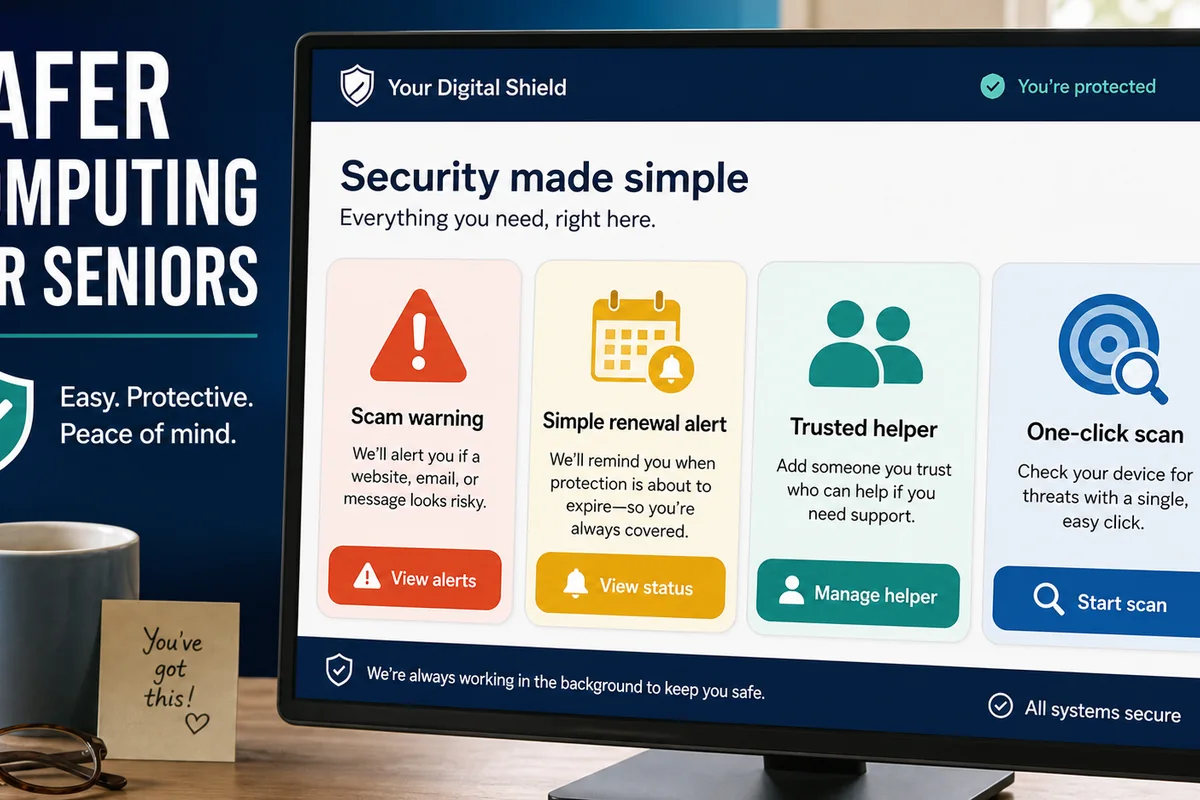
Quick answer: For an older adult, the real danger isn't a virus — it's a scam. Americans aged 60 and older reported more than $7.7 billion in fraud losses across 201,000+ complaints in 2025, according to the FBI's Internet Crime Complaint Center (IC3) — more than enough reason to judge antivirus software by scam protection, not just malware blocking. So the best antivirus for a senior is one that runs quietly, asks for almost nothing, and blocks scam sites, scam texts, and fake-support pop-ups before they cause harm. Our top pick for most people is Norton 360 — simple, trusted, and strong on scams. Bitdefender if you want low-maintenance protection; Trend Micro for safer online banking; and Sophos Home if you're the adult child setting up and watching a parent's computer from your own house.
What Makes an Antivirus Senior-Friendly
A great antivirus for a 35-year-old power user and a great antivirus for an 80-year-old aren't the same product. For an older adult, the things that matter most are:
- It runs by itself. Automatic updates, scheduled scans, and real-time blocking — no maintenance, no decisions to remember.
- It barely interrupts. The fewer pop-ups and prompts, the better. Every alert a senior has to interpret is a chance to click the wrong thing — or to be trained to dismiss real warnings.
- It blocks scams, not just malware. Web protection that flags fake bank pages, scam texts, and tech-support pop-ups matters more than raw virus detection, because that's where the money actually goes.
- Alerts are in plain language. "This website is unsafe — we blocked it" beats a cryptic threat code every time.
- There's a real human to call. Seniors value phone support far more than a chat bot or a forum.
- One person can manage it. If an adult child or caregiver can set it up — and ideally check on it remotely — that's worth more than any feature list.
Keep those in mind and most of the "best antivirus" noise online sorts itself out. A lighter, simpler suite that a senior will actually leave running beats a powerful one they switch off because it nags.
The Scams That Target Seniors in 2026
This is the part that matters. Antivirus stops malicious code; most senior losses start with a person being talked into something. The FBI's 2025 figures bear that out — investment, cryptocurrency, tech-support, and romance scams caused the most damage to older adults. Here are the scams hitting seniors right now, how they arrive, and what actually helps:
| Scam | How it reaches them | What actually helps |
|---|---|---|
| Tech-support pop-up ("Your PC is infected — call this number") | A fake full-screen alert in the browser | Web/scam protection blocks the page; the rule: never call the number, never let anyone "remote in" |
| Grandparent / family emergency (now using AI voice clones) | A phone call or voicemail: "It's me, I'm in trouble, send money now" | A family code word; awareness that a voice can be faked — see our deepfake scam explainer |
| Romance scam | A dating site or social-media DM that turns into requests for money | Awareness; reverse-image-search the photos; never send money to someone not met in person |
| Government impersonation (Social Security, IRS, Medicare) | A call, text, or email: "Your benefits are suspended" | Know that these agencies don't call demanding payment or gift cards; web protection on the links |
| Bank or delivery "alert" (phishing) | A text or email: fake bank login or "package held, confirm details" | Safe-browsing + scam-text detection; a hardened banking browser (below) |
| Fake antivirus / "renew now" | A pop-up or email mimicking a security brand | Recognizing real vs. fake; web protection blocks the look-alike site |
| Investment / crypto "opportunity" | Social media, email, or a "financial advisor" online | Skepticism — no security app can vet an investment; talk to family first |
Notice how few of these are stopped by virus scanning alone. The suites below earn their place by adding the scam, web, and banking layers that cover the rest — and by being simple enough that the protection stays on. For the full breakdown of which tools detect which scams, see our best antivirus for scam protection guide.
The 5 Best Antivirus Picks for Seniors in 2026
We weight simplicity and scam protection first, independent lab scores second, and we're honest where a product wasn't in the latest test.
A note on platform: most recommendations here are strongest on Windows PCs, because the lab data and hardened-banking-browser features we cite are Windows-focused. Mac users should check whether the same scam, banking, and remote-management features are included on macOS — several differ or aren't offered.
1. Norton 360 — best overall for seniors
Norton is the one we'd put on most older adults' computers. It's a name they recognize, it posts a perfect 18/18 in AV-TEST's April 2026 Windows test (6/6 protection, 6/6 performance, 6/6 usability), and it bundles the things a senior actually needs into one subscription: web protection, a VPN, a password manager, and dark-web monitoring. Norton has also added AI Scam Protection, whose features include Safe SMS, Safe Web, and deepfake-related tools — a real fit for the phishing-and-text threats seniors face, though exact availability varies by plan, device, and region.
Just as important, Norton runs quietly and has proper phone support, so when a senior (or their family) has a question, there's a human to call. For a single, trusted, low-fuss suite, this is the pick.
Read our full Norton review.
2. Bitdefender — best low-maintenance, guided protection
Bitdefender's Autopilot works as a security advisor: it handles routine decisions and recommends the rest, with very few prompts — which is exactly right for someone who finds alerts confusing. It's light on the system (good for an older laptop), earns a perfect 18/18 in AV-TEST's April 2026 Windows test (6/6/6), and includes Safepay, a hardened browser that opens automatically for banking and shopping so card details can't be skimmed by malware. Its scam-checker tools can vet a suspicious message on demand.
One note: Safepay is a Windows feature, so this pick is strongest for a senior on a Windows PC. If the goal is "install it once and let it guide them," Bitdefender is the quietest, most hands-off option here.
Read our full Bitdefender review.
3. Trend Micro — best for safer online banking
Trend Micro is built for exactly the user who's nervous about banking online. Its Pay Guard feature opens a hardened browser whenever you visit a banking or shopping site, stripping out risky extensions and shielding card and login details during the transaction (you can add your bank to an auto-open list). Its web and anti-phishing protection is its real strength, and the interface is clean and simple — Trend Micro openly aims at less-technical users.
An honesty note: Trend Micro wasn't listed in the current AV-TEST April 2026 Windows result table we used, so we're not assigning it a current AV-TEST score here. We pick it for the banking and scam-protection features that matter most to seniors, not a lab ranking.
Read our full Trend Micro review.
4. McAfee — best dedicated scam detection
McAfee earns a perfect 18/18 in AV-TEST's April 2026 Windows test (6/6/6), but the reason it's here is its scam tooling. McAfee says its Scam Detector can analyze suspicious texts, emails, links, QR codes, social messages, and AI-generated or deepfake content — the exact channels scammers use to reach older adults — and lets you upload a suspect message to check it; its QR-code checker rates the risk of a code and gives guidance. It also includes identity monitoring and a VPN on supported plans, both useful for a senior who shops and banks online.
If your biggest worry is the scam text or the fake "your account is locked" email, McAfee is the strongest dedicated scam-detection pick in this list. It pairs naturally with our best antivirus for scam protection guide.
Read our full McAfee review.
5. Sophos Home — best for managing a parent's computer remotely
This is the pick for the family "IT person." Sophos Home is built around the Sophos Home dashboard: every setting on the installed app is also controllable from a web page, so you can run scans, check status, and adjust protection on a parent's or grandparent's computer from your own home, across several family devices under one login. If you're the one who gets the "my computer is acting funny" calls, that remote view is worth more than any single feature.
Honesty note: Sophos Home isn't in AV-TEST's consumer Windows lineup — it runs the detection engine behind Sophos's business products — so we recommend it for the remote-management dashboard, not a consumer lab score. For hands-on family management, Sophos is the clearest fit in this list.
Read our full Sophos review.
A free option: if budget is the priority, Avast Free (a perfect 18/18 in AV-TEST's April 2026 Windows test) or Microsoft Defender with Edge SmartScreen is a decent free baseline — Defender scans for malware and SmartScreen blocks known phishing and malicious sites. But neither replaces a scam-focused suite for a high-risk senior: there's no scam-text detection, hardened banking browser, identity monitoring and recovery, or remote family management — which, for the senior threat model, is the part that counts. And if identity-theft monitoring and recovery is the real concern, a dedicated identity-protection service may matter more than the antivirus itself.
Antivirus for Seniors Compared
| App | AV-TEST Apr 2026 (Windows) | Scam/phishing protection | Hardened banking browser | Remote family management | Phone support | Best for |
|---|---|---|---|---|---|---|
| Norton 360 | 18/18 (6/6/6) | AI Scam Protection (varies by plan) | No (Safe Web) | Family plans | Yes | Most seniors |
| Bitdefender | 18/18 (6/6/6) | On-demand scam check | Yes (Safepay, Windows) | Limited | Yes | Low-maintenance |
| Trend Micro | Not in this round | Web & phishing protection | Yes (Pay Guard) | Limited | Yes | Online banking |
| McAfee | 18/18 (6/6/6) | Scam Detector (text/email/QR/social) | No | Limited | Yes | Scam detection |
| Sophos Home | Not in consumer round | Web protection | No | Yes (cloud dashboard) | Limited / plan-dependent | Remote-managing a parent's PC |
| Avast Free | 18/18 (6/6/6) | Basic web shield | No | No | Limited | Free basic cover |
Setting It Up for a Parent or Grandparent
If you're doing this for someone else, the antivirus is only step one. Here's the setup that actually keeps an older relative safe — most of it takes one afternoon:
- Install one suite and turn on automatic scans and updates. Pick a single product (not three overlapping ones) and let it run itself.
- Switch on web and scam protection — and scam-text checking where the suite offers it. This is the layer that catches the fake bank page and the "package held" text.
- Set up the hardened banking browser (Trend Micro's Pay Guard or Bitdefender's Safepay) so banking and shopping happen in a protected window.
- Add a password manager and turn on two-factor authentication for their email and bank — those two accounts are the keys to everything else.
- Freeze their credit at the three bureaus. It's free, it doesn't affect their cards, and it stops scammers opening accounts in their name.
- Turn on scam-call and spam-text blocking on their phone — many scams start with a call, not a click.
- Agree on a family "code word." If anyone calls claiming to be a relative in trouble and asking for money, the code word settles it. This is the single best defense against AI voice-clone scams.
- Schedule a check-in. A monthly call — or a remote scan if you use Sophos Home — catches problems early and keeps the conversation open.
Managing a Loved One's Device Remotely
A lot of senior security is really a family job, and a few suites are built for it. Sophos Home is the clearest example: its web dashboard lets you scan a parent's computer, see its status, and change settings without being in the room — ideal when you live in another city. Norton and other suites offer family or multi-device plans where you install protection on their machine and check in periodically.
One honest limit: remote management lets you run the security software, not override a decision. If your dad is on the phone being talked into buying gift cards, no dashboard stops that — which is why the code word, the credit freeze, and a standing "pause and call me first" rule matter as much as the software.
Free vs Paid for Older Adults
Free antivirus (Avast Free, or the Microsoft Defender built into Windows) is genuinely fine for basic malware, and for a senior who only emails and reads the news, it may be enough. But the senior threat model is scams, and that's where paid suites earn their cost:
- Scam and identity protection — scam-text detection, identity monitoring, and recovery help if the worst happens.
- A hardened banking browser for anyone who shops or banks online.
- Real phone support — a human to call, which free products rarely offer.
- Remote management so a family member can help from afar.
You're not paying for "more virus scanning." You're paying for the scam, banking, support, and family-management layers that match how older adults actually get hurt.
What Antivirus Can't Do for a Senior
Be honest with yourself, and with your parent, about the limits. A security suite flags and blocks known scam sites, texts, and downloads. It can't stop a person who has been patiently talked into wiring money, reading out a one-time code, or buying gift cards "to settle a tax bill." Phone scams, in-person pressure, and convincing AI voice clones land on the human, not the machine.
That's why the best protection is the software plus a few conversations: the family code word, the "never call the number in a pop-up" rule, the "pause and check with me before sending money" habit. The suites above buy time and block the obvious attacks; the conversations cover the rest. For more on the scams themselves, see our best antivirus for scam protection hub and our explainer on deepfake scams.
How We Evaluate Antivirus for Seniors
We don't run a fake test lab. These picks come from:
- Independent lab data where it exists. We weight AV-TEST Windows protection, performance, and usability results (each scored out of 6, 18 total), plus AV-Comparatives performance-impact data where relevant — and we say plainly when a product (like Trend Micro or Sophos Home here) wasn't in the latest round rather than invent a score.
- The senior threat model. Scams cause the losses, so we weight scam, web, and banking protection over raw detection deltas.
- Real usability. Few prompts, plain-language alerts, automatic operation, and phone support — the things that decide whether protection stays on.
- Family-friendliness. Can one person set it up and manage it, ideally from afar? That's a genuine differentiator for older relatives.
- Honesty on price and claims. We flag vendor figures as vendor claims (there's no independent lab that ranks scam detection), and we won't oversell a feature that varies by plan or region.
The Verdict
For an older adult, buy for simplicity and scams, not for the longest feature list. Norton 360 is the best all-round choice — trusted, quiet, strong on scams, with real support. Bitdefender is the most low-maintenance if you want to install it once and let it guide them. Trend Micro is the pick for someone who banks online, thanks to Pay Guard. McAfee has the sharpest scam detection. And Sophos Home is the answer when you're the family member managing a parent's computer from a distance.
Whichever you choose, remember the part no software covers: a quick conversation, a family code word, and a credit freeze do as much to protect an older relative as the antivirus itself. The losses are real and rising — more than $7.7 billion in 2025, up from $4.9 billion the year before — but they're also largely preventable with the right simple setup and a little family teamwork.
Frequently asked questions
What should I install first on a parent's computer?
Start with one security suite (not several) and turn on its web and scam protection. Then add a password manager with two-factor authentication on their email and bank, switch on spam-call and scam-text blocking on their phone, freeze their credit at the three bureaus, and agree on a family code word for emergency money requests. That combination protects far more than antivirus alone.
Do seniors really need antivirus?
Yes, but more for scams than viruses. A modern suite's web and scam protection blocks fake bank pages, scam texts, and tech-support pop-ups — the things that actually cost older adults money. Plain malware scanning is the least important part.
What's the simplest antivirus for an older person?
Bitdefender, because its Autopilot guides the user and rarely interrupts. Norton is a close second and adds a name most seniors recognize plus phone support. The goal is protection that stays on because it never nags.
Can antivirus stop scam calls and texts?
It can help with texts and links: McAfee's Scam Detector and Norton's AI Scam Protection flag scam messages, and web protection blocks scam sites. Scam phone calls are better handled by your phone's spam-call blocking plus a family code word for emergency money requests.
How can I protect my parent's computer from another city?
Sophos Home is built for this — a web dashboard lets you scan and manage their computer remotely under one login. Other suites offer family or multi-device plans. Pair remote management with a monthly check-in call.
Is free antivirus enough for a senior?
For basic malware, free options like Avast Free or the built-in Microsoft Defender are fine. But they lack the scam detection, hardened banking browser, identity monitoring, and phone support that matter most for older adults — which is where paying is worth it.
Which antivirus is best for online banking?
Trend Micro (Pay Guard) and Bitdefender (Safepay) both open a hardened, isolated browser for banking and shopping, which protects card and login details during the transaction. That's the feature to look for if your relative banks online.
What about scams that aren't on the computer?
No antivirus stops a convincing phone call, an in-person pressure scam, or a request to buy gift cards. Those land on the person. A family code word, a credit freeze, and a "pause and call me before sending money" rule cover what the software can't.
Is Microsoft Defender enough for an older adult?
Defender plus Edge SmartScreen is a decent built-in baseline — malware scanning and known-phishing blocking — but it has no scam-text detection, hardened banking browser, identity monitoring, or family remote-management. For the scam-heavy threats seniors face, a paid suite adds the layers that count.