Norton 360 Guides: Choose, Set Up, Fix or Leave Without Guesswork
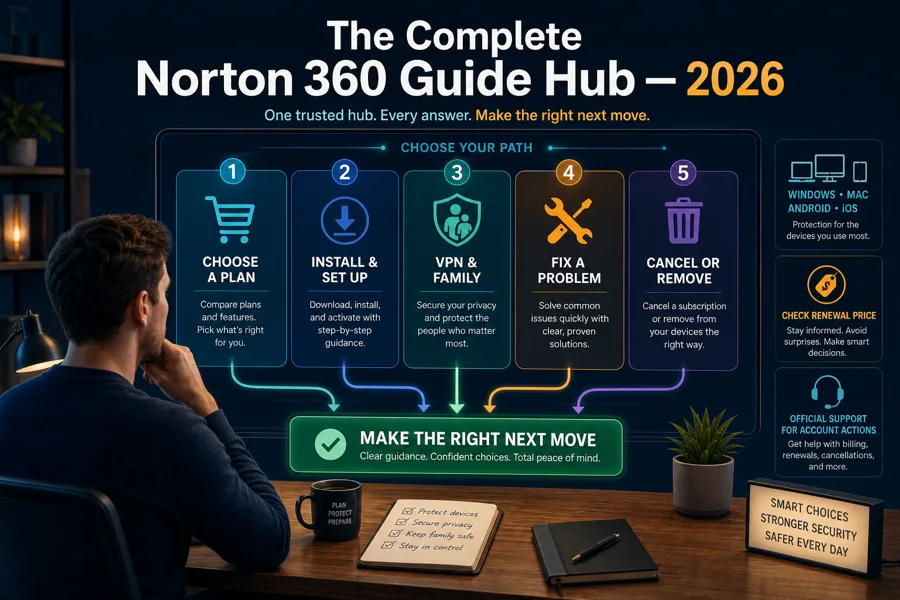
Use this hub to make the next Norton decision, not to hunt through a mega-review. Compare the plan and renewal, install the right product, understand VPN and family controls, diagnose one symptom, or leave cleanly.

Start here: deciding whether Norton is worth it? Read the review and pricing guide. Already bought it? Use installation and setup. A feature question belongs in the VPN or Family review. A broken app, update or scan belongs in troubleshooting; a slow PC belongs in the performance guide. Billing and uninstalling are separate jobs.
Choose or compare Norton before the renewal chooses for you
Norton 360 is not one uniform product. AntiVirus Plus, Standard, Deluxe, higher multi-device plans and LifeLock bundles solve different jobs, while standalone VPN and Family subscriptions overlap parts of the suite. Start with the outcome: one Windows PC, a mixed-device household, parental controls, identity services or a bundled VPN.
Our current Norton review finds excellent protection evidence and a useful family bundle. The commercial catch is the renewal: Norton 360 Deluxe was $49.99 for the first year and $124.99 at renewal in our July 2026 US check. That can still be fair when VPN, Family and Windows backup replace separate subscriptions, but it is poor value when those tiles go unused.
Do not copy a price from another region or a reseller article. Open the cart, record the device count, term, first charge, renewal amount and merchant. The official Norton renewal price list is the right reference for a US direct subscription; a retailer or service provider can set a different route.
Install and activate the entitlement you actually own
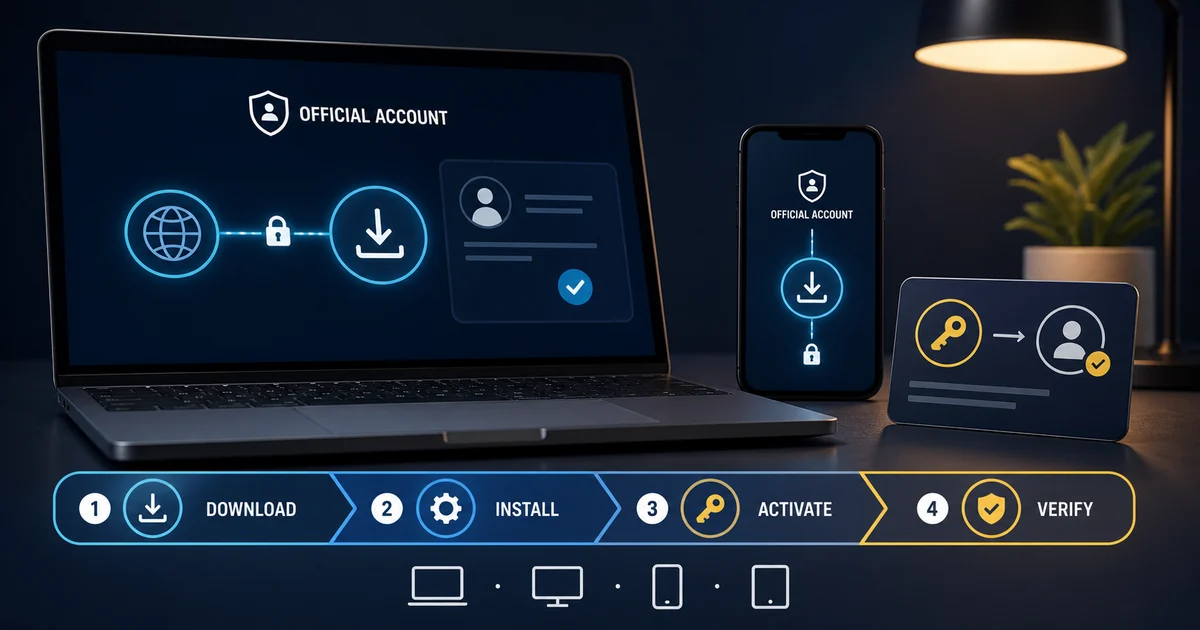
Sign in through the account or partner named on the receipt, then install from Norton's verified download route. A retail key still needs to be redeemed into an account; an ISP or employer entitlement may not appear in a personal Norton cart. Check the device seat before buying another licence.
After installation, run updates, verify the registered security provider and perform a small scan. Add VPN, browser, backup and Family features one by one. That sequence makes failures diagnosable: if the network stops after adding one extension or profile, you know which layer to inspect.
Use the bundle features only when they fit the platform and job
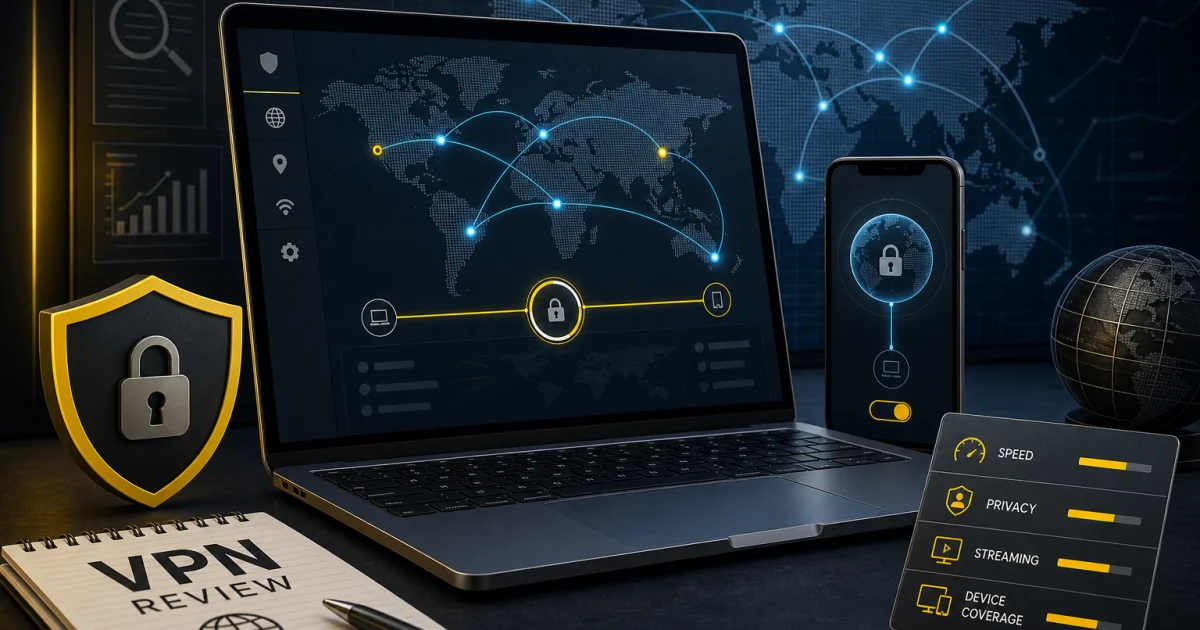
A bundled feature is not automatically the best tool. Norton VPN is convenient for a household already paying for the suite, but a dedicated VPN may offer more routing control, platform parity or transparent technical detail. Compare the exact entitlement rather than assuming the standalone VPN and every Norton 360 tier are identical.
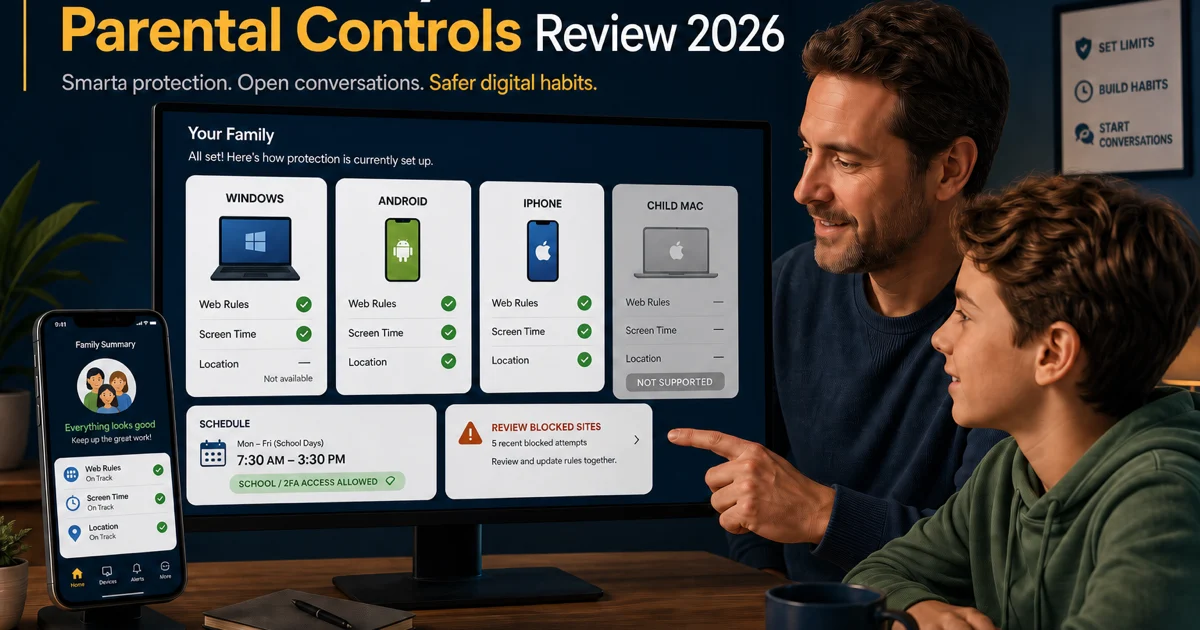
Norton Family is strongest on Windows and Android, useful but more constrained on iPhone, and unsupported for a child's Mac. It does not currently monitor Android texts or calls and is not a Bark-style social-message risk scanner. Build school, authentication and emergency exceptions before applying a strict schedule.
Cloud Backup is another platform trap: it is a Windows feature, not a universal allowance shared equally by Mac and mobile devices. Treat it as one recovery copy, not the only backup. Password Manager and browser protection also depend on their own extensions and account recovery choices.
Fix the symptom without dismantling every protection layer
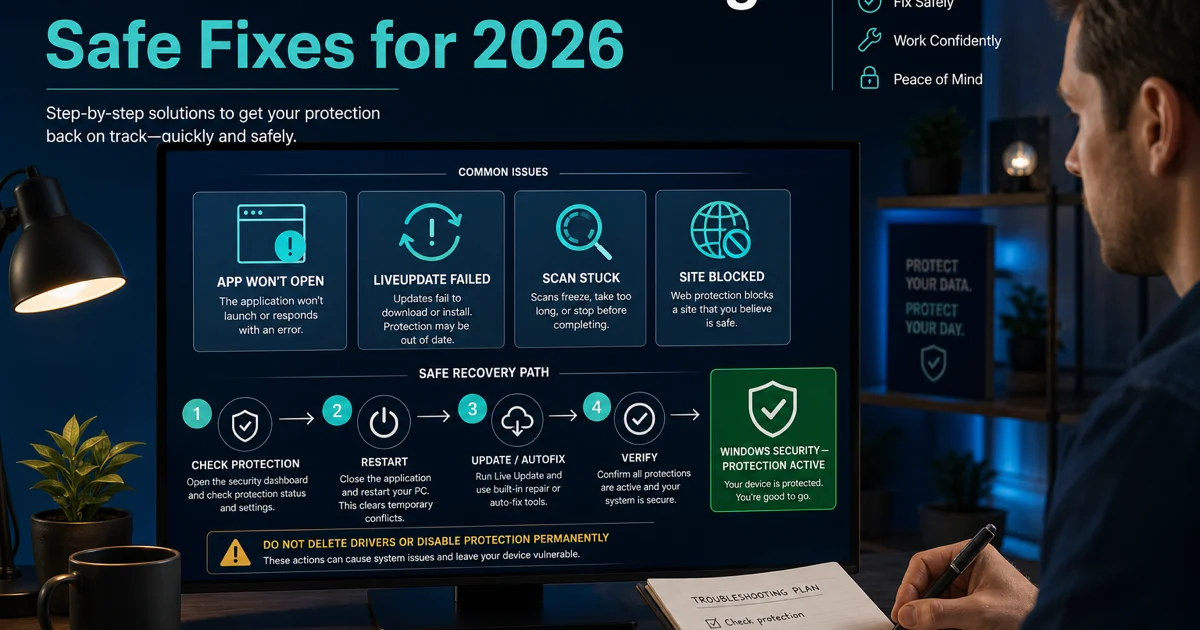
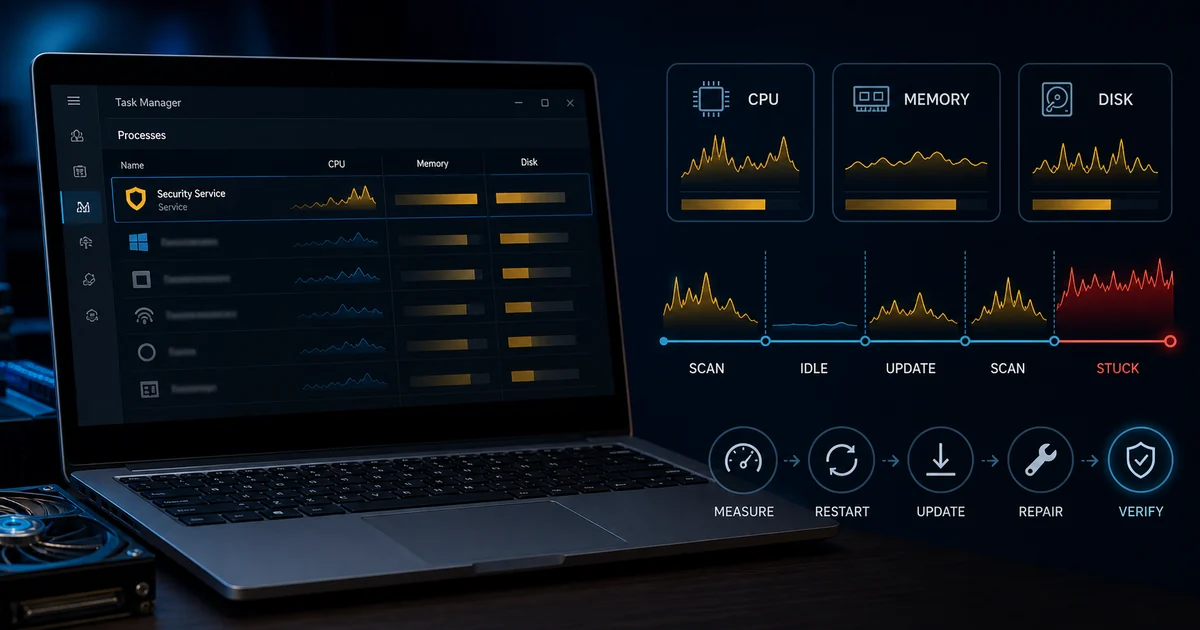
Operational failure and poor performance are different search jobs. If LiveUpdate returns an error or the interface will not open, record the exact code and follow the repair guide. If Norton works but consumes resources, capture Task Manager data, scan state, duration and the competing workload. A high number during a short active scan is not the same as sustained idle load.
The safe order is consistent: check the current protection state, restart once, update, use built-in Autofix or the symptom-specific official article, and test one reversible setting at a time. Do not delete drivers, services or registry keys. Do not permanently disable Auto-Protect or Smart Firewall to make one site load.
Current community complaints help us identify branches—Safe Web overblocking, upsells, scans that appear stuck and OEM utilities reinstalling Norton—but anecdotes do not establish frequency or override current lab and vendor evidence. Preserve the event and reproduce the exact condition.
Cancel billing and remove software as two separate tasks
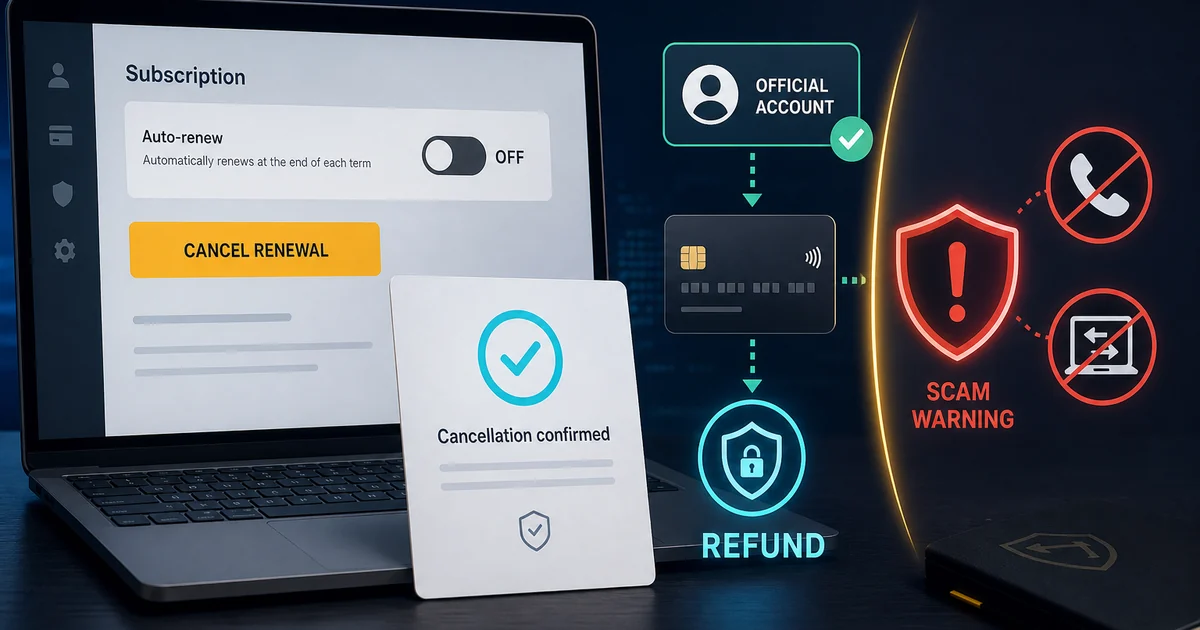
Uninstalling Norton does not cancel a subscription, and removing a device from the account does not uninstall the local app. Stop renewal through the merchant shown on the receipt—Norton, Apple, Google, Microsoft, a retailer or service provider—then verify the account and save the confirmation.
Norton's current direct policy can provide a full refund for eligible annual purchases and annual renewals requested within 60 days, while monthly terms use a shorter window. Purchase channel and country matter. Begin from the verified official site; search results can contain fake support PDFs and phone numbers.
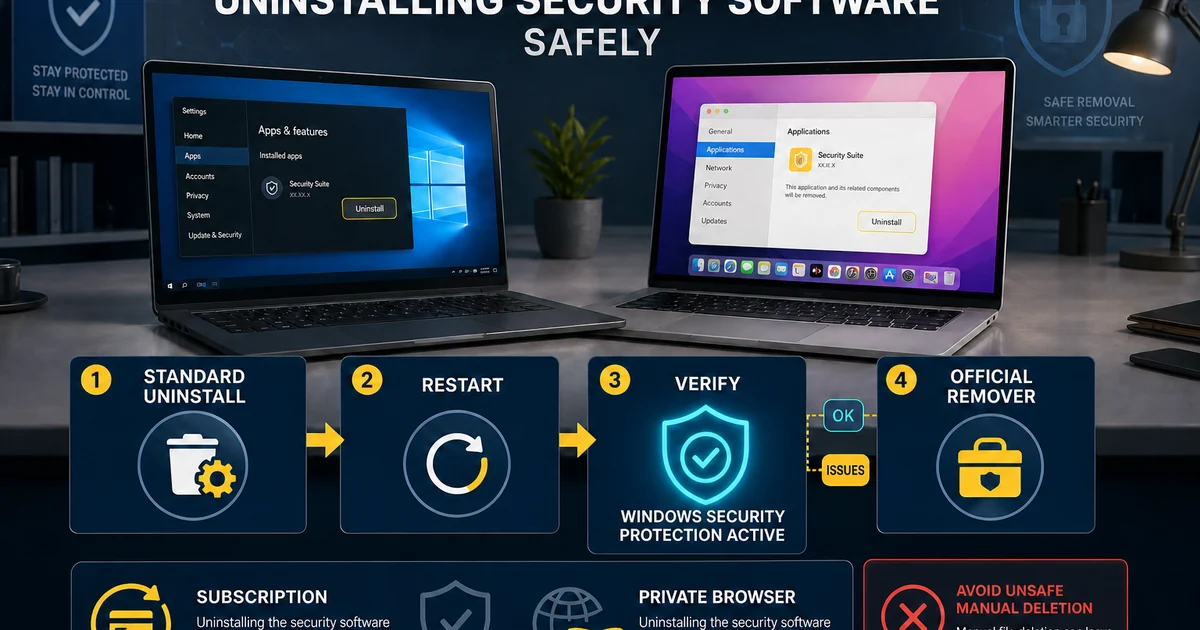
On Windows, normal uninstall comes first. Use the current official remover only when standard removal fails or the installation is damaged. Restart and confirm Microsoft Defender or the intended replacement is active. Norton Private Browser, extensions, VPN profiles and account device seats may require separate choices.
Norton platform map: the same subscription is not the same product everywhere
| Platform | Strongest Norton jobs | Check before relying on it |
|---|---|---|
| Windows | Antivirus, firewall, backup, VPN, Family and broad diagnostics | S mode route, resource load, backup scope and extensions |
| macOS | Malware, web/privacy tools and VPN | No child-device Norton Family and no Windows cloud backup |
| Android | Web/app security, VPN and strong Family controls | Permissions, battery policy, location region and no SMS/call monitoring |
| iPhone/iPad | Web/privacy warnings, VPN and selected Family controls | Apple sandbox limits and browser/profile dependence |
Prices reflect the official-site check on July 14, 2026 and can change at the cart.
Build the device list first, then value the plan. A five-device Deluxe subscription can look generous while delivering the one feature you need—backup or child controls—on only part of the household. Test each supported platform during the refund window and keep the native security and recovery tools understood.
For a mixed household, write one line per device: owner, operating system, required Norton job and recovery fallback. A Windows parent PC may need backup and firewall controls, an Android child phone may need Family and location, while a Mac laptop may only need malware and VPN protection. This small inventory exposes unsupported combinations before a purchase and prevents every device from receiving components it does not need.
Also separate device safety from account authority. A family member can use protected browsing without being given the billing login; a parent can manage Family from a Mac browser without the child Mac becoming supervised. Use MFA on the owner account, keep recovery details current and remove stale device seats only after confirming which machine they represent.
Norton 360 guide hub FAQ
Where should I start with Norton 360?
Start with the independent Norton 360 review if you are deciding whether to buy or keep it. Use the pricing guide before checkout, the setup guide after purchase, and the symptom-specific troubleshooting pages only when something fails.
Is this the official Norton support website?
No. Antivirus-Review.com is an independent editorial publication. We explain current Norton features and supported procedures, but account recovery, billing changes, product downloads and repair tools should begin on Norton's verified official domain.
Which Norton 360 plan is best for most families?
Norton 360 Deluxe is usually the practical starting point when a household will use protection and VPN on up to five devices, parental controls or 50 GB of Windows backup. Its current $124.99 renewal means the bundle must replace services the family would otherwise buy.
Does Norton 360 work on Windows, Mac, Android and iPhone?
The security suite supports those platforms, but features are not equal. Windows receives cloud backup and the broadest desktop controls. Norton Family cannot protect a child's Mac, and iPhone security and parental controls operate within Apple's platform limits.
What should I do if Norton stops working?
Check the local protection state and Windows Security, record the exact symptom, restart once, run LiveUpdate and Norton Autofix where available, then follow the relevant guide. Do not disable every layer or download a cleaner from an unofficial mirror.
Does uninstalling Norton cancel the subscription?
No. Removing the app changes one device but does not stop automatic renewal or create a refund. Handle billing through Norton, an app store, retailer or service provider, then save confirmation and remove the software separately.
Is Norton VPN the same as the VPN inside Norton 360?
The underlying service is related, but current standalone Norton VPN tiers and Norton 360 entitlements can differ in device limits and extras. Check the exact plan and platform rather than assuming every Norton-branded VPN screen has identical capabilities.
How do I avoid fake Norton support?
Begin at norton.com or support.norton.com, verify the browser domain and never trust a phone number in a search ad, unsolicited pop-up or uploaded PDF. Do not share a licence key, payment details or remote access with an unverified caller.
One Norton question, one focused next step
The complete cluster is designed to stop readers bouncing between a sales page, a forum workaround and an unrelated support article. Choose, install, evaluate a feature, diagnose a symptom or leave—then use the guide built for that exact job.
We update this hub when prices, platform support, product names or official procedures change. Account actions, downloads and repair tools still belong on Norton's verified domain; our role is to make the decision and the safe path understandable.
We do not recover accounts, take payments or operate Norton support. If a guide reaches a billing, licence, identity or repair-tool step, follow its descriptive link to the verified vendor and confirm the domain before signing in. That boundary is part of the safety advice, not a missing service.