We review products independently, but we may earn commissions if you make a purchase using affiliate links on our website. Also note that we are not antivirus software; we only provide information about some products.

Independent Intego help hub · Product, lab and support checks updated August 8, 2026

Intego guides: choose, set up, fix or leave with a clear route

Twenty-one focused guides cover the job in front of you: plans, installation, scans, Mac permissions, NetBarrier, VPN, cleanup, parental tools, backup, billing, removal, comparisons and platform limits.

21 focused guidesONE vs X9 visibleMac permissions checkedMobile limits explicit
Intego help hub routes for plans setup scans repairs modules billing and alternatives
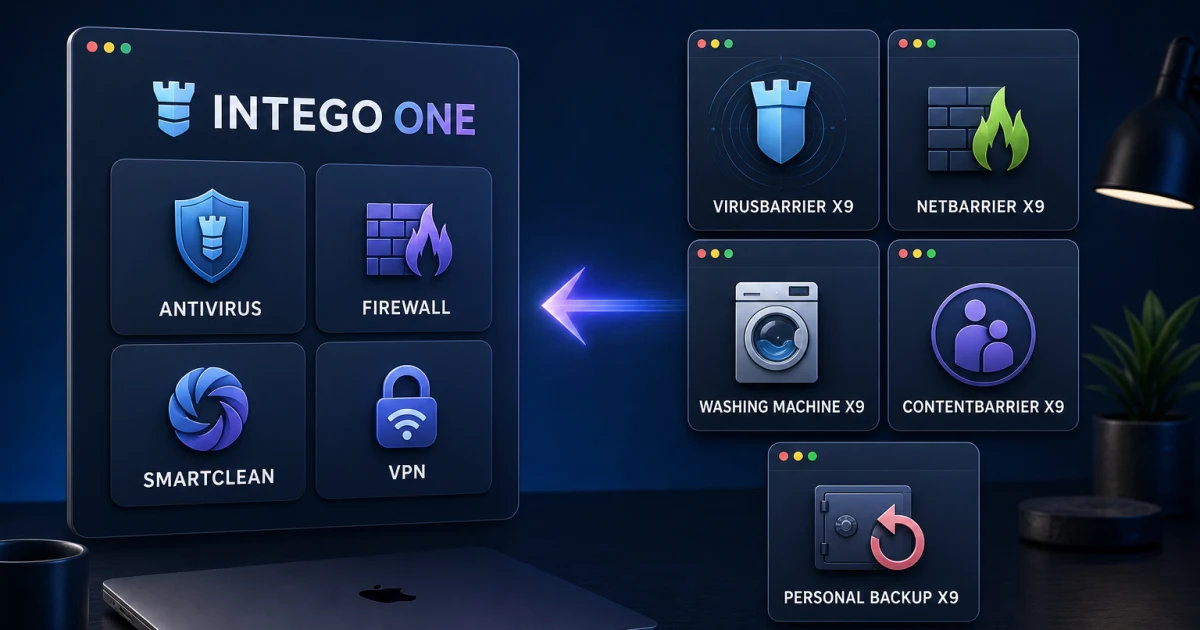
Editorial help-center scene, not an Intego interface. Each physical card represents one focused job instead of a catch-all repair sequence.

Start with the product and the job. Use the review and plan guides before buying; setup, account and permissions after purchase; scans or a symptom-specific repair while using the product; module guides before enabling cleanup, parental or backup actions; and cancellation before uninstalling if you're leaving. Intego ONE is the current Mac suite. X9 utilities, the separate Windows antivirus, standalone Privacy Protection and the free Scanner follow different instructions.

Start with the job, not the Intego logo

“Intego” can mean the current ONE app, a legacy X9 utility, the Mac App Store Scanner, a separately purchased Windows antivirus or standalone Privacy Protection VPN. Two people asking the same question—“How do I remove Intego?”—may need different uninstallers, billing merchants and data-preservation steps. A broad help page that skips product identity can make a reversible problem expensive.

Use the six routes below. Shopping belongs with current plans and evidence. Installation belongs with entitlement, permissions and proof after restart. A detection belongs with scan history, the exact file and a safe decision. A connection or performance failure belongs with a symptom router. Cleanup, parental controls and backup deserve separate risk models. Leaving begins with billing evidence, not dragging an icon to Trash.

Six-route Intego guide map for buying setup scans repairs modules and switching
Editorial question router, not a vendor interface. Choose one job, complete its verification step, then return only if the result exposes another dependency.
Your jobOpen firstDon't do yet
Buy or renewReview, plans, ONE versus X9 or a direct comparisonDon't treat a promotional Mac seat as a universal device seat.
Install or moveSetup, account and macOS compatibilityDon't reuse an X9 serial workflow for a ONE account.
Scan or restoreVirusBarrier scans and false-positive verificationDon't trust a file or exclude a whole folder just to clear an alert.
Fix a problemHigh CPU, NetBarrier or VPN routeDon't reset TCC, delete extensions or reinstall before preserving evidence.
Understand a moduleFirewall, cleanup, parental or backup guideDon't import a legacy X9 feature into the current ONE tier.
Leave or switchCancellation, uninstaller, comparison or alternativesDon't assume uninstalling stops renewal or run two resident suites.

Use official domains for downloads, accounts and support

This hub is independent. Use it to understand a claim, choose a route and verify completion; use Intego's official systems for installers, account access, serial recovery and support tickets. The current Intego getting-started guide covers X9 installation, serialization, Full Disk Access, scanning, NetUpdate and uninstall basics. The current ONE workflow can differ, so identify the product shown in your account or receipt before following a screenshot.

Ignore phone numbers copied into search results, forum posts, PDFs or pop-ups. A current official Intego contact page is safer than a third-party “24/7 helpline” page designed to capture a support query. Don't grant remote access or pay an unexpected invoice because a caller knows the product name. Open the vendor or seller account from a typed or saved address and compare the alert there.

If you suspect a fake renewal or support message, preserve the sender, URL and redacted invoice rather than clicking. If the Mac may be infected, photograph the message with another device and disconnect only when the situation warrants it. A real account problem can survive ten minutes of verification; a remote-access scam depends on urgency. Use Intego's current ONE feature page to check a vendor claim rather than importing a company-level tool into the wrong tier.

Choose the product, plan and evidence standard

Begin with our Intego review. It keeps AV-TEST's March 2026 18/18 separate from AV-Comparatives' April/May 2026 result: 96.7% of 1,500 Mac-malware samples, 94% of potentially unwanted applications and 100% of the Windows-malware set. Those controlled cohorts answer protection questions; they don't prove that every module is useful or that a five-seat plan covers phones.

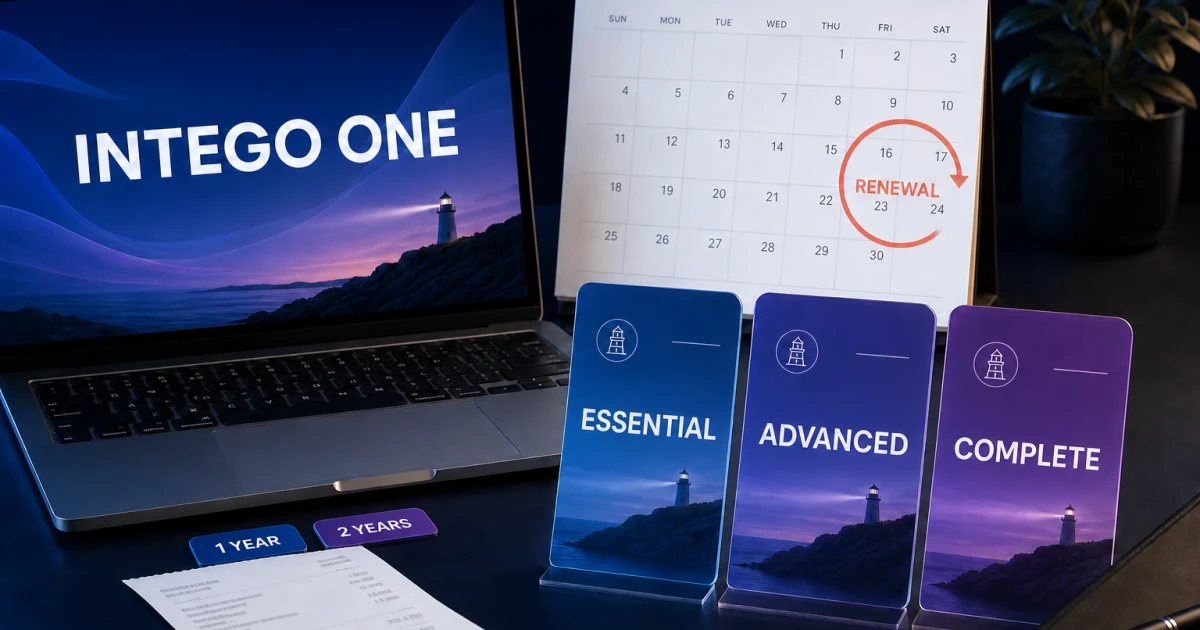
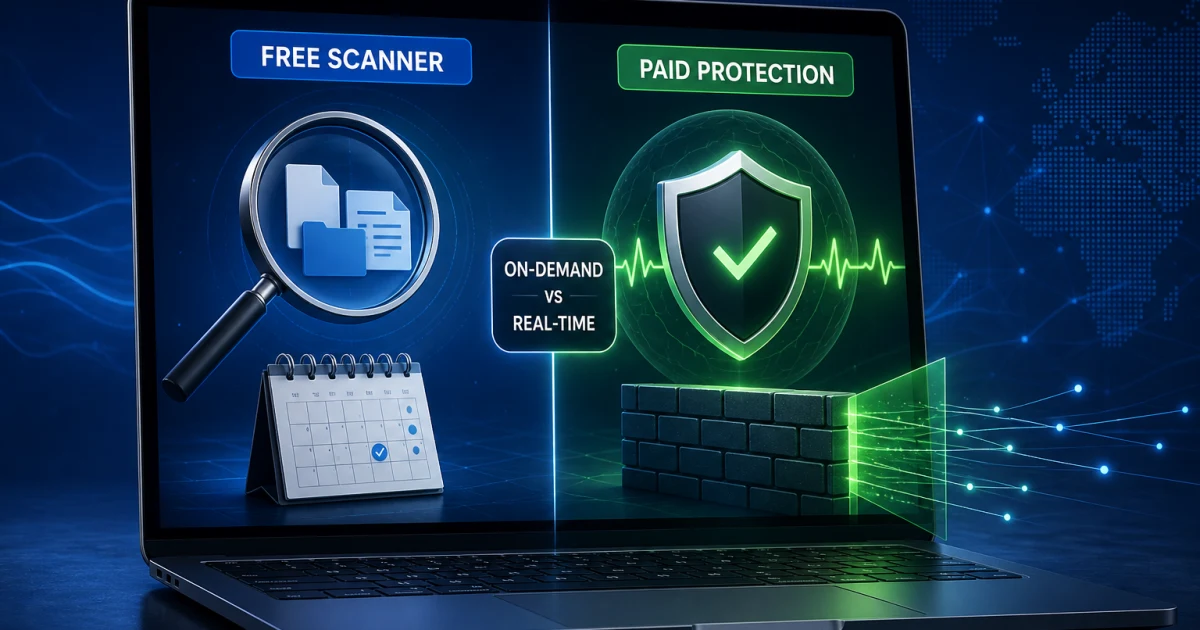
The pricing and renewal guide maps each current tier, one- versus two-year term and 1/3/5 Mac count. The ONE versus X9 guide prevents an old bundle page from adding ContentBarrier or Personal Backup to a current ONE tier. If the need is only a manual check, the free Scanner versus paid protection guide explains why an App Store scan isn't real-time protection or a firewall.

DecisionBest routeWhat it resolves
Buy, renew or keepMain review + pricingCurrent evidence, first payment, renewal and Mac-seat value
ONE or older X9Plan/bundle migration mapCurrent modules, separate legacy apps and missing equivalents
Free or paidScanner comparisonOn-demand scope, App Store sandbox and upgrade triggers
Stronger Mac evidenceIntego vs Bitdefender99.0% versus 96.7%, pricing and NetBarrier loss
Mac plus PCs and phonesIntego vs Norton99.9% versus 96.7%, Smart Firewall, seats and renewal
A different replacement jobSix alternativesProtection, devices, free, quiet, renewal, cleanup or stay routes

For the primary records, use AV-TEST's current macOS field and the AV-Comparatives 2026 Mac report. We preserve test names and denominators instead of averaging unlike methods into a homemade badge.

Install, activate, move a seat and prove protection

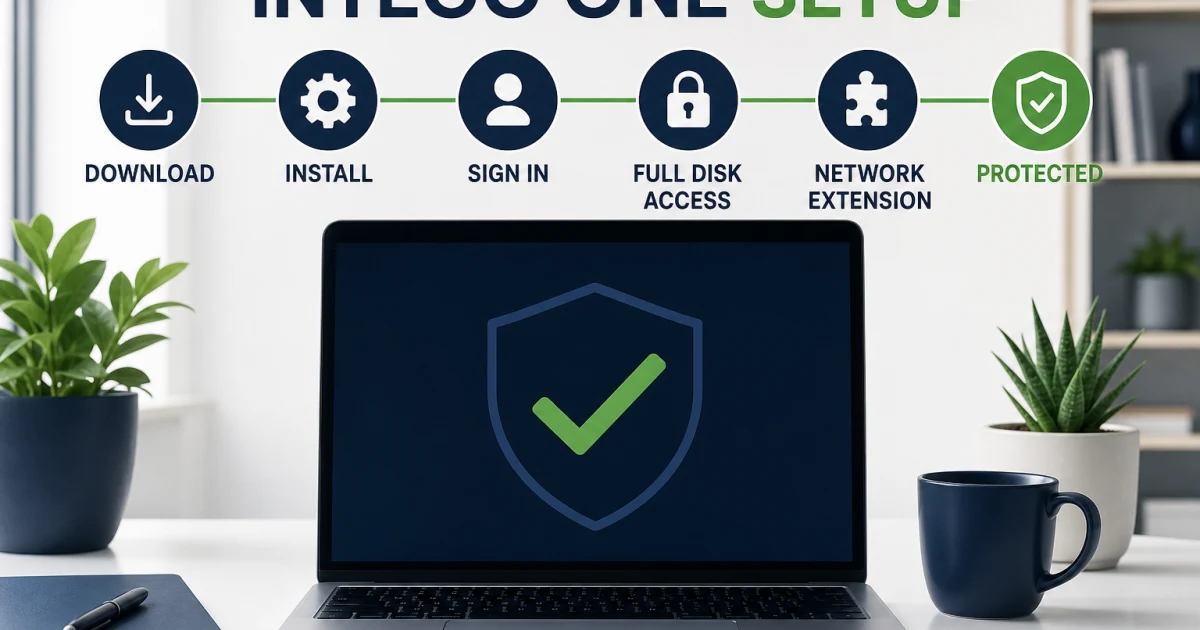
Use the installation and setup guide for the authenticated download, ONE-versus-X9 activation, permissions, updates, real-time state, firewall state, first full scan and post-restart proof. An installer that opens and a dashboard that turns green are intermediate states. Completion means the account recognizes the Mac, current software and definitions are present, the required extensions are enabled and scan history records a finished task.

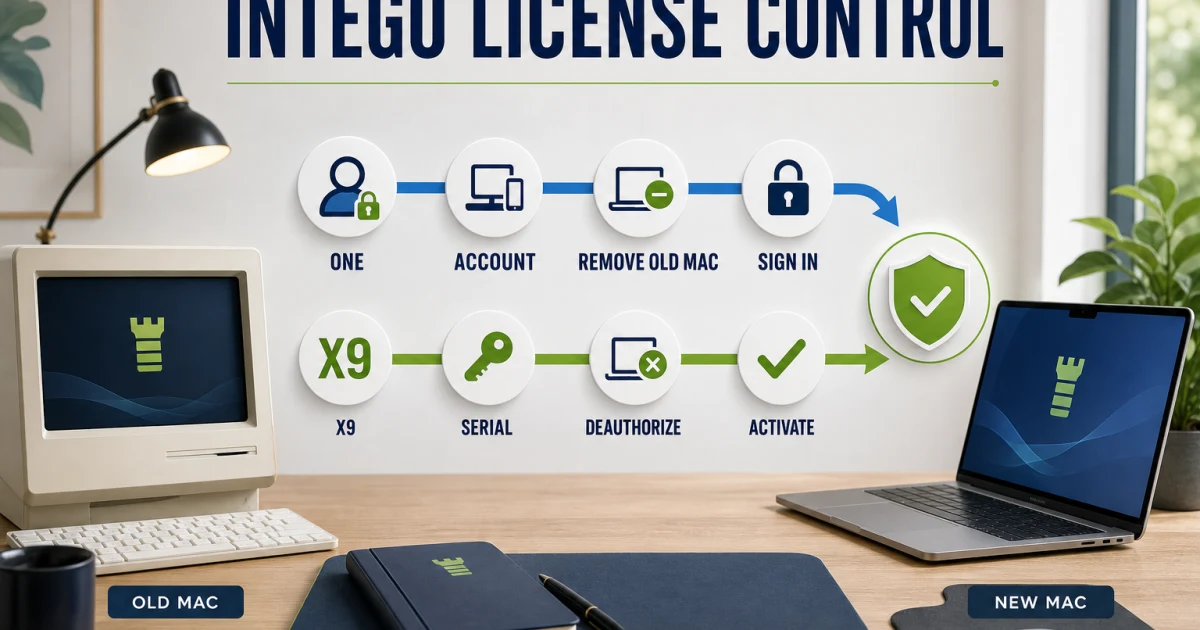
If an email, seat or serial is the obstacle, use the account, serial number and transfer guide. It separates ONE account activation from X9 serialization, local deauthorization from portal state, and NetUpdate email state from an account password. Migration Assistant can move files without proving that a privileged endpoint or network extension is correctly installed on the new Mac.

Use the macOS compatibility and Full Disk Access guide when Tahoe, Sequoia, Apple silicon or a blocked extension is involved. Intego's own compatibility articles can disagree by component and version; our guide shows the stricter safe floor where the current documents conflict. Apple's malware-protection architecture also explains why Gatekeeper and XProtect remain part of the baseline rather than disappearing after a third-party install.

StageEvidence to preserveCompletion proof
IdentifyProduct generation, tier, seller, account email and Mac versionThe official account or serial workflow recognizes the entitlement
InstallOfficial installer source and prior antivirus stateCurrent app and shared components appear once, without conflict
PermitRequested Full Disk Access, endpoint and network controlsOnly documented components are enabled after restart
UpdateApp, shared service and definition versionsNo pending prerequisite or repeated NetUpdate error
VerifyEngine state, firewall state and scan historyOriginal task works after restart and protection remains healthy

Scan, quarantine and verify a suspected false positive

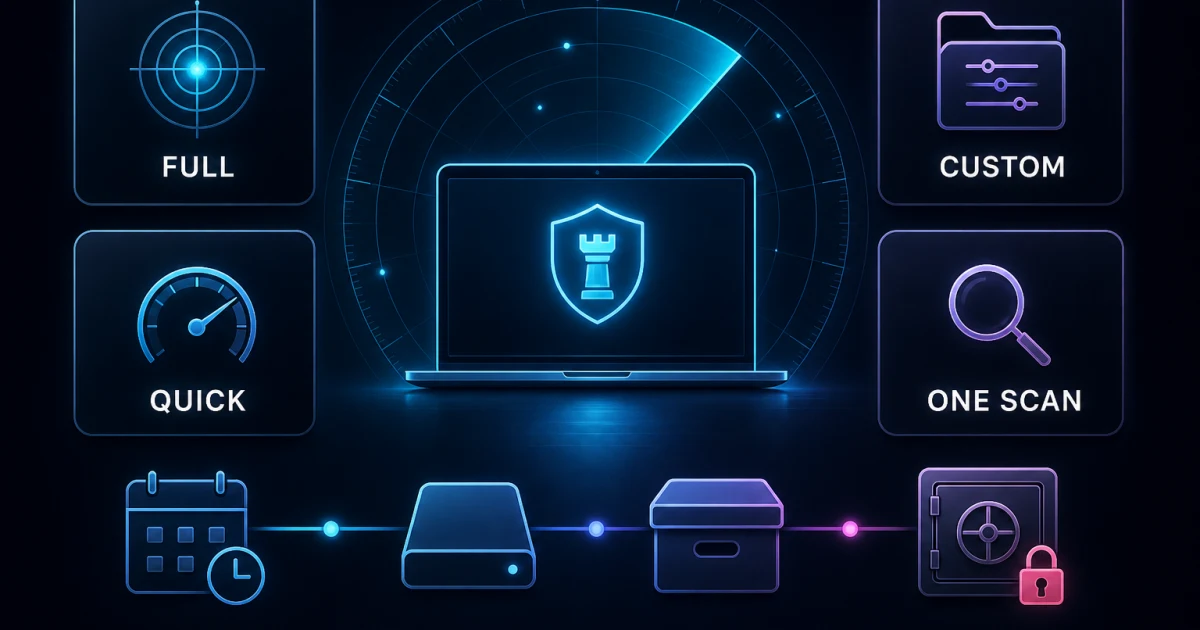
The VirusBarrier scans, quarantine and schedules guide maps Full, Quick, Custom and ONE Scan behavior, real-time scope, mounted disks, archives, schedules and action differences between ONE, X9 and the free Scanner. A Full Scan after installation establishes a baseline; repeating it constantly doesn't replace real-time protection and can create needless load.

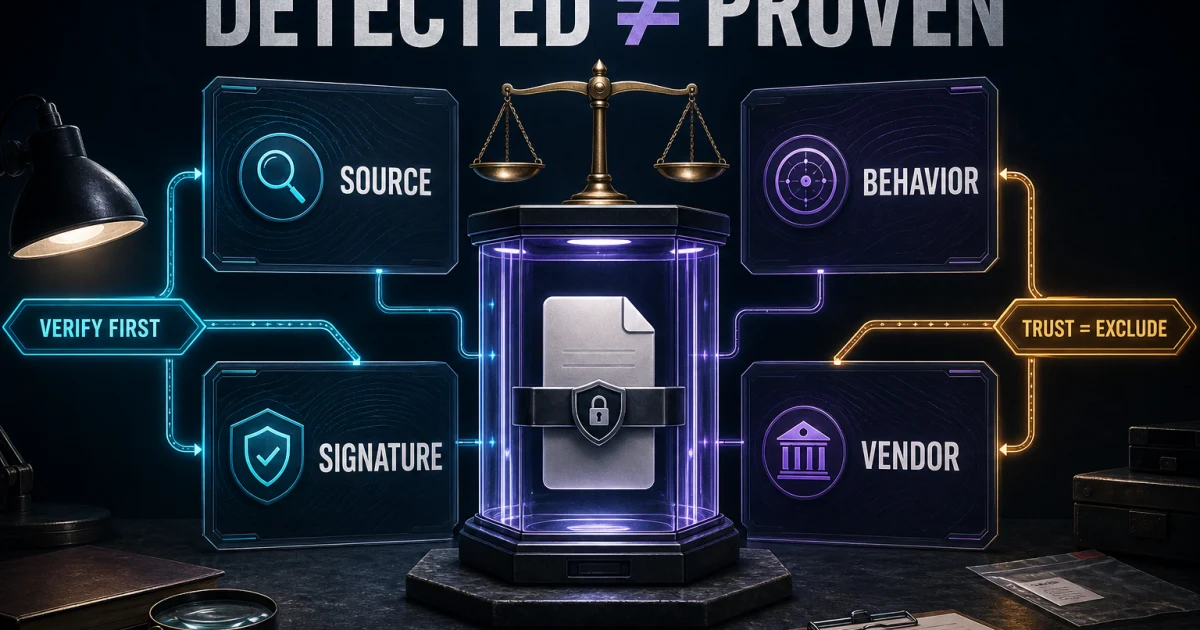
A detection is a fact about an engine decision, not proof that the file is malicious or safe. Open the false-positive and trusted-files guide before choosing Repair, Delete, Ignore, Trust or Restore. Check the file's origin, hash, signing/notarization where relevant and a reputable second opinion. Restore only the exact item, document why, expire the exception and rescan after the vendor corrects the rule.

Don't vote by detection count or upload sensitive client, health, legal or credential material to a public multi-scanner. A signed file can still be compromised, and a zero-detection result isn't a guarantee. When evidence is incomplete, quarantine preserves reversibility better than deleting or trusting.

Fix the exact failure: system, network or VPN

Use the not-working, high-CPU and stuck-scan guide for app launch, shared `integod`, NetUpdate, idle-versus-active load, repeated paths, archives, external volumes, sleep and startup failures. It records current component versions and known fixes without inventing a universal CPU percentage or scan time. Preserve Activity Monitor evidence and logs before an official reinstall.

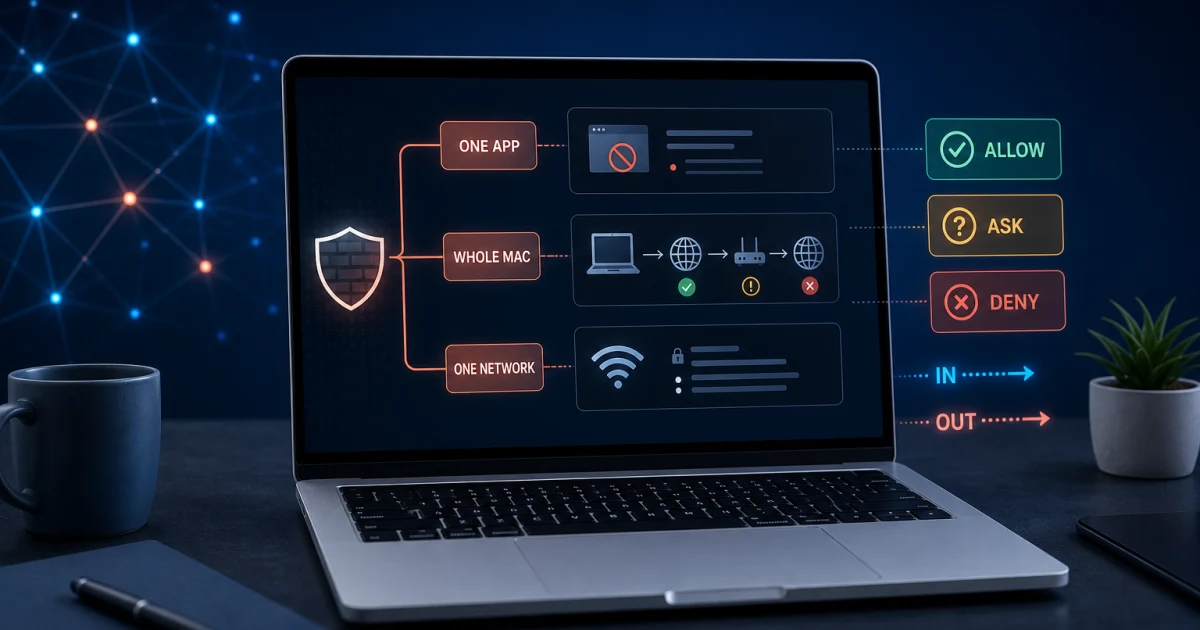
If one app, the whole Mac, a printer or only one network fails, open the NetBarrier connection guide. It separates exact executable/helper rules, Allow/Ask/Deny, incoming/outgoing/local traffic, X9 Home/Work/Public/VPN profiles, ONE's Security Switch, permissions, proxies, DNS and reset-last behavior. “Any app + Allow All” or permanently disabling the firewall isn't a repair.

If the failure begins with a tunnel, use the Intego VPN review and connection guide. ONE VPN and standalone Privacy Protection use different entitlements, interfaces and protocol options; a port or credential instruction from one doesn't automatically apply to the other. The guide also separates connected-but-offline from disconnected-but-offline and records the privacy evidence we could and couldn't find.

Understand cleanup, parental controls and backup before acting

The current SmartClean versus Washing Machine guide distinguishes ONE's Optimization Scan, Quick Cleanup, Disk Space Monitor and App Uninstaller from legacy X9 Reclaim, Duplicates and Organize behavior. Preview Downloads and Trash, preserve vendor uninstallers and treat duplicate deletion as permanent. A reclaimed-space claim is only meaningful when the before/after categories and exclusions are known.

ContentBarrier is a maintained separate legacy app, not a current ONE module. It can still suit an existing family with per-user rules, schedules and application limits, but modern encryption and platform changes reduce what old chat-monitoring or recording models can observe. Apple Screen Time is the better starting point for most families, and any monitoring should use the least data needed.

The Personal Backup versus Time Machine guide recommends current Time Machine for most whole-Mac version-history and recovery needs. Personal Backup remains useful for precise existing one-way jobs. Synchronize can propagate deletion and isn't a backup; old bootable-copy claims don't map cleanly to modern sealed system volumes or Apple silicon. Test a representative restore rather than admiring a successful schedule badge.

ModuleCurrent statusUse it forMain safety boundary
NetBarrierCurrent ONE/X9 network controlApplication-aware rules and profilesScope exact apps, directions and networks
ONE VPNCurrent Complete entitlementIntegrated encrypted tunnelDon't import standalone VPN features
SmartCleanCurrent ONE cleanupReview storage, apps and resource signalsPreview before deletion; no invented speed gain
ContentBarrier X9Separate legacy parental appExisting per-user rules and schedulesPrivacy, encryption and modern-coverage limits
Personal Backup X9Separate legacy backup appPrecise one-way existing tasksSync isn't backup; test restores

Check platform coverage before buying more seats

The platform coverage guide gives the short answer: ONE's 1/3/5 “devices” are Macs. Intego Antivirus for Windows is separately purchased for Intel/AMD PCs and doesn't inherit NetBarrier, ONE VPN or SmartClean. The current Windows manual documents that separate install and feature set. The latest public Virus Bulletin Windows report is a historical October 2025 pass; the current archive says not currently certified as of January 2, 2026.

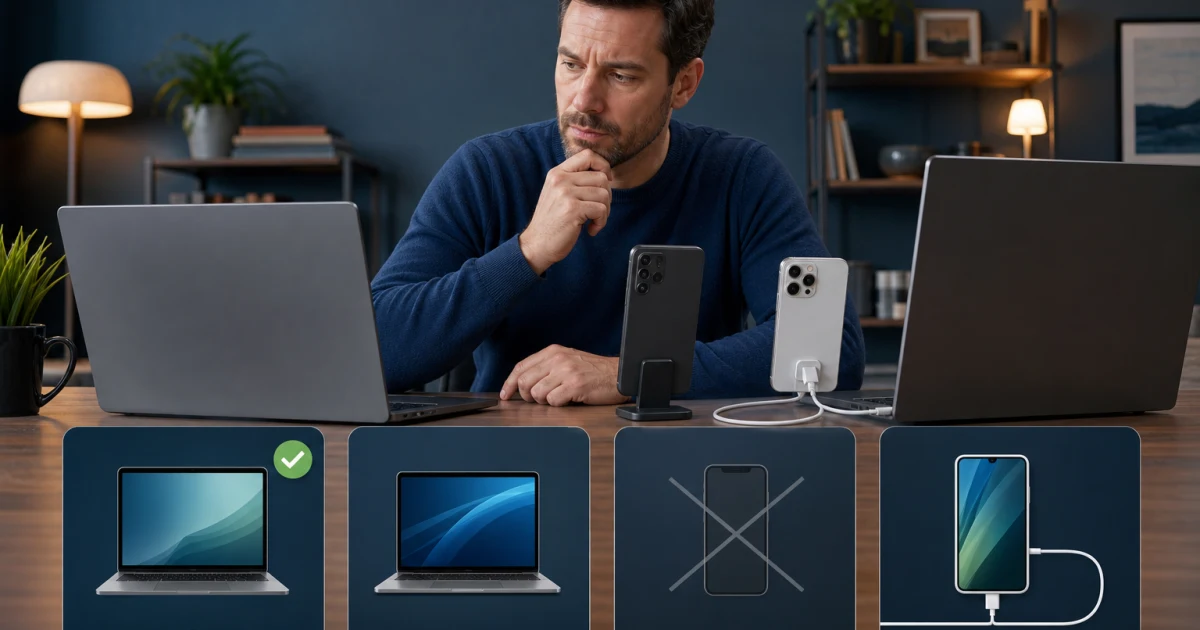
Intego has no current Android product. ONE on a Mac can custom-scan a USB-connected iPhone or iPad with version 1.2.1 or later, but it can't install a resident mobile engine or remediate a finding on that device. Google Play Protect and Apple's sandboxed platform controls remain native baselines; our Google Play Protect reference is official rather than an APK directory.

Count Macs, Intel/AMD Windows PCs, ARM Windows devices, Android phones and iPhones separately. Price every needed subscription and year-two renewal. If that ledger becomes three products and no unified mobile protection, one genuine cross-platform plan may be simpler even if Intego remains the stronger Mac-specific workflow.

Cancel, uninstall or switch without losing evidence

Billing cancellation, a refund request, device deauthorization and local removal are separate jobs. Use the cancellation and refund guide to identify the seller, stop future renewal, preserve the invoice and check Intego's current direct-purchase/renewal 30-day wording. Don't promise approval or a bank posting date the policy doesn't guarantee.

Then use the complete uninstall guide. ONE uses its supported Help-menu path; X9 may require the latest installer and its uninstaller; the App Store Scanner goes through the normal app route; standalone Privacy Protection has its own settings. Don't broadly delete `/Library/SystemExtensions`, disable SIP or run guessed `sudo rm` commands. Restart and verify that old endpoint/network filters are gone.

If the real problem is product fit, compare before removing. Bitdefender has the stronger directly comparable 2026 Mac-malware percentage but no equivalent NetBarrier application firewall. Norton has stronger current Mac evidence, mixed-device seats and a capable Smart Firewall, with higher published renewal. The alternatives guide adds free, quieter, predictable-renewal and cleanup routes—and an honest reason to keep Intego.

All 21 Intego guides by job

Every cluster page appears below and in the structured ItemList. The directory is finite: it links only to a completed focused guide, comparison or review. Broad queries land here; the spoke owns the detailed intent and links back to this hub if the reader needs a different route.

JobGuideUse it when
ChooseIntego reviewYou need the current verdict and evidence.
Plans, pricing and renewalYou need tier, term, Mac count and year-two cost.
ONE versus X9An old product or migration changes entitlement.
Free Scanner versus paidYou need occasional scanning or resident protection.
Set upInstall and set upYou're downloading, activating or proving the first run.
Account, serial and transferA seat, email, serial or old Mac is blocking progress.
Compatibility and Full Disk AccessmacOS, chip or permission state is uncertain.
DetectScans, quarantine and schedulesYou need the right scan or action.
False positive and restoreA trusted-looking file was detected.
RepairNot working, CPU or stuck scanThe system, update, scan or startup path fails.
NetBarrier connection fixesAn app, network or local device is blocked.
VPN review and fixesThe tunnel, login, protocol or internet path fails.
ModulesSmartClean versus Washing MachineYou need cleanup without unsafe deletion.
ContentBarrier parental controlsYou're evaluating a separate legacy family tool.
Personal Backup versus Time MachineYou need backup, sync or restore boundaries.
LeaveCancel and request a refundYou need to stop renewal or challenge a charge.
Uninstall completelyYou need product-specific removal and verification.
CompareIntego vs BitdefenderProtection evidence versus firewall control decides.
Intego vs NortonMixed devices, firewall and renewal decide.
Best alternativesYou need six job-specific exits or a reason to stay.
Windows, Android and iPhone coverageThe household mixes operating systems.

Escalate with a small, useful evidence packet

Official support can act faster when the case identifies the product, version, macOS or Windows version, chip, exact error, time, repeatable trigger and the one safe repair already attempted. Add a screenshot with account, path and personal details redacted. For scans, include the type and affected path. For NetBarrier, include app, helper, direction and network profile. For VPN, include which product, protocol and whether the Mac has internet after disconnecting.

Don't publish a serial number, full email, recovery code, payment card, private log or sensitive detected file in a public forum. Intego's Log Reporter can contain a support packet broader than a screenshot; inspect and transmit it only through the official ticket route. Community evidence can reveal patterns, but it shouldn't replace the vendor's current entitlement or a controlled lab denominator.

A repair is complete only when the original task works after restart and the security state remains healthy. A disappeared warning isn't enough if real-time protection is off. An opened website isn't enough if the network extension is still blocked. A cancelled renewal isn't enough if the app remains the active provider and no replacement exists.

Intego help FAQ

Where should I start with Intego?

Start with the main review if you're deciding whether to buy or keep Intego. Use the pricing and ONE-versus-X9 guides before checkout, the install and account guides after purchase, and a symptom-specific guide only when a named feature is failing. The six-route map near the top sends each job to the shortest useful path.

Is this the official Intego support website?

No. Antivirus-Review.com is an independent editorial publication. We interpret current products, evidence and procedures, but downloads, account recovery, serial numbers, subscription changes and support tickets should begin on Intego's official domains or with the seller shown on your receipt.

Does Intego ONE cover Windows, Android, iPhone and iPad?

ONE's 1, 3 and 5 device choices are Mac seats. Windows uses a separately purchased Intel/AMD product, Android has no current Intego product, and iPhone or iPad can only receive an occasional USB-connected scan from ONE on a Mac. That scan can alert but can't remediate on the mobile device.

What is the difference between Intego ONE and X9?

ONE is the current unified Mac subscription with Essential, Advanced and Complete tiers. X9 products remain relevant to eligible existing users and include separate utilities with different interfaces and entitlements. ContentBarrier and Personal Backup don't become ONE features simply because an old X9 bundle included them.

Why does Intego need Full Disk Access?

VirusBarrier needs the documented macOS permission to inspect protected locations. NetBarrier or VPN functions may also require a network extension or content filter. Grant only the permissions the current official guide names, restart when required, then verify engine status, definitions and a completed scan instead of trusting a green dashboard alone.

What should I do if an Intego scan is stuck or CPU stays high?

Record the product and version, process name, scan type, path and whether the load continues after the scan. Check current software and definition updates, isolate one path or conflict at a time and preserve logs before reinstalling. Don't broadly reset TCC, delete system extensions or kill shared daemons as a first step.

How do I restore a safe file Intego detected?

Treat false-positive classification as an evidence job. Verify the source, hash, signing and notarization where applicable, use a reputable second opinion, and restore or trust only the exact item. Remove the exception and rescan after the vendor fixes the detection; don't exclude an entire Downloads or Applications folder.

Does uninstalling Intego cancel the subscription?

No. Billing cancellation, refund requests, device deauthorization and local removal are separate actions. Stop renewal with the actual seller and save confirmation, release a seat only when needed, then use the correct ONE, X9, Scanner or standalone VPN uninstaller and verify one active replacement.

Can I run Intego with another antivirus on the same Mac?

Don't keep two full real-time Mac security suites active. Their file, endpoint and network extensions can conflict, duplicate scans and obscure which product handled an event. One resident suite plus a genuinely on-demand second opinion can be reasonable only when the second tool's real-time trial and persistent modules stay off.

When should I replace Intego instead of troubleshooting it?

Replace it when one bounded evidence-led repair doesn't stop a recurring protection, connection, performance or billing problem, or when Mac-only seats no longer fit a mixed-device household. Compare Bitdefender for stronger current Mac-malware evidence, Norton for cross-platform reach, or the alternatives guide for a different job.

The shortest safe route is one product, one job, one proof

Identify ONE, X9, Scanner, Windows antivirus or Privacy Protection before changing anything. Keep purchase decisions with current evidence and renewal math, installations with entitlement and permissions, detections with reversible verification, and repairs with one isolated variable. That discipline prevents a Mac firewall fix from becoming a VPN reset or an X9 instruction from damaging a current ONE setup.

If one bounded repair fails, compare replacements by the missing job. If you leave, cancel through the actual seller, preserve proof, remove the correct product and verify one active replacement. If you stay, keep current software and definitions, test the workflow you depend on and return to this hub only when the next question is genuinely different.