We review products independently, but we may earn commissions if you make a purchase using affiliate links on our website. Also note that we are not antivirus software; we only provide information about some products.

Independent Emsisoft help hub · Product, lab and support checks updated August 7, 2026

Emsisoft guides: buy, set up, scan, fix or leave safely

Seventeen focused pages cover the real job: product choice, price, installation, account seats, scans, false positives, protection layers, Emergency Kit, ransomware recovery, repairs, billing, removal and alternatives.

17 focused pagesCurrent 2026 evidenceOne resident productBilling separate from removal
Emsisoft guides routes for choosing setup scans fixes billing and switching
Independent editorial help-center map, not an Emsisoft interface. Choose one job and verify its result before changing the next thing.

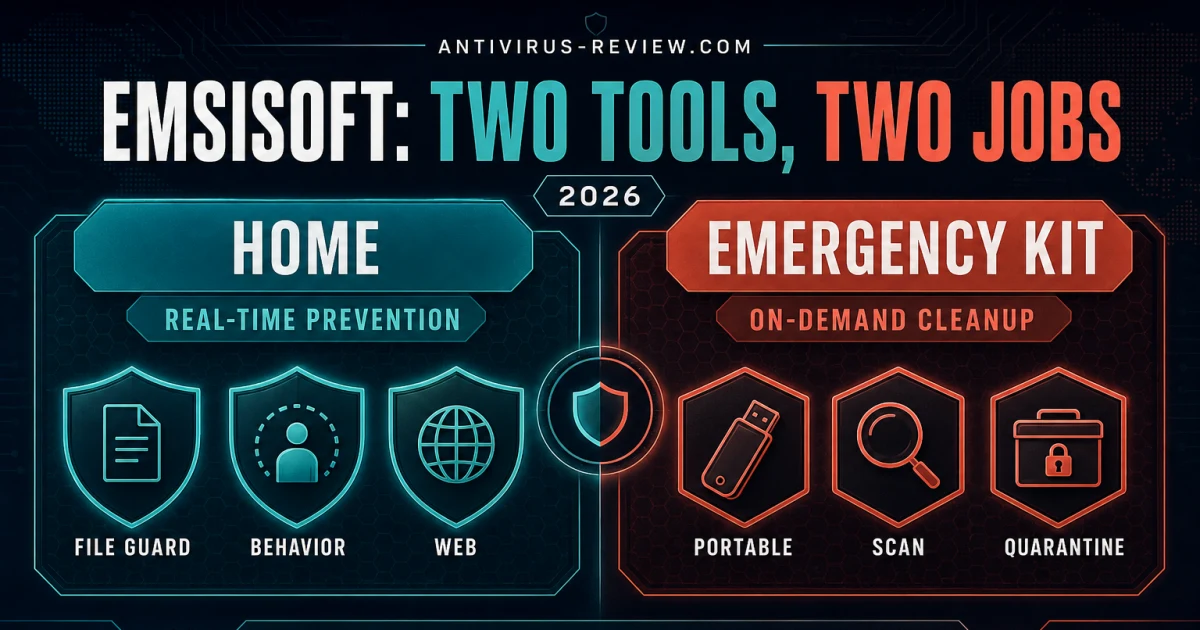
Start with the product and the job. Use the review, pricing and Home-versus-Emergency-Kit pages before buying; setup, account and platform guides after purchase; scans or a named protection-layer guide while using the product; Emergency Kit or decryptor guidance for recovery; and cancellation before uninstalling if you're leaving. Emsisoft Home is resident protection. Emergency Kit is portable and on-demand. They aren't two tiers of the same free-to-paid app.

Start with the job, not the Emsisoft logo

“Emsisoft” can mean Anti-Malware Home on a protected computer, the MyEmsisoft web account, Emergency Kit on a USB drive, Browser Security in a browser, or one of the company's ransomware decryptors. Two people asking “How do I restore a file?” may need different evidence, controls and risk decisions. A catch-all answer that skips product identity can turn a reversible alert into permanent loss.

Use the six routes below. Buying belongs with current evidence, exact device scope and renewal. Installation belongs with the account-linked installer and proof after restart. A detection belongs with scan scope, quarantine and exact-file verification. A broken web connection or high-CPU report belongs with one isolated symptom. Recovery begins by preserving evidence. Leaving begins with the billing owner, not deleting program files.

Emsisoft question router for buying setup scans fixes recovery and switching
Independent question router, not a vendor interface. Each route ends with verification instead of another speculative change.
Your jobOpen firstDon't do yet
Buy or renewReview, pricing, Home versus Emergency KitDon't buy a portable scanner expecting resident protection.
Install or moveSetup, account and platform guidesDon't reuse an old seat without checking the workspace.
Scan or restoreScans, quarantine and false positivesDon't delete or broadly exclude before verification.
Fix a problemHigh CPU, Web Protection or Behavior BlockerDon't disable every layer or reinstall before preserving logs.
Recover filesEmergency Kit or ransomware decryptorsDon't work on the only encrypted copy.
Leave or switchCancellation, uninstall, comparison or alternativesDon't assume uninstalling stops billing or run two resident products.

Use official Emsisoft domains for downloads, accounts and support

This hub is independent. Use it to understand a claim, choose a route and verify completion; use Emsisoft's systems for installers, account access, license changes, purchases and support tickets. The current official installation page recommends an account-linked installer for the 30-day trial and documents generic web and MSI alternatives for special cases. It also warns against simply deleting files from the program folder.

The official help center is the safest starting point for a current product procedure. Ignore phone numbers copied into search snippets, pop-ups, PDFs or forum signatures. Emsisoft's public product pages emphasize email and live-chat support; a third-party “support number” can be a remote-access scam even when the caller knows the product name.

If a renewal or malware message feels urgent, preserve the sender, URL and a redacted screenshot rather than clicking. Open MyEmsisoft or the named seller from a typed or saved address. Don't post a license key, recovery code, full invoice, private log or detected personal file in a public thread. A real account problem survives verification; a scam depends on urgency.

Choose Home, Emergency Kit or a replacement by the job

Begin with the Emsisoft Anti-Malware review. It keeps the June 2026 VB100 result inside its own method: 1,963 detections from 1,977 Windows PE malware samples, 14 misses and zero false alarms across 99,999 clean files. That's credible current certification, but it isn't the same web-delivered cohort used by AV-Comparatives or the same three-axis consumer test used by AV-TEST.

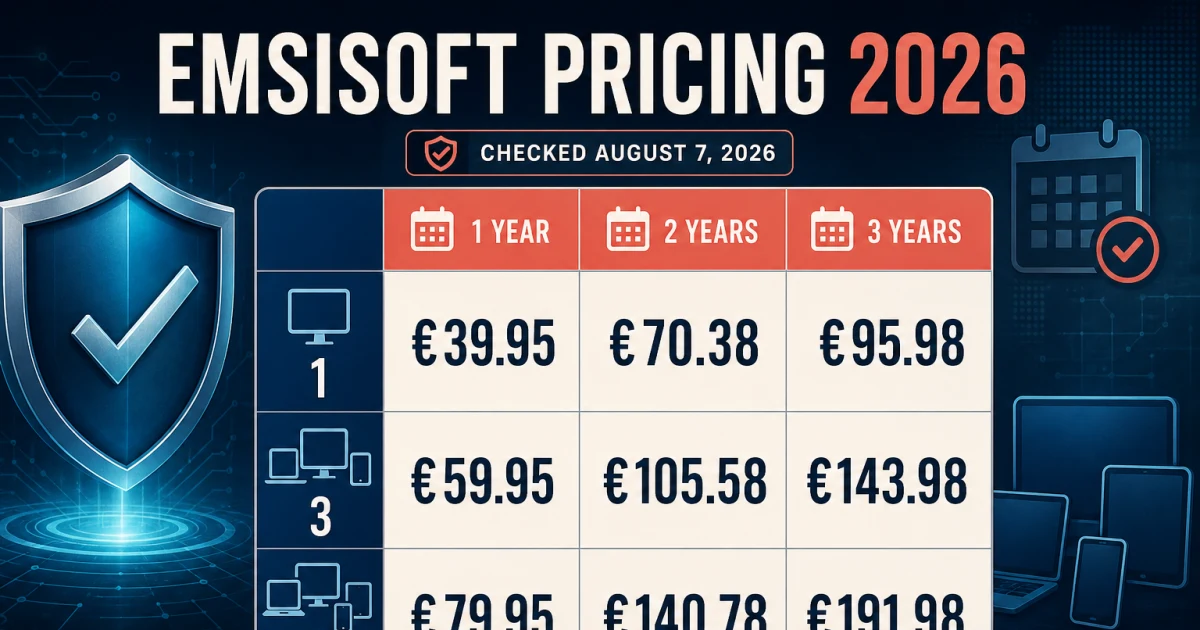
The plans, pricing and renewal guide maps the current $59.95 annual US session for three Windows or Mac computers, multi-year choices, trial and billing boundaries. The Home versus Emergency Kit guide separates paid resident protection from portable on-demand scanning. Emergency Kit can clean a computer and provide a second opinion; it doesn't add continuous File Guard, Behavior Blocker or Web Protection.

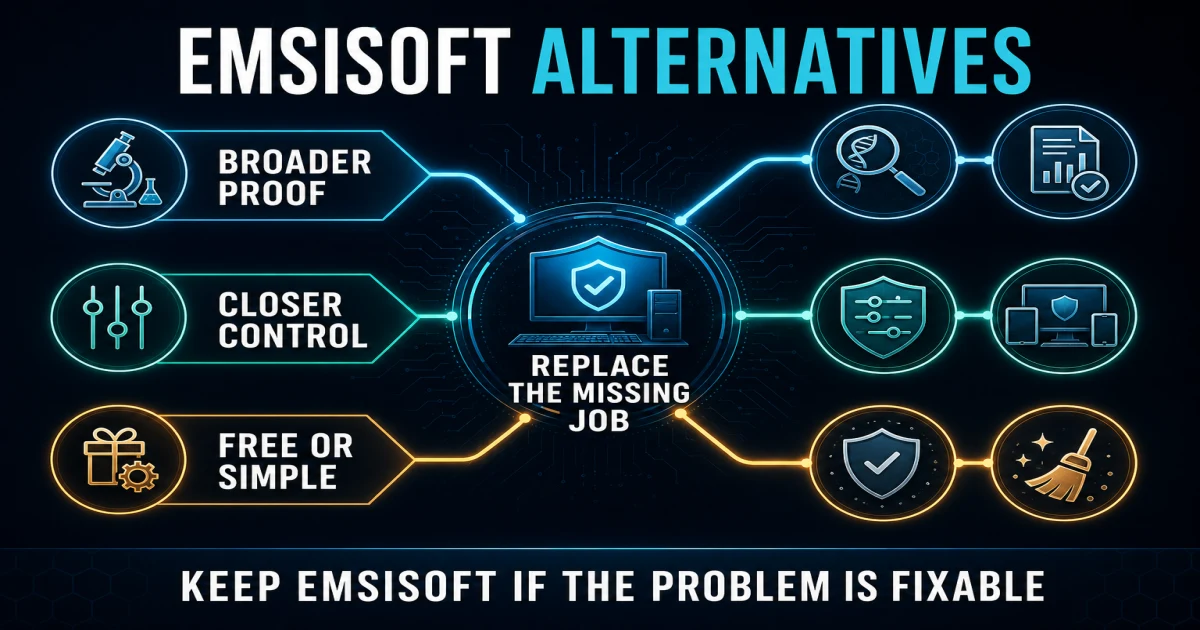
If broader current lab participation, mixed mobile devices or a bundled VPN/family account is the missing job, use Emsisoft versus Bitdefender or the six-route alternatives guide. Don't switch because a list has more logos. Name the missing job, compare two-year cost and platform scope, then use the refund window on the weakest device.

DecisionBest routeWhat it resolves
Buy, renew or keepMain review + pricingCurrent evidence, device count, payment and renewal
Resident or portableHome versus Emergency KitContinuous protection versus on-demand scan/cleanup
Focused or broader suiteEmsisoft vs BitdefenderShared-engine misconception, evidence breadth and extras
Different ownership jobBest alternativesControl, family tools, built-in, free, simple or stay routes

For the primary record, use Virus Bulletin's Emsisoft history and the current official plan page. We preserve dates, product names and denominators instead of manufacturing a composite score.

Install, activate, move a seat and prove protection

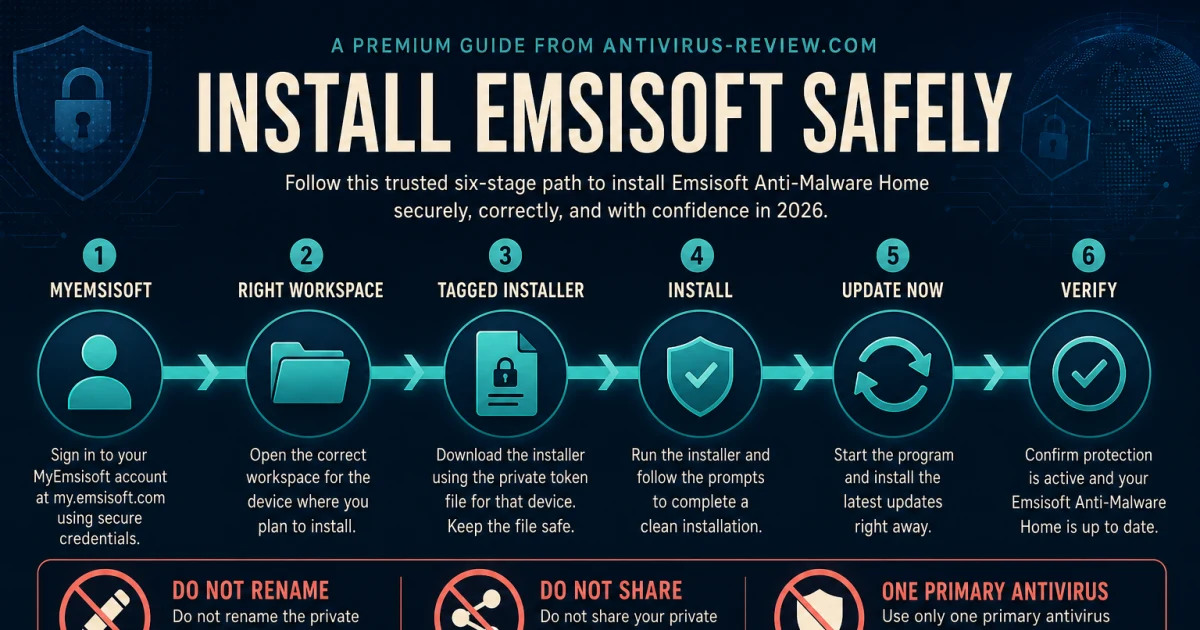
Use the installation and setup guide for the official account-linked download, prior-antivirus check, activation, update, protection status and baseline scan. An installer that opens and a green dashboard are intermediate states. Completion means the correct workspace recognizes the device, current definitions are present, resident layers are active and scan history records a finished task.

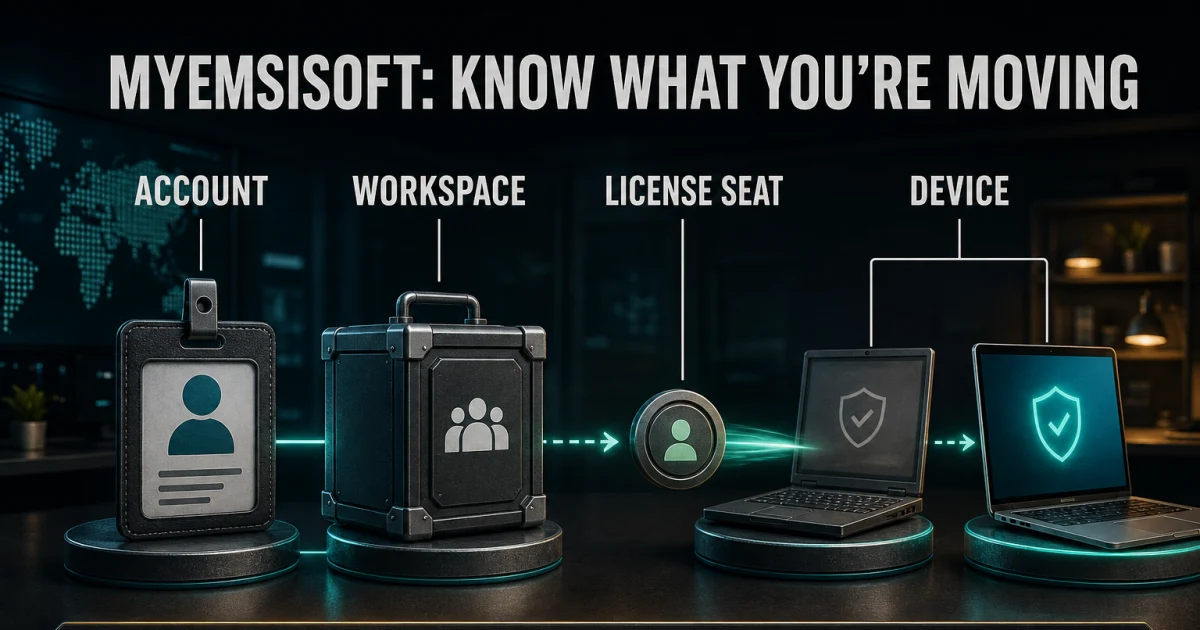
If an email, workspace or old device is blocking progress, use the MyEmsisoft account, devices and license-transfer guide. It separates account access, license-seat state and local protection. Removing a stale device from a workspace isn't the same as uninstalling it, and uninstalling doesn't cancel renewal.

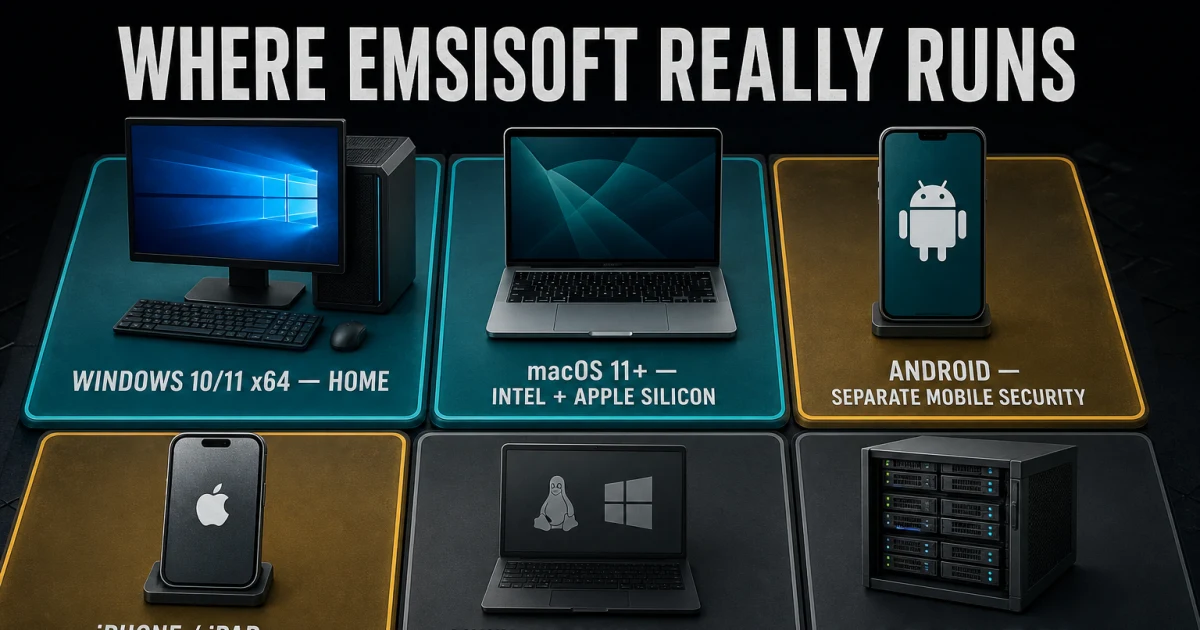
Use the system requirements and platform guide before moving to a Mac, phone or unsupported Windows build. Emsisoft Home covers Windows and macOS computers under current plan wording; Android protection remains a separate product and there's no equivalent resident iPhone antivirus. Don't transfer a Windows feature or scan model to iOS.

StageEvidence to preserveCompletion proof
IdentifyPlan, workspace, seller, account email and operating systemThe official account recognizes the entitlement
InstallOfficial installer source and prior resident antivirus stateOne current protection app is registered
UpdateSoftware and definitions timestampsNo unresolved update error after restart
ProtectFile Guard, Behavior Blocker and Web Protection stateRequired layers remain active after restart
ProveBaseline scan type, result and logA completed history event with understood findings

Scan, quarantine and restore without turning trust into a guess

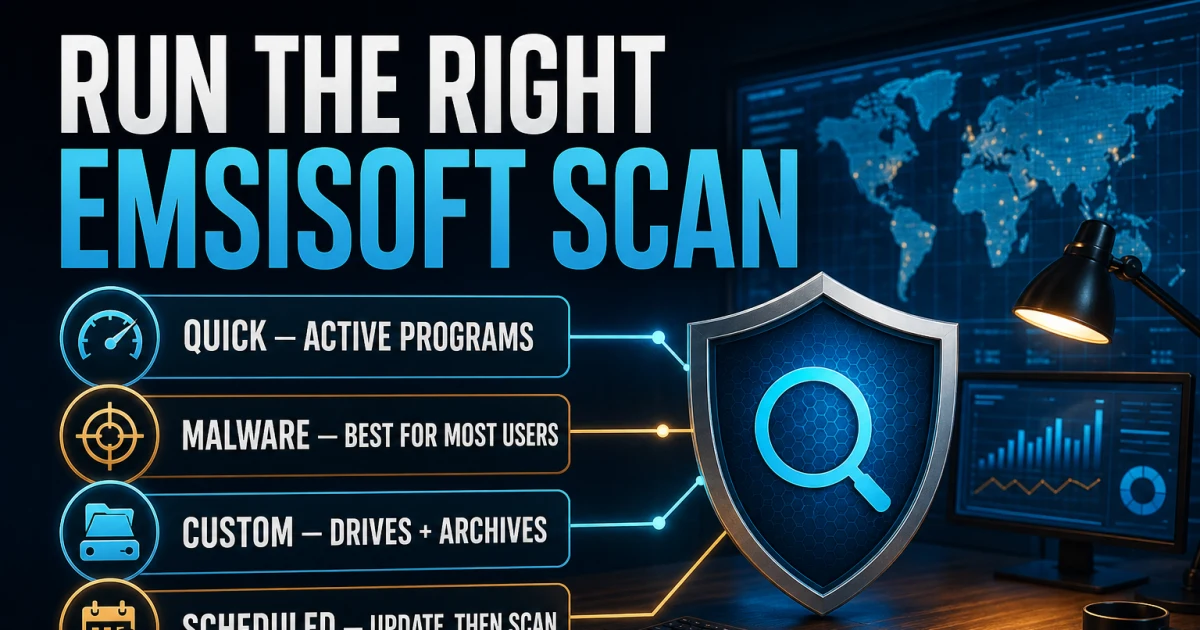
The scans, schedules, quarantine and logs guide owns scan choice and result handling. Malware Scan is the usual active-infection route; Custom Scan belongs to a specific drive, archive or setting. A scheduled task needs a sensible wake/power condition and a log that proves it ran. “Quick” and “full” aren't useful labels unless the actual scope is visible.

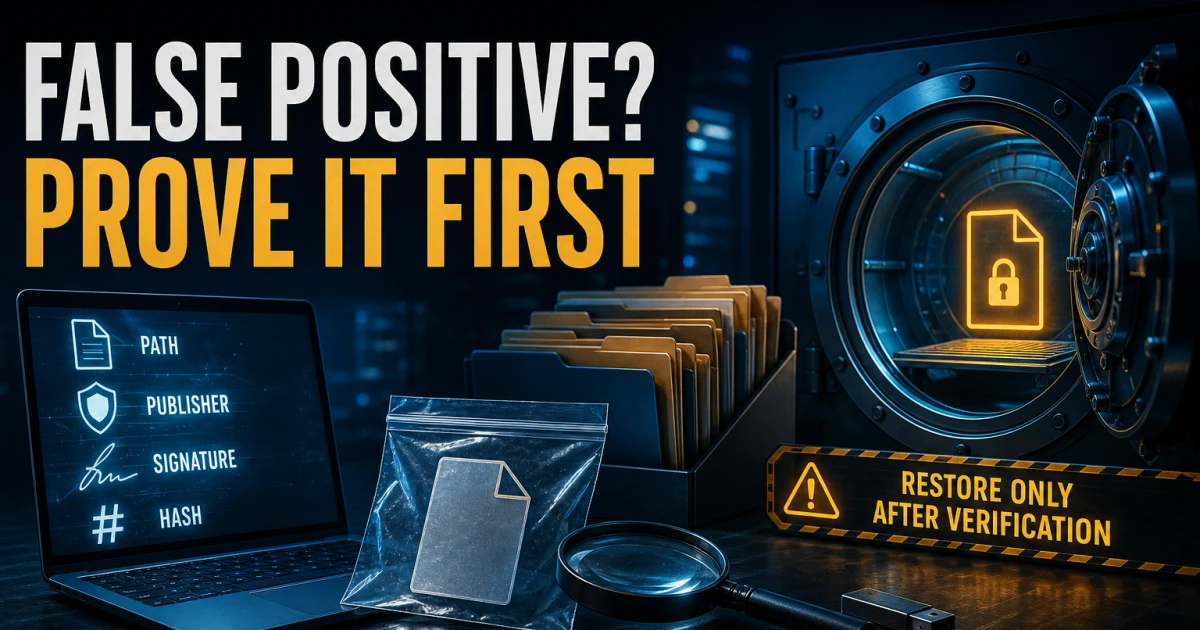
When a trusted-looking file is detected, move to the false-positive, exclusions and restore guide. Preserve the detection name, exact path, hash, source and signature. Use a privacy-aware second opinion, submit the exact file and restore only when evidence supports it. A whole Downloads, development or game folder isn't a safe exclusion just because one item is inconvenient.

Emsisoft quarantine is reversible until an item is deleted. Its management documentation explains that quarantined objects can be re-scanned after updates, reported as false detections, restored or permanently removed. The official console guide also documents scan and log concepts, but consumer screens and permissions may differ. Follow the current product, not a screenshot copied from another edition.

FindingFirst actionUnsafe shortcut
Known malware in a disposable locationQuarantine, update, rescan and inspect related activityOpening it again to “confirm”
Trusted signed applicationPreserve hash/signature, second opinion and submitRestoring because the filename looks familiar
Potentially unwanted programCheck bundling, consent and business needAssuming PUP always means destructive malware
Sensitive personal fileUse local evidence and privacy-aware vendor routeUploading it publicly to many scanners
Executed credential threatContain, preserve evidence and rotate credentials from a clean deviceTreating quarantine as complete incident recovery

Understand Behavior Blocker and Web Protection before disabling them

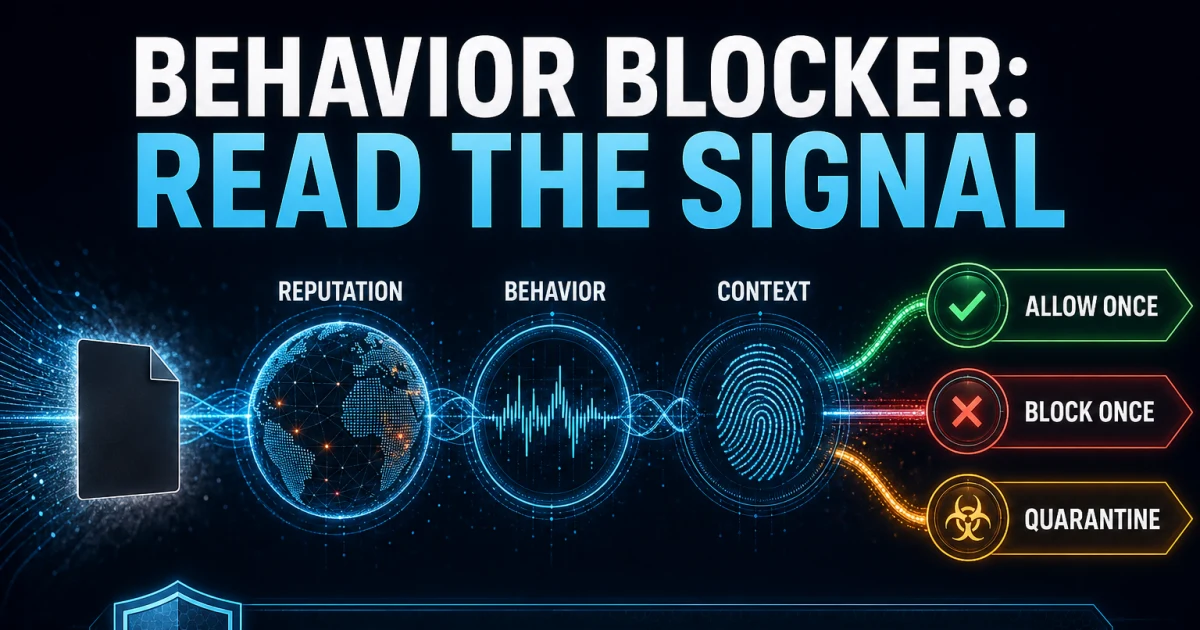
The Behavior Blocker and anti-ransomware guide explains how observed behavior, reputation and application rules shape a decision. A prompt isn't a personality test. Record the process, parent, path, signature, requested action and whether the behavior matches the intended task. “Allow always” can turn a one-time uncertainty into a durable blind spot.

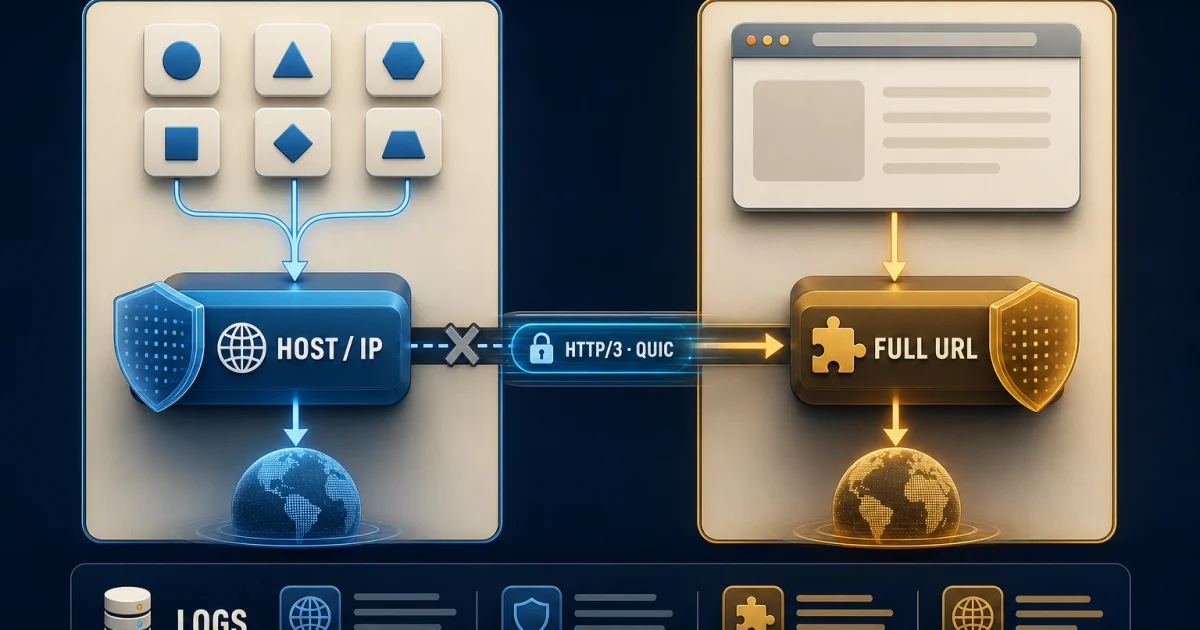
The Web Protection and Browser Security guide separates system-level host blocking from the optional browser extension and browser-native safe-browsing controls. The official Web Protection guide documents custom host rules and four actions: don't block, alert, block with notification and block silently. Scope the exact host or app path; don't turn the entire layer off because one site or local device fails.

When both layers appear in one incident, preserve their different evidence. Behavior Blocker asks what a process did. Web Protection asks where a connection went and which rule matched. Disabling both at once may make the symptom disappear while destroying the clue that identifies the real conflict.

Use Emergency Kit and ransomware decryptors inside their real limits

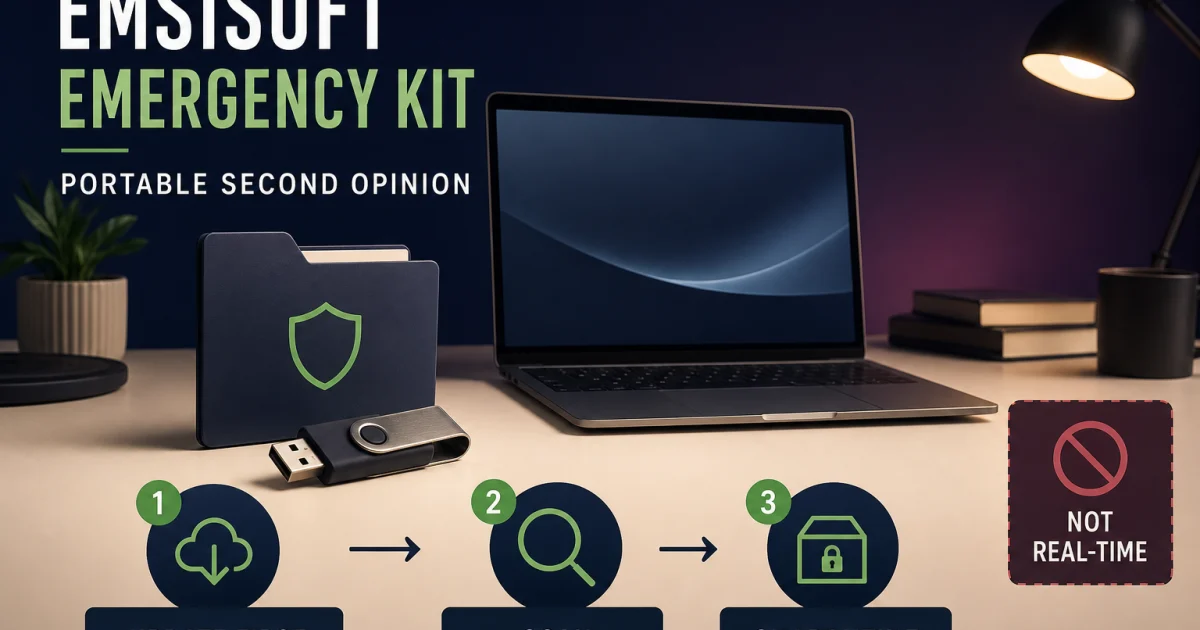
The Emsisoft Emergency Kit review and removal guide covers portable extraction, update, scan choice, detection handling and escalation. The official Emergency Kit page presents it as a portable malware and virus scanner. It's valuable for a second opinion or a damaged machine, but it isn't bootable media and doesn't provide resident protection between scans.

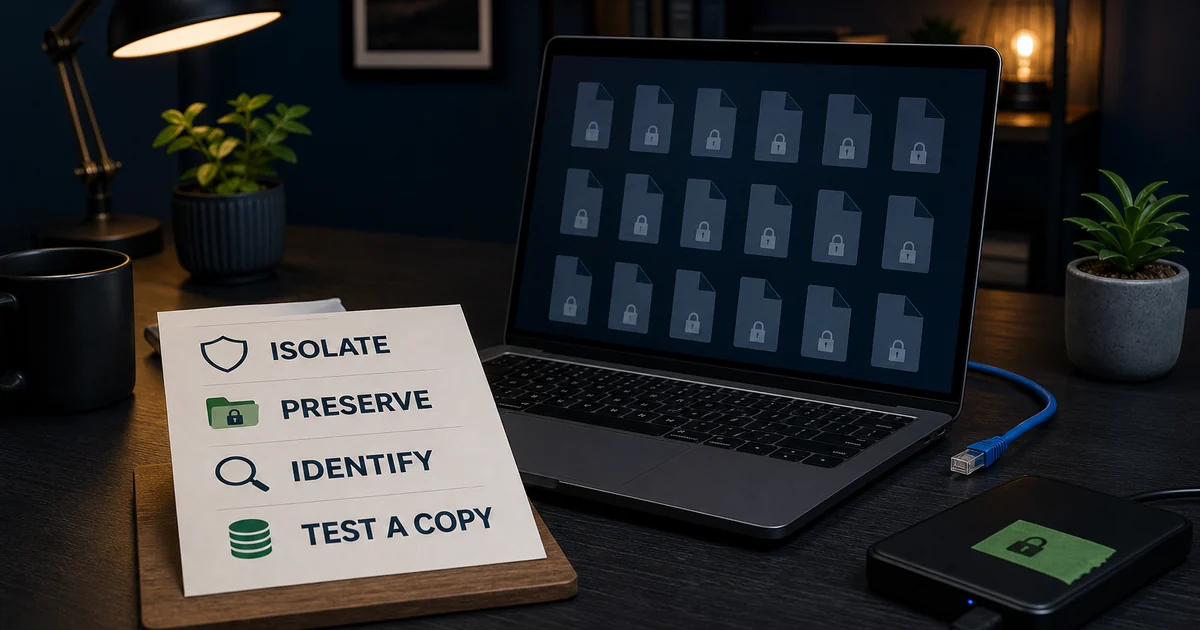
The ransomware decryptors and recovery guide starts with evidence preservation: encrypted copies, ransom note, extension, sample pairs where safe and the suspected family. A decryptor works only when the family and key mechanism match. Work on copies, test a small representative set and preserve backups before bulk output.

Don't upload sensitive originals, rename the only encrypted copy, pay a random “recovery specialist” from a search ad or run every available decryptor. If credentials or a remote-access tool may be involved, recovery also includes containment, clean-device credential changes and investigation of the initial access path.

ToolUse it forIt doesn't prove
Emsisoft HomeResident prevention, detection and account-managed protectionThat an old encrypted file can be decrypted
Emergency KitPortable on-demand scan, second opinion and cleanupContinuous protection or offline boot recovery
Family-specific decryptorA supported ransomware/key conditionUniversal recovery or safe use on the only copy
Backup restoreKnown-good version recovery after containmentThat persistence, stolen credentials or initial access are gone

Fix high CPU, stuck scans and protection failures one variable at a time

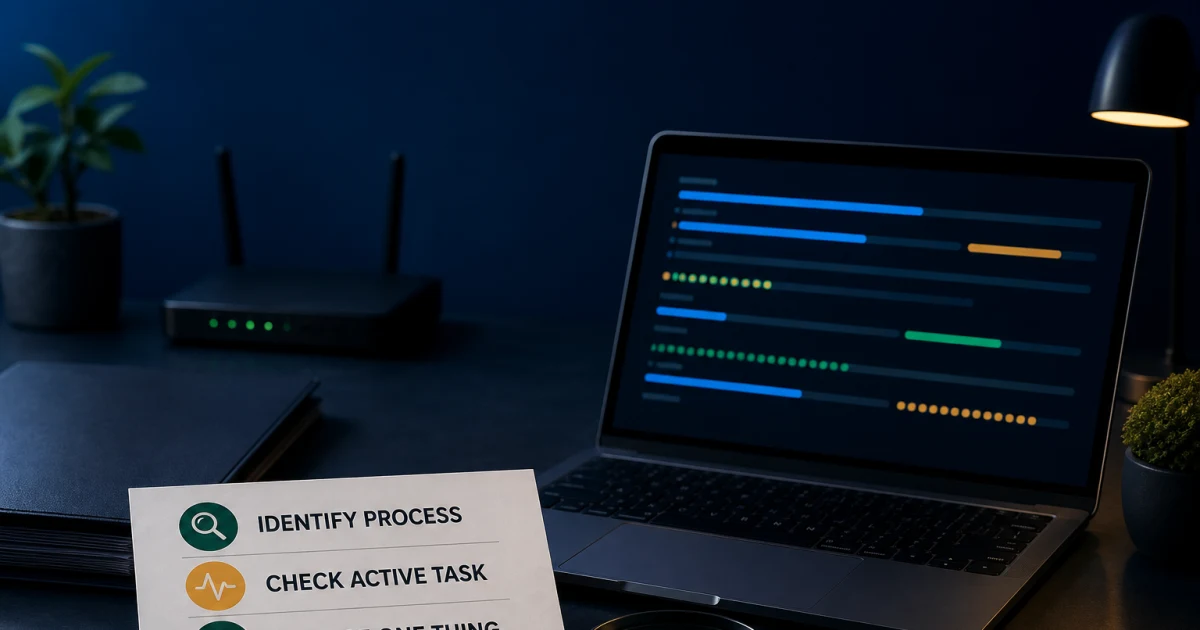
Use the not working, high CPU or stuck scan guide when the symptom spans services, updates, startup, scans or conflicts. First identify the process, duration, scan type, path and trigger. A short spike during update or archive inspection isn't the same as sustained load at idle. A progress bar paused on one large archive isn't automatically a dead process.

Update the app and definitions, restart once, check storage and memory pressure, then isolate one safe variable. Preserve the relevant log before reinstalling. Don't run registry cleaners, delete drivers manually, disable every protection layer or remove another security product's files by guess. If a specific path reproduces the issue, record it without publishing private content.

Escalate through the official channel with product version, operating system, process name, timestamps, exact error, repeatable trigger and the one repair already attempted. A useful ticket is smaller than a data dump and more specific than “Emsisoft is broken.”

Cancel, uninstall or switch without a billing or protection gap

Use the cancellation and refund guide to identify whether Emsisoft, 2Checkout or another seller owns the billing relationship. Preserve the order, renewal notice, cancellation state and promised refund boundary. Deleting the app, removing a workspace device or revoking a license seat doesn't cancel a recurring charge.

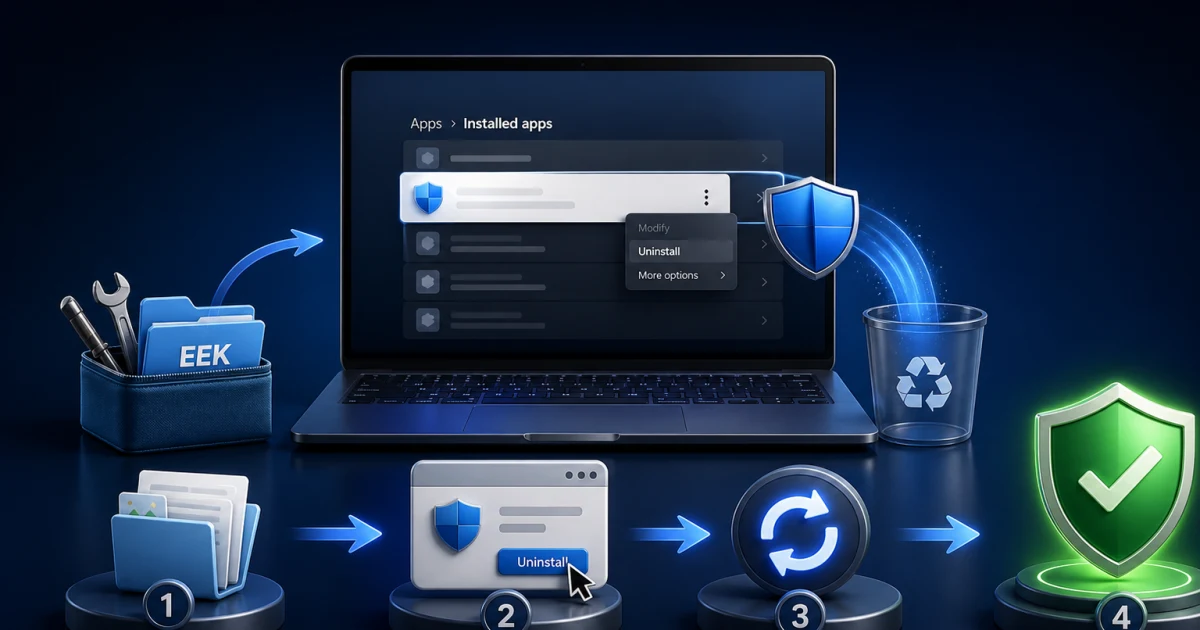
Then use the complete uninstall guide. Start with the supported Windows or current app route, restart and verify the active security provider. Emsiclean is an escalation tool whose log should be reviewed and support guidance followed; it isn't a first-line cleaner to run casually. Don't delete drivers, services or registry keys by guess.

If the real problem is fit, compare before removing. Bitdefender offers broader current whole-product evidence and mixed-device suite depth. The alternatives guide adds ESET, Norton, Microsoft Defender, Avast and Malwarebytes routes plus a reason to keep Emsisoft. Install one replacement after the old resident product is removed and the machine has restarted.

All 17 Emsisoft guides by job

Every completed cluster page appears below and in the structured ItemList. This directory is finite: broad queries land here, while the linked page owns the exact review, setup, detection, recovery, repair or commercial intent. That keeps the hub useful without repeating seventeen full articles in one enormous page.

JobGuideUse it when
ChooseEmsisoft reviewYou need the current verdict and evidence boundary.
Plans, pricing and renewalYou need device count, term, trial and billing detail.
Home versus Emergency KitYou need resident protection or portable scanning.
Set upInstall and set upYou're downloading, activating or proving the first run.
Account, devices and transferA workspace, seat or old computer blocks progress.
Systems and platformsWindows, Mac or mobile scope is uncertain.
ProtectScans, quarantine and logsYou need the right scan or detection action.
False positives and restoreA trusted-looking file was detected.
Behavior BlockerA process alert or application rule needs a decision.
Web ProtectionA host, browser or local connection is blocked.
RecoverEmergency Kit reviewYou need portable on-demand scanning and cleanup.
Ransomware decryptorsEncrypted files require family-specific triage.
RepairNot working, CPU or stuck scanA service, update, scan or startup path fails.
LeaveCancel and refundYou need to stop renewal or challenge a charge.
Uninstall completelyYou need supported removal and provider verification.
CompareEmsisoft vs BitdefenderFocused control versus broader proof decides.
Best alternativesYou need six job-specific exits or a reason to stay.

Escalate with a small evidence packet and a clear success test

Official support can act faster when the case names the product, version, operating system, exact error, time, process or path, repeatable trigger and one safe repair already attempted. Add a redacted screenshot. For scans, include type and affected path. For Behavior Blocker, include process, parent and requested action. For Web Protection, include host, app and matched rule. For billing, include seller and redacted order evidence.

Don't publish a license key, full email, recovery code, payment card, private log, ransom note containing personal data or sensitive detected file. Community reports can expose a pattern, but they can't establish a lab percentage, representative failure rate or current entitlement. Use them to decide what to test, then let official records and reproducible evidence decide the action.

A repair is complete only when the original task works after restart and protection remains healthy. A disappeared warning isn't enough if the relevant layer is disabled. A cancelled renewal isn't enough if the app remains the active provider and no replacement exists. A successful scan isn't complete incident response when credentials or remote access may have been exposed.

Emsisoft help FAQ

Where should I start with Emsisoft?

Start with the main review if you're deciding whether to buy or keep Emsisoft. Use the pricing and Home-versus-Emergency-Kit guides before checkout, installation and account guides after purchase, and a symptom-specific guide only when a named workflow is failing. The route map near the top sends each job to the shortest focused page.

Is this the official Emsisoft support website?

No. Antivirus-Review.com is an independent editorial publication. We explain products, evidence and safe procedures, but downloads, account recovery, license changes, billing and support tickets should begin on Emsisoft's official domains or with the seller named on the receipt.

What is the difference between Emsisoft Home and Emergency Kit?

Emsisoft Anti-Malware Home is paid resident protection with File Guard, Behavior Blocker, Web Protection, automatic updates and account management. Emergency Kit is a portable on-demand scanner and cleanup tool. It doesn't replace continuous protection and shouldn't be described as a free edition of Home.

Can I run Emsisoft with another antivirus?

Don't keep two full real-time antivirus products active. Their drivers, web filters and scans can conflict or obscure which product handled an event. One resident product plus a genuinely on-demand second opinion such as Emergency Kit can be reasonable when the second tool has no active real-time trial or persistent protection layer.

Which Emsisoft scan should I run?

Use Malware Scan for the usual active-infection check and Custom Scan when a specific drive, archive or scan setting matters. A quick-looking result isn't proof that every disk was examined. Read the scan scope, result, quarantine state and log before deleting or restoring anything.

How do I restore a false positive in Emsisoft?

Verify the source, hash, digital signature and a privacy-aware second opinion before restoring. Submit the exact file as a suspected false detection and use the narrowest temporary exclusion only when the business need justifies it. Remove the exclusion and rescan after the vendor corrects the detection.

What should I do if Emsisoft uses high CPU or a scan is stuck?

Record the Emsisoft process, scan type, path, time and whether the load continues after the scan. Update the app and definitions, restart once, isolate one path or conflict and preserve logs before reinstalling. Don't disable every protection layer or run registry cleaners as a first step.

Can Emsisoft decrypt ransomware files?

Sometimes, but only when a supported ransomware family and recoverable key mechanism match a current Emsisoft decryptor. Preserve encrypted files and ransom notes, work on copies and identify the family before downloading a tool. An unsupported case isn't fixed by trying random decryptors or renaming encrypted files.

Does uninstalling Emsisoft cancel the subscription?

No. Billing cancellation, license-seat management and local removal are separate actions. Stop renewal with Emsisoft, 2Checkout or the actual seller and save confirmation; then uninstall through the supported route, restart and verify the active replacement.

When should I replace Emsisoft instead of troubleshooting it?

Replace it when one bounded evidence-led repair doesn't solve a recurring protection, performance, platform or billing mismatch, or when the household needs mobile or bundled services Emsisoft doesn't provide. Compare Bitdefender for broader current lab evidence, ESET for granular control, or the alternatives guide for a different ownership job.

The shortest safe route is one product, one job and one proof

Identify Home, MyEmsisoft, Emergency Kit, Browser Security or a decryptor before changing anything. Keep purchase decisions with current evidence and renewal math, installation with account and protection proof, detections with reversible verification, and repairs with one isolated variable. That discipline prevents a false-positive fix from becoming a permanent blind spot or a billing question from becoming an unsafe uninstall.

If one bounded repair fails, compare replacements by the missing job. If you leave, cancel through the actual seller, preserve confirmation, remove the resident product and verify one active replacement. If you stay, keep software and definitions current, test the workflow you depend on and return to this hub only when the next question is genuinely different.