
What Is a Deepfake Scam? A Practical Defence Guide
A deepfake scam uses generated or manipulated voice, video or imagery to impersonate a trusted person and push a victim toward money, access or sensitive information. The safest response isn't trying to spot every pixel—it's stopping the interaction and verifying through a separate, known channel.
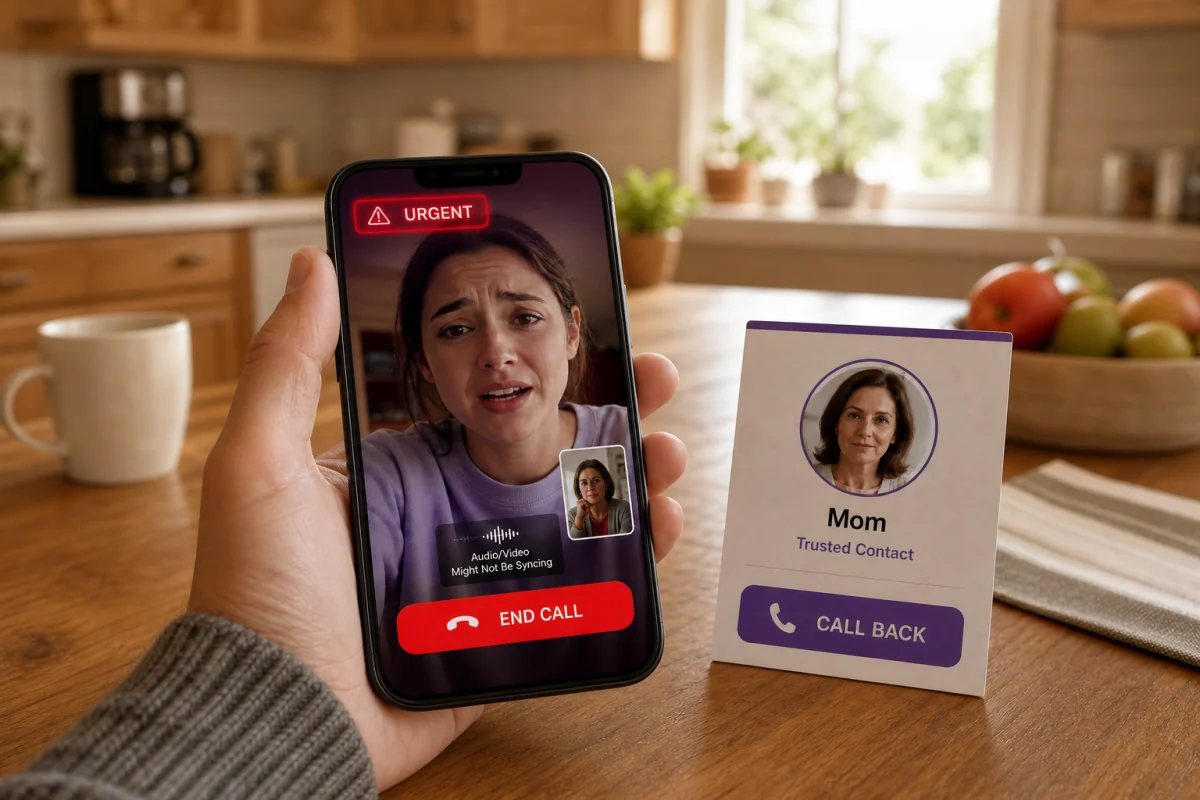
Quick answer: if a familiar voice or face makes an unexpected request, end the call and contact that person using a number or account you already know. Don't trust caller ID, the voice itself or a video conference invitation. A private family phrase, a second colleague's approval and a delay before irreversible payment work even when deepfake-detection software is unavailable.
A deepfake scam is an impersonation attack, not only a fake video
“Deepfake” is commonly used for convincing synthetic media produced or altered with AI. In a scam, the media is the trust shortcut. The attacker wants the victim to accept a false identity quickly enough to authorise a transfer, reveal a code, install remote-access software or disclose personal information.
The media can be a cloned voice on a phone call, a face-swapped video, a lip-synced executive in a meeting, a fake celebrity investment advert or an AI-generated profile built for romance fraud. Sometimes the media is technically genuine but placed inside a fraudulent story. The safety question is therefore broader than “Was this file generated?” Ask whether the request and channel have been independently verified.
Six deepfake scam patterns worth recognising
Family emergency
A cloned child, grandchild or partner claims to be injured, arrested or kidnapped. A second caller may pose as a lawyer, doctor or police officer and demand secrecy.
Executive payment fraud
A synthetic boss or supplier joins a call and orders an urgent transfer or asks finance staff to ignore the usual approval path.
Investment endorsement
A manipulated public figure appears to recommend a crypto platform, giveaway or trading app. The destination controls the money, not the celebrity.
Romance and identity fraud
Generated profile images, synthetic video calls and cloned documents sustain a false identity before requests for money or financial access.
Government or bank impersonation
A voice, video or image claims an account, tax or criminal emergency and pushes the target toward gift cards, crypto, a wire or a “safe” account.
Extortion and intimate imagery
Generated sexual images are used to threaten, humiliate or demand payment. The media can be fake while the harm and need for evidence preservation are real.
The FTC's family-emergency scam guidance warns that criminals can clone a loved one's voice from a short online clip. The practical advice is clear: don't trust the voice; contact the person separately.

Deepfake warning signs: use behaviour before pixels
| Signal | Why it matters | Safe response |
|---|---|---|
| Urgency and secrecy | Prevents consultation and creates emotional pressure | Pause; involve a second trusted person |
| New payment route | Gift cards, crypto, cash couriers and changed bank details are hard to reverse | Use the organisation's known payment-verification process |
| Request for a one-time code | The caller may already have the password and be trying to finish login | Never read out the code; contact the service directly |
| Refusal to call back | The attacker needs control of the current channel | End the call and use a stored number |
| Odd timing, audio or movement | Lag, mismatched lighting or unnatural movement can be clues | Treat as supporting evidence, not a required test |
| Bypassed business controls | A real executive should accept dual approval for unusual transfers | Use a second approver and known supplier contact |
The FBI's AI guidance lists distorted features and unnatural movement among possible visual clues. Those clues aren't a reliable authentication method. High-quality synthesis may lack them, while poor bandwidth can make a genuine caller look artificial.

Verify a suspicious voice or video in five steps
- Don't argue with the caller. End the interaction. Continued conversation gives them more chances to pressure you and more voice material to record.
- Use a known route. Call the family member from your contacts, use the number on the back of the bank card or reach the company through its official switchboard.
- Ask a private question or phrase. A family safe phrase should be memorable, non-public and changed if exposed.
- Verify the requested action separately. For business payments, require a second approver and confirmation with the supplier on a previously recorded contact.
- Preserve evidence. Save the username, number, payment instructions, message headers and screenshots without forwarding malicious links to others.
Caller ID and a familiar social-media account aren't separate channels; both can be spoofed or compromised. A true second channel starts from contact information you possessed before the request arrived.
If you sent money or shared information
- Contact the payment provider immediately. Ask the bank, card issuer, wire service or crypto exchange whether the transaction can be frozen or recalled.
- Change exposed account credentials from a clean device. Revoke sessions, remove unknown recovery methods and reset MFA.
- Call the impersonated person or organisation. They may need to warn other contacts or secure a compromised account.
- Report the incident. In the US, use ReportFraud.ftc.gov; serious internet-enabled losses can also be reported to the FBI's IC3.
- Preserve, don't bargain over, abusive imagery. Platform reporting and applicable removal processes may help. Don't pay an extortionist expecting deletion.
The FTC's post-scam checklist organises actions by how the victim paid and what information was shared. Speed matters, but accurate containment is more useful than shame or secrecy.

Where antivirus and AI checkers help
Current tools can add warning signals. Norton documents automatic analysis for supported streaming video on compatible PCs plus manual checks through Genie. McAfee offers a dedicated detector on selected AI PCs. Bitdefender Scamio checks material the user submits. Standard web protection may block a fake login or malicious download linked from the scam.
These capabilities don't authenticate every live caller, reverse a transfer or guarantee that a clean result is genuine. Our deepfake protection comparison separates automatic detection from manual checking and ordinary anti-phishing. For scams across texts, calls, QR codes and email, use the wider scam protection guide.
Frequently asked questions
What is a deepfake scam?
It's fraud that uses generated or manipulated voice, video or imagery to impersonate a trusted person and obtain money, access, codes or sensitive information.
How can I tell whether a voice is cloned?
You may not be able to tell from the sound alone. End the call and contact the person using a known number; a private family phrase can add another check.
Can a deepfake happen on a live video call?
Yes. Real-time face and voice manipulation is possible, and a recorded synthetic clip can also be presented as a live participant. Verify the requested action outside the meeting.
Does antivirus stop deepfake scams?
Some products analyse supported media or block malicious destinations, but no antivirus can verify every caller or prevent a user from authorising a payment. Software is one layer.
What is the best response to a family emergency call?
Hang up, call the family member on a number you already know and check with another relative. Don't send money while the caller keeps you isolated.
Should I send a suspicious video to friends for an opinion?
Avoid spreading it. Save evidence, use a reputable checker if appropriate and verify the identity through a separate channel. Forwarding can amplify harmful or intimate material.
Where should a US victim report a deepfake scam?
Report fraud to the FTC at ReportFraud.ftc.gov and internet-enabled crime to the FBI's IC3 where appropriate. Contact the payment provider first if money was sent.
The rule to remember
Don't authenticate a request with the same media that delivered it. A familiar face, voice, number or account can be synthetic, spoofed or compromised. End the interaction, start a clean one through a route you already trust, and verify the action—not merely the image.