
Antivirus Performance Impact Report 2026
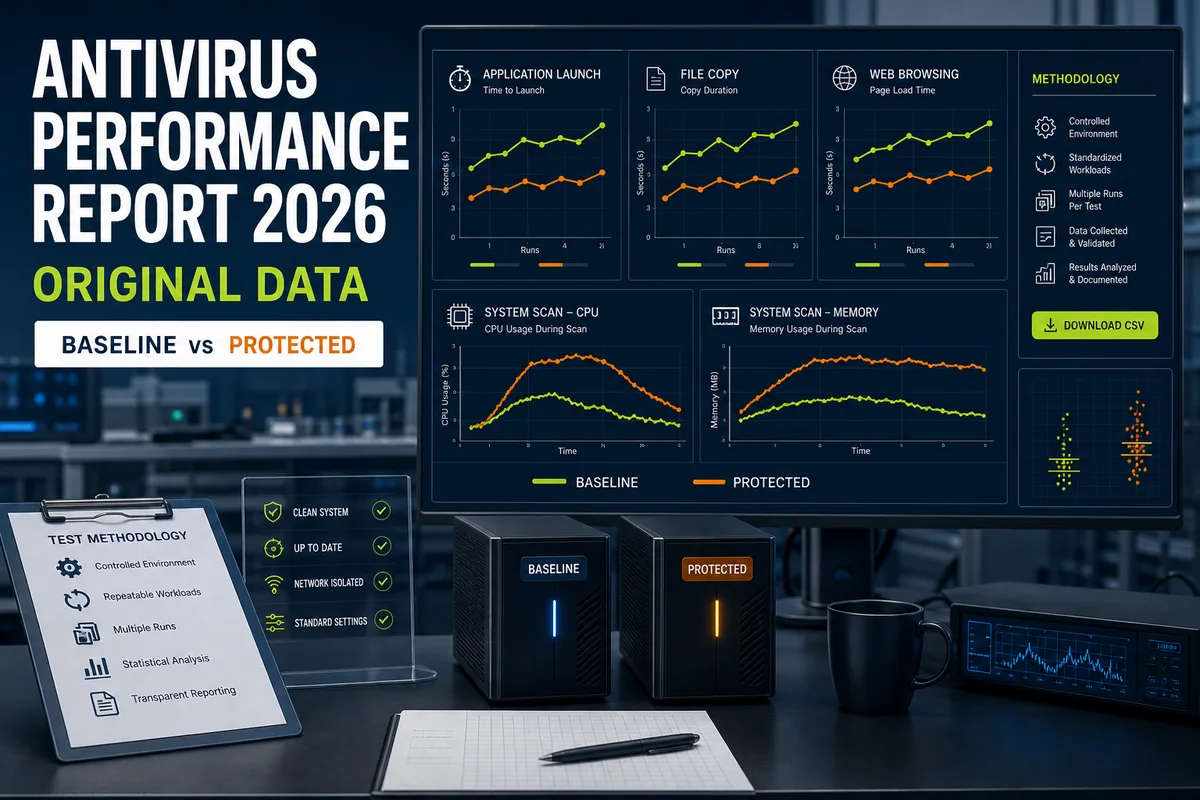
One fixed Windows rig, ~280 GB scan set, 24 antivirus products measured on boot delay, idle RAM, scan time and CPU — plus a macOS appendix. Every number is citable, the full dataset is downloadable as CSV, and the limitations section says what this isn't.
Quick answer
In our June 2026 bench cycle on one fixed mid-range laptop, ESET was the lightest conventional full security suite we measured: 95–120 MB idle RAM, 8–22% observed scan CPU, an 18-minute full scan and a sub-2-second boot delta. Webroot was lighter overall, but its cloud-offload design makes it an architectural outlier rather than a direct suite-to-suite comparison. Microsoft Defender landed in the middle of our Windows table, while ZoneAlarm showed the largest boot-time delta. Independent lab data tells a related but different story: AV-Comparatives measures real-world task latency, not just raw RAM or scan CPU, which is why a product can look light in footprint but heavier in task impact.
The master table — 24 Windows products, one fixed rig
Every figure is reproduced 1:1 from that product's own hands-on review on this site. Ranges, not point values — see Methodology for why.
| # | Product | Idle RAM, MB | Scan CPU peak | Full scan, min | Boot delta, s |
|---|---|---|---|---|---|
| 1 | Webroot SecureAnywhere | <10 | cloud-offload | <5 | ~0 (in noise) |
| 2 | Spybot Search & Destroy | 40–70 | 18–25% | 14 | ~2 |
| 3 | Zemana AntiMalware | 45–70 | 18–25% | 11 | 2–3 |
| 4 | HitmanPro (on-demand) | 45–70 | on-demand | 11 | n/a |
| 5 | PC Matic | 70–110 | 30–40% | 42 | 3–5 |
| 6 | Malwarebytes | 80–130 | — | n/a (Threat Scan)† | 1–2 |
| 7 | Panda Dome | 90–130 | 28–38% | 22 | 2–4 |
| 8 | ESET HOME | 95–120 | 8–22% | 18 | <2 |
| 9 | Microsoft Defender | 95–180 | 28–38% | 21 | 1–2 |
| 10 | Bitdefender Total Security | 110–140 | 20–35% | 23 | 2–3 |
| 11 | Avast (Free/Premium) | 110–140 | 25–35% | 21 | 2–3 |
| 12 | VIPRE | 130–160 | 28–38% | 22 | 3–5 |
| 13 | Avira | 130–170 | 35–50% | 28 | 3–5 |
| 14 | Trend Micro | 130–170 | 40–55% | 32 | 3–5 |
| 15 | Scanguard | 135–170 | 28–38% | 23 | 3–5 |
| 16 | AVG Internet Security | 140–180 | 28–38% | 21 | 3–4 |
| 17 | McAfee+ | 140–180 | 30–40% | 26 | 3–5 |
| 18 | Emsisoft | 140–170 | 28–40% | 14 | 2–3 |
| 19 | Sophos Home | 140–180 | 15–20% | 38 | 3–5 |
| 20 | TotalAV | 140–175 | 28–38% | 22 | 3–5 |
| 21 | PC Protect | 140–175 | 28–38% | 22 | 3–5 |
| 22 | Kaspersky | 145–185 | 28–38% | 22 | 2–3 |
| 23 | Norton 360 Deluxe | 180–220 | 35–45% | 24 | 4–6 |
| 24 | ZoneAlarm | 180–240 | 40–55% | 32 | 8–12 (largest boot delta) |
† Malwarebytes Premium runs a targeted Threat Scan (~9 min), not a full-disk scan — listed n/a rather than ranked against full-disk times it can't be compared to.
Additional products measured (not in the 24-product ranking)
Older / regional / multi-engine builds we logged on the same rig but kept out of the main ranking to keep it like-for-like:
| Product | Idle RAM, MB | Scan CPU peak | Full scan, min | Boot delta, s |
|---|---|---|---|---|
| Adaware | 140–180 | — | 32 | 6–9 |
| Comodo | 220–280 | 40–55% | 32 | — |
| 360 Total Security | 220–290 | 30–40% / 45–55%² | 28 / 52² | 6–9 |
² 360 TS: first figure = native QVM II + Cloud engines; second = with the optional Bitdefender engine toggled on.
macOS (separate rig, M2 MacBook)
| Product | Idle RAM, MB | Scan CPU peak | Full scan, min | Boot delta, s |
|---|---|---|---|---|
| Intego | 95–130 | — | 11 (180 GB) | 1–2 (Apple Silicon) |
| MacKeeper | 180–240 | 45–55% | 9 (320 GB) | — |
Key findings
- The lightest conventional suite of 2026 is ESET — 95–120 MB idle, single-digit-to-22% scan CPU, an 18-minute full scan, sub-2-second boot impact. Webroot is lighter still, but it's an architectural outlier (cloud-offload agent, <10 MB on disk) rather than a like-for-like suite.
- "Free = bloated" is dead: Microsoft Defender sits mid-pack (95–180 MB, 21-minute scan) — lighter than roughly half the paid suites we measured.
- Raw footprint ≠ real-world slowdown. Sophos Home shows one of the lowest scan-CPU peaks we logged (15–20%) — yet Sophos had the highest Total Impact Score among the 20 consumer products tested by AV-Comparatives in April 2026. Resource footprint and task latency are different dimensions; measure both before judging a product "light" or "heavy."
- The boot-time tax ranges 0–12 seconds. The top tier (Bitdefender, ESET, Kaspersky, Avast, Defender) added ≤3 s; ZoneAlarm showed the largest boot delta in our table at 8–12 s. Among the major paid suites in our recommendation set, Norton 360 Deluxe had one of the heavier idle footprints (180–220 MB) — though several niche products (ZoneAlarm, Comodo, 360 TS) sit heavier still.
- Platform siblings benchmark like siblings. TotalAV, PC Protect and Scanguard (shared platform) cluster within a few MB and a few percentage points; Avast and AVG (shared Gen Digital engine) share a near-identical scan profile. A useful internal consistency check on the data.
- Full-disk scan time spans roughly 5–42 minutes across the 24 ranked products on identical data — Webroot's cloud-offload agent finishes in under 5 minutes; PC Matic (42 min) runs 2–3× longer than the 18–23-minute conventional leaders on the same 280 GB. 360 Total Security, measured as an additional product with its second engine enabled, ran 52 minutes. (Malwarebytes is excluded — its Premium product runs a targeted Threat Scan, not a comparable full-disk scan.)
Methodology
Every product was installed and run on the same physical laptop: Intel Core i5-12450H, 16 GB DDR5, NVMe SSD, Windows 10 22H2 (cross-checked on Windows 11 24H2), on mains power, wired Ethernet, balanced power plan.
- Idle RAM = the sum of the product's background processes' working-set memory (Task Manager / Resource Monitor), read after the machine sat idle ~5 minutes post-boot.
- Scan CPU peak = the highest sustained CPU the product reached during a first full system scan of a fixed ~280 GB data set (macOS: 180–320 GB as noted).
- Full scan, min = wall-clock time for that first full scan to complete on the fixed set.
- Boot delta = time-to-usable-desktop with the product installed and active vs a clean baseline image of the same machine.
- Why ranges, not point values: consumer hardware introduces real run-to-run variance (background Windows tasks, thermal state, cache warmth). We report the band we observed rather than a single tidy number — and we deliberately did not chase decimal precision a single uncontrolled rig can't support.
- What this is: editorial hands-on measurement, indicative of real-world behaviour on a typical mid-range laptop.
- What this isn't: a controlled lab benchmark. Independent labs like AV-Comparatives revert to a clean disk image between products and take multiple repeated runs with median values on a standardised low-end config (Windows 11, Core i3, 8 GB, SSD). Our single-rig ranges complement that work; they don't replace it.
Community reports were used only as a sanity check, not as a source for the published measurements.
Limitations
- One configuration. A single mid-range Windows laptop (+ one M2 Mac). Results scale differently on older/low-RAM machines (where heavy products bite harder) and on high-end hardware (where differences shrink).
- Ranges, not lab medians. See Methodology — indicative, not image-revert/multi-run controlled.
- Snapshot in time (June 2026). Products update engines and footprints; we re-measure on review refreshes and log changes in the Changelog.
- Footprint is one axis. Low RAM/CPU doesn't guarantee low task latency — that's exactly why we point readers to the independent-lab section below.
How our numbers compare to independent labs
We measure footprint (RAM, scan CPU, scan time, boot). Independent labs measure task latency — how much a product slows everyday actions like copying files, installing apps, launching programs and browsing. AV-TEST’s Windows performance methodology likewise repeats common tasks on identical protected and reference systems, then calculates the slowdown. The two approaches correlate loosely, not perfectly. A few careful takeaways from AV-Comparatives' Performance Test, April 2026 (20 consumer products, Windows 11, standardised low-end config):
- The test ranks task impact, not raw footprint — so a product can be light on RAM yet rank mid-pack on task latency, and vice-versa.
- Sophos carried the highest total impact score of the 20 products tested — consistent with our finding that a low scan-CPU peak doesn't equal a light real-world feel.
- Several mainstream suites we rate well on footprint (Kaspersky, ESET, McAfee) also placed among the lighter products in that test — a reassuring cross-check.
Lab comparison refers to the exact AV-Comparatives-tested product/version where available; suite names may differ from our reviewed retail package (e.g. AV-Comparatives tests Norton Antivirus Plus / Avast Free / AVG Free / McAfee Total Protection, whereas our table covers the retail bundles Norton 360 Deluxe / Avast & AVG paid tiers / McAfee+).
Use the exact AV-Comparatives April 2026 Performance Test for its controlled task-latency method and full limitations. Our single-rig footprint ranges complement that laboratory work; they don't reproduce or replace it.
How to cite this report
Press enquiries and more citable assets: see our Press & Data page.
Ready-to-paste line + a polite "please link back" ask:
Source: Antivirus-Review.com — "Antivirus Performance Impact Report 2026." Retrieved June 2026. (link to /antivirus-performance-report-2026)
The site methodology explains the evidence hierarchy, test-label rules and correction process. The CSV carries the observed ranges; the limitations above define how they may be interpreted.
Download the data
The full dataset — the 24 ranked Windows products, the additional-products appendix and the macOS rows, with ranges split into min/max columns — is available as a CSV file. Free to reuse with attribution (see the citation formats above).
Changelog
- June 2026 — initial release (24 Windows products + appendix + macOS).
Report version 1.0 · June 2026 · first public release; future updates will be listed in the changelog above.
Frequently asked questions
Which antivirus uses the least RAM in 2026?
Webroot (<10 MB, cloud architecture); among conventional full suites, ESET (95–120 MB).
Does antivirus still slow down computers in 2026?
Top-tier suites add ≤3 s to boot and are hard to notice on modern hardware; the tail is real — 8–12 s boot (ZoneAlarm), 40-minute-plus scans (PC Matic, 360 TS).
Is Windows Defender lighter than paid antivirus?
It's mid-pack — lighter than about half the paid suites we measured, heavier than the lightest (ESET, Webroot).
Why does Sophos look light in your table but heavy at AV-Comparatives?
Different things measured: our table shows scan-CPU footprint; AV-Comparatives measures task latency, where Sophos carried the highest impact score of 20 products in April 2026.
What hardware did you test on?
One Intel i5-12450H / 16 GB / NVMe laptop (Win 10 22H2, cross-checked Win 11 24H2); a separate M2 MacBook for macOS rows. June 2026.
Can I reuse this data?
Yes — with attribution and a link back (see How to cite). The CSV is free to download.