
How to Use HitmanPro as a Second-Opinion Scanner
HitmanPro is most useful after something specific happened: a suspicious download, redirect, detection disagreement or unexplained Windows behavior. Keep the primary antivirus active, run one focused second opinion, save the log before remediation and make the result part of an evidence chain—not a panic button.

Quick answer: download the current scanner from the official Sophos HitmanPro page, save browser work, keep Microsoft Defender or the intended primary antivirus active, and run the normal scan for a meaningful second opinion. Review every finding before pressing Next, save the log, quarantine or remove only supported detections, complete any requested reboot and scan again. A clean scan is useful evidence, not proof that compromise is impossible.
HitmanPro is an on-demand second opinion, not the primary shield
The ordinary HitmanPro scanner is a small Windows cleanup tool designed to run beside existing antivirus protection. It checks active processes, startup locations, files and remnants using local classification and cloud-assisted analysis. When the window closes, it isn't continuously inspecting every new file like a resident antivirus.
That distinction is the reason to use it. Microsoft Defender, Bitdefender or another supported primary product keeps watching in real time; HitmanPro provides a fresh classification path after a concrete event. The two jobs are complementary as long as the on-demand scanner doesn't get mistaken for permanent protection.
HitmanPro.Alert is a different installed product with resident exploit, ransomware and privacy layers. If the task is configuring Alert, this is the wrong guide. Our scanner-versus-Alert comparison separates the products, and the current HitmanPro review explains the evidence gap behind the broader buying decision.
A second opinion is also not a vote. Two tools can use overlapping cloud intelligence, disagree about potentially unwanted software or inspect different scopes. Treat the result as another piece of evidence, not a mathematical guarantee created by counting scanner names.
Use HitmanPro after a specific signal, not as a daily anxiety ritual
Good triggers include a suspicious download, fake-update page, browser redirect, primary-antivirus disagreement, unexplained persistence, a newly disclosed compromise involving software you ran, or a cleanup that needs verification. Write down what happened, when it happened, which account or file was involved and what the primary antivirus reported. That context determines whether a detection matters.
A second opinion adds less value when the machine has no symptom, current protection is healthy and several recent scans are already clean. A March 2026 r/antivirus discussion captures the stopping problem: adding a third or fourth scanner doesn't help if the user has no rule for trusting any outcome. Define the decision before scanning.
| Situation | HitmanPro value | Decision after scan |
|---|---|---|
| Suspicious download was opened | Checks active and remnant evidence | Correlate file, time, primary AV and symptoms |
| Primary AV flags a disputed file | Independent classification path | Save both logs; don't use majority voting alone |
| Cleanup just completed | Verification for remaining activity | Restart, rescan and watch symptoms |
| Browser redirects or PUA symptoms | Current build targets Chromium PUA extensions | Review extension/account/browser state too |
| Several clean scans; no symptoms | Diminishing returns | Stop or escalate based on incident risk |
| Account theft or high-value compromise | Only one endpoint signal | Use incident response and trusted-device actions |
Prepare the PC so the scan result remains usable evidence
Save documents and browser forms first. Build 338 release notes document prompts and settings around closing Chromium browsers for cookie access, and a current community question shows how alarming an unexpected browser closure can look. Avoid that surprise by finishing sensitive sessions before the scan.
Keep the primary antivirus enabled. Update Windows and the primary provider, but don't erase the suspicious file, clear all browser data or run multiple cleanup utilities before preserving the original detection and path. If this is a work device or a financial incident, follow the administrator or incident-response process before changing evidence.
Record the Windows edition/build, HitmanPro build, primary provider and trigger. If full-disk encryption, a failing drive or recent power loss is involved, back up important data. Disk repair and malware remediation can both expose existing storage problems.
Disconnecting from the network can be appropriate during a live compromise, but HitmanPro is cloud-assisted and may need connectivity for its normal classification path. Don't reconnect a clearly compromised machine just to make a consumer scan work; use a trusted incident-response route instead.
Download the current scanner from Sophos and verify the file
Use the current official downloads page, which provides separate 64-bit and 32-bit scanner binaries. Most current Intel/AMD Windows systems use x64. ARM support has its own current behavior, so follow the architecture wording on the live page rather than a mirror's old filename advice.
Open file Properties → Digital Signatures and expect the current Sophos publisher chain. Build 338 changed the code-signing certificate to Sophos Ltd, and build 346 refreshed Sophos branding. A valid expected signature plus an official HTTPS source is stronger provenance than a third-party download badge.
The current release page identifies build 346 from February 5, 2026. It added Chromium PUA-extension detection/removal, shows Disk Access Mode in the title bar, improved hardening and fixed ARM scanning and uploads. Check the live page again if the downloaded build differs; newer isn't suspicious by itself.
Don't upload a proprietary or personal executable to a public multi-engine service casually. VirusTotal's false-positive guidance is useful for vendor escalation, but public scanning can disclose samples and metadata. Use the software vendor and HitmanPro support route when confidentiality matters.
Run the scanner once or save an installed convenience copy
Open the verified download. The official installation sequence says the first Next starts a scan; later prompts can save HitmanPro on the PC and create shortcuts. For one second opinion, the run-once path is enough. For periodic use, saving the copy makes updates and shortcuts more convenient.
Neither choice turns ordinary HitmanPro into a resident antivirus. Installation here means application registration and convenience, not a permanent real-time shield. Keep the existing primary provider active in both cases.
If you later want a clean exit, the complete uninstall guide distinguishes the portable EXE, installed scanner and HitmanPro.Alert. Don't delete Alert as though it were a run-once scanner.
Accept current terms only after reading them. The present 30-day trial requires no credit card, but scanning rights, removal rights and a paid license are different questions. Our pricing guide covers that boundary without mixing it into the detection decision.
Choose the normal scan for evidence; use Quick Scan for a narrower check
The normal/default scan is the practical starting point after a suspicious event. It gives HitmanPro room to inspect its intended active, startup, file and remnant signals. Let the scan finish unless the PC becomes unsafe or storage health is in doubt; stopping at a scary filename can remove the context that appears at the result stage.
Quick Scan was introduced for load-point locations and in-memory objects. It's useful when the question is whether malware appears active now or when a faster follow-up is appropriate. It isn't a full inventory of every file on every attached drive, and a clean Quick Scan should never be described as “the whole computer is proven clean.”
| Need | Reasonable choice | Limit to remember |
|---|---|---|
| First second opinion after a risky event | Normal/default scan | Still not a forensic disk image |
| Fast check for active persistence | Quick Scan | Narrower scope |
| Verify cleanup after restart | Repeat the same meaningful mode | Compare logs, not just colors |
| Scanner freezes in direct access | Compatible Disk Mode after official repair order | Compatibility can reduce low-level visibility |
| One file/folder concern | Use supported context scan if current build exposes it | Historical folder scans weren't always recursive |
Avoid historical expert modes and command-line switches unless current support directs them for the exact build. Release notes preserve years of features, including Early Warning Scoring, but old availability isn't proof that every consumer should use it in 2026.
Expect browser prompts when cookie and extension data are in scope
Chromium browsers can keep cookie databases locked while running. Current build history says HitmanPro added a running-browser prompt and a close-browser-process setting, and recent builds improved Chromium PUA extension and tracking-cookie handling. Save tabs, drafts and authenticated work before starting.
A browser closing during an official HitmanPro scan is therefore not, by itself, evidence that the scanner is malicious or that the browser was compromised. Verify the download source and signature, then compare the behavior with the current prompt/settings. If the process closes without any visible scan or the file came from a mirror, stop and investigate the binary.
Tracking cookies, a PUA extension and credential-stealing malware aren't the same severity. Don't tell a user to change every password because a tracking cookie was listed. Conversely, removing a cookie doesn't resolve a malicious extension, stolen session or account takeover.
After cleanup, review the browser's extensions, notification permissions, startup pages, search provider and signed-in sessions. HitmanPro can contribute evidence, but the browser/account controls own those settings.
Use a six-stage evidence workflow instead of pressing Next blindly
A safe scan has a beginning and an acceptance test. Prepare and preserve context; scan with the primary shield active; review categories and paths; save the log; remediate supported findings; restart and verify. The order prevents a disputed file from disappearing before anyone can explain it.

Don't let the result screen choose the incident story for you. The path, signature, parent application, persistence point, source and corroboration determine whether a red or amber entry is material. A tracking item in a browser profile isn't equivalent to an unsigned executable launching from a temporary directory.
If a known application stops working after quarantine, don't restore everything automatically. Confirm which item was moved, verify it with the publisher or support, and restore only when the evidence supports a false positive. A broken application can be reinstalled from a clean official source; restored malware can restart the incident.
Read malware, suspicious, unwanted and cookie results differently
A confirmed malware classification with corroborating engines, an unexpected path and active persistence deserves prompt containment. Preserve the log, let the supported remediation act, note any restart instruction and avoid using sensitive accounts until verification is complete.
Suspicious or single-engine results need more judgment. Check the full path, publisher signature, file age, expected parent software and whether the primary antivirus agrees. A business tool, mod, emulator, script or newly signed binary can look unusual without being safe—or malicious—on that fact alone.
Potentially unwanted applications sit between security and user choice. Bundled extensions, ad injectors and system optimizers may be intentionally installed but still create risk or friction. Remove them when their behavior is unwanted, but don't write “trojan removed” when the actual result was a PUA.
| Result type | Evidence to inspect | Conservative action |
|---|---|---|
| Known malware | Path, persistence, engines, active state | Save log, quarantine/remove, restart, rescan |
| Suspicious/unknown | Signature, source, behavior, corroboration | Hold action on critical files; verify |
| PUA/adware | Install consent, extension behavior, bundler | Remove if unwanted; repair browser settings |
| Tracking cookie | Browser/profile and privacy context | Clear as privacy hygiene, not malware proof |
| System repair/remnant | Original incident and proposed change | Back up and verify before repair |
| Clean | Mode, scope, updates and remaining symptoms | Use as one evidence point |
Expand details before applying one action to all findings. Convenience controls can erase the distinctions that matter most. A user who reviews six items for two minutes often avoids hours of false-positive recovery.
Save the log before changing a disputed or important file
HitmanPro's official false-positive article gives a direct route: scan once more, click Save log at the bottom left, and send the log with a short explanation to support. The log captures classifications and paths more accurately than a cropped red row.
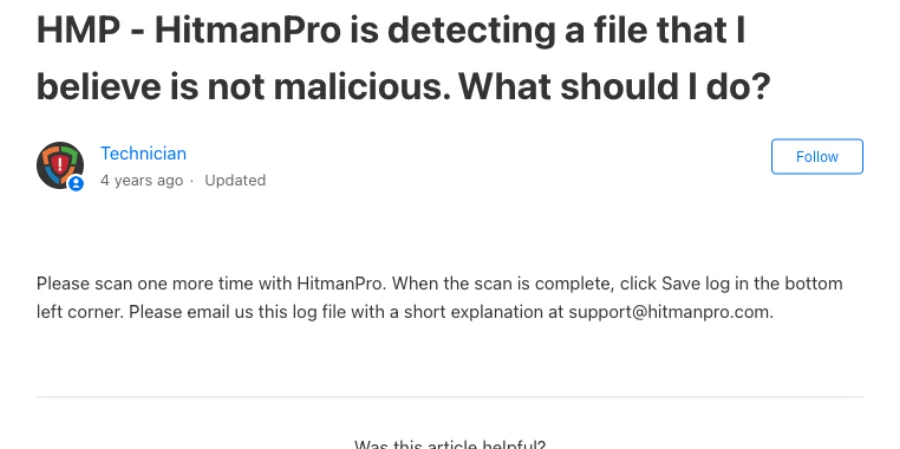
Include the product build, Windows build, file source, whether the file is signed, why it's expected and what the primary antivirus reported. Don't email passwords, an entire private dataset, the full product key or a confidential sample without an approved secure transfer path.
Support confirmation is stronger than guessing from a file name. If a publisher also confirms the exact signed hash, keep that evidence with the HitmanPro response. When the file is genuinely malicious, the same log becomes the baseline for the post-remediation scan.
Quarantine supported findings, complete the restart and scan again
Prefer a reversible supported quarantine over manual deletion when the product offers it. Review each proposed action, then let HitmanPro perform the remediation. Don't simultaneously run another cleanup utility, edit the registry or delete the parent folder; overlapping changes make failures hard to diagnose.
If HitmanPro requests a restart, treat it as part of the cleanup. Save work, reboot normally and let scheduled remediation finish. Then update the primary antivirus, confirm its resident protection is healthy and repeat a meaningful scan. Compare the new log with the original rather than celebrating an empty window without context.
| Gate | Evidence to retain | Pass condition |
|---|---|---|
| Pre-action | Original log and proposed action | Critical/disputed files reviewed |
| Quarantine/removal | Action result and item path | No unsupported bulk deletion |
| Restart | Prompt completed and boot result | No pending-remediation warning |
| Primary protection | Provider and update state | Resident antivirus healthy |
| Verification scan | New log using meaningful mode | Confirmed finding gone |
| Symptom check | Original trigger retested safely | No recurrence or escalation opened |
A finding that returns at the same path can indicate persistence, synchronization, a managed installer, browser account sync or incomplete remediation. Record what recreates it and escalate. Repeatedly deleting the same file without identifying its source isn't cleanup.
For broader recovery decisions, use our malware-removal hub. If the only remaining task is removing the scanner, use the dedicated uninstall guide after evidence and quarantine decisions are settled.
If the scan freezes, follow the official disk-integrity order
The current official scan-freeze article says corrupted NTFS indexing is a common cause after a crash or power loss. Its order is to run chkdsk /f from an administrator command prompt, then sfc /scannow, and try the scan again.
Back up important data first. A freeze near the same disk location can be a storage-health warning, and CHKDSK changes filesystem state. If the drive reports hardware errors, prioritize data recovery and disk diagnostics over forcing another malware scan.
If the freeze remains, HitmanPro says to open Settings → Advanced and change Disk mode from Direct to Compatible. Compatible mode uses Windows APIs and is intended to avoid low-level conflicts, but historical release documentation notes a visibility tradeoff for complex rootkits. Record which mode produced the result.
Don't jump straight to disabling the primary antivirus. The official sequence repairs disk/system integrity and changes HitmanPro's access mode. If the machine still freezes, send the build, stop point, logs and storage context to support.
Use a fresh scanner from USB without reviving old Kickstart advice
Current HitmanPro copy says the lightweight scanner can run after download from a PC or USB drive. On a trusted computer, download the correct current binary from Sophos, verify its signature, copy it to a clean USB drive and eject safely. On the target PC, preserve incident context and run it as the ordinary on-demand scanner.
Don't reuse a years-old scanner stored in a rescue drawer. A current binary matters because cloud endpoints, code-signing, Windows support and detection logic change. Keep the USB physically and logically controlled if it moves between an infected and clean environment.
HitmanPro.Kickstart was an old bootable ransomware-rescue feature. Search still surfaces historical instructions, but that isn't the same as running the current portable scanner from USB. Don't format a drive or follow legacy boot steps unless current official support specifically restores that workflow for the exact product.
A portable scanner doesn't make an infected Windows session trustworthy. If malware blocks tools, steals credentials or controls boot, use a current vendor rescue environment or professional incident-response process rather than improvising with obsolete boot media.
Keep the primary antivirus active and run one on-demand scanner at a time
HitmanPro's core product promise is coexistence: no need to uninstall the current antivirus. That applies to the ordinary on-demand scanner. It doesn't mean every combination of multiple resident real-time products is conflict-free.
Leave Defender, Bitdefender or the chosen provider active. Pause heavy backup/indexing work if necessary, then run only one second-opinion scan at a time. Concurrent full scans compete for disk access, can trigger each other's temporary files and make browser or quarantine behavior harder to attribute.
After the scan, verify Windows Security still names the expected primary provider. If you installed HitmanPro.Alert instead of the ordinary scanner, you changed the resident stack and need the compatibility/buying guidance for Alert. The Microsoft Defender review covers the built-in baseline.
Community consensus is useful here only as a direction, not a guarantee for a particular PC. Test on the actual workload, preserve logs and simplify the stack if applications, browsers or games become unstable.
A clean scan is a confidence update, not proof of absence
A clean normal scan from a current official build, alongside an updated primary antivirus and no continuing symptoms, is meaningful reassurance after a low-risk event. Document the date, trigger, scan mode and result, then stop adding tools unless new evidence appears.
It isn't enough when accounts show unauthorized sessions, files are encrypted, security controls were disabled, persistence returns, a work tenant reports compromise or the PC holds high-value secrets. Those cases require credential actions from a trusted device, logs beyond antivirus, administrator involvement or a known-clean rebuild.
Absence of detection also can't verify that a downloaded program behaved ethically. Adware, privacy-invasive software and credential collection can sit outside a classic malware label. Review the program's source, permissions, network/account changes and uninstall it when trust is gone.
Set a stopping rule before the scan: “If the primary and HitmanPro are clean, updates and provider status are healthy, and the symptom does not recur, I stop. If a high-risk signal remains, I escalate.” That converts anxiety into a testable decision.
Cloud-assisted scanning needs a data-handling decision
HitmanPro relies on cloud intelligence and can upload suspicious files for classification. That improves verdict quality, but a proprietary executable, legal document, medical export or customer dataset may require an approved handling route. Review current scanner settings and organization policy before scanning confidential material.
Historical release notes document controls related to automatic uploads, but old command-line switches aren't a substitute for current consumer documentation. If local-only handling is mandatory, ask current HitmanPro support what the exact build sends and whether the required scan path can meet the policy.
Logs can also expose usernames, folder paths, application names and incident details. Redact only what support doesn't need, transfer through the official case channel and don't post the complete log publicly by default. Preserve an original secure copy for the incident record.
The scanner's privacy boundary is one factor in product choice. The Antivirus-Review.com privacy policy governs this site, not HitmanPro uploads; vendor questions belong to Sophos/HitmanPro support.
HitmanPro second-opinion scanner FAQ
Can HitmanPro replace my antivirus?
No. Ordinary HitmanPro is an on-demand second-opinion scanner, not a continuous real-time antivirus. Keep Microsoft Defender or another supported primary provider active. HitmanPro.Alert is the separate installed product with resident defensive layers.
Can I run HitmanPro with Microsoft Defender or Bitdefender?
The ordinary scanner is designed to run beside an existing antivirus and doesn't need a second real-time engine. Keep the primary provider active, but run one on-demand scanner at a time so disk load, browser handling and remediation decisions remain understandable.
Should I use the default scan or Quick Scan?
Use the normal/default scan for a meaningful second opinion after a suspicious download, redirect or unexplained behavior. Quick Scan focuses on active locations such as memory and load points and is useful for a faster check. It isn't evidence that every file on every drive was examined.
Why did HitmanPro close my browser during a scan?
Current build history documents browser-closing prompts and settings for tracking-cookie access because Chromium browsers can lock their cookie data while running. Save browser work before scanning and verify the scanner came from the official source. Browser closure alone doesn't prove compromise.
What should I do if HitmanPro finds a suspicious file?
Don't treat every amber or disputed result as confirmed malware. Record the detection, path and proposed action, save the log and check whether the file is signed, expected and corroborated. For a possible false positive, HitmanPro support says to scan again, save the log and send it with a short explanation.
Should I delete or quarantine a HitmanPro detection?
Quarantine is generally safer than irreversible deletion when the product offers it, because it preserves a recovery and support path. For a confirmed active threat, follow the supported remediation action, restart if requested and rescan. Never restore a file merely because an application stops working.
Does a clean HitmanPro scan prove the PC is safe?
No scanner proves absence of compromise. A clean result is useful evidence when the download source, primary antivirus, updates and symptoms also look healthy. Persistent account theft, unauthorized changes, rootkit-level symptoms or a high-value incident require broader investigation or a known-clean rebuild.
Can I run HitmanPro from a USB drive?
Yes. Current HitmanPro product copy says the small scanner can run after download from a computer or USB drive. Obtain a fresh binary from the official page, verify it on a trusted PC and avoid treating old HitmanPro.Kickstart bootable-USB instructions as the normal current scanner workflow.
What if HitmanPro freezes during a scan?
Preserve where the scan stopped. HitmanPro's official troubleshooting says to run chkdsk /f, then sfc /scannow, and retry. If it still freezes, open Settings, Advanced and change Disk mode from Direct to Compatible. Back up important data before disk repair.
Is HitmanPro free to scan and remove malware?
The current product offers a 30-day trial with no credit card required. Scanning and paid removal rights aren't the same thing, and terms can change. Verify the current screen and order before relying on cleanup for a second device or after the trial; billing and removal are separate from scan interpretation.
Verdict: use HitmanPro to improve a decision, not replace one
HitmanPro works best as a focused second opinion beside a known primary antivirus. Start with a real trigger, use the current signed build, save browser work, choose a scan whose scope matches the question and let it finish. The result is evidence to interpret, not a command to delete every colored row.
Save the log before changing a disputed file. Quarantine supported threats, complete the restart and rescan. When a scan freezes, follow the official disk-repair and Compatible Mode order. When symptoms or account evidence outrun a consumer scan, stop adding tools and escalate.
The strongest outcome isn't “HitmanPro found nothing” or “HitmanPro found seven items.” It's a documented chain: source and trigger known, primary protection healthy, findings classified, actions reversible where possible, cleanup verified and a stopping rule applied.