
Kaspersky in the United States: What the Ban Means and How to Migrate
The US story isn't a lab-test argument. It's a supplier-risk prohibition with exact dates, a permanent update gap and a migration that left many people unsure which product or subscription they now own.
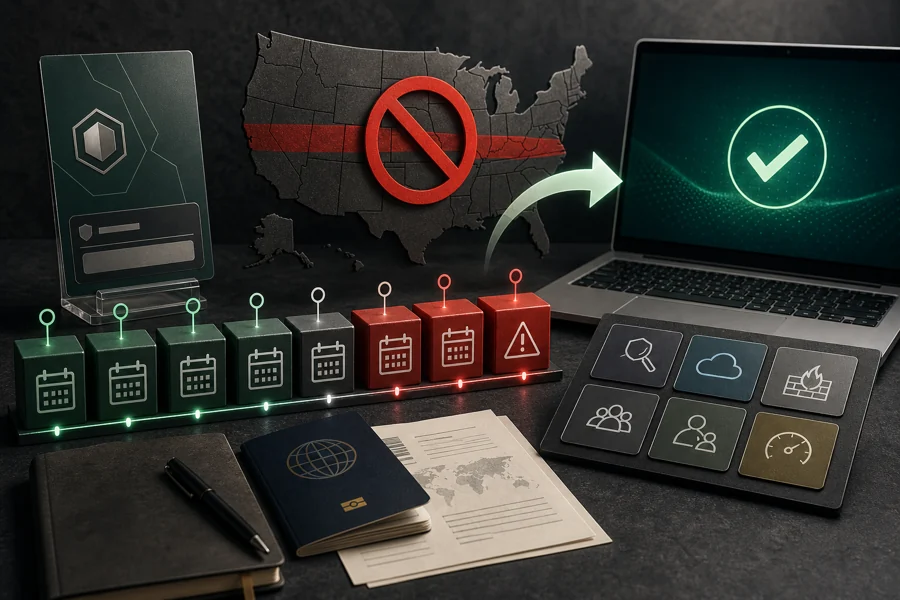
Quick answer: US residents shouldn't use Kaspersky as their active antivirus in 2026. BIS prohibited new agreements from July 20, 2024 and signature, codebase and Kaspersky Security Network updates from September 29, 2024. An installed app can still open, but without current intelligence it isn't full protection. Identify whether UltraAV replaced it, cancel any unwanted renewal with the merchant now billing you, choose a supported antivirus, uninstall old components, install the replacement and verify Windows Security.
The practical answer for US users in 2026
Don't use Kaspersky as the primary antivirus on a US device. The issue isn't whether its window can still open or whether an old scan completes. Full antivirus protection depends on current signatures, code and cloud intelligence. Kaspersky’s own US statement says those services stopped after the September 2024 deadline.
The Bureau of Industry and Security Kaspersky page is the primary authority. Its Final Determination announcement describes a prohibition on transactions involving Kaspersky cybersecurity and antivirus products and services in the United States. It also distinguishes new sales from the later update cutoff. This is more precise than saying “Kaspersky suddenly stopped working.”
If Kaspersky or UltraAV is still installed, treat the migration as two parallel jobs: restore one supported, current antivirus provider and settle the recurring-payment relationship. Uninstalling doesn't cancel billing. Canceling doesn't remove software. Complete and verify both.
The dates that changed Kaspersky protection in the US
| Date | What changed | User impact |
|---|---|---|
| June 20, 2024 | Commerce announced the Final Determination | US customers needed a migration plan |
| July 20, 2024 | New agreements with US persons prohibited | No legitimate new purchase or expanded service |
| September 29, 2024 | Signature/codebase updates, KSN and specified reseller/integration activity prohibited | Existing Kaspersky installations lost the update path required for full protection |
BIS allowed the short interval so consumers and businesses could move to another provider. It didn't create a permanent exception for existing home licenses. Kaspersky’s US FAQ says purchases and auto-renewals were suspended, application stores and downloads became unavailable, and licenses could operate only through their original terms.
The September date matters most for device security. A license end date in 2025 or 2026 didn't guarantee current signatures. A long remaining term isn't a reason to keep an unsupported antivirus as the active provider. CISA’s older but still relevant Kaspersky removal directive and resources reinforce the need to identify and remove all affected components rather than hiding the tray icon.
What an old US Kaspersky installation can and can't do
Kaspersky says local heuristic protection can continue in a limited form. That means the application can still inspect behavior or files with intelligence already present. It doesn't mean the product receives current malware signatures, codebase improvements or Kaspersky Security Network reputation. Threats change faster than an old paid term expires.
The impact extends beyond the antivirus badge. Kaspersky says Data Leak Checker and identity-theft checks no longer receive their services. Safe Money can encounter certificate or update problems. Password Manager’s local vault and basic synchronization may continue, but compromised-password checking and extension distribution are affected. Safe Kids can no longer categorize newly seen sites and apps automatically for US service.
Don't test protection by downloading live malware or using an unofficial signature pack. Check the database date and service status, then migrate. Our broad Kaspersky review keeps current supported-market lab performance separate from this US service reality.
Why UltraAV appeared, and why users were confused
Kaspersky arranged a transition to Ultra Antivirus for eligible US customers. UltraAV’s current relationship FAQ says the companies aren't legally related and entered a strategic partnership to continue service. Windows transitions could happen automatically; Mac and Android users generally received activation instructions.
That automatic change explains reports from people who came back to a PC and found different security software. It doesn't prove that the new program is malware, and it doesn't remove the user’s right to choose another provider. Evaluate UltraAV on current independent evidence, features, support and billing—not on the assumption that it's technically identical to Kaspersky.
UltraAV’s July 2026 refund page says it can't refund a purchase made to Kaspersky before the transition. It can address later UltraAV billing and advertises a 30-day refund for qualifying new UltraAV purchases. It also warns that a transition discount may be lost after cancellation. Those are commercial terms, not a reason to retain software you don't want.
Inventory the current provider, apps and subscription before changing anything
- Open Windows Security. Under Virus & threat protection, check Manage providers or Who’s protecting me. Record the active antivirus name.
- Open Installed apps. Look for Kaspersky, UltraAV, UltraVPN and companion password tools. A VPN isn't the antivirus provider.
- Check both accounts. Review My Kaspersky and any UltraAV transition account for plan, devices, renewal and end date.
- Check the card descriptor and email. Search statements for Kaspersky, Ultra Antivirus, UltraAV, Pango or the current merchant name. Save relevant receipts.
- Back up security data. Export password-manager data through its official path before removing a vault application, then protect the export.
Don't remove everything until you know which product is active and where billing lives. The inventory gives you a rollback and prevents a false sense of security after deleting only a browser extension.
Choose a supported replacement based on your actual household
A replacement needs current US availability, operating-system support, independent evidence, understandable renewal terms and the features you use. Bitdefender is a strong match for users who want a full third-party suite; Norton is attractive for broad family bundles; ESET favors control and low noise; Microsoft Defender is a reasonable no-cost baseline for careful Windows users; Malwarebytes can fit people who value a simpler interface.
Those are starting points, not a universal ranking. Use Bitdefender vs Kaspersky, Kaspersky vs Norton and Kaspersky vs ESET to compare specific tradeoffs. The full Kaspersky alternatives guide routes by devices, budget and bundled services.
If budget is the priority, start with the built-in protection described in our Windows 11 antivirus guide. Don't stack multiple free real-time suites. One supported product, updated operating systems, browser updates and good account security beat three overlapping scanners.
Remove Kaspersky or UltraAV through the normal path first
Download the chosen replacement installer but don't run it yet. Export any needed Password Manager vault, record activation details and close sensitive work. In Settings → Apps → Installed apps, select the unwanted antivirus and run its normal uninstaller. Preserve account data only when you genuinely intend to reinstall. Restart.
Use Kaspersky’s official kavremover only if normal removal fails. It can erase license information and settings and isn't a routine cleanup tool. The complete Kaspersky uninstall guide explains the escalation and post-removal network checks.
UltraAV has its own support instructions. Don't use Kaspersky’s removal tool on a different vendor’s product. After restart, check Installed apps, startup items, browser extensions and Windows Security. Microsoft Defender may reactivate temporarily; that's a safer bridge than leaving the device without a provider.
Install, update and verify the replacement
- Use the replacement vendor’s official download. Confirm the publisher before granting administrator rights.
- Install one real-time suite. Don't keep the old product “just in case.”
- Update intelligence and application modules. Wait for a current status before scanning.
- Run an initial complete scan. Record named detections and quarantine actions.
- Verify Windows Security. Confirm one active provider and no action-required warning.
- Test normal work. Open HTTPS sites, email, printer or VPN and reboot once.
Don't judge the replacement by an unusually busy first hour. Updates, baseline scanning and driver registration create temporary activity. A problem that persists after initialization belongs in that vendor’s troubleshooting path.
Keep cancellation proof alongside the new receipt. The migration is complete only when the device has current protection and the unwanted renewal is no longer scheduled.
Cancel the merchant that now controls the renewal
Check the current account and card descriptor rather than assuming Kaspersky still bills you. UltraAV’s support center has separate instructions for transition accounts and later UltraAV subscriptions. If the charge was made by Kaspersky before transition, UltraAV says it can't issue that refund.
Disable auto-renewal, capture the resulting end date and keep the email. If a new charge already posted, submit a refund request separately. Don't call a telephone number in a search-result PDF, sponsored pop-up or unsolicited email. Navigate to the merchant’s official support domain yourself.
Our Kaspersky cancellation guide covers supported-market purchases; transition users should follow the current UltraAV account route for UltraAV billing. A bank dispute is an escalation after documented merchant contact fails.
What the US decision means outside the United States
The US prohibition doesn't automatically make Kaspersky unavailable worldwide. In supported markets, the current Standard, Plus and Premium products still receive updates and continue to perform strongly in independent Windows and Android testing. The buying decision can still include privacy, trust, jurisdiction, features, price and support.
Don't copy the US conclusion to a UK reader, and don't copy a UK checkout recommendation to a US reader. Our current pricing guide starts with region for exactly that reason.
For travel, the important question is the account’s supported market and the service terms, not a short trip through an airport. A permanent US user shouldn't rely on a foreign purchase. A supported-market user visiting the US briefly should read Kaspersky’s current regional support statement before assuming every cloud feature will behave normally.
Kaspersky US prohibition and migration FAQ
Is Kaspersky banned in the United States?
The Department of Commerce prohibited Kaspersky from entering new US agreements from July 20, 2024 and from providing signature and codebase updates, Kaspersky Security Network and specified reseller or integration services from September 29, 2024.
Does Kaspersky still work in the US?
An installed application may open and use local heuristic components, but Kaspersky says it no longer receives the signature, codebase and cloud intelligence needed for full protection. That isn't an acceptable primary antivirus state in 2026.
Can I buy a foreign Kaspersky key and use a VPN?
That isn't a responsible workaround. It doesn't change the US service prohibition or guarantee supported updates, billing, activation and assistance. US users should choose a product officially supported in the United States.
Why did UltraAV appear on my computer?
Kaspersky and Ultra Antivirus arranged a transition for eligible US customers. UltraAV says the companies aren't legally related. Many Windows migrations happened automatically in September 2024, which caused understandable surprise.
Do I have to keep UltraAV?
No. Treat it like any other security subscription: evaluate it, check the current billing terms, and cancel and uninstall it if you prefer another supported provider. Don't leave two third-party real-time antiviruses active.
Who handles my old Kaspersky refund or renewal?
UltraAV says it can't refund purchases made to Kaspersky before the transition. It can manage UltraAV billing created after the transition. Use the receipt, account and card descriptor to identify the merchant before requesting cancellation or a refund.
Is Kaspersky unsafe because of the US ban?
The government action is a national-security and supplier-risk determination, not a malware-detection lab result. Kaspersky continues to post strong independent results in supported markets, but US readers still lack a supported update path and should migrate.
What should replace Kaspersky in the US?
Choose by device, budget and features from supported products such as Bitdefender, Norton, ESET, Microsoft Defender, Malwarebytes or others with current US service and independent evidence. There's no single automatic replacement for every household.