
Malwarebytes Privacy VPN Review 2026: Rebuilt, Audited, Still Uneven
The current VPN isn't the small Mullvad-backed add-on described by old reviews. Malwarebytes rebuilt it on AzireVPN infrastructure and published a serious audit. Privacy improved; streaming, platform coverage and reliability are less convincing.

Quick answer: Malwarebytes Privacy VPN now has a credible privacy foundation: WireGuard with ChaCha20, 153 owned diskless servers in 62 locations, a design that removes routine server login access, and a public X41 audit that found no evidence of user-activity logging. It's easy to use and nearby speeds can be good. It isn't our first choice for streaming, Linux, routers, protocol flexibility or advanced VPN features, and the audit still deserves a remediation update. Existing Malwarebytes users should compare the Plus bundle; a standalone buyer should also price specialist VPNs.
Quick verdict: a serious privacy rebuild, not a complete VPN win
Malwarebytes Privacy VPN is much better on paper than it was two years ago. Malwarebytes acquired the Swedish provider AzireVPN in late 2024, moved the product onto infrastructure it now owns, and exposed unusually specific details about that network. The live inventory lists every city, ISP and capacity rather than hiding behind a rounded “thousands of servers” badge.
The strongest reason to consider it's privacy engineering. The current service uses owned physical servers with no disks, runs production images without routine local, serial or SSH access, and uses WireGuard with ChaCha20. The public X41 audit found no evidence of user-activity logging. That's a meaningful improvement over a policy page that asks for blind trust.
The qualification is just as important. The audit found real security problems, including two critical findings, and we found no public independent retest after Malwarebytes' April remediation update. The service also has a small app footprint, one VPN protocol, inconsistent streaming evidence and current reports of driver or kill-switch trouble on some Windows systems.
Our verdict is therefore specific. It's a sensible privacy add-on for a person already buying Malwarebytes Plus, especially for everyday Wi-Fi protection on Windows, Mac, Android or iPhone. It isn't yet the best general recommendation for a standalone VPN buyer who expects reliable streaming, Linux and router support, advanced routing controls or a long audit history.
This page owns the VPN decision. For malware protection, lab evidence and the rest of the suite, use our full Malwarebytes review. The Malwarebytes pricing and renewal guide handles the wider subscription ladder, while the installation guide covers the core app setup.
What changed after Malwarebytes bought AzireVPN
Older Privacy VPN reviews describe a different service. Malwarebytes originally launched its VPN using Mullvad infrastructure. Its November 2024 AzireVPN acquisition announcement began a rebuild around an owned network, and the current product page says both Malwarebytes Privacy VPN and AzireVPN use the same server software and hardware.
That history matters because search results don't expire when the backend changes. A 2020 review measuring 18.53% of baseline speed can't describe the current 2026 network. Even a detailed review that names the old server partner may still be useful for interface history, but its speed, location and privacy verdict shouldn't be pasted onto the rebuilt product.
The current service advertises “Blind Operator,” a deployment design that blocks normal local and remote access after a server is provisioned. Servers are physically prepared without disks and run in RAM. Malwarebytes also claims native IPv6, no virtual servers and ownership of the physical fleet rather than a mix of rented virtual locations.
Ownership isn't automatically privacy. A company can own a server and still log traffic, ship vulnerable images or process more account data than expected. The improvement is that ownership, build process and access model were included in an external review, while the live server directory gives readers a way to check what currently exists.
Malwarebytes Privacy VPN price: standalone or Plus?
Malwarebytes sells the VPN by itself inside the Malwarebytes app and bundles it with paid security in Plus. We checked the current US product catalog and pricing feed on July 29 rather than relying on a coupon box. The annual figures below are a snapshot before tax; country, promotion and existing-customer state can change checkout.
| Devices | Standalone Privacy VPN | Malwarebytes Plus | Difference |
|---|---|---|---|
| 1 | $39.99/year | $59.99/year | $20 for paid security and bundle features |
| 2 | $47.99/year | $72.99/year | $25 |
| 3 | $49.99/year | $79.99/year | $30 |
| 4 | $57.99/year | $92.99/year | $35 |
| 5 | $59.99/year | $99.99/year | $40 |
At three devices, the fair comparison is $49.99 for VPN-only versus $79.99 for Plus, not the headline price of an unrelated Standard offer. Plus includes paid Malwarebytes device protection and Browser Guard. If those products were already on the shopping list, the $30 difference is reasonable; if Microsoft Defender already covers the PC and the buyer needs only a VPN, it's duplicate value.
The broader product page says plans can cover up to 20 devices, but the standalone selector we verified exposed one through five devices. Larger Plus and family configurations belong in the pricing guide because device count, identity features and merchant can change the answer. Check the exact device quantity on the final order screen rather than assuming “up to 20” applies to the cheapest VPN checkout.
Malwarebytes advertises a free trial and a 60-day money-back guarantee on its pricing page. App-store purchases follow Apple or Google rules, and the current refund article warns that exclusions can apply. A trial, cancellation and refund are three different states; don't uninstall the app and assume billing stopped.
Does Malwarebytes VPN keep logs? The precise 2026 answer
The current no-logs claim is unusually specific. Malwarebytes says the VPN doesn't collect or retain websites or IP addresses browsed, DNS requests, bandwidth use, the device's original IP or network details, session timestamps or counts, or VPN-application telemetry. Local diagnostic logs remain on the device unless the user chooses to send them to support.
“No logs” doesn't mean the entire company has no customer data. The privacy policy updated June 16, 2026 says the VPN processes a license key, unique identifier, software version and WireGuard public key. The public/private key pair is generated by the application, and Malwarebytes says it periodically changes. Account, purchase, website and support data also follow their own sections of the policy.
That boundary is the honest version of the claim. We found no evidence that tunnel activity is linked to an account, and X41 didn't observe user-activity logging in the tested system. A support ticket can still contain the email address and diagnostic material a user submits, while an account naturally contains subscription records. Those facts don't negate a no-activity-logs design; they stop the phrase from becoming magical thinking.
AzireVPN publishes an annual transparency report. It records zero requests and zero data provided in 2024 and 2025; in 2023 it lists two valid requests and zero data provided. A monthly cryptographically signed warrant canary is also linked from the Malwarebytes product page. These are useful verification signals, though a canary isn't a substitute for architecture or a fresh audit.
Malwarebytes is based in the United States, while AzireVPN's infrastructure was created in Sweden and physical servers operate in multiple countries. Jurisdiction slogans are less useful than the retained-data map: a lawful demand can reach a company, but a provider can't hand over tunnel history it genuinely didn't create. The audit and transparency report support that design; they don't promise immunity from every future legal order.
The 2026 X41 audit was broader than a no-logs spot check
X41 D-Sec performed a white-box source-code audit, penetration test and physical hardware review between December 1, 2025 and January 9, 2026. Four consultants spent 23 person-days on the engagement. The scope included client apps, website and API services, payment and configuration systems, relay and VPN server software, WireGuard kernel patches, the image supply chain and actual server hardware.
That depth is a strength. The public 56-page X41 report doesn't only inspect a privacy-policy sentence. It asks whether build inputs are authenticated, whether a physical visitor can recover secrets, whether production matches reviewed source code and whether client firewall behavior can expose traffic.
The auditors found positive design choices. Production Linux images discarded log messages and disabled virtual terminals, serial consoles and SSH access. The report says the reviewed systems were at a good security level compared with systems of similar size and complexity, and it observed no evidence of user-activity logging.
It also describes the boundary of that conclusion. The tested version was the system deployed during the engagement window, not a permanent certification of every future build. X41 recommended narrower follow-up tests and a production-infrastructure test after the findings were resolved. A transparent report is most valuable when readers keep both the good result and the repair list.
What the audit found: 14 issues, not only the six in the blog post
The report dashboard records 14 findings with direct security impact: two critical, zero high, eight medium and four low. It separately lists 11 findings without direct security impact. Malwarebytes' April 2 audit article summarizes a software subset of two critical, two medium and two low issues. Both counts can be true, but they answer different questions.
| Audit view | Critical | High | Medium | Low | Additional |
|---|---|---|---|---|---|
| Full X41 direct-security dashboard | 2 | 0 | 8 | 4 | 11 informational findings |
| Malwarebytes software-summary subset | 2 | 0 | 2 | 2 | Not the full hardware/service count |
The first critical finding, “Unverified Debian Image” with CVSS 9.4, concerned validating a downloaded operating-system image without validating the signature chain against the Debian signing key. An attacker capable of substituting the remote image could try to insert a modified build, although X41 described practical exploitation as difficult. Malwarebytes said it had implemented a fix before publishing the blog.
The second, “Unverified Boot Chain” with CVSS 9.3, concerned a PXE deployment path whose DHCP, TFTP and HTTP stages lacked cryptographic authentication. Exploitation required meaningful access near the rack, management network or provisioning path, but successful substitution could execute attacker code during boot. Malwarebytes said on April 2 that it was working to address this finding.
The wider report also discusses a padding oracle, replayable messages, possible port/client-IP correlation, plaintext DNS in part of the design, payment-notification controls that differed between reviewed code and production, and physical hardening weaknesses. With physical access, the testers recovered a BIOS password and dumped memory. Those aren't proof that customers were compromised; they're the reason a penetration test is useful before an attacker demonstrates the risk.
Malwarebytes reported fixing one critical, two medium and one low software issue, with one critical and one low software issue still in progress at publication. We searched the vendor site, AzireVPN material, X41 publications and current coverage but didn't locate a public independent retest by July 29. The safe conclusion is “audited and partly remediated,” not “every issue fixed.”
This doesn't make the audit a reason to reject the product automatically. Providers that publish full reports often look messier than providers that publish nothing. It does make remediation evidence part of the next buying check. A dated retest or finding-by-finding update would materially strengthen the privacy story.
Server network: 153 owned physical servers in 62 locations
The live directory showed 153 dedicated, owned and diskless servers in 62 locations on our check date. The marketing page rounds the network to 150+ servers across 60+ locations and says more than 90% is powered by 10G infrastructure. Capacity is listed per city, from smaller 2 Gbps sites to large US locations with tens of gigabits.
The footprint covers North America and Europe well enough for common travel routes, with useful cities in Australia, Asia, South America, South Africa and Ukraine. It's still small beside large specialist networks. A small owned fleet can be more transparent than a huge rented fleet, but it leaves fewer alternate IP pools when a streaming service blocks a location or one city becomes congested.
There are no virtual locations in the current design. If the app says London, Malwarebytes says the service is using physical infrastructure in that location rather than a server elsewhere presenting a British IP. Native IPv6 is another differentiator because many consumer VPNs still block or ignore IPv6 rather than tunnel it.
Server lists move. A March 2026 r/Malwarebytes post asked why an Albanian location disappeared after an update, and a current official attachment warns that preferred locations aren't guaranteed. Check the live inventory before buying for one required country, not a cached comparison table.
WireGuard and ChaCha20: fast, modern and not flexible
Malwarebytes uses WireGuard across the current network with 256-bit ChaCha20 encryption. That's a modern, efficient combination, especially on mobile hardware. WireGuard's small design and fast handshake are good reasons nearby connections can retain much of the baseline speed.
The service doesn't offer OpenVPN, IKEv2 or an obfuscated fallback in the current consumer documentation. Simplicity helps a person who never wants to choose a protocol. It hurts on a school, hotel, corporate or restrictive-country network that interferes with WireGuard traffic and would work through another transport.
The Help Center says Windows users can switch the tunnel driver between WireGuardNT and Malwarebytes MBtun, but that isn't a choice between VPN protocols. Its June 30 speed guide recommends WireGuardNT when no bypass rules are present. Connection Mode and Alternate DNS are also Windows-only controls, and Malwarebytes recommends leaving their defaults unless support is involved.
Underlying AzireVPN engineering can contain capabilities that the Malwarebytes consumer app doesn't expose. We didn't find current Malwarebytes documentation promising consumer port forwarding, a manual WireGuard configuration for routers or torrent-specific features. A full audit reference to a relay feature isn't a product checkbox, so we don't count those capabilities in the verdict.
Kill switch, Auto Connect and Connection Rules
The desktop kill switch is off by default. According to the current Windows and Mac settings guide, Auto Connect must be enabled before the kill switch can be turned on. Once active, the switch blocks internet access when the VPN is disconnected or off, not only for the few seconds after an accidental drop.
That behavior is safer for a person who would rather lose connectivity than expose traffic, but it can be surprising during troubleshooting. Enable it deliberately, test one disconnect and confirm you know where the toggle lives. “Trust local devices” is enabled by default; turn it off if the threat model values isolation more than access to printers, NAS devices or other machines on the local network.
Connection Rules are Malwarebytes' split-routing implementation. The current rules guide allows an application or IPv4 address on Windows and macOS, plus a port rule on Windows. The rules let selected traffic bypass the VPN; they aren't a universal promise that every app and protocol on every platform can be routed independently.
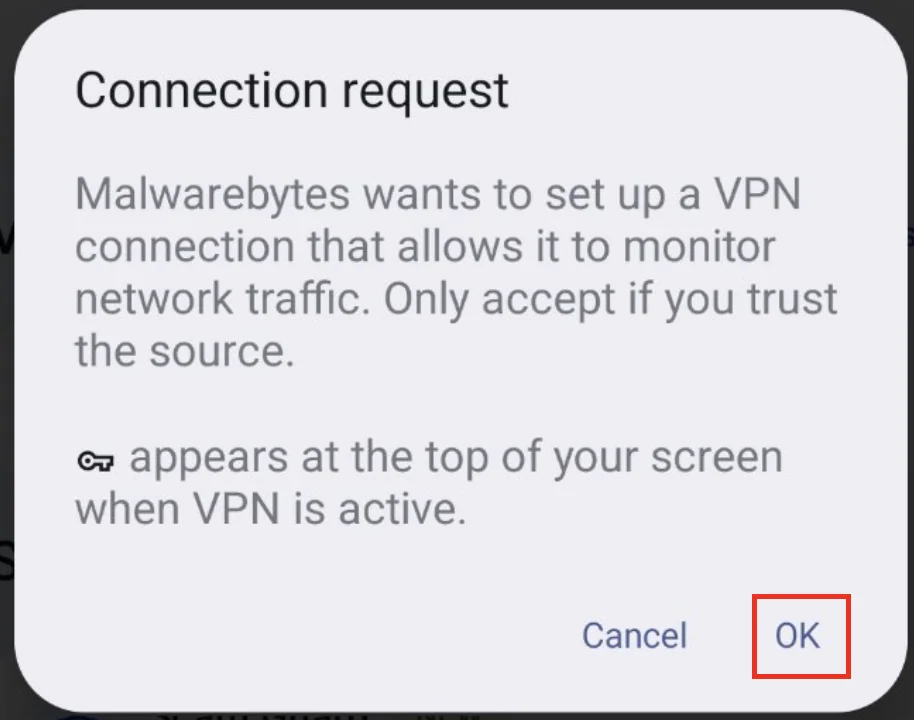
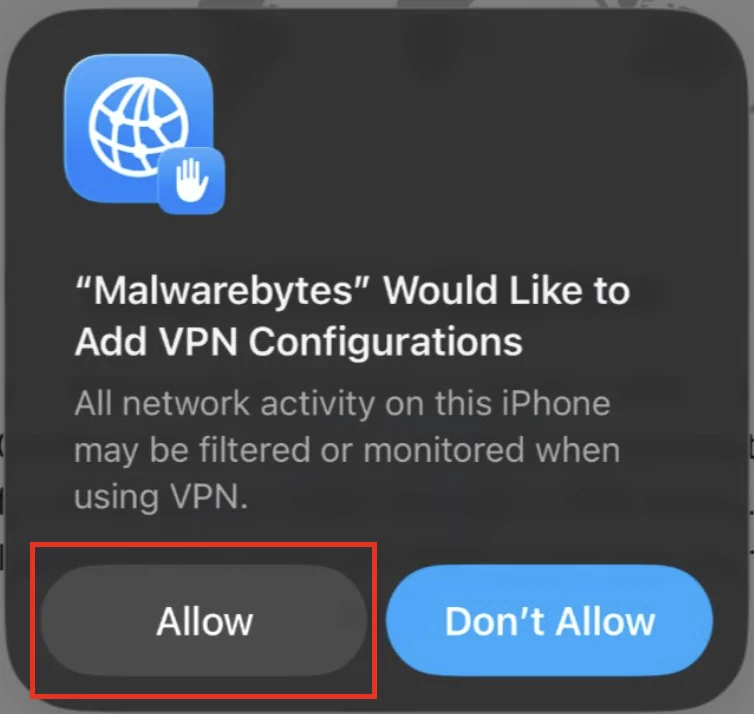
Auto Connect on iOS attempts to restore the tunnel after a reboot or loss. Mobile “Trust local devices” also exists, and the app requires the operating system's VPN permission before it can create the tunnel. Those prompts sound broad because Android and iOS are explaining what any local VPN profile can technically observe; accepting them is required for the service to operate.
Malwarebytes VPN speed: good nearby, expensive at distance
We didn't invent a fresh “our lab” number for hardware we didn't run. The best current reproducible evidence we found is All About Cookies' July 16, 2026 Windows test. It records the baseline, four regions, latency and the selected cities, which makes the result more useful than an unexplained “fast” badge.
| Route | Download | Upload | Latency | Download change |
|---|---|---|---|---|
| No VPN baseline | 482.91 Mbps | 307.87 Mbps | 40 ms | Baseline |
| Nearby US | 432.72 Mbps | 316.60 Mbps | 20 ms | About -10% |
| Canada | 291.81 Mbps | 289.08 Mbps | 57 ms | About -40% |
| UK/Europe | 106.18 Mbps | 132.76 Mbps | 135 ms | About -78% |
| Australia | 171.06 Mbps | 118.18 Mbps | 216 ms | About -65% |
The nearby result is good: a roughly 10% download loss would be hard to notice in normal browsing or 4K streaming. The publication calculated a 48% average download drop across its regional sample. Distance was the clearer problem, especially the 135–216 ms latency that matters for calls, remote desktops and games even when raw download capacity remains usable.
An older TechRadar run reached 780 Mbps over WireGuard in the UK. That shows the engine can move data on a fast line, but it predates the current AzireVPN infrastructure and shouldn't be blended with the July 2026 table as if both tested the same service version. The honest range is “fast nearby on a good route; long-distance results vary sharply.”
If performance is poor, Malwarebytes' current speed troubleshooting guide starts with a closer server. On Windows it suggests WireGuardNT instead of MBtun when no bypass rules exist, then checking router UDP/TCP behavior and third-party firewall or filter conflicts. Measure the same server at the same time with the VPN on and off before changing several settings.
Streaming works sometimes; that isn't the same as reliable unblocking
All About Cookies tested Netflix on July 16 and opened the US, Canada and UK libraries. Australia failed on both Melbourne and Sydney. The service has no streaming-optimized labels, so the tester selected ordinary country servers and had no guaranteed alternate pool designed for a particular platform.
An older TechRadar test failed BBC iPlayer, US Netflix, Amazon and Disney+. That result came from the pre-rebuild context, so it shouldn't overrule the current pass. It does show why a permanent “unblocks Netflix” promise is weak: streaming companies block IP ranges continuously, and a smaller server network has fewer substitutes when one range is identified.
We would buy Malwarebytes VPN for encrypted everyday traffic, not for one overseas catalog. If a service works today, treat it as a bonus. If international sports, BBC iPlayer or several Netflix regions are purchase requirements, choose a provider that publishes streaming support, runs a large rotating IP pool and has multiple current independent tests.
Using a VPN doesn't override a streaming service's terms or local law. It can also trigger account-security checks when the apparent location changes quickly. Select a nearby server for privacy and speed; select another country only when the use is lawful and the account permits it.
DNS, WebRTC and kill-switch test results
In the July test, Malwarebytes passed the DNS leak check. No original local IP was exposed through WebRTC, but the WebRTC address didn't match the remote VPN address, so the publication marked that test as a partial pass. That isn't the same as publishing the user's home IP, yet it's less clean than a consistent tunnel endpoint.
The kill switch passed a server-switch test: the tester moved from Argentina to Australia while checking the public address and didn't see the original location exposed. This directly tests one common transition. It doesn't prove every Windows sleep, Wi-Fi roam, crash and reboot path on every driver version.
A useful verification takes two minutes. Connect to the chosen server, check public IPv4 and IPv6 addresses, run a DNS test, and load a WebRTC test in the browser you actually use. Then disconnect or change servers with the kill switch enabled and confirm traffic stops. Don't post the resulting addresses publicly.
Malwarebytes' “Public” and “Private” status labels are simple app states, not proof from an outside observer. If a location appears wrong, the July 15 Help Center article says stale geolocation databases or another active VPN can be responsible. Verify with a second IP database before assuming the tunnel selected the wrong physical server.
Windows, Mac, Android and iPhone support
The current Malwarebytes product supports Windows, macOS, Android and iOS/iPadOS. Desktop requirements are Windows 10 or 11 and macOS Big Sur 11 through Tahoe 26; mobile requirements are Android 9–17 and iOS/iPadOS 17, 18 or 26. Those ranges were current in the June 2026 system-requirements pages and will change with product support.
| Platform | Current app | Relevant controls | Limitation |
|---|---|---|---|
| Windows 10/11 | Integrated Malwarebytes app; active standalone VPN 3.18 also documented | Kill switch, Auto Connect, rules, alternate DNS, tunnel driver | Driver and filter conflicts deserve testing |
| macOS 11–26 | Malwarebytes app | Kill switch, Auto Connect, app/IP rules, local-device trust | Requires system VPN permissions |
| Android 9–17 | Integrated mobile security app | VPN toggle and OS connection permission | Old standalone Android 1.8 is unsupported |
| iOS/iPadOS 17, 18, 26 | Integrated mobile app | Auto Connect, local-device trust, VPN configuration | Apple profile permissions required |
| Linux, routers, browser extensions, TVs | No current consumer app/setup found | None documented | Choose another VPN if required |
Standard mobile subscribers may see a limited-data VPN, while Plus provides unlimited VPN data. The current July 7 activation article doesn't state the cap, so we won't guess it. A free or limited toggle in the mobile app isn't evidence that the full standalone subscription is included on every device.
The standalone and integrated-app transition can make support pages look inconsistent. Windows lifecycle documentation lists VPN 3.18.0 as active from January 27, 2026, while current product pages emphasize VPN inside the Malwarebytes application. Use the app linked by the current account and support page; don't install an old APK or archived desktop installer because a dated review names it.
Reliability: the failures worth testing during the trial
Current community evidence shows several distinct problems, not one universal “VPN broken” condition. An October 2025 r/Malwarebytes report tied MBtun to a hibernate freeze, with a May 2026 commenter describing kill-switch and restart trouble. Malwarebytes Support responded and requested logs. That's a credible failure mode, not a failure-rate estimate.
A March 2026 lifetime-license thread exposed a different problem: activating a separate VPN entitlement could replace the security entitlement in the app, then reactivating the lifetime license reversed it. Support confirmed that licensing interaction. A user who sees real-time protection turn off should inspect the active subscription before blaming the tunnel driver.
An April 2026 connection report looked like an outage, but support said it wasn't aware of a larger service event and requested the device and subscription type. A June Mac report was ultimately traced by the user to a third-party system content filter rather than Malwarebytes. Both examples favor isolation over a blind reinstall loop.
During the trial, test sleep, wake, restart, Wi-Fi changes, the local printer, video calls and any third-party firewall or DNS filter. If the machine hangs, avoid repeated forced power-offs as a “fix.” Disable the kill switch when it's safe to do so, return the tunnel driver to the recommended state, update the app, collect diagnostic logs and contact support with the exact time and server.
Our upcoming broad troubleshooting spoke will own the full repair paths for update, scan and network failures. For now, the key buying lesson is simple: privacy architecture can't compensate for a driver conflict on the one computer that must work. Use the trial on the actual hardware before committing.
Who should buy Malwarebytes Privacy VPN?
Existing Malwarebytes Plus buyers are the clearest audience. The VPN lives in the same product family, adds a current audited privacy layer and costs less incrementally than buying both products separately. A household with Windows, Mac and mobile devices can cover common platforms without teaching everyone another interface.
Travelers who want a simple Wi-Fi tunnel are another reasonable fit. Auto Connect, a desktop kill switch, native IPv6 and owned physical servers solve the core café, hotel and airport use case. Our security guide for travelers covers the separate device, backup and account-protection steps a VPN can't provide.
Privacy-focused buyers who value public evidence may prefer this small network to a larger opaque one. The complete audit, server-level inventory, transparency report and signed canary are real trust signals. The next trust step should be a public remediation retest, so the choice suits someone willing to read a dated status rather than demand a flawless certification badge.
People who need only everyday regional privacy can be happy with the simplicity. Choose a nearby server, enable Auto Connect, test the kill switch and stop touching advanced settings. The product is less compelling when the job depends on features it doesn't claim.
Who should skip it?
Streaming-first buyers should choose a specialist with broader current unblocking evidence. Three Netflix regions passed in one fresh test, but Australia failed and an older test was much worse. That isn't the reliability expected when streaming is the main reason for paying.
Linux, router and smart-TV users don't have a documented current Malwarebytes route. Installing the VPN only on a Windows laptop doesn't protect a console, TV or every device behind a router. A provider with official WireGuard/OpenVPN configuration files and platform guides is the safer fit.
Users on restrictive networks may need OpenVPN, TCP 443, obfuscation or another fallback. Malwarebytes exposes WireGuard as the supported VPN protocol. Its Windows driver options don't replace a second protocol when a network blocks the first.
Power users may miss multi-hop, dedicated IPs, broad per-app routing, command-line clients, port forwarding and detailed automation. We found no current consumer documentation establishing those as Malwarebytes features. Buying on the assumption that underlying AzireVPN code exposes them in this app is a poor bet.
Anyone with a history of network-filter conflicts should test carefully. The service can work cleanly, but current support threads show why kill-switch, MBtun, content-filter and license interactions belong in the evaluation. A VPN that's excellent on another laptop can still be wrong for the machine running critical work.
Malwarebytes VPN alternatives: choose by the missing requirement
The right alternative depends on why Malwarebytes fell short. For a larger privacy-first network with Linux and manual configuration, compare established specialist VPNs with fresh public audits and a documented router path. For streaming, prioritize several current unblocking tests instead of the largest server number on a landing page.
Norton is the closest antivirus-suite comparison because it also sells security and VPN together. Our Malwarebytes versus Norton comparison handles the full-suite decision, while the separate Norton VPN review evaluates its current privacy and streaming tradeoffs. Don't assume one bundle wins every component.
If the real need is malware prevention rather than IP privacy, keep the categories separate. The Free versus Premium guide explains why the free scanner is on demand and paid security is preventive. A VPN can't replace either a real-time antivirus or a cleanup scan.
If cost is the objection, compare annual total, renewal, devices and refund rules on the same basis. Avoid “$2 per month” long-contract comparisons against one-year prices without counting the full prepaid term. Our free antivirus guide can remove the antivirus cost from the equation, but a trustworthy unlimited VPN generally remains a separate paid service.
Final verdict: worth it inside Plus, selective as a standalone VPN
Malwarebytes has done the difficult part many antivirus companies skip: it now owns a transparent physical network, designed the servers to avoid persistent storage and routine access, and published a detailed external audit. The live 153-server inventory, no-activity-logs architecture and current nearby speed result make the product credible rather than ornamental.
It hasn't finished the proof. The full audit found more than the six software issues highlighted in the blog, one critical remediation was still in progress on April 2, and no public retest was visible at our cutoff. Platform coverage, protocol choice and streaming reliability also trail the strongest specialist services.
For an existing Malwarebytes customer, the three-device Plus price is a defensible way to add everyday VPN protection without another vendor. For a standalone buyer, $49.99 per year for three devices isn't bad, but it should win only if the owned infrastructure and simple apps matter more than Linux, routers, streaming specialization and advanced controls. That's a narrower recommendation than “best VPN,” and a more useful one.
Malwarebytes Privacy VPN FAQ
Is Malwarebytes Privacy VPN safe in 2026?
Its current privacy architecture is stronger than many old reviews describe: WireGuard with ChaCha20, owned physical diskless servers, disabled routine server access and a public X41 audit that found no evidence of user-activity logging. The same audit also found 14 direct-security issues, including two critical findings. Malwarebytes said one critical issue was fixed and the other was being addressed on April 2; we couldn't find a public independent retest by July 29.
Does Malwarebytes VPN keep logs?
The June 16, 2026 privacy policy says the VPN doesn't collect or retain browsing activity, DNS requests, bandwidth, original IP/network details, session timestamps or VPN app telemetry. It still processes service data such as the license key, a unique identifier, software version and WireGuard public key. Local diagnostic logs remain on the device unless you choose to send them to support.
How many servers does Malwarebytes VPN have?
The live server inventory showed 153 dedicated, owned and diskless servers in 62 locations on July 29, 2026. The marketing page rounds this to 150+ servers in 60+ locations and says more than 90% of the network uses 10G infrastructure. It's a transparent physical network, but much smaller than the fleets marketed by the largest specialist VPNs.
Does Malwarebytes VPN work with Netflix?
Sometimes, but not reliably enough for a permanent yes badge. All About Cookies' July 16, 2026 test opened Netflix in the US, Canada and UK but failed in Australia on both Melbourne and Sydney servers. An older TechRadar run failed several major streaming services. Server IPs and platform blocking change, so buy it for privacy rather than a guaranteed catalog.
Does Malwarebytes Privacy VPN have a kill switch?
Yes on Windows and macOS. The current Help Center says it's disabled by default and can only be enabled after Auto Connect is enabled; when active, it blocks internet access if the VPN is disconnected or off. All About Cookies passed it in a July 2026 server-switch test, although current community reports and an older TechRadar test describe connection or restart problems on some systems.
Is Malwarebytes VPN fast?
Nearby performance can be strong. In All About Cookies' July 16 test, download speed fell from 482.91 Mbps to 432.72 Mbps on a nearby US server, about a 10% drop. Its four-region average download loss was 48%, with much higher latency at long distance. Your ISP, location, Wi-Fi, server load and device can produce a different result.
Does Malwarebytes VPN support Linux or routers?
The current consumer product documentation lists Windows, macOS, Android and iOS/iPadOS. We found no current Malwarebytes client or setup guide for Linux, routers, browser extensions or smart TVs. Don't infer consumer support from underlying AzireVPN infrastructure or old third-party articles; choose a specialist VPN if those platforms are required.
Is the Malwarebytes Plus bundle better than the standalone VPN?
Plus is usually the better fit when you already want Malwarebytes real-time device protection and Browser Guard. In the July 29 US pricing feed, three-device standalone VPN was $49.99 per year and three-device Plus was $79.99, so the bundle added antivirus for $30. A buyer who only wants a VPN should compare the standalone $49.99 price with specialist services and their longer plans.
Can Malwarebytes VPN replace antivirus?
No. A VPN encrypts network traffic and changes the public IP address; it doesn't scan a downloaded file, stop ransomware or remove an infostealer. Malwarebytes Plus combines the VPN with paid device protection, while the standalone VPN doesn't become antivirus. Keep a maintained real-time security product active on the device.