
Best HitmanPro Alternatives for Each Security Job
The right replacement depends on what you're replacing. A free connected second opinion, a USB response kit, an offline scan and resident ransomware protection are four different jobs. Pick one route that closes the actual gap instead of installing every scanner in the list.

Quick answer: choose ESET Online Scanner for the easiest free connected Windows second opinion, Emsisoft Emergency Kit for a portable private-use kit with logs and quarantine, Malwarebytes Free for a familiar cleanup/PUP route, F-Secure Online Scanner for a simple current scan including supported ARM64 Windows 11, Defender Offline when the running OS shouldn't be trusted, and Microsoft Safety Scanner for a fresh dated Microsoft executable. If you mean HitmanPro.Alert, choose one current resident antivirus instead.
Define what HitmanPro was doing before choosing a replacement
Ordinary HitmanPro is a small on-demand Windows scanner. It gives an existing primary antivirus another classification path after a suspicious download, redirect or detection disagreement. It isn't the resident protection layer that watches every new file. HitmanPro.Alert is the separately installed product with continuous exploit, ransomware and privacy defenses.
That boundary changes the answer. Replacing the ordinary scanner means finding a current on-demand tool, perhaps with a different engine, deployment model or trust boundary. Replacing Alert means choosing resident protection. Replacing a primary antivirus means choosing one full tested product. Those choices shouldn't be collapsed into a single popularity ranking.
The scanner-versus-Alert comparison explains the product split, and our current HitmanPro review explains why direct major-lab evidence for the standalone scanner is limited. This page ranks alternatives for the role they actually perform, not as if every tool entered the same laboratory test.
| What you want to replace | Correct product class | Best starting route | Wrong shortcut |
|---|---|---|---|
| One connected second opinion | On-demand live-Windows scanner | ESET or F-Secure Online Scanner | Installing a second full antivirus |
| Portable USB/folder toolkit | Updated response kit | Emsisoft Emergency Kit | Calling portable the same as offline |
| PUP/adware cleanup | On-demand cleanup app | Malwarebytes Free | Assuming free mode is resident |
| Scan outside normal Windows | Offline/restart scan | Microsoft Defender Offline | Adding another live scanner |
| Alert or primary prevention | One resident antivirus/suite | Current lab-covered product | Stacking several resident suites |
| Account theft/ransomware incident | Incident response | Contain, revoke, preserve, escalate | Collecting clean scan screenshots |
The six current HitmanPro alternatives worth shortlisting
We removed products that lack a clear current first-party route and tools that ended support before this article was checked. The shortlist is intentionally smaller than generic “48 alternatives” databases because a dead download, overlapping backend or unrelated business platform doesn't help a person checking one Windows PC.
| Rank | Alternative | Best for | Cost boundary | Main limit |
|---|---|---|---|---|
| 1 | ESET Online Scanner | Connected general second opinion | Free scanner | Runs inside Windows; not resident |
| 2 | Emsisoft Emergency Kit | Portable private response | Free private/non-commercial use | 64-bit current Windows; live OS |
| 3 | Malwarebytes Free | Cleanup, PUP/adware questions | Free scanner; paid protection separate | Installed app/trial packaging |
| 4 | F-Secure Online Scanner | Simple scan and ARM64 route | Free scan/removal | Limited controls and live OS |
| 5 | Microsoft Defender Offline | Scan outside normal Windows | Built into current Windows | Restart required; Windows-only |
| 6 | Microsoft Safety Scanner | Fresh Microsoft executable | Free; expires after ten days | No real-time protection |
The order is practical, not a fake detection-rate league. Current major labs test resident ESET, Malwarebytes, Microsoft and other suites under defined configurations; they don't provide one comparable 2026 row for all six free tools in this exact form. Rank therefore reflects role fit, current support, deployment clarity and safety of the workflow.

1. ESET Online Scanner: best general connected second opinion
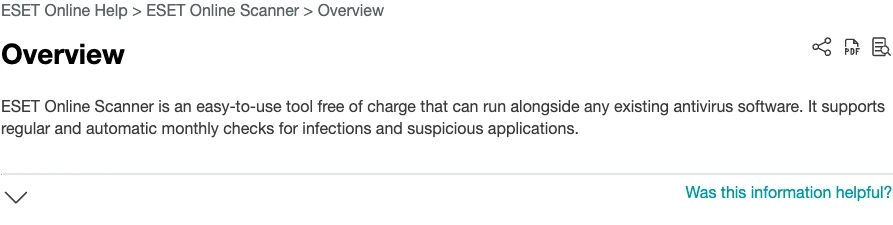
ESET's current Online Scanner overview says the tool is free of charge, can run alongside an existing antivirus and supports regular or automatic monthly checks. The current getting-started guide offers a one-time scan and lets the user choose Full, Quick or Custom scope.
That makes it the closest default replacement for someone who wants “download one current scanner, run it beside Defender or another primary product, review the result and remove it later.” It has clearer selectable scope than the ordinary HitmanPro workflow and an official current help tree covering quarantine, settings and uninstall.
The name “Online Scanner” is easy to misunderstand. You download and run a Windows executable; it isn't a website that examines an entire PC from a browser. It needs connectivity for the normal current workflow, runs inside the existing Windows trust boundary and isn't continuous protection.
ESET's product page currently exposes version 3.2.6.0 and Windows support. Version strings and platforms can change, so use the official page rather than a mirror. Keep the primary antivirus active, run one scanner at a time and preserve the log before acting on a disputed business or OEM file.
2. Emsisoft Emergency Kit: best portable private-use response kit
The current Emsisoft Emergency Kit page describes a folder-based toolkit with a graphical scanner and command-line component. Extract it to a clean folder or USB drive, update before the incident, choose an appropriate scan, quarantine rather than delete when uncertain and retain the report.
EEK is a stronger choice than ESET when portability, a repeatable support USB, logs and command-line operation matter. It also exposes Quick, Malware and Custom scan paths. Our full Emergency Kit review verifies the current requirements, update workflow, quarantine behavior, licensing and the difference between portable and bootable.
The current product requirement starts at 64-bit Windows 10 or Server 2016. The kit is free for private non-commercial use; a paid repair shop, company helpdesk or scripted commercial workflow needs the current commercial license/product route. A free download isn't permission to use it across customers.
Portable doesn't mean offline. EEK still uses the running Windows kernel, filesystem view and drivers, and stale definitions on a USB stick remain stale. Update from a known-clean device when the suspect machine shouldn't connect, use read-only media only with a deliberate update plan and move to an offline or known-clean rebuild when Windows itself can't be trusted.
3. Malwarebytes Free: best familiar cleanup and PUP/adware route
Malwarebytes remains the most familiar alternative for people who want an ordinary application, a clear Scanner card and a cleanup workflow. Its July 2026 Free versus Paid guidance positions Free as a scanner/cleanup route while app blocking and continuous defensive layers belong to paid plans.
The current official Malwarebytes virus-scanner page describes the free download as a scan-and-remove route, while current Windows help separately documents a free monthly scan option. That's useful for a household that prefers reminders and a persistent app over a tiny run-once binary. Malwarebytes is also commonly chosen for PUP, adware and browser-nuisance questions, though every specific detection still needs path and source context.
The tradeoff is deployment. Malwarebytes installs more conventional application state and may expose trial or upgrade choices. Free scanning isn't the same as Premium real-time protection, and Premium shouldn't silently become a second resident antivirus beside another full suite. Check the active provider after installation.
Our current Malwarebytes review covers the full product and current lab evidence. Don't transfer Premium test scores directly to a free on-demand scan or claim that community popularity is a detection percentage.
4. F-Secure Online Scanner: best simple scan with current ARM64 support
The current F-Secure Online Scanner page offers a free virus scan/removal route and currently lists Windows 10 version 21H2 or newer on x64 plus Windows 11 version 24H2 or newer on ARM64. F-Secure's Online Scanner 9 announcement also calls out ARM64 support.
Choose it when you want a simple current second opinion with little configuration, particularly on a supported ARM Windows device where stale scanners have architecture problems. It isn't a portable incident-response folder, a bootable scanner or a resident suite.
The narrower interface can be a feature for a family member who only needs one supported scan and cleanup decision. It's a weakness when you need custom evidence scope, detailed offline preparation or a long-lived technician kit. Keep a screenshot/log of the result and stop after the defined question is answered.
5. Microsoft Defender Offline: best built-in scan outside normal Windows
Use Defender Offline when the running Windows session is the weak point: persistent malware, a rootkit-style concern, a scanner that's repeatedly terminated or a file locked by the active OS. Microsoft's current Windows Security scan guidance exposes Microsoft Defender Antivirus (offline scan), restarts the device and stores results in Protection history.
Save work first, connect trusted power and make sure BitLocker or device-recovery information is available. The offline scan uses a different startup context, which is the reason to choose it over a third live scanner. It doesn't mean firmware, accounts, browser sessions or cloud data are inspected.
Our Microsoft Defender hub and current Defender review separate full-time protection from Offline Scan. If the device can't boot, stores regulated evidence or is actively encrypting shares, use an incident process rather than treating one restart scan as a universal repair.
6. Microsoft Safety Scanner: best fresh dated Microsoft executable
The current Microsoft Safety Scanner download page provides separate 32-bit and 64-bit executables and explains that the tool finds and removes malware from Windows. It's a useful alternate Microsoft path when you need an explicit on-demand package and log rather than the normal Windows Security interface.
The package expires ten days after download. Microsoft tells users to download it again for a later scan so current security intelligence is included. That makes it a poor USB artifact to keep for months and a good example of why “I already have the tool” isn't the same as “I have a current scanner.”
Microsoft also explicitly points to Defender Antivirus for real-time protection. Safety Scanner doesn't replace the primary provider, schedule permanent prevention or answer account-compromise questions. Download it from Microsoft, choose scope deliberately and preserve the result before cleanup.
Replacing HitmanPro.Alert or a missing primary antivirus is a different purchase
If the missing job is continuous ransomware, exploit, web and file protection, an on-demand scanner is the wrong product class. Choose one current resident antivirus or suite and let Windows Security show a single intended provider. The ordinary HitmanPro alternatives above can remain occasional tools, but they shouldn't become a patchwork of permanent engines.
Bitdefender and ESET are reasonable current shortlists because their resident consumer products appear in 2026 major-lab testing and offer Windows prevention beyond a scan button. The current Bitdefender review covers protection, performance, plans and platform limits. Microsoft Defender is the built-in route when native management and no new subscription matter.
A product can be “better than HitmanPro” for prevention and worse for portable cleanup because those are different tests. Match the device count, operating systems, web/ransomware layers, renewal terms, support and current lab configuration. Don't award points for a VPN or cleanup bundle the reader doesn't need.
Use 2026 lab results only for the exact resident products tested
The AV-Comparatives March 2026 Malware Protection Test and February–May 2026 Real-World Protection Test include current resident products from ESET, Bitdefender, Malwarebytes, Microsoft and others. Those results help when replacing Alert or choosing a primary antivirus.
They don't create a fair numeric ranking for ESET Online Scanner, Emsisoft Emergency Kit, F-Secure Online Scanner, Defender Offline and Safety Scanner. Different packages, configurations, update paths and test roles matter. Borrowing a vendor's resident-suite score for a free scanner is false precision.
For the six ranked tools, we therefore score no fake “99.9% detection” claim. Current official support, defined scope, updates, quarantine/log path, platform support, licensing and the trust boundary determine usefulness. A tool can be excellent for one incident without being a tested prevention suite.
Don't replace HitmanPro with retired utilities or the same unclear backend
Norton announced in its Power Eraser end-of-life notice that the tool would be discontinued on April 30, 2026. It appears in many old malware-removal lists, but it's no longer a current recommendation. A remembered reputation doesn't replace updates and support.
Sophos Scan & Clean historically overlapped HitmanPro technology, and the current first-party product path is unclear while community reports say old links were removed. Even if an old binary runs, it isn't a well-documented independent-engine alternative. Use a current vendor page and a clearly supported package instead.
Also leave HitmanPro.Kickstart, old rescue disks, standalone anti-exploit betas, ComboFix recipes and abandoned rootkit utilities in historical articles. A current March 2026 second-opinion discussion shows a healthier modern shortlist—and the real stopping problem after multiple clean scans.
| Old recommendation | Current issue | Use instead |
|---|---|---|
| Norton Power Eraser | Discontinued April 30, 2026 | ESET, F-Secure or Microsoft current tool |
| Sophos Scan & Clean | Unclear current route; overlapping heritage | Independent current scanner |
| HitmanPro.Kickstart | Historical workflow, not current scanner path | Defender Offline or supported recovery |
| Old rescue ISO | Stale definitions and boot support | Fresh current vendor recovery route |
| VirusTotal as PC cleaner | File/URL analysis, not whole-PC remediation | Authorized scanner/support workflow |
| Several simultaneous scanners | Contention and conflicting remediation | One defined scan and stopping rule |
For Mac, mobile and ARM, choose the native platform route
HitmanPro and most direct on-demand alternatives here are Windows tools. Emsisoft Emergency Kit is currently a 64-bit Windows package. Defender Offline and Safety Scanner are Windows. ESET Online Scanner is Windows. Don't turn a Windows ranking into a Mac, Android or iPhone recommendation by brand name alone.
Malwarebytes offers products on other platforms, but features differ. Mobile security often focuses on malicious apps, web/scam protection, privacy and account state rather than scanning every file like a Windows desktop tool. On macOS, use current native security controls and a supported Mac product when another opinion is warranted.
ARM is also product-specific. Current F-Secure Online Scanner explicitly lists Windows 11 24H2+ on ARM64, while HitmanPro build 346 fixed ARM scanning/uploads. Verify the exact architecture on the current vendor page; an x64-era article isn't proof that an executable runs correctly through emulation.
“Free” still has licensing, update and privacy boundaries
ESET, Malwarebytes, F-Secure and Microsoft offer current free scanning routes, but free mode isn't the same as a paid resident license. Emsisoft Emergency Kit is free for private non-commercial use; technicians and companies need the appropriate commercial product. Keep those terms visible before building a reusable support workflow.
Cloud-assisted scanners may submit hashes, metadata or suspicious samples according to current settings and policy. Don't scan proprietary or regulated data without understanding that path, and don't upload confidential binaries to public multi-scanner services merely to settle a disagreement. Logs also expose usernames and folder paths.
Update state matters as much as price. EEK on a drawer USB needs an update. Safety Scanner expires after ten days. Online scanners need their normal service path. An offline scan needs current definitions. Record the download/update time with the result so “clean” has a dated scope.
Test one alternative without weakening the primary antivirus
Define the trigger and decision first: “I opened this download; I need one different classification and will stop if the primary provider and one current second opinion are clean and symptoms do not recur.” Save the original detection, file path and time. Keep the primary antivirus active and run only one on-demand scan at a time.
Download from the vendor, verify the signature where available and update before scanning. Choose a scope that answers the question. Save the log before deleting a disputed file, prefer quarantine when reversible, restart when remediation requests it and repeat one verification scan.
Remove temporary tools you don't plan to maintain, but keep the incident record. Our safe second-opinion workflow applies to alternatives too, while the HitmanPro troubleshooting guide shows why CPU spikes, freezes and browser closure must be diagnosed rather than treated as proof of malware.
Another scanner is the wrong answer when the incident exceeds file detection
Account theft, active ransomware, work credentials, regulated data, backup encryption, unknown administrator changes or a scanner repeatedly being terminated require more than a product comparison. Isolate exposed systems where appropriate, protect backups, preserve timestamps/logs and revoke sessions or rotate credentials from a trusted device.
A clean on-demand scan can't undo stolen browser tokens, prove cloud accounts clean or validate firmware. Multiple scanners often share intelligence and can disagree about PUPs without changing the incident. Escalate to the administrator, vendor or qualified responder and rebuild from known-good media when trust can't be restored efficiently.
The user goal isn't “collect the highest number of green screens.” It's to answer a defined security question with the smallest reliable workflow, then stop or escalate. That rule saves time and prevents cleanup tools from destroying evidence or business files.
Final choice matrix: pick the route with the right trust boundary
| Your situation | First choice | Why | Next boundary |
|---|---|---|---|
| Connected Windows; ordinary second opinion | ESET Online Scanner | Current free scope and clear official help | Stop after one defined result |
| Private USB/folder response kit | Emsisoft Emergency Kit | Portable, quarantine, logs, CLI | Update and respect license |
| Adware/PUP cleanup question | Malwarebytes Free | Familiar cleanup workflow | Free scan isn't paid protection |
| Simple scan on supported ARM64 Windows 11 | F-Secure Online Scanner | Current explicit ARM64 route | Still a live-Windows scan |
| Running Windows may be hiding/locking threat | Defender Offline | Separate restart environment | Save work and recovery info |
| Fresh Microsoft executable/log route | Safety Scanner | Official dated on-demand package | Redownload after ten days |
| Need continuous prevention | One current resident AV | Lab-covered prevention class | Don't stack full suites |
| Accounts/ransomware/business impact | Incident response | Detection alone can't restore trust | Contain, revoke, preserve, escalate |
If two rows describe the same incident, start with the more serious trust boundary. For example, a suspicious file plus unauthorized email sessions is an account incident, not merely an excuse to compare ESET and Emsisoft.
HitmanPro alternatives FAQ
What is the best free alternative to HitmanPro?
ESET Online Scanner is the strongest default for a connected Windows second opinion because its current official help says it's free and can run beside an existing antivirus. Emsisoft Emergency Kit is better when portability, quarantine and logs matter; Defender Offline is better when the running Windows session isn't trusted.
Is ESET Online Scanner better than HitmanPro?
It's a better replacement when you want a free current connected scan with selectable scope and optional monthly checks. HitmanPro remains smaller and cloud-assisted with its own workflow. Neither is a resident primary antivirus, and a clean result from either is evidence rather than proof that the PC is trustworthy.
Is Emsisoft Emergency Kit really portable?
Yes in the folder/USB sense: it can be extracted, updated and run without installing a second resident antivirus. It still operates inside the current Windows session, may load a driver and needs fresh updates. Free use is private and non-commercial; paid repair and helpdesk work need the proper Emsisoft route.
Can Malwarebytes Free replace HitmanPro?
It can replace the on-demand cleanup role, especially for a familiar consumer workflow and PUP/adware questions. Current free mode includes scanning rather than the paid real-time layers. It installs more conventional app state than a tiny portable scanner, so it isn't the same deployment model.
Which HitmanPro alternative can scan outside Windows?
Microsoft Defender Offline is the simplest built-in option on current Windows. It restarts into a separate scan environment and writes results to Protection history. Save work, have recovery information available and remember that an offline scan still can't repair stolen accounts or prove firmware and cloud sessions clean.
Is Microsoft Safety Scanner a replacement for Defender Antivirus?
No. Microsoft explicitly positions Safety Scanner as an on-demand removal tool and Defender Antivirus as the real-time product. The downloaded Safety Scanner package expires ten days after download, so obtain a fresh copy for a later incident rather than keeping an old executable as a permanent kit.
What replaces HitmanPro.Alert rather than the ordinary scanner?
A current resident antivirus or security suite replaces the prevention role more directly. Choose one current lab-covered product such as Bitdefender or ESET based on platform and features, or use Microsoft Defender when its built-in model fits. Don't install several full real-time suites together.
Is Norton Power Eraser still a current alternative?
No. Norton announced that Power Eraser would be discontinued on April 30, 2026. A page that still recommends downloading it as a current choice is stale. Use a supported scanner with a current vendor page, current definitions and an understood cleanup path.
Should I run every second-opinion scanner after a suspicious download?
No. Define the question, choose one tool with a different scope or trust boundary, save the result and apply a stopping rule. Simultaneous or repeated scanner stacking creates contention and contradictory remediation without proving safety. Account theft, ransomware or business impact should trigger incident actions instead.
Can I use these alternatives on Mac, Android or iPhone?
The six on-demand tools ranked here are primarily Windows routes, and several are Windows-only by design. On another platform, choose a current resident product and native platform recovery workflow rather than forcing a Windows scanner comparison. Malwarebytes has other-platform products, but feature parity shouldn't be assumed.
Verdict: replace the missing capability, not the logo
ESET Online Scanner is the best default free connected alternative, while Emsisoft Emergency Kit wins for a portable private-use response kit. Malwarebytes Free offers the familiar cleanup route, F-Secure gives a simple current scan with explicit ARM64 support, Defender Offline changes the Windows trust boundary and Safety Scanner supplies a fresh dated Microsoft executable.
None of those is a direct resident replacement for HitmanPro.Alert. Choose one current lab-covered antivirus when prevention is the gap, and keep occasional scanners occasional. Retire Power Eraser and unclear old Sophos Scan & Clean routes from current checklists.
Most importantly, choose one tool for one question. Preserve the log, keep the primary antivirus active, quarantine before irreversible deletion and stop when the evidence is sufficient. When accounts, ransomware or business data are involved, the best HitmanPro alternative is a controlled incident response—not a seventh scan.