
Microsoft Defender vs Norton 360: What Paying Actually Buys in 2026
Norton's engine no longer has to beat a weak built-in scanner — Defender scores 17.5/18 now. So Norton's 2026 case rests on the bundle and the offline margin, and it's strong enough to be honest about.
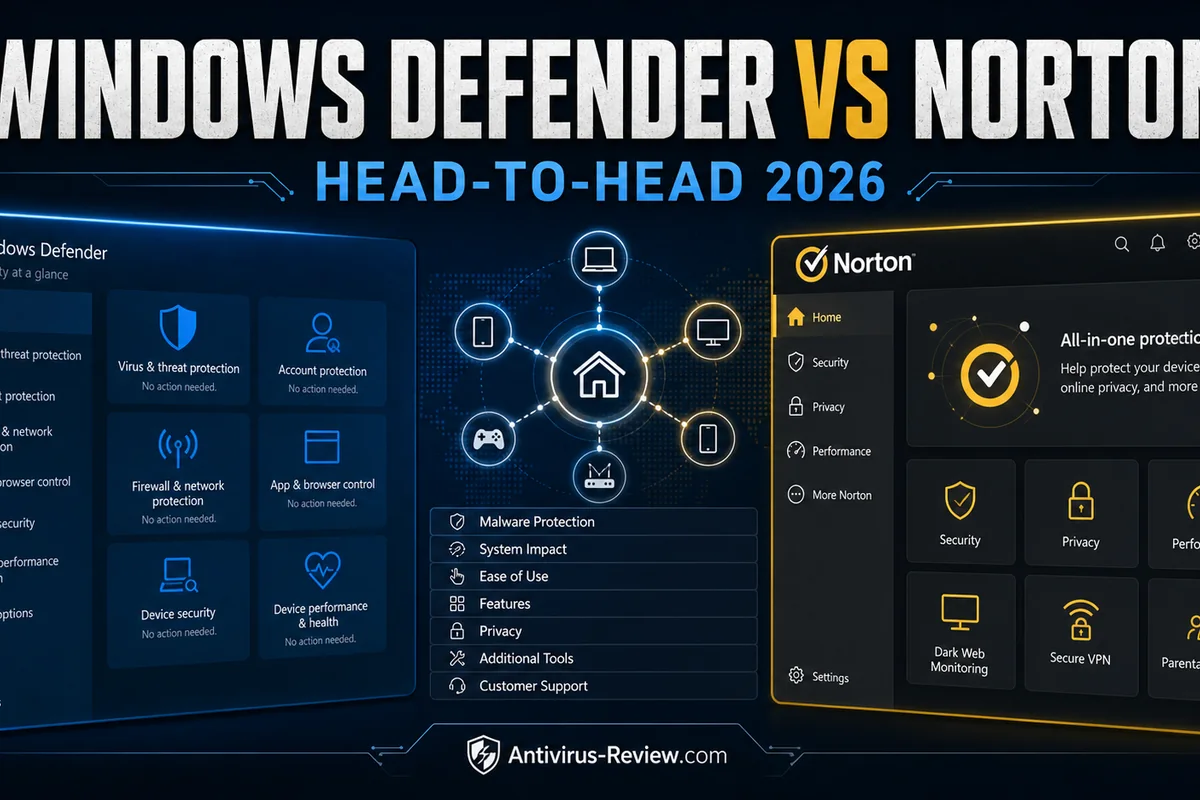
Quick answer: Microsoft Defender covers a single updated Windows 11 PC remarkably well: 17.5/18 at AV-TEST, 99.0% real-world protection, zero false alarms, $0. Pay for Norton 360 Deluxe ($49.99 → $124.99) when you'd otherwise buy a VPN, backup or parental controls separately — the bundle, not the engine, is the product.
Microsoft Defender vs Norton at a glance
The gap paid vendors need you to imagine — a weak built-in scanner versus a real product — closed in the current cycles. Defender sits half a point behind Norton's AV-TEST 18/18 (17.5), came within three-tenths of a point in the real-world test (99.0% vs 99.3%), and was the only product in the group with zero false alarms.
Norton's honest advantages live elsewhere: 96.3% offline detection against Defender's 89.2%, a much lighter April benchmark (5.3 vs 12.9), and a bundle — unlimited VPN, password manager, 50 GB Windows backup, parental controls — that Defender doesn't pretend to offer.
| Microsoft Defender | Norton | |
|---|---|---|
| Editorial rating | 8.9 | 9.0 |
| AV-TEST (Mar–Apr 2026) | 17.5/18 Top Product (Defender 4.18, May–June 2026) | 18/18 Top Product (Norton 360 26.2/26.3, March–April 2026) |
| Price path | $0 — built into Windows, no subscription or renewal | Deluxe $49.99 first year → $124.99 renewal (+150%); Standard $39.99 → $94.99 |
| Best fit | An updated Windows 11 PC run by someone who handles backups and passwords | Households that will actually use the VPN, backup and parental bundle |
Lab showdown: what the current cycles actually say
| Current test | Microsoft Defender | Norton |
|---|---|---|
| AV-TEST Windows 11, current cycles | 17.5/18 Top Product (Defender 4.18, May–June 2026) | 18/18 Top Product (Norton 360 26.2/26.3, March–April 2026) |
| AV-Comparatives Real-World, Feb–May 2026 (400 cases) | 99.0% protected · 4 compromised · 0 false alarms — best FP result of the cycle | 99.3% protected · 3 compromised · 5 false alarms · Advanced+ |
| AV-Comparatives Malware Protection, Mar 2026 | 89.2% offline detection · 99.93% online protection · 3 false alarms | 96.3% offline detection · 99.97% online protection · 9 false alarms |
| AV-Comparatives Performance, Apr 2026 (impact, lower is better) | 12.9 — light at idle, visible spikes after large file changes | 5.3 — one of the lighter results in this cycle |
Real-world: Norton 99.3% with three compromises, Defender 99.0% with four. That's one extra compromise per 400 attacks — real, but not a category difference. Defender's zero false alarms against Norton's five is the accuracy story of this cycle, and it matters for anyone who's lost an afternoon to a quarantined false positive.
Offline is Norton's row. With cloud disconnected, Norton detected 96.3% of samples; Defender managed 89.2%. Defender is built around its cloud layer — on a laptop that flies, commutes through dead zones or works on isolated networks, that seven-point gap is the strongest technical argument for paying.
Pricing and renewal reality
| Microsoft Defender | Norton | |
|---|---|---|
| Checked July 14, 2026 | $0 — built into Windows, no subscription or renewal | Deluxe $49.99 first year → $124.99 renewal (+150%); Standard $39.99 → $94.99 |
| Refund window | Nothing to refund | 60-day money-back on annual plans |
| Free tier | The product is free | No free tier |
Defender's column is $0, forever, with no account. Norton's is a $49.99 first year and a printed $124.99 renewal — a 150% step Norton at least discloses up front. The 60-day refund window is genuinely useful: long enough to see the renewal-marketing behavior and decide with evidence.
The arithmetic that matters: Deluxe at renewal costs about what a decent VPN plus a cloud-backup subscription costs separately. If you'd buy those anyway, Norton consolidates them behind one login. If you wouldn't, you're paying $124.99 a year for a three-tenths protection margin.
Feature comparison
| Feature | Microsoft Defender | Norton |
|---|---|---|
| Platforms and devices | Windows only (consumer scope) | Windows, macOS, Android, iOS — 5 devices on Deluxe |
| VPN | None | Unlimited VPN included |
| Password manager | None (Edge/Microsoft account tools are separate) | Password manager included |
| Firewall / hardening | Windows Firewall + SmartScreen | Yes |
| Cloud backup | None (OneDrive is separate) | 50 GB cloud backup (Windows only) |
| Parental controls | Microsoft Family Safety, configured separately | Parental controls included (not on macOS) |
This table is the entire Norton pitch. Unlimited VPN, a password manager, 50 GB of Windows cloud backup, parental controls and Privacy Monitor in one subscription — against Defender's firewall, SmartScreen and Controlled Folder Access assembled from Windows settings. For a family with kids' devices and mixed platforms, Norton replaces three or four separate purchases.
The asterisks: backup is Windows-only, parental controls skip macOS, and every bundled tool has a stronger standalone competitor. Norton wins on consolidation, not on best-in-class parts.
What changes on Windows, Mac and mobile
A feature-table check mark doesn't mean equal coverage everywhere. Microsoft Defender currently supports Windows only (consumer scope). Its firewall/hardening position is: Windows Firewall + SmartScreen. VPN: None. Backup: None (OneDrive is separate).
Norton currently supports Windows, macOS, Android, iOS — 5 devices on Deluxe. Its firewall/hardening position is: Yes. VPN: Unlimited VPN included. Backup: 50 GB cloud backup (Windows only). Before paying, list the devices you actually own and mark the one feature you need on each. A Windows-only backup or separately configured family tool shouldn't be counted as a full cross-platform benefit.
The practical test is one Windows machine plus the least-supported device in your household—usually a Mac, iPhone or Chromebook. Check that web protection, account login, notifications and removal all behave sensibly there during the refund window. That exposes platform gaps faster than comparing another row of marketing icons.
Setup, alerts, support and the exit route
Microsoft Defender: no separate subscription app: controls live across Windows Security, SmartScreen and Family Safety. The current refund position is nothing to refund. Its official support page linked below is the right place to verify removal, renewal and platform-specific steps before the refund clock expires.
Norton: a friendly main dashboard paired with promotional notifications that are worth disabling on day one. The current refund position is 60-day money-back on annual plans. Save the order email and identify who charged the card: a vendor, an app store and a reseller can have different cancellation paths even when the product name is identical.
For a fair trial, install only one contender at a time, update it, run the same normal workload for several days, then check browser launches, file copies, notifications, quarantine restoration and account cancellation. Protection scores come from controlled laboratories; ease of ownership is the part you can verify on your own hardware.
Performance on a real PC
Norton is the lighter product in current testing — 5.3 total impact against Defender's 12.9 in the April report, both 6/6 at AV-TEST. Defender's number reflects its known habit: light at idle, spiky when large file sets change. The Antimalware Service Executable complaints on r/techsupport are old news that stayed true — our test log caught 28–38% CPU during a full scan.
Norton's own log numbers (180–220 MB idle, ~24 minutes for 280 GB, four-to-six-second boot penalty) describe a suite you'll notice at install and forget by the weekend. On low-end hardware, Norton's benchmark advantage is the rare case where paying makes the PC feel faster.
Can you run Microsoft Defender and Norton together?
Windows normally places Microsoft Defender Antivirus into passive mode when a properly registered third-party suite such as Norton becomes the primary provider. That hand-off is useful; forcing two real-time engines to inspect every file can create duplicate alerts, locked files and avoidable scan spikes.
After installing or removing Norton, reboot and open Windows Security → Virus & threat protection. The provider shown there's the source of truth. Defender's optional periodic scanning is a limited second-opinion feature, not permission to force both products into full real-time mode. If the old product still appears, use its official cleanup instructions before judging the replacement's speed.
How we compared Microsoft Defender and Norton
Our editorial testing and fact-check method separates four questions that are often blended into one score: protection and false alarms from the latest comparable independent Windows cycles; system impact from AV-Comparatives' April 2026 protocol; ownership cost from dated first-term, renewal and refund terms; and fit from platform limits, included tools and the setup a reader actually needs.
The lab rows aren't our home-made malware test and the community links aren't votes. Each result keeps its test name, date and denominator so a small one-cycle margin isn't presented as permanent truth. Prices are snapshots, not promises: checkout region, campaign and seller remain the contract. We revise the verdict when a new comparable cycle or material product term changes it.
Primary sources and real-world checks behind this comparison
For Microsoft Defender, we checked the current product or pricing page and the official support documentation. For Norton, we checked its current product or pricing page and official support documentation. Those pages establish plan names, supported systems and bundle limits; the independent lab links in the table establish protection, false alarms and performance.
Community reports are used only to identify what a buyer should test. A current Microsoft Defender discussion focuses on whether the built-in engine is enough, scan-time CPU spikes and the value of third-party bundles. A current Norton discussion focuses on warning-styled upsells, renewal handling and whether the bundle replaces separate subscriptions. These threads are directional and can be biased; they don't override controlled malware tests. They do justify checking notifications, renewal controls, exclusions and uninstall behavior during the refund period.
Who should pick Microsoft Defender
- One or two updated Windows 11 PCs and the discipline to manage backups and passwords yourself
- Zero false alarms and zero subscriptions appeal more than bundled extras
- You'd rather configure Windows (Controlled Folder Access, SmartScreen) than install software
- Every bundled Norton feature duplicates something you already pay for
Defender's deal has conditions: cloud protection stays on, Windows stays updated, and Windows 10 machines need ESU before the October 13, 2026 deadline. Free protection on an unpatched OS is a false economy — our ESU guide covers the fix.
Who should pick Norton
- You'd separately buy a VPN, backup or parental controls — the bundle is cheaper than the parts
- The offline-detection margin (96.3% vs 89.2%) describes your laptop's life
- Low system impact on modest hardware matters — 5.3 vs 12.9 in April
- One dashboard for a five-device family beats managing Windows settings per machine
Go in with two habits: disable promotional notifications on day one (current subscribers report warning-styled upsells), and calendar the renewal — $124.99 arrives silently eleven months after the $49.99 hook.
Frequently asked questions
Is Windows Defender as good as Norton in 2026?
On core detection, nearly: 99.0% vs 99.3% real-world protection, and both scored 18/18 at AV-TEST. Defender had zero false alarms — best of the cycle. Norton leads offline (96.3% vs 89.2%), runs lighter, and bundles VPN, backup and parental controls.
What does Norton 360 include that Defender doesn't?
Unlimited VPN, a password manager, 50 GB Windows cloud backup, parental controls and Privacy Monitor. Defender covers antivirus, firewall and SmartScreen; everything else comes from separate Microsoft services you configure yourself.
Why is Norton lighter than Defender in benchmarks?
AV-Comparatives' April report scored Norton at 5.3 total impact vs Defender's 12.9. Defender spikes when large file sets change — game installs, repo clones — while Norton's scanning is more evenly scheduled. Both hold 6/6 AV-TEST performance marks.
Is Norton worth $124.99 at renewal?
Only if you use the bundle. Against a separate VPN and backup subscription, $124.99 is competitive. As antivirus alone, it buys a three-tenths-of-a-percent margin over a free engine — calendar the renewal and decide then.
Does installing Norton disable Defender?
Yes, automatically — Windows registers Norton as the active provider and Defender steps down to optional periodic scanning. Never force two real-time engines to run together.
Final verdict
Start from Defender and make Norton argue its way in. For one well-managed Windows 11 PC, the free engine's current record — 18/18, 99.0%, zero false alarms — leaves Norton's protection margin too thin to bill $124.99 a year for.
Norton wins when the bundle maps to real spending: a household that needs VPN, backup and parental controls buys them cheaper inside Deluxe than separately, gets the lighter engine (5.3 vs 12.9) and the offline margin as a bonus, and has 60 days to change its mind. That's a legitimately good deal — for that household.
The mistake in both directions is buying the wrong argument: paying Norton for detection Defender already provides, or keeping Defender to save money while paying more for VPN and backup à la carte.
Full write-ups: Microsoft Defender Antivirus review · Norton 360 Deluxe review · all head-to-head comparisons.