
Bitdefender Not Working? Diagnose the Symptom Before You Reinstall
A grey icon, one failed update, a twelve-hour scan and a blocked banking site aren't the same failure. Capture what changed, test one cause at a time and don't trade a fixable fault for disabled protection.
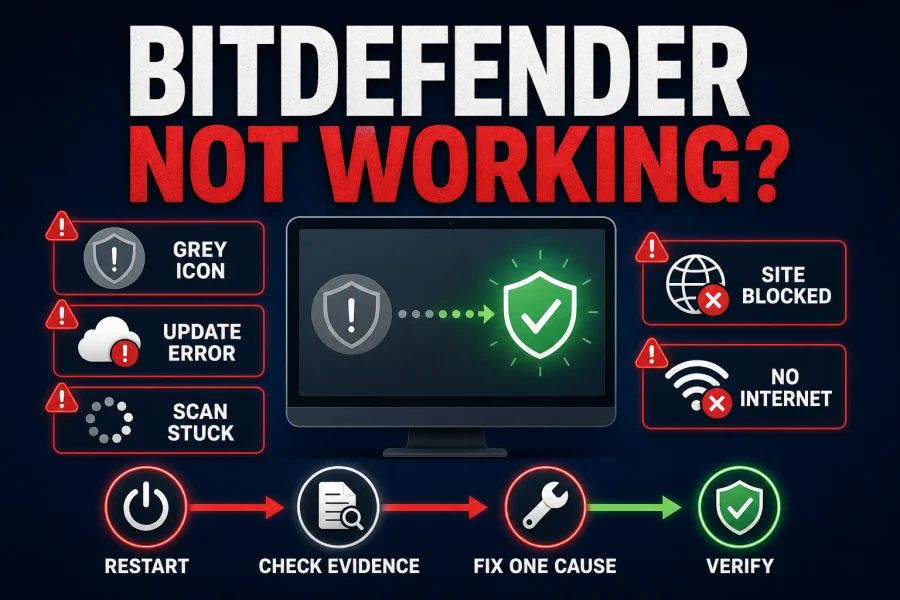
Quick answer: first check whether protection is actually down. Save the exact message, code, last successful update, failing URL or scan path. Restart once. For a grey “services are not responding” icon, update Bitdefender, remove another security suite and reinstall from Central only if the fault persists. For updates, troubleshoot the code only when no success follows; for a blocked site or lost internet, isolate the exact web or VPN layer instead of disabling the whole product.
Start with the symptom, not a giant list of fixes
| Symptom | What it can mean | First useful check |
|---|---|---|
| Grey icon / services not responding | Security service failed to start | Restart, then Update Now |
| One update error | Temporary network or server failure | Look for a later successful update |
| No successful update for 24 hours | Persistent connectivity, proxy, disk or system issue | Record the exact code |
| System Scan running for hours | First scan, archives, backups or slow storage | Is item count/path still moving? |
| One site or online app blocked | Real threat, false positive or background URL | Open the threat notification |
| No internet after install | VPN, second filter, protocol or local network | Disconnect VPN and retest |
High CPU, memory and disk use deserve a separate diagnosis because a functioning scanner under load is different from a failed service. Use our Bitdefender performance guide for bdservicehost and sustained resource problems. This page stays focused on protection, updates, scans, blocking and connectivity; the full Bitdefender review covers the product decision rather than repair steps.
Capture five facts before changing settings
Write down the Windows or macOS version, Bitdefender build, exact error, when it began and what changed immediately beforehand. For an update problem, capture the code and last success. For a scan, capture elapsed time, item count and current path. For a website, record the full domain and detection name without publishing a private query string.
This takes two minutes and prevents circular troubleshooting. A January Windows update, a new VPN, a router change and a Bitdefender product update can happen on the same day; sequence alone doesn't prove cause. Community reports are useful for finding patterns, but the local evidence decides which branch applies.
- Screenshot the message with account data redacted.
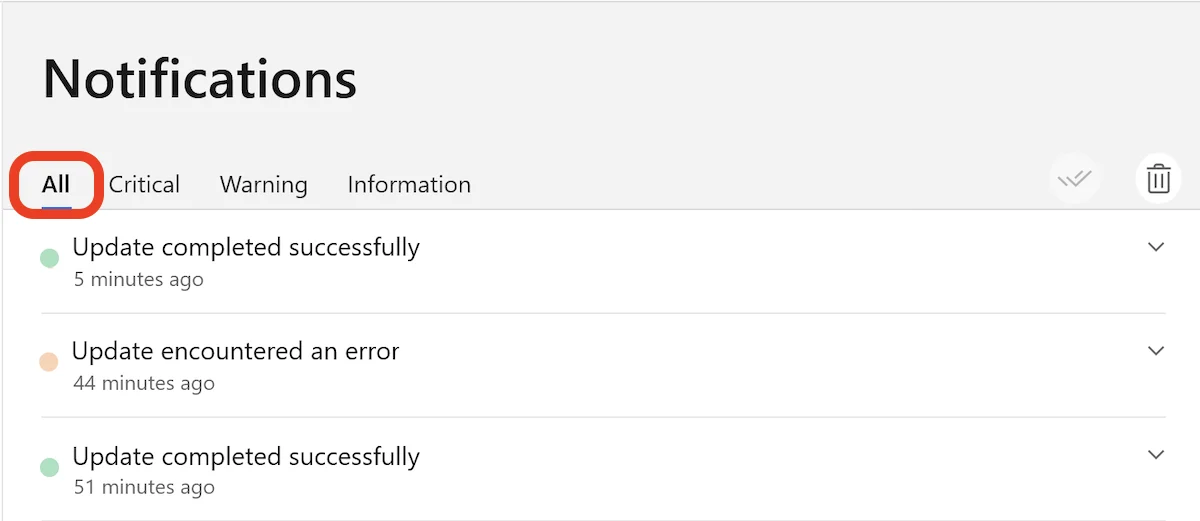
- Save Notifications → All before clearing anything.
- Check whether a second antivirus, VPN, firewall or DNS filter is installed.
- Note whether the problem survives one normal restart.
- Don't disable Secure Boot, firewall or every protection module.
Grey icon: Bitdefender services aren't responding
Bitdefender's current service-error article says the grey icon means the security service stopped or failed to start and real-time protection can be affected. Treat it as a protection outage, not a cosmetic tray bug.

- Restart once. A clean boot can restore a service that failed during startup.
- Run Update Now. Right-click the tray icon, update, then restart again.
- Remove conflicts. Uninstall another full security suite with its vendor tool and reboot; disabling it may leave drivers loaded.
- Reinstall only if persistent. Use the supported uninstall, restart, then a fresh Central installer.
Don't start services manually in an endless loop or copy service commands from a forum. If the service crashes again after a clean reinstall, preserve logs and contact support. Our complete removal guide keeps the cleanup supported.
Bitdefender update errors: frequency matters more than one alert
The official update-error guide makes a useful distinction: an occasional failure followed by success needs no action. If no successful update appears for 24 hours, investigate the exact code. This avoids running disk repair because Wi‑Fi dropped for a minute.
-1002 / -1011
Test ordinary internet access, restart the router and PC, then retry. Persistent connectivity failures can use Bitdefender's offline-update branch.
-1004
Check whether a proxy is actually used and whether Bitdefender imports the correct proxy settings. Don't enable a random proxy to clear the code.
3 / 19 / 21
These point toward storage or system-level issues. Follow the official CHKDSK, SFC or DISM branch for that code, back up first and don't run every command reflexively.
Other codes
Match the current vendor table. Record the code, time and last success before changing DNS, firewall or system files.
A long scan isn't necessarily a stuck scan
Bitdefender says the first System Scan, large data sets, archives, compressed files and backups can run for many hours. Later scans may speed up because known files are indexed. If the item count and path continue to change, the scan is progressing even when the percentage appears slow.
Its current scan-time guide allows System Scan → Edit → priority High. That can shorten elapsed time but competes harder for CPU and disk, so use it when the computer can be left alone. If the same path and count don't change for a long period, note that path, test a Quick Scan and inspect the file type or disconnected drive before canceling repeatedly.
Don't exclude an entire backup, archive folder or development tree just to make the progress bar move. A narrow verified exclusion comes only after the problematic content is identified and assessed.
When Bitdefender blocks a website or online app
Open Notifications and identify the exact URL and detection. An application can trigger a block by contacting a malicious host in the background even when the app itself looks legitimate. Verify the domain through the service owner and independent reputation sources; don't click through solely because the page is familiar.
Bitdefender's false-positive and exception guide offers a one-time bypass, a Labs submission and a persistent exception. The safest durable route for a probable false positive is submission so the classification can be corrected for everyone. If a business-critical site is confirmed safe and can't wait, add only its domain or IP under Online Threat Prevention.
No internet after Bitdefender App, Hub or VPN
Disconnect Bitdefender VPN and retest first. If connectivity returns, the tunnel or one of its filters is the branch; if it remains broken, examine the router, ISP, DNS, firewall and other security software. The current connectivity guide starts by removing another antivirus/firewall/filter and restarting because disabled drivers can still interfere.
For a VPN-specific failure, test one protocol at a time. Bitdefender documents OpenVPN TCP 443 and Scramble on Windows/Android for restrictive networks, plus temporary isolation of VPN Ad Blocker and Anti-Tracker. Don't change protocol, DNS, firewall and router simultaneously; the first successful change should explain the cause. Our Bitdefender VPN review covers kill-switch and leak verification.
Repair or reinstall only after the symptom survives basic checks
Reinstallation is appropriate when the service remains down, updates never succeed despite the correct network branch, the interface is damaged or official support directs it. Save the Central email and subscription, uninstall through the supported path, restart, download a fresh installer from Central and complete setup. Don't reuse an old kit from Downloads.
After reinstalling, allow modules and signatures to finish, restart again and run a controlled scan. The safe installation guide covers Windows, Mac and mobile permissions, while the Bitdefender help hub routes account and feature-specific faults. If reinstall fails, use the official removal-tool branch rather than stacking another antivirus over the broken install.
The fix is complete only when protection and the real workload agree
- The tray icon and dashboard report active protection.
- Notifications show a recent successful update.
- Windows Security recognizes Bitdefender as the provider.
- Real-time, web and ransomware modules intended for the plan are on.
- A Quick or System Scan completes as expected.
- Normal work apps, websites and network devices function.
- No second full real-time antivirus remains installed.
Use harmless validation such as the official EICAR test file when appropriate, never live malware. Recheck after the next restart because a one-session recovery can hide a recurring startup failure.
Give support a reproducible case, not “it is broken”
Send the operating-system version, Bitdefender product/build, exact error or code, last successful update, time, reproduction steps and what changed. For scans, include the stuck path and item count; for websites, the exact URL and detection; for network failures, whether disconnecting VPN restored access. Redact account, payment and private path information.
Start from the official Bitdefender Support Center. Don't call numbers in advertisements, unexpected emails or PDFs on unrelated domains, and never grant remote access to an unsolicited caller.
Bitdefender troubleshooting FAQ
Why does Bitdefender say services aren't responding?
The grey tray icon means a Bitdefender security service stopped or failed to start, so real-time protection can be affected. Restart, update Bitdefender, remove another security suite, and reinstall from Central if the error persists.
How do I fix a Bitdefender update error?
Open Notifications → All and record the exact code plus the last successful update. An isolated failure followed by success needs no action. If no update has succeeded for 24 hours, use Bitdefender's code-specific guide for connectivity, proxy, disk or system issues.
Why is my Bitdefender System Scan taking so long?
A first scan, large archives, backups, compressed files and a busy or slower disk can take many hours. Check whether the item count and path still change. Later scans may be faster because files are indexed; High priority can shorten the scan but uses more resources.
What should I do when Bitdefender blocks a safe website?
Check the exact URL and threat notification, verify the site independently, and submit a probable false positive to Bitdefender Labs. If access is urgent and the site is confirmed safe, add only that domain or IP to Online Threat Prevention exceptions, not the browser or a broad folder.
Why did my internet stop after installing Bitdefender?
Disconnect Bitdefender VPN first to isolate the tunnel, remove another antivirus, firewall or network filter, restart, then test another VPN protocol and VPN Ad Blocker or Anti-Tracker one at a time. If internet remains down with VPN disconnected, check the router, ISP and local network.
Should I disable Bitdefender Shield to troubleshoot?
Only as a brief controlled test when a trusted app or file is being isolated, and turn it back on immediately. Prefer notification evidence, module-specific tests and narrow exceptions. Don't leave real-time protection disabled as a permanent fix.
Will reinstalling Bitdefender fix a grey icon?
It can when restart, update and conflict removal don't restore the service. Uninstall through the supported route, restart, download a fresh installer from Central and verify updates plus real-time protection after installation.
How do I prove Bitdefender is working again?
Confirm the tray icon and dashboard are healthy, the latest update succeeded, Windows Security recognizes Bitdefender, real-time and web protection are enabled, a scan completes, normal websites and apps work, and no second real-time antivirus remains.
Bottom line: evidence first, one change at a time
A grey service icon needs immediate protection recovery; one failed update followed by success doesn't. A long scan needs progress evidence, a blocked site needs URL evidence, and lost internet needs VPN isolation. Reinstall only after the simpler branch fails.
Finish by proving the active provider, successful update, working scan and normal workload. A dashboard reopening isn't enough.