
How to Install and Set Up Avast One Safely in 2026
The safe installation is more than clicking the blue button. Use the official installer, remove the old security suite, choose Free or Premium deliberately, let the first update finish and verify that Windows sees one active antivirus.

Quick path: remove another third-party real-time antivirus, restart, download avast_one_free_antivirus.exe from Avast, verify the publisher, run it as administrator and click Install. Choose Continue with free unless you already own Premium. Let updates complete, run a full scan and open Windows Security → Virus & threat protection → Manage providers to confirm that Avast is active. Don't uninstall Microsoft Defender manually.
Need a different Avast task? The complete Avast guide hub routes review, plans, Free versus Premium, setup, troubleshooting, privacy, features, billing and removal without mixing their steps.
Before installation: remove conflicts without leaving Windows unprotected
Open Settings → Apps → Installed apps and identify every third-party antivirus, including an expired trial that came with the PC. Avast's installation troubleshooting says another antivirus should be removed before Avast is installed. These products add file, web and network filters; two active suites can block each other, duplicate scans or make an installation look broken.
Use the old vendor's uninstaller and its official cleanup tool only if the normal removal fails, then restart. Don't delete program folders or security drivers by hand. If the old product is Avast itself, first read the migration section below: the new Avast One may require standalone Avast apps to be removed, even when the subscription will remain valid.
Leave Microsoft Defender alone. Windows normally places Defender's real-time antivirus in the appropriate state after Avast registers as a security provider. Microsoft likewise advises against running multiple real-time antivirus products, but that isn't an instruction to damage the built-in security components. Defender provides the fallback during the transition and can reactivate if Avast is later removed.
| Check | Current Avast One 26.x requirement or action | Why it matters |
|---|---|---|
| Windows | Supported Windows 11/10 and listed older editions | Unsupported builds can fail or miss protection |
| Memory | 4 GB RAM minimum | Installer and shields need working headroom |
| Storage | 3 GB free disk space | Setup, modules and update staging need space |
| Processor | SSE3-capable CPU; Windows 11 ARM supported with limits | Boot-Time Scan and Rescue Disk are unavailable on ARM |
| Network | Internet connection | Download, activation and security updates require it |
| Old antivirus | Remove third-party real-time products and restart | Avoid filters, drivers and provider-registration conflicts |
Those minimums come from Avast's current system-requirements page. A machine can meet them and still feel slow during the first update and scan. On an older PC, close large games and creative tools, connect power and leave more than the bare minimum free space.
Download from Avast and verify the file before opening it
Start from the official Avast One installation article or type Avast's domain directly. Search ads, download portals and unexpected browser downloads can wrap or impersonate installers. A current Windows download is named avast_one_free_antivirus.exe; a familiar filename alone isn't proof of origin.
- Check the address. The page should be on
avast.comorsupport.avast.com, with the download served through Avast infrastructure. - Open Properties. Right-click the file, choose Properties and inspect Digital Signatures or the publisher shown by User Account Control.
- Expect Avast Software. Stop if the publisher is unknown, the signature is invalid or Windows reports that the file came from a different company.
- Delete surprise downloads. If the file arrived without a deliberate click, don't test it by running it. Delete it and retrieve a new copy through the official page.
Don't disable SmartScreen, browser protection or the firewall because an unofficial tutorial says the installer needs it. A legitimate installer can request administrator permission without asking the user to turn off every security boundary. If the signed official file is blocked, record the exact message and use the targeted error section.
Install Avast One on Windows step by step
- Remove conflicting security software. Uninstall another third-party real-time antivirus, including expired trials, restart Windows, and leave Microsoft Defender for Windows to manage automatically.
- Download Avast One from the official source. Use Avast.com or the current Avast Support installation page and save
avast_one_free_antivirus.exeto a known folder. - Verify the installer before opening it. Check the filename, source URL and Avast Software publisher in the Windows digital-signature or User Account Control details.
- Run the installer as administrator. Approve User Account Control, choose the language if needed, review the agreement, and click Install.
- Choose Free or activate the purchased plan. Select Continue with free for the $0 antivirus or sign in to the correct Avast Account and activate Premium with the matching entitlement.
- Let the first update and scan finish. Allow the program and virus definitions to update, then run the first full scan after the installer completes.
- Review shields, privacy and notifications. Confirm Core Shields, inspect privacy choices, distinguish security alerts from product offers, and enable only the modules you intend to use.
- Verify the registered provider and subscription. Check Windows Security for Avast, confirm normal applications and browsing work, then record the merchant, device seat, renewal state and next payment date.
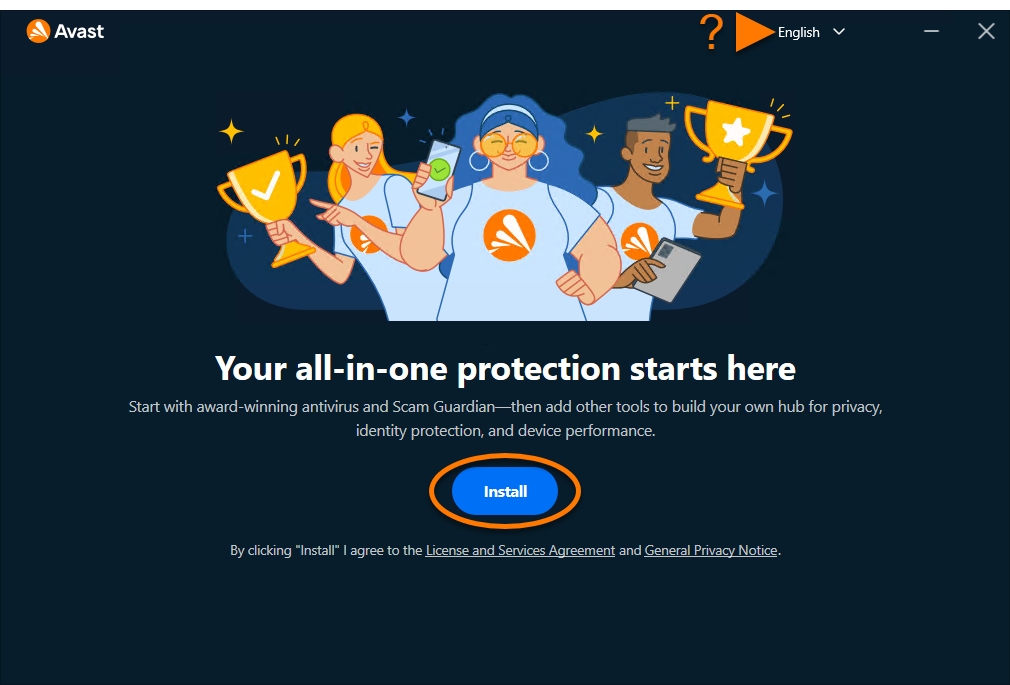
The installer may download additional components, so keep the PC online and don't force-close it because the progress bar pauses. A restart isn't always required immediately, but accept it if Avast or Windows asks. Don't begin a Windows feature upgrade at the same time; security drivers and operating-system servicing should change in separate windows.
The new hub presents antivirus first and allows other apps to be installed later. Resist the urge to activate every tile during setup. Finish the antivirus, verify that normal browsing and work applications function, then evaluate VPN, Cleanup, browser or privacy modules one at a time. Our Avast Secure Browser review, Cleanup assessment and password-manager status guide explain why visibility or a familiar brand doesn't equal necessity.
Choose “Continue with free” unless you intend to activate Premium
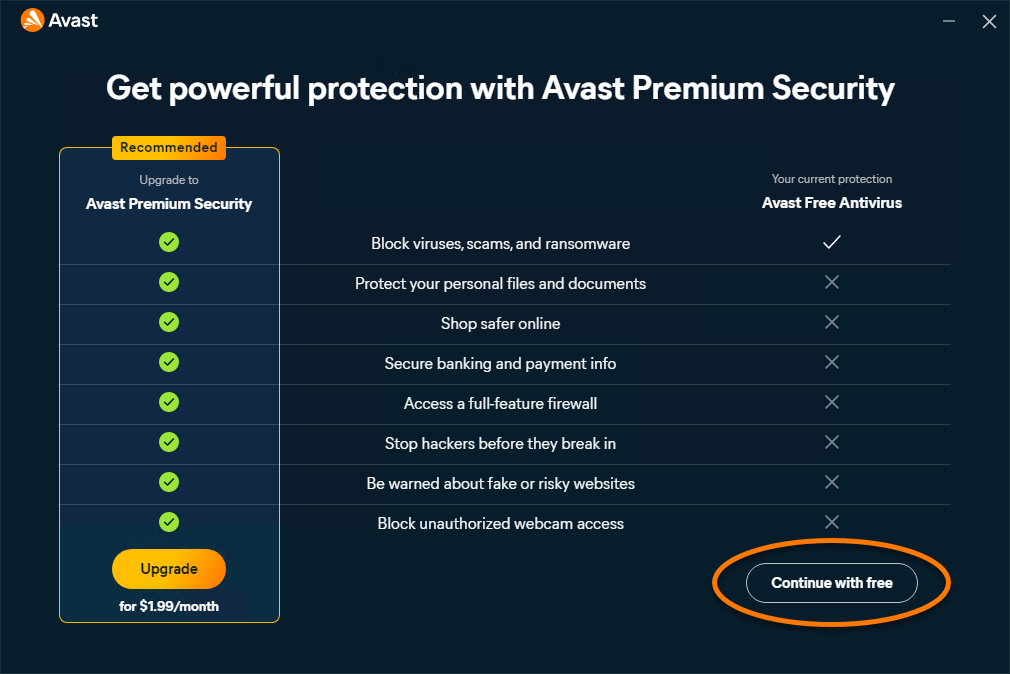
Free isn't a temporary scanner. It supplies current real-time antivirus inside Avast One. The upgrade screen highlights paid protections, but clicking Continue with free preserves the free engine and avoids starting an order you didn't plan. Our Free versus Premium comparison explains the exact feature boundary and current lab evidence.
If you already bought Premium Security, sign in to the Avast Account linked to that purchase. Avast says eligible apps associated with the account should install or activate after sign-in. An activation code is another route, and mobile purchases may need to be restored through the original Google Play or App Store account. Don't create a second Avast identity merely because the first sign-in fails; confirm the order email and merchant first.
After activation, open the account or subscription area and check the exact product, device count and expiration or next-payment date. Premium Security doesn't automatically include every app inside Avast One. SecureLine VPN, Cleanup and AntiTrack belong to other entitlements or Avast Ultimate, while a visible upgrade tile can remain visible after Premium activation.
The first ten minutes after installation matter more than a decorative “protected” badge
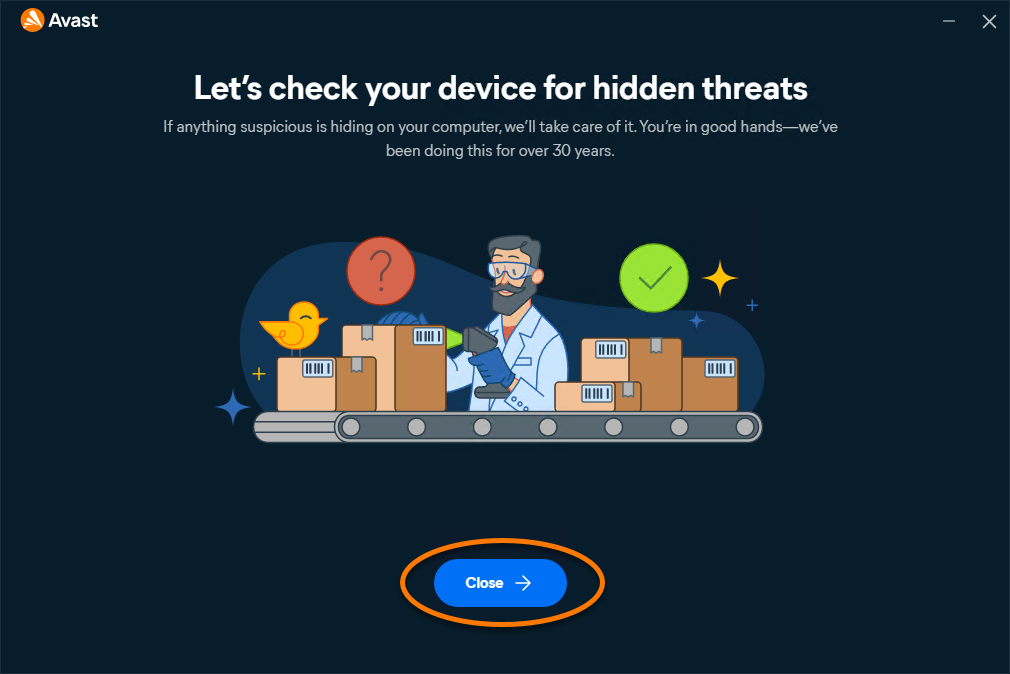
Let program modules and virus definitions update before judging performance or running several scans. The first background work can make disk and CPU activity temporarily higher. Once it settles, open protection settings and confirm the core file, behavior, web and mail shields intended for the device are enabled.
Run one full scan while the machine is on power. A clean result means no threat was found by that scan under the current signatures and settings; it doesn't certify every account, browser extension or cloud file. If Avast reports an item, record the detection name, file path and action before deleting anything important. Quarantine preserves a safer investigation path than an immediate permanent removal.
Review privacy and notification settings next. Separate security alerts from product offers, community participation and usage analytics. Avast's privacy-settings guide explains current controls, although some upgrade messaging in the free product can't be disabled. Don't turn off Core Shields simply to silence commercial prompts; the temporary-disable guide is only for a controlled compatibility test.
Verify that Windows recognizes Avast as the active provider
Open Windows Security → Virus & threat protection and look for the security-provider or Manage providers link. Avast should appear as active after installation and update. Microsoft Defender Antivirus may show an automatically managed state rather than competing as a second primary scanner. Firewall status can be managed separately, so read each provider row instead of relying on one green icon.
Then test ordinary work: open the browser, sign in to a trusted site, download a harmless document, launch frequently used apps, print or connect to the required VPN and observe whether pages or applications stall. Don't test protection by downloading real malware. The EICAR test file can be used only from its official site when the user understands the expected alert and organizational policy permits it.
Reboot once and repeat the provider check. If Windows says no antivirus is active even though Avast opens, don't install a second product. Update Windows and Avast, restart, then use Avast's dedicated registration troubleshooting. A healthy dashboard that Windows can't see isn't a verified deployment.
Install Avast One on Mac and grant only the requested security permissions
Download the current Mac package from Avast, open avast_one_mac.dmg, double-click the Avast One icon and approve the installer. macOS will present privacy, system-extension or network-filter requests according to the OS version. Read the named Avast component and follow the current in-app instructions; don't turn off System Integrity Protection or Gatekeeper as a generic workaround.
Avast's new-One FAQ says an existing Avast Security or Avast Premium Security installation can block Avast One on Mac. Remove the old standalone app through Avast's official uninstaller, restart and then install the new hub. A paid subscription can be activated afterward through the associated account, so removing the old application isn't the same action as cancelling the commercial entitlement.
After setup, open System Settings → Privacy & Security and verify only the permissions Avast requested for the selected protections. Then test web access, mail and any corporate VPN or filter. If a network filter conflicts, record the exact component before disabling anything; a permanent broad exception is a poor substitute for a reproducible diagnosis.
Android and iPhone installation is in a staged Avast One transition
Avast says new Android and iOS installations are moving from Avast Mobile Security to Avast One, and the new app may not yet be visible to every user during the rollout. Use Google Play or Apple's App Store, verify the developer, and avoid APK download sites. Current minimums published by Avast are Android 10 / API 29 and iOS 17.
For a paid mobile entitlement, choose Already purchased and then sign in, enter the activation code where offered or restore through the same store account that bought the plan. A direct Avast purchase and an app-store purchase can use different restoration routes. If the upgrade is missing, confirm merchant and account before buying it again.
Grant permissions according to the feature. Android app scanning, web protection, call/SMS warnings and VPN functions need different access; iOS security works within Apple's sandbox and doesn't scan the entire system like Windows. Declining one permission can disable one feature without making every part of the app useless. Read the explanation and enable only what supports the intended protection.
Moving from older Avast Antivirus to the new Avast One
The new Avast One isn't merely a theme update over every old standalone application. Avast's new Avast One FAQ says certain existing Avast applications must be uninstalled before the hub is installed. On Windows that list includes older Avast Free/Premium Antivirus and several standalone apps; on Mac, existing Avast Security can block setup.
Before removal, record subscription emails, activation codes, expiry, custom exclusions and any unusual firewall rules. Then remove the old app through its uninstaller, restart, install Avast One and sign in. Re-create only justified exclusions after confirming the file, folder and process still need them. Blindly importing years of broad exclusions preserves old risk.
Paid standalone subscriptions can remain valid even when their old app is removed. Avast says eligible apps can be activated through Avast One, while separately purchased services may continue independently. Verify each entitlement rather than assuming the orange dashboard combined their renewal dates. The pricing and renewal guide shows how to inventory those subscriptions.
Fix common Avast installation errors without disabling the whole PC
“Package Broken” or “Not a Valid Win32 Application”
Delete the installer and download a fresh copy from Avast. The official troubleshooting identifies a corrupt setup file as a likely cause. Check storage, browser download completion and the digital signature. Don't keep executing copies obtained from a forum attachment or software portal.
The installer won't open or asks for administrator approval
Use an administrator account and right-click Run as administrator. Approve the signed Avast publisher in User Account Control. If policy blocks the action on a work or school PC, contact the administrator; bypassing device management can violate policy and still leave the security agent unable to register.
Another Avast app or antivirus blocks setup
Remove the conflicting suite through Apps, restart and try the current installer again. Expired trials count because their drivers can remain loaded. If normal removal fails, use that vendor's official cleanup procedure. Never run several removal utilities simultaneously.
Premium doesn't activate
Confirm the Avast Account email, order, merchant and code. Enter codes including hyphens, or restore through the original app store. If the account shows the subscription but the device does not, sign out, restart and sign in once; avoid creating duplicate purchases while support investigates.
Windows Security doesn't see Avast
Finish updates, reboot and check the provider list again. Repair the Avast installation if the app itself loads incorrectly. If Avast appears healthy but registration remains missing, follow the official provider-detection article or contact support with the Windows version, Avast version and exact Security Center state.
Repair when components are damaged; reinstall when the installation state is unclear
Use Repair when Avast is installed, Windows sees it and one component, panel or service misbehaves. Avast's repair instructions use the Windows Apps/Programs entry and Avast Setup window. Restart afterward, update and retest the specific symptom.
Choose a clean reinstall when the installer repeatedly fails, the provider is missing, an old/new Avast migration is half-complete, repair can't finish or security drivers remain inconsistent. Save account and subscription details first. Use the normal uninstaller, then Avast Clear only when the documented removal path requires it, restart and install one fresh official package.
If the product repeatedly slows browsing or conflicts with essential software after a clean setup, don't add permanent exclusions without evidence. Capture the process, component and reproducible step. The Avast alternatives guide is the safer exit when the daily workflow remains unreliable, while the full review gives the broader protection and trust tradeoffs.
Avast installation FAQ
How do I install Avast Free Antivirus in 2026?
Download Avast One from Avast's official site or support page, run avast_one_free_antivirus.exe as administrator, approve User Account Control, click Install, then choose Continue with free on the Premium offer. Let updates finish and confirm that Windows Security lists Avast as the active antivirus provider.
Is Avast One the same as Avast Free Antivirus?
The new Avast One is the unified app. Avast Free Antivirus is the default antivirus component inside it, while Premium Security and other Avast apps can be activated separately. New free installations therefore use Avast One even when the user only wants the free antivirus.
Should I uninstall Microsoft Defender before installing Avast?
No. Don't try to remove Microsoft Defender from Windows. When a compatible third-party antivirus registers correctly, Windows manages Defender's real-time state. Remove other third-party real-time antivirus suites, install Avast, then verify the provider status in Windows Security.
Can I install Avast with another antivirus?
Avast says another antivirus, including an expired or trial version, should be uninstalled first. Two real-time suites can compete for file and network events, block installation, duplicate alerts or cause performance problems. Use one primary real-time antivirus.
What are the Avast One system requirements for Windows?
Avast One 26.x supports listed Windows 11, Windows 10 and some older Windows editions. Avast's minimums include an SSE3-capable processor, 4 GB RAM, 3 GB free disk space, internet access and an optimal 1024×768 or higher display. Windows 11 on ARM is supported with feature limits.
Why does the Avast installer say Package Broken or Not a Valid Win32 Application?
Avast says the setup file may be corrupted. Delete it, clear the browser download entry, download a fresh installer from the official Avast page, verify the publisher and try again. Don't use a file copied from an unknown download site.
How do I activate Avast Premium after installing Avast One?
Sign in to the Avast Account linked to the purchase, enter the valid activation code including hyphens, or restore the purchase through the original app store. Active subscriptions linked to the signed-in account should install or activate their eligible apps.
Does Avast One work on Windows 11 ARM PCs?
The new Avast One supports Windows 11 on ARM, but Avast says Boot-Time Scan and Rescue Disk are unavailable there. Some separate apps, including Driver Updater and standalone AntiTrack, are also unsupported. Verify the exact module before purchasing it for an ARM device.
What should I do immediately after installing Avast?
Let program and virus definitions update, confirm all Core Shields are on, run the first full scan, review privacy and notification choices, test normal web and app activity, and verify Avast under Windows Security. Record the subscription, merchant and renewal date if you activated a paid plan.
Installation is complete when the provider and the workflow are verified
A blue Install button only proves that setup began. A safe deployment ends with one primary antivirus registered in Windows, current definitions, active Core Shields, a completed first scan, normal applications and browsing, and the intended Free or paid entitlement—nothing more.
Use Avast One as the current hub, but activate modules deliberately. Keep the official installer source, account email and subscription record, and test the slowest or most important workflow before adding another Avast app. If the product doesn't fit after a clean setup, remove it cleanly and let Windows restore its built-in protection rather than running two suites together.