
AVG Antivirus for Android Review 2026: Strong Free Scanning, Real Ad and Permission Trade-Offs
AVG adds measurable malware and web protection beyond Play Protect, especially for sideloaders. The free app also asks for broad access, shows advertising and overlaps with security Android already provides.
Quick answer: AVG AntiVirus Free for Android is worth considering if you sideload apps, use stores outside Google Play, want cross-browser phishing protection or need an app-permission audit. AV-Comparatives measured 99.6% protection with two false positives in May 2026, versus 98.9% and eight false positives for Google Play Protect, while AV-TEST awarded AVG 6/6 in protection, performance and usability. Careful users who stay in Google Play may reasonably keep Play Protect alone; AVG's free tier adds ads, upgrade prompts and broad permissions.
Need a different AVG task? The complete AVG guide hub routes review, plans, setup, troubleshooting, Web Shield, privacy, browser, VPN, Android, utilities, billing and removal without mixing their steps.
Our verdict: useful for higher-risk Android habits, optional for careful Play-only users
AVG AntiVirus for Android isn't placebo. Two current independent labs found strong protection, and its Web Shield, file scanning, Wi-Fi checks and app-permission view extend beyond Google’s basic app scanner. Those additions are most valuable for someone who sideloads APKs, uses regional app stores, receives many scam links or supports a relative who can't reliably recognize them.
The decision is less obvious for a current, unrooted Pixel or Samsung phone whose owner installs only from Google Play, keeps updates automatic and uses Chrome Safe Browsing. Android already includes malware scanning, app sandboxing, runtime permissions, theft detection and remote locate/erase tools. Another security app brings overlap, persistent background access, notifications and—on AVG Free—advertising.
The broader AVG Antivirus review covers the company, Windows lab record and multi-device plans. This page stays with the Android app because its permissions, free-tier advertising and Google security overlap are different decisions.
Recommendation: use AVG Free if its additional Web Shield and storage scanning address a named risk. Pay for Pro only if App Lock, scheduled scans, scam-link coverage or removing ads solves a real need. Don't grant every permission just to make the dashboard turn green.
AVG's 2026 Android lab record is genuinely strong
AV-Comparatives' May 2026 Mobile Security Review tested AVG AntiVirus Free 26.6 on Android 16. Across its APK set, AVG, Avast and Norton delivered 99.6% protection with two false positives. Google Play Protect reached 98.9% with eight false positives, Bitdefender 100% with two and Kaspersky 99.9% with one.
The lab says every tested mobile security app had only a minor effect on battery life. Its certification required at least 99% malware protection, no more than ten false positives and battery impact below 8%; AVG received Approved Mobile Product status. The result is evidence for the tested version and settings, not a permanent detection guarantee.
AV-TEST's May 2026 Android evaluation lists AVG Antivirus Free 26.6 at 6/6 for protection, 6/6 for performance and 6/6 for usability. Google Play Protect scored 5.5, 6 and 5 respectively in that cycle. Two labs therefore support the claim that AVG adds detection value, while also showing that built-in Android protection isn't absent.
| May 2026 evidence | AVG AntiVirus Free | Google Play Protect |
|---|---|---|
| AV-Comparatives protection | 99.6% | 98.9% |
| AV-Comparatives false positives | 2 | 8 |
| AV-TEST protection | 6/6 | 5.5/6 |
| AV-TEST performance | 6/6 | 6/6 |
| AV-TEST usability | 6/6 | 5/6 |
What AVG Free adds on an Android phone
AVG’s current Android page offers malware scanning and removal, Wi-Fi vulnerability checks, Web Shield, junk scanning, breach-related account warnings, Photo Vault and app insights. The official FAQ describes it as protection against phishing, malware, spyware and trojans.
Web Shield is the most defensible extra for many users because scam links arrive through text, email, chats and social apps rather than an app-store install. File and deep scans matter when APKs or documents come from outside Google Play. App Insights organizes permissions and usage, but Android Settings already exposes much of the raw information.
Wi-Fi scan can identify weak router configuration, but a “safe” result doesn't make every person or device on a network trustworthy. HTTPS and app-level encryption still matter. Junk Cleaner is maintenance, not malware protection; Android’s storage controls can handle routine cleanup without another subscription.
The free Photo Vault holds up to ten images according to AV-Comparatives' tested build. A local vault can hide casual access, but it isn't a backup. Losing the phone, app data or recovery credential can still lose the only copy. The existing AVG Cleaner review covers the separate storage utility and why cleanup claims shouldn't drive a security purchase.
AVG supplements Play Protect; it doesn't replace Android security
Google Play Protect checks apps during installation and periodically scans the device. Android also supplies runtime permissions, Safe Browsing in Chrome, Find Hub, theft-detection locks and app isolation. AV-Comparatives' Android security overview says third-party tools should supplement rather than replace these layers.
Play Protect is often enough when all apps come from Google Play, the device is certified and patched, the bootloader is locked, and the user treats links cautiously. AVG has a stronger case when Google services are unavailable, a regional store is used, APKs are sideloaded, the device handles many unsolicited links or the owner wants a second opinion on files before installation.
Don't disable Play Protect after installing AVG. The systems use different integration points and can coexist. Don't install AVG and Avast together: AV-Comparatives says the two Gen Digital apps use the same engine and have near-identical Android functionality. Two persistent versions of the same protection family add notifications and access without meaningful engine diversity.
For a wider market comparison, our best Android antivirus guide uses the same May/June 2026 evidence and separates products by real mobile need.
AVG Free versus Pro: the payment mainly buys convenience and fewer ads
AVG lists six current Pro additions: removal of third-party ads, App Lock, scheduled automatic scans, Scam Protection, unlimited Photo Vault storage and priority support. Those are useful, but none changes the May 2026 test result for the free scanning engine.
| Need | Free | Pro | Our take |
|---|---|---|---|
| Malware scanning | Yes | Yes | Free covers the core engine |
| Web/Wi-Fi checks | Core controls | Broader scam controls | Value depends on link exposure |
| App Lock | No | Yes | Useful on shared devices; strong device lock comes first |
| Automatic scan schedule | No | Yes | Convenience, not a stronger engine |
| Photo Vault | 10-image limit in tested free build | Unlimited | Not a backup |
| Third-party ads | Present | Removed | The clearest everyday Pro benefit |
AVG Mobile Ultimate adds either the VPN feature inside AntiVirus or AVG Secure VPN for up to five Android devices. Ordinary Pro doesn't. Read the AVG Secure VPN review before upgrading for that bundle; a VPN subscription and an antivirus subscription solve different problems.
Mobile prices are displayed through Google Play and can vary by account, region, trial and billing interval. Read the final Play checkout, not an old dollar figure in a review. Google Play manages cancellation when it processed the purchase.
AVG needs powerful permissions, so grant them by feature
Scanning shared files requires file access. Web Shield can require Android Accessibility Service so AVG can inspect destinations opened across browsers and apps. The Google Play listing states that Accessibility is used for phishing and malicious-website protection. This access can observe interactions that ordinary apps can't, so confirm the package is com.antivirus from AVG Mobile in Google Play.
AVG’s permissions guide maps access to features. Enable notifications if you want threat and status alerts. Permit all-files or Accessibility access only when the matching scan or Web Shield is part of your plan. A green setup score isn't a reason by itself.
The app-specific privacy page says suspicious files may be sent for analysis, URLs from SMS Shield may be sent without message content, and AppInfo can collect installed-app, update, usage and resource information when active. It also lists categories it says the app doesn't collect. Read the current policy and Google Play Data safety section together.
Free apps have an additional commercial relationship. AVG says the free version includes third-party ads, and AV-Comparatives reported that users selecting the free tier consented to personalized advertising in its tested flow. If a child or less technical relative is likely to tap offers, Pro or a quieter product may be safer despite similar detection.
Battery impact was minor in the lab; verify your phone's background rules
AV-Comparatives simulated social media, calls, browsing, local video, photos, email and documents. Every tested product, including AVG, had only a minor influence on battery life. That's stronger evidence than a single angry store review, but it can't reproduce every manufacturer’s power manager.
Android may kill AVG in the background to save power, especially on heavily customized devices. AVG keeps a permanent notification on Android 8 and later to reduce that risk; its FAQ says the notification can't be fully disabled but can be minimized through system settings. Hiding it doesn't necessarily stop the service.
After installation, use the phone normally for three to seven days and inspect Settings, Battery, Battery usage. Compare screen-on time, mobile signal and newly installed apps before blaming the scanner. If AVG is consistently abnormal, update it, reboot, check that no scan loops, and remove unused features. Don't exempt every process from battery optimization without evidence.
Install and configure AVG without surrendering every control
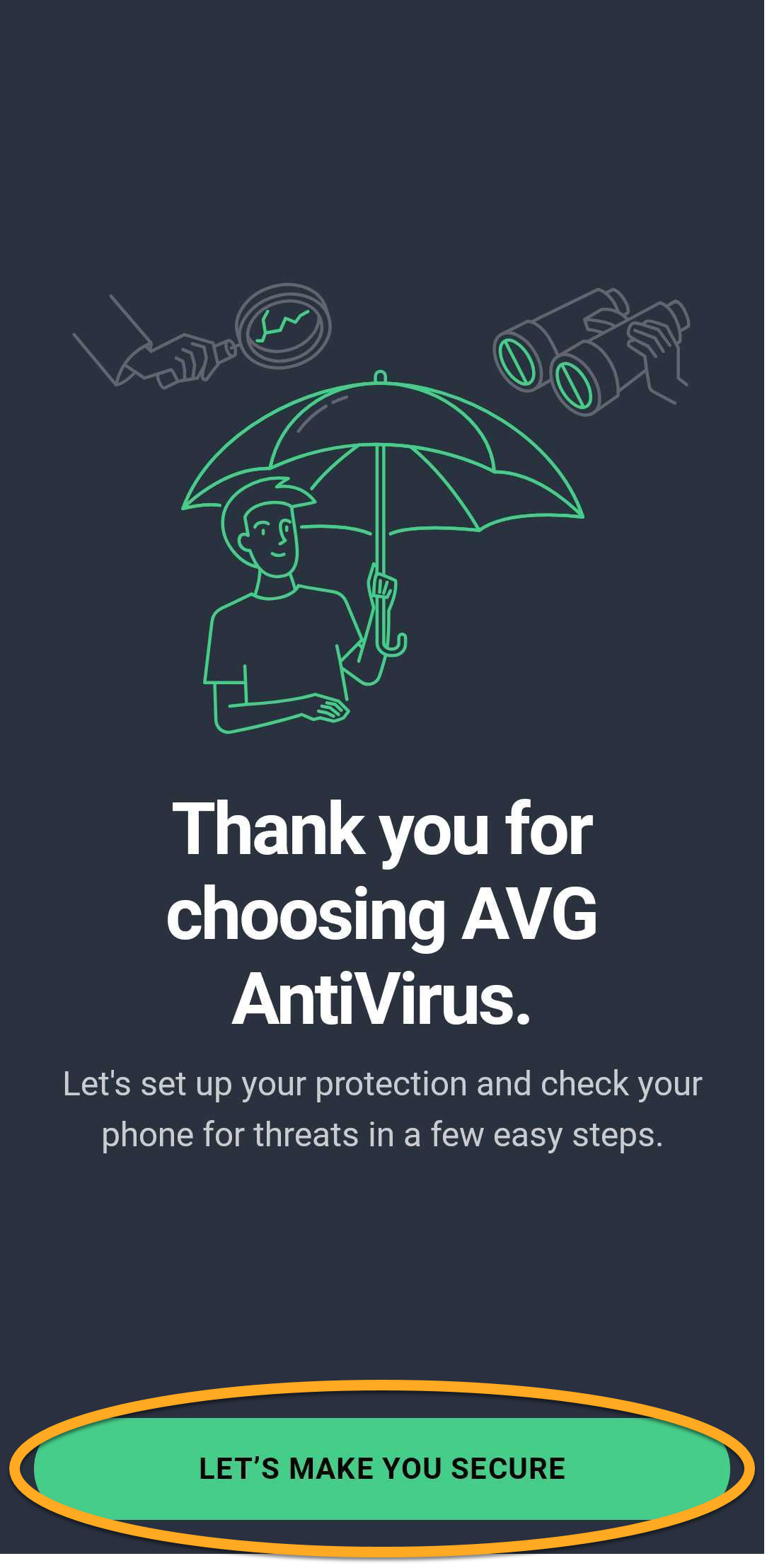
Install only from AVG's verified Google Play listing. Open the app, read the privacy and licence screens, choose Free or the exact paid entitlement, and run the initial scan. The current support flow asks for notifications and then guides feature setup; our AVG installation guide keeps desktop and mobile account steps in one checklist.
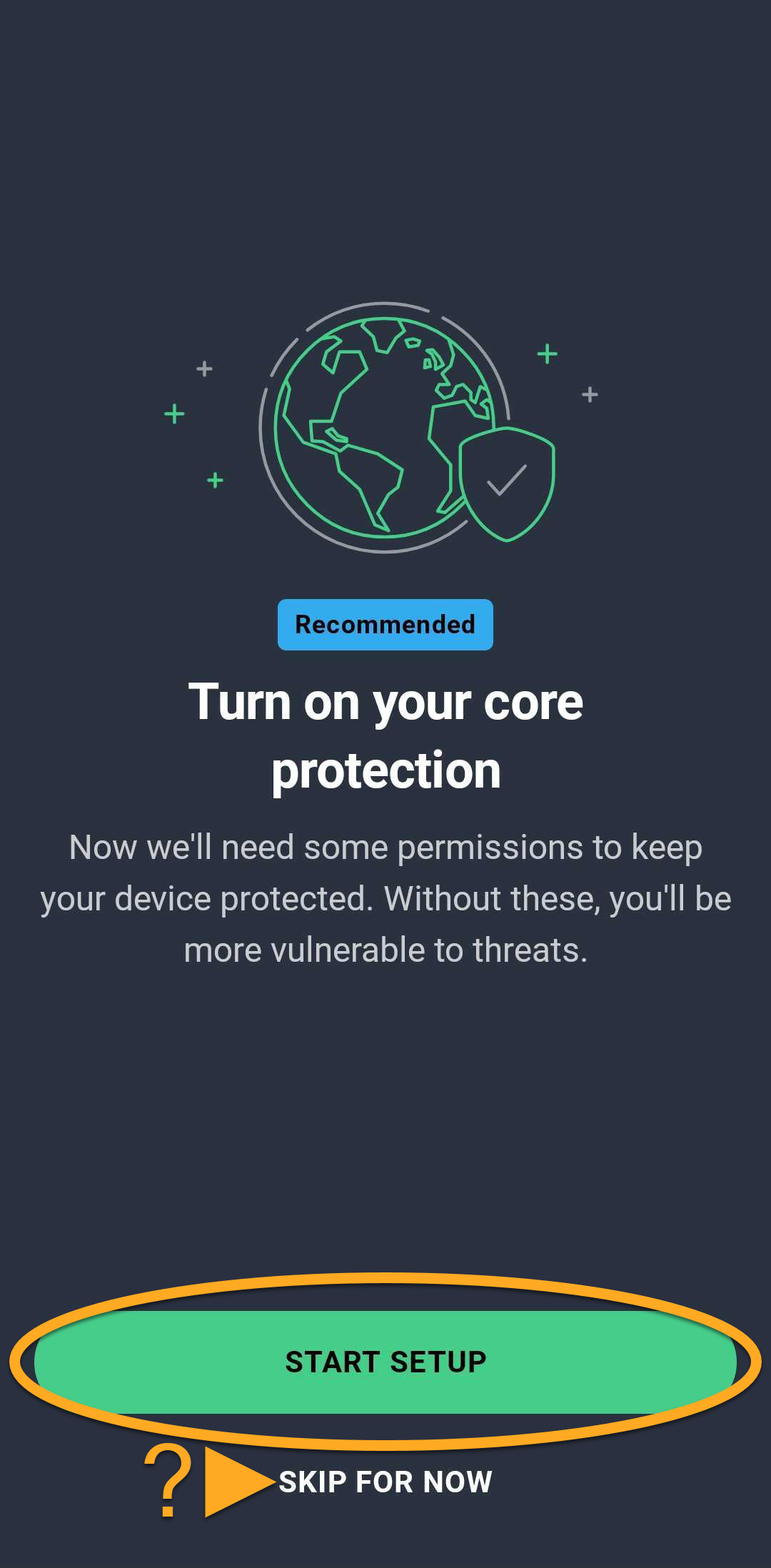
Turn on Web Shield if cross-app phishing protection is the reason you installed AVG. Review App Insights if you need a simpler permission inventory. Keep Play Protect enabled, update Android and Chrome, and confirm Find Hub works from another device. The scanner can't replace patches, a screen lock or backups.
If a scan flags an app, check its package name, install source and requested permissions before removal. Report a suspected false positive through AVG rather than adding a permanent global exclusion. Serious compromise may require changing passwords from a clean device, revoking sessions and factory-resetting the phone.
Ads, permanent notifications and activation are the common friction points
The free app displays third-party ads and upgrade prompts by design. Notification settings inside AVG can reduce categories, while Android controls channel importance. Don't suppress malware detections just to hide promotions. If commercial messages make real alerts hard to recognize, choose a paid ad-free tier or another product.
A permanent background notification is expected on Android 8 and later. Minimize its channel instead of force-stopping the app, which can disable protection. If Web Shield stops working, verify Accessibility access and battery restrictions before reinstalling.
Paid subscriptions purchased through Google Play activate through the Google account used at checkout. A direct AVG multi-device licence may require the matching AVG Account or activation code. Confirm the product includes Android; the AVG plan guide maps desktop and multi-device entitlements.
If the app becomes stuck, clear only cache first. Clearing storage resets configuration and may remove local vault data. Export anything important before uninstalling. The desktop AVG troubleshooting guide doesn't apply to Android service rules.
Who should install AVG on Android
Install it when APKs or alternate stores are part of normal use, when Google services are absent, when phishing links arrive through many apps, or when a less technical user benefits from one clear scan and permission dashboard. The lab evidence supports AVG as a credible extra layer.
Skip it when the device is current, certified and Play-only, the user understands permissions and links, and another persistent security app would add more confusion than protection. Google’s 98.9% result was lower than AVG’s, but built-in defenses cover far more than that single APK test.
Don't install AVG and Avast together, and don't keep two third-party products with persistent Web or Accessibility monitoring. If AVG’s ads, data choices or account model are the objection, our AVG alternatives guide maps options by the reason for switching.
AVG Antivirus for Android FAQ
Is AVG Antivirus good for Android?
Yes for users who need another scanning and anti-phishing layer. AVG scored 99.6% with two false positives in AV-Comparatives' May 2026 Android test and 6/6 in all three AV-TEST categories. The free app's ads and permissions remain trade-offs.
Do I need AVG if Android has Google Play Protect?
Not everyone does. Play Protect, Chrome Safe Browsing, Android permissions and Find Hub cover many careful users. AVG adds storage/file scanning, cross-browser Web Shield, Wi-Fi checks and other tools that matter more when sideloading or using non-Google stores.
Is AVG Antivirus for Android really free?
Yes. Core malware scanning, removal, Wi-Fi checks and several privacy tools are available without payment. The free edition is ad-supported, limits some features and repeatedly presents paid upgrades.
What does AVG Antivirus Pro add on Android?
AVG currently lists removal of third-party ads, App Lock, scheduled automatic scans, Scam Protection, unlimited Photo Vault storage and priority support. VPN requires the separate Mobile Ultimate entitlement rather than ordinary Pro.
Does AVG Antivirus drain Android battery?
AV-Comparatives found only a minor battery influence across every product in its 2026 mobile test, and AVG qualified under the lab's award threshold. A specific phone can still restrict or over-report background activity, so check Android's per-app battery page after several normal days.
Why does AVG need Accessibility access?
AVG says Web Shield uses Accessibility Service to examine destinations opened in browsers and other apps for phishing and malicious sites. This is powerful access. Enable it only for the verified AVG app and review the Play data-safety and AVG privacy disclosures.
Can AVG remove malware from an Android phone?
It can scan apps, files and storage, then prompt removal or guide the user through Android controls. No mobile scanner can guarantee recovery from every compromised, rooted or unsupported device; a factory reset and credential rotation may be safer after a serious compromise.
Are AVG and Avast Android antivirus the same?
They're separate branded apps owned by Gen Digital. AV-Comparatives says they use the same engine and function near-identically with small interface differences. Installing both doesn't provide a useful second engine.