
Best AVG Alternatives in 2026: Choose by the Problem You Want to Fix
AVG isn't failing at detection. Most people leave because of prompts, renewal economics, resource behavior, privacy preferences or bundle mismatch. The right replacement depends on which of those is actually yours.
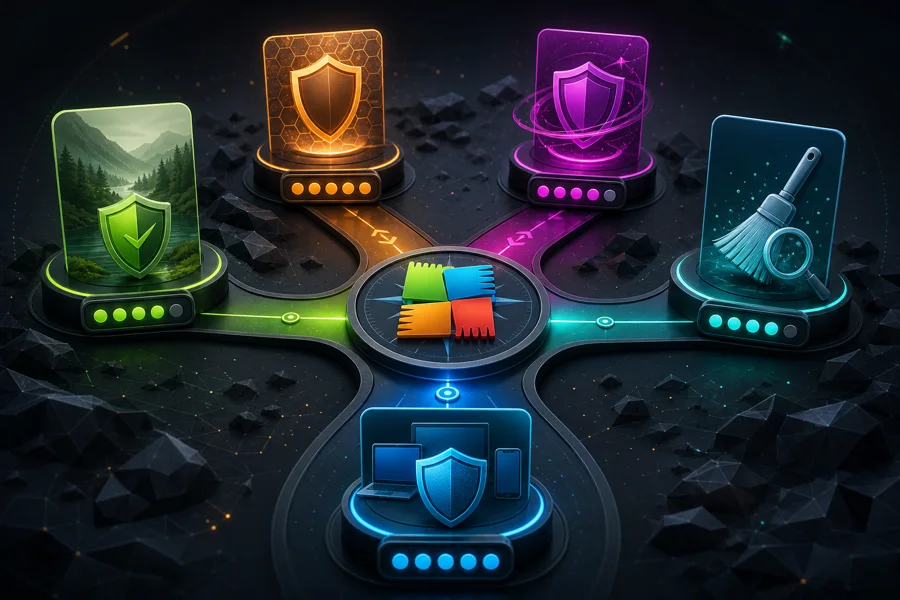
Quick answer: Use Microsoft Defender if you want quiet built-in Windows protection, Bitdefender if maximum current lab protection is the priority, ESET if you value granular controls and low false alarms, Norton 360 if you want a broad household bundle, Malwarebytes Free as an on-demand cleanup companion, and F-Secure if you want a simpler paid security experience. Don't switch from AVG to Avast for engine diversity: AV-Comparatives says both use the Avast engine and their Android apps are near-identical.
Need a different AVG task? The complete AVG guide hub routes review, plans, setup, troubleshooting, Web Shield, privacy, browser, VPN, Android, utilities, billing and removal without mixing their steps.
Start with the reason AVG no longer fits
AVG’s current protection record is strong: 18/18 at AV-TEST and 99.3% in AV-Comparatives' completed February–May 2026 real-world cycle. Switching solely because a forum calls it “bad” throws away useful evidence. Switching because the interface frightens a relative, the renewal no longer makes sense, Web Shield breaks work sites or privacy choices conflict with policy is rational.
Write the problem in one sentence. “I need fewer commercial prompts” points toward Microsoft Defender or a paid product with a quieter trial. “I want the strongest result in the latest test” points toward Bitdefender. “I need VPN and identity tools for a family” points toward Norton. “I only want a second-opinion cleanup scanner” points toward Malwarebytes Free.
A July 2026 r/antivirus question about AVG versus Defender produced exactly this split between free and paid needs. Community answers are useful for vocabulary and lived friction, not a substitute for controlled testing.
Don't switch engines blindly: AV-Comparatives says AVG and Norton use the Avast engine in the current Windows test, and Avast and AVG share it by definition. Products can still differ in settings, bundles and support, but shared engine evidence changes what “alternative” means.
Six AVG alternatives matched to a concrete job
| Alternative | Best for | 2026 evidence snapshot | Main caution |
|---|---|---|---|
| Microsoft Defender | Quiet built-in Windows protection | 99.0%, 0 false positives; AV-TEST 18/18 | Fewer consumer support and bundle extras |
| Bitdefender | Strongest result among these picks | 99.5%, 5 false positives; AV-TEST 18/18 | Renewal and bundled-VPN limits need checking |
| ESET | Granular controls and low false alarms | 98.5%, 2 false positives; AV-TEST 6/5.5/6 | Lower result in this one real-world cycle |
| Norton 360 | Household suite, VPN and identity tools | 99.3%, 5 false positives; AV-TEST 18/18 | Same Avast engine in this AV-C test; complex renewal |
| Malwarebytes | Cleanup and second-opinion scanning | 98.8%, 39 false positives; AV-TEST 5.5/6/6 | Free edition isn't resident protection |
| F-Secure | Simple paid security experience | 98.8%, 11 false positives; AV-TEST 6/5.5/6 | Protection result trailed AVG in this cycle |
Percentages come from the AV-Comparatives February–May 2026 test of 400 cases under Windows 11. AV-TEST scores come from its March–April 2026 Windows cycle. One test isn't a universal ranking; false positives, product tier and user interaction matter.
1. Microsoft Defender: best for fewer prompts and no renewal
Defender is already integrated into current Windows 11. It activates when a third-party resident antivirus is removed, uses Windows Update and doesn't sell a separate consumer upgrade from the protection dashboard. That makes it the cleanest answer to AVG commercial noise and billing fatigue.
Its current evidence is credible. Microsoft scored 99.0% protection with four compromised cases and zero false positives in AV-Comparatives, and 18/18 at AV-TEST. AVG scored 99.3% with three compromised cases and five false positives in the same AV-C cycle. The gap doesn't justify running both.
Defender is weaker as a support product. Families may miss an obvious account portal, cross-platform subscription and third-party help desk. Configuration is split across Windows Security, browser and Microsoft account settings. Microsoft’s Windows Security overview documents the built-in layers. Read the full Microsoft Defender review and our practical is Defender good enough guide.
Choose it when: the PC is current, the user stays patched and downloads carefully, and quiet built-in protection is more valuable than extra suite tools.
2. Bitdefender: best when current lab protection leads the decision
Bitdefender reached 99.5% with two compromised cases and five false positives in the AV-Comparatives cycle, the strongest result among the broadly available alternatives in this guide. It also scored 18/18 at AV-TEST. That makes it a defensible move when the aim is a different high-performing engine.
The trade-off is product complexity. Free, Antivirus Plus, Internet Security, Total Security and Premium Security differ by platform and bundle. A VPN tile may have a traffic limit or require a higher plan. Introductory and renewal prices need the same scrutiny as AVG; confirm the live lineup on the official Bitdefender consumer page.
Our Bitdefender review covers the current product, while Bitdefender Free versus paid separates engine coverage from premium controls. If resource use is the reason for leaving AVG, trial Bitdefender on the actual PC; community reports include both smooth experiences and high-CPU complaints.
Choose it when: independent detection performance is the primary concern and you accept another multi-tier suite.
3. ESET: best for granular policy and low false alarms
ESET appeals to users who want detailed controls without a large utility bundle. In the current AV-Comparatives test it recorded two false positives—better than AVG’s five—but 98.5% protection, below AVG’s 99.3%. AV-TEST scored ESET 6 for protection, 5.5 for performance and 6 for usability.
Those results don't make ESET “light but weak.” They show the trade-off in one cycle and why a product shouldn't be chosen from reputation alone. ESET’s device control, network inspection and advanced configuration can fit technically confident households or small offices. Its regional licensing and available tiers should be confirmed before travel or multi-country use.
Read our current ESET review and the direct AVG versus ESET comparison. ESET’s official HOME lineup is the source for current regional tiers. Community recommendation threads often mention ESET alongside Bitdefender, but the useful difference is control and false-alarm behavior, not popularity.
Choose it when: you value transparent configuration and a low false-positive count more than winning this one raw protection percentage.
4. Norton 360: best for a broad household bundle
Norton combines antivirus with plans that can include VPN, cloud backup, parental controls, dark-web monitoring and identity features depending on country and tier. That can replace several AVG products and one of the most common reasons to choose Ultimate. The official Norton 360 plan page should be checked for the exact current US bundle rather than assuming every country receives the same identity features.
Protection was effectively tied with AVG in AV-Comparatives: both were in the Avast-engine group at 99.3% with five false positives. Norton also scored 18/18 at AV-TEST. Switching therefore changes packaging, interface and support more than the underlying engine evidence in this cycle.
The Norton 360 review explains current tiers, and the Norton pricing guide shows the same introductory-versus-renewal issue that can drive people away from AVG. Our AVG versus Norton comparison is the better page when these are the final two.
Choose it when: the included tools replace products you'd buy separately and the household can manage one more complex renewal.
5. Malwarebytes: best as a cleanup companion, not automatically a resident replacement
Malwarebytes is exceptionally familiar as a second-opinion scanner for potentially unwanted programs and cleanup. The free edition runs on demand; it doesn't provide continuous real-time protection. That makes Defender plus occasional Malwarebytes Free a common setup, provided only Defender is resident.
Malwarebytes Premium can be the primary antivirus, but its latest AV-Comparatives result was 98.8% protection with 39 false positives, enough to lower its award. AV-TEST gave it 5.5 protection, 6 performance and 6 usability. Those numbers make it a different choice from “AVG without popups,” not an automatic upgrade.
Use our Malwarebytes review for the product distinction and AdwCleaner review for the focused cleanup tool. Malwarebytes’ official free-product page confirms which protections require payment. A current community recommendation thread also repeatedly separates resident protection from an on-demand scanner.
Choose it when: the job is cleanup or a second opinion. If Premium becomes resident, let Windows register it and don't keep AVG real-time shields active.
6. F-Secure: best for a simpler paid experience
F-Secure Internet Security focuses on malware, ransomware, browsing and banking protection without the same collection of driver updating and tune-up utilities. That can feel calmer to someone leaving AVG because every task becomes another product card.
In the AV-Comparatives cycle, F-Secure reached 98.8% with 11 false positives. AV-TEST scored its Total tier 6 protection, 5.5 performance and 6 usability. The current numbers trail AVG, so this is a usability and product-design alternative rather than a lab-performance upgrade.
Confirm the number of devices, VPN inclusion and renewal directly on the official F-Secure plan page. Our best internet security guide places it alongside broader suites.
Choose it when: a focused paid security experience is worth more than squeezing every utility into one account.
Avast changes the interface, not the protection family
Avast can be a valid preference if its current One plans, interface or features fit better. It isn't a clean answer to concerns about Gen Digital ownership, the Avast engine or similar promotion patterns. AV-Comparatives explicitly groups Avast and AVG together at 99.3%, and its mobile report says the Android apps function near-identically.
Our Avast versus AVG comparison focuses on those plan and interface differences. If the purpose is engine diversity, choose Bitdefender, ESET, Microsoft or another genuinely different stack.
The same caution applies to Norton at the engine level in this particular AV-Comparatives test, even though Norton’s product architecture and bundle are clearly different. Shared signatures or engine components don't make every feature identical; they simply prevent us from pretending the switch creates a wholly independent detection pipeline.
Also avoid treating a generic “PC cleaner,” registry fixer or driver updater as an antivirus replacement. Those tools may change files or settings, but they don't provide a resident malware engine, malicious-site protection or the Windows Security registration expected from a primary provider. The AVG TuneUp review and Driver Updater review explain why maintenance products belong in a separate decision.
Switch without leaving the PC unprotected or paying twice
- Identify billing first. Open the AVG Account, Google Play, App Store or reseller portal and record the product, next charge and covered devices. Uninstalling doesn't cancel.
- Download the replacement from its official site. Don't use a “best antivirus” download mirror or popup.
- Export needed settings. Save VPN activation, browser bookmarks or vault data. Quarantine isn't an archive; restore only files you have verified.
- Remove AVG normally. Follow our complete AVG uninstall guide and use AVG Clear only if normal removal fails.
- Reboot and install one resident replacement. Confirm Windows Security names it as the active provider and definitions are current.
- Run one initial scan. Check browsers, updates and backups, then remove old installer files after the rollback window.
If the only issue is commercial noise, try the AVG popup and privacy controls before migrating. If price is the problem, compare the current AVG renewal arithmetic and cancel through the correct billing channel.
Don't stack two real-time products during a long “comparison.” Antivirus drivers inspect the same files, network connections and process launches; conflicts can look like high CPU, failed updates or broken HTTPS. A short, deliberate migration is easier to reverse than months of overlapping shields.
AVG alternatives FAQ
What is the best free alternative to AVG?
Microsoft Defender is the simplest free replacement on current Windows 11 systems because it's built in and has no separate renewal or AVG-style upgrade funnel. Bitdefender Free is another option where available if you want a third-party interface and engine.
Is Bitdefender better than AVG?
Bitdefender led AVG 99.5% to 99.3% in AV-Comparatives' February–May 2026 real-world test, with both recording five false positives. That small test difference should be weighed against price, interface, VPN limits and performance on your device.
Is Windows Defender enough to replace AVG?
For many current, careful Windows users, yes. Microsoft scored 18/18 at AV-TEST in March–April 2026 and 99.0% with zero false positives in the AV-Comparatives real-world cycle. Higher-risk users may still value a paid suite's extra controls or support.
Is Avast a good alternative to AVG?
Not if the goal is a different detection engine or parent company. AV-Comparatives says AVG and Avast use the Avast engine, and their Android apps are near-identical. Their plan names and interfaces differ, so Avast can still be a usability preference rather than a technical reset.
Can Malwarebytes replace AVG?
Malwarebytes Premium can act as the primary resident product, but its current lab profile and false-positive behavior differ from AVG. Malwarebytes Free is better treated as an on-demand second opinion because it doesn't provide continuous real-time protection.
Should I run AVG and another antivirus together?
Don't run two consumer antivirus products with real-time protection enabled. Their drivers and web filters can conflict. An on-demand scanner can coexist when its resident modules are disabled and the vendor supports that use.
Do I need to cancel AVG before uninstalling it?
Yes if an automatically renewing subscription exists. Uninstalling the application doesn't cancel billing. Cancel through the original purchase channel, record the end date, then remove AVG and verify the replacement is active.
Which AVG alternative has the fewest popups?
Microsoft Defender has no separate consumer upsell application and is usually the quietest Windows option. Paid ESET or F-Secure can also feel calmer than an ad-funded free product, but current prompts and plan offers should be tested during a trial.