
How to Use Avira Rescue System Without Creating a Second Problem
A rescue USB can scan a Windows disk while its normal operating system is asleep. The risky parts happen around the scan: stale definitions, erased USB data, a missing BitLocker key, changed firmware settings and false confidence after one clean result.

Quick answer: Use Avira Rescue System when Windows can't be trusted to scan itself or won't stay running long enough for an ordinary scan. Build the USB on a clean PC from Avira's official ISO, preserve the target computer's BitLocker recovery key, use the one-time boot menu, update the Rescue System database and engine, then choose a full scan for an uncertain infection. Don't treat a clean result as forensic proof. Avira can't repair boot sectors, partitions or encrypted files. Restore Secure Boot afterward, rotate exposed credentials from a clean device and reinstall Windows from official Microsoft media when integrity or account exposure remains uncertain.
Use Avira Rescue System when Windows can't be trusted to scan itself
Avira Rescue System is a free bootable Linux environment for scanning a disk while the installed Windows system isn't running. That separation matters when malware kills the resident antivirus, starts before the desktop, keeps a malicious file open or makes Windows too unstable for an ordinary scan. It's also a reasonable independent second opinion when a normal scanner reports removal but the machine still behaves as if something survived.
The tool isn't automatically the best first step for every pop-up or potentially unwanted program. If Windows starts normally, Windows Security is healthy and the incident is low risk, update the installed antivirus, disconnect suspect browser extensions, review recent installs and run an offline scan with the operating system's own recovery route. A bootable USB adds firmware decisions and possible encrypted-disk complications. Use that complexity because the incident needs it, not because “rescue disk” sounds more thorough.
The official Avira Rescue System guide describes a customized Ubuntu platform with an Avira application on top. You create the medium on an uninfected computer, boot the affected PC from USB or DVD, manually update the engine and virus definitions, then choose a scan. This page keeps that official flow but adds the failure gates missing from the short vendor instructions.
The safe outcome isn't “Avira says cleaned.” It's a documented scan with current definitions, important data preserved, firmware protections restored and an incident decision proportional to what may have been exposed. A commodity downloader caught before execution and an attacker who controlled email, banking and the desktop for two hours don't have the same recovery threshold.
What Avira Rescue System can—and can't—repair
| Job | What Rescue System can do | Important boundary |
|---|---|---|
| Offline malware scan | Inspect mounted files without loading the installed Windows environment | Detection depends on accessible volumes, current updates and engine coverage |
| Malicious-file containment | Rename suspicious files with a .rend suffix | Renaming a system file can affect boot or application behavior |
| Cloud-assisted verdicts | Use Avira Protection Cloud when networking works | No network means no current cloud lookup and may block updates |
| Boot repair | Scan files related to the installed system | Avira explicitly says it doesn't repair boot sectors |
| Partition repair | Scan files on volumes it can mount | It doesn't repair partitions |
| Encrypted data | May see only what the environment can unlock and mount | Avira says it doesn't repair encrypted files |
| Linux systems | Search and sanitize Linux files | Avira says Linux systems aren't repaired |
| Forensic assurance | Provide one anti-malware result and affected paths | It doesn't prove accounts, firmware, sessions or every persistence point are clean |
Those boundaries decide the recovery path. A boot loop after an interrupted update isn't automatically malware and won't be fixed by deleting whatever an antivirus dislikes. A BitLocker volume that doesn't appear isn't evidence that the disk is empty. A damaged partition table belongs in a data-recovery workflow, not a repeated scan. Avira's own note excludes these repairs, so a useful guide must stop before improvisation destroys recoverable data.
The same caution applies to ransomware. Rescue System may detect the executable or related payloads, but it can't turn encrypted documents back into healthy originals. Preserve a copy of affected media before experimenting, keep the ransom note and a few encrypted samples if incident-response help may be needed, and look for clean offline or versioned backups. The broader malware removal guide explains recovery choices that no single post-event scan can substitute.
If the problem is a damaged boot configuration, use Windows Recovery Environment, Startup Repair or installation media after data is safe. If the issue is a locked or failing disk, stop repeated full scans because they can add stress and change timestamps. Rescue System is an anti-malware instrument, not a universal repair bench.
Prepare the clean PC, backup and BitLocker key before touching firmware
Build the rescue medium on a computer you have reason to trust. Patch that computer, use its normal protected browser, download through Avira's support page and avoid moving executables from the suspected PC onto it. Reserve a USB drive whose contents can be erased. Label it physically if several external drives are connected; selecting the wrong target in an imaging tool is one of the easiest ways to create a second incident.
Back up important user files from the affected computer if doing so is possible without running suspicious programs. Documents, photos and plain exports are easier to reason about than installers, scripts, macro-enabled Office files, browser profiles or a complete system image. A backup made after compromise is evidence and a recovery source, not automatically clean. Keep it separate from known-good backups and scan it before restoration. Microsoft's Windows Backup guide covers the built-in consumer route, but an incident copy should remain clearly separated from the last known-good backup.
Find the BitLocker recovery key before changing Secure Boot or boot behavior. Microsoft's BitLocker recovery overview lists firmware, TPM, boot-manager and boot-order changes among events that can lead to recovery. For a planned firmware change, Microsoft documents temporarily suspending BitLocker and resuming it afterward. If Windows still starts, record the protection state and follow that supported route.
The key may be attached to a personal Microsoft account, a work or school organization, a printed copy or a file saved when encryption was enabled. Use Microsoft's official recovery-key guide from a separate trusted device. Confirm the key identifier matches the affected computer. Don't paste the 48-digit secret into forums, screenshots or a random “recovery” service.
Write down the current firmware state: UEFI or legacy mode, Secure Boot on or off, normal first boot device and any custom storage mode. Photographing those screens with a phone is safer than relying on memory. Never clear the TPM, reset Secure Boot keys or load unknown “default keys” to make the USB appear. Avira asks for Secure Boot to be disabled where necessary; it doesn't ask for destruction of the platform's trust material.
Download the official ISO and treat its age as an update requirement
Start at Avira Support and follow its official ISO link on download.avira.com. Don't search for a smaller mirror, torrent or repack when the 2 GB download feels slow. A rescue image receives broad access to the computer before Windows starts; provenance matters more here than for an ordinary utility.
There's a current documentation mismatch. Avira's article still says the ISO is 1.2 GB. On July 29, 2026, the official URL returned 2,016,014,336 bytes—about 2.02 GB decimal or 1.88 GiB—and a Last-Modified date of February 28, 2025. The response was HTTP 200 from Avira's download host. We checked headers rather than downloading and executing the large image.
That date doesn't by itself prove the image is unsafe or abandoned. A boot environment can remain useful when its detection engine and definitions update successfully after startup. It does mean a user shouldn't infer current protection from a fresh download. The update screen inside Rescue System is the freshness check that matters for the scan.
Avira doesn't expose a clearly published current SHA-256 reference next to the download. Don't copy an unknown hash from a forum and call it official. You can still create a local integrity record so the same file can be compared across copies. In PowerShell, run Get-FileHash .\avira-rescue-system.iso -Algorithm SHA256; on macOS or Linux, run shasum -a 256 avira-rescue-system.iso. Save the result with the byte size and download time. A local hash proves two copies match; without a trusted vendor reference, it doesn't prove the original is authentic.
If the browser interrupted the download, the byte count differs or Rufus rejects the image, delete that incomplete copy and fetch it again through the official support route. Don't rename an HTML error page to .iso. The ordinary Avira installation guide covers normal Windows and Mac installation; this ISO is only for the standalone rescue environment.
Create the bootable USB with the current Rufus release
Avira recommends a 4 GB or larger USB drive. Four gigabytes fits the current image, but an 8 GB or larger disposable drive is often easier to source and label. Capacity beyond that doesn't make scanning faster. Disconnect unrelated external drives, because Rufus will erase the selected target when it writes the image.
Avira's linked bootable-USB PDF still shows Rufus 3.21 and older screenshots. On July 29, 2026, the official Rufus release page lists Rufus 4.15 as current, released June 30. Use the latest stable build from rufus.ie or the maintainer's GitHub repository instead of hunting down the frozen version in Avira's PDF.
- Connect only the intended rescue USB. Copy off anything needed because the write process destroys the current contents.
- Open current Rufus on the clean Windows PC. Confirm the publisher and source; don't use a bundled download portal.
- Select the exact USB under Device. Match its capacity and label. Stop if you can't distinguish it from a backup drive.
- Choose Disk or ISO image and select Avira's ISO. Leave persistence and Windows-specific customization out of this job.
- Use the image's detected partition and target defaults first. Avira's old PDF shows MBR with BIOS or UEFI. Modern firmware varies, so record what Rufus detects before changing it.
- Start and confirm erasure of the named USB. If Rufus asks, use ISO image mode as Avira's instruction specifies.
- Wait for Ready, eject cleanly and reconnect once. Confirm the drive is readable enough for the clean PC to see the written structure; don't expect the original empty-drive capacity view.
Avira says Rescue System doesn't support multi-boot scenarios. Don't put the ISO into a multi-ISO launcher and assume an unfamiliar boot failure belongs to Avira. Use a dedicated medium for this recovery. If the target is an ARM-based Windows device or unusual storage platform, check architecture and storage-driver support before changing firmware; an x86-64 Ubuntu image isn't universally bootable.
Rufus settings aren't a contest. The goal is media the target firmware can enumerate and Avira can start. Repeatedly switching GPT, MBR, UEFI-CSM and file-system options without recording them creates ambiguity. Make one evidence-based change at a time and return to the detected defaults if it makes the device less visible.
Use the one-time boot menu and change Secure Boot only when required
Insert the Rescue USB while the target computer is powered off. Start it and open the vendor's one-time boot menu—commonly F12, F9, Esc or another model-specific key. The exact key should come from the PC or motherboard manufacturer, not a generic article. Choosing the USB once is preferable to permanently placing USB media ahead of the internal disk.
If the USB appears twice, the entry prefixed with UEFI is normally the first attempt on a modern Windows 11 or 10 installation. If it doesn't start, record the error or photograph the screen. “Security violation,” no USB entry, a black screen and a kernel message describe different failures. Don't immediately disable every firmware protection at once.
Avira's instructions say 64-bit Windows 8 and later systems with UEFI Secure Boot need Secure Boot disabled to start Rescue System. Microsoft's Secure Boot guidance explains that UEFI and Secure Boot help prevent malicious software from loading during startup. Disable only the Secure Boot toggle needed for this session, after preserving the recovery key. Don't clear keys, disable the TPM or switch the storage controller from AHCI to RAID.
On a machine that still boots Windows, suspend BitLocker through the supported Windows control before this planned change and verify the recovery key independently. On a machine that no longer boots, you may not be able to suspend protection; the recovery key becomes the minimum safety requirement. A locked internal drive inside Rescue System is a reason to stop, not a prompt to format it.
Accept Avira's EULA when the interface loads and choose English or German. Before scanning, confirm that expected internal volumes are visible with plausible capacities. If a disk is missing, it may be encrypted, behind an unsupported storage controller, physically failing or unavailable to the rescue kernel. Changing random SATA or VMD settings can make Windows unbootable until the original setting is restored.
Update the detection database and engine before trusting the scan
Connect the target computer to the network, preferably with Ethernet. Avira says an internet connection is required or recommended for the latest VDF virus definitions, engine updates and Avira Protection Cloud scanning. A wired connection avoids Wi-Fi driver and captive-portal problems inside the customized Linux environment.
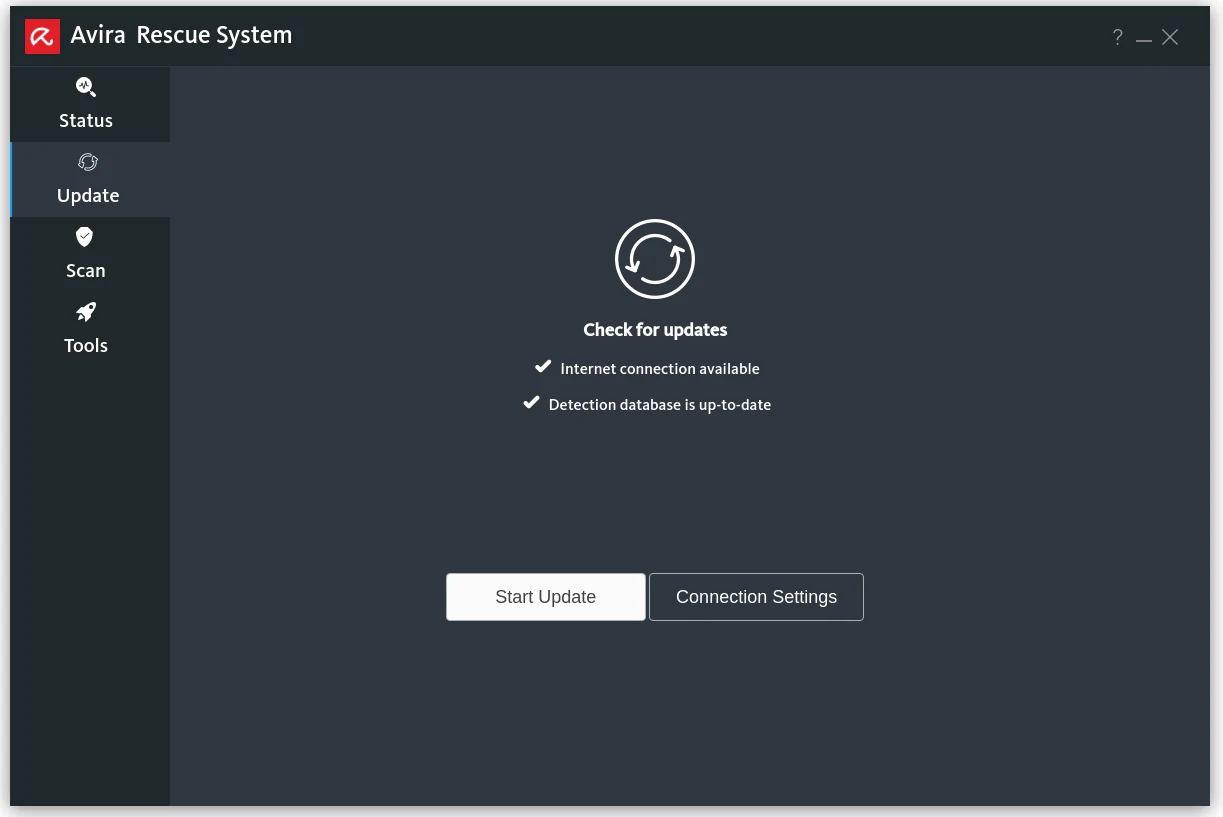
Open Update in the left pane and select the update control in the right pane. Wait for both the database and engine process to finish. Record the displayed version or status with a photo if this is a serious incident. A cloud-enabled status is useful only when the network actually works; an icon isn't a substitute for a successful update response.
A current April 2026 r/antivirus report describes an official Rescue USB that wouldn't update its software or database. It's one user's case, not evidence that every image is broken. It does show why “downloaded today” must not be written as “definitions are current.” Our gate is simple: if the update remains failed, label the Avira result stale and use another supported current scanner or recovery path.
When updating fails, verify that the interface has a valid IP address, Ethernet link, DNS and a plausible system clock. Restart the rescue environment once, reconnect Ethernet directly rather than through a captive portal and retry. Don't weaken router security, install untrusted certificates or expose the affected PC to an open network to force the update. If Avira's service remains unreachable, capture the error and move to Avira troubleshooting or a different offline scanner.
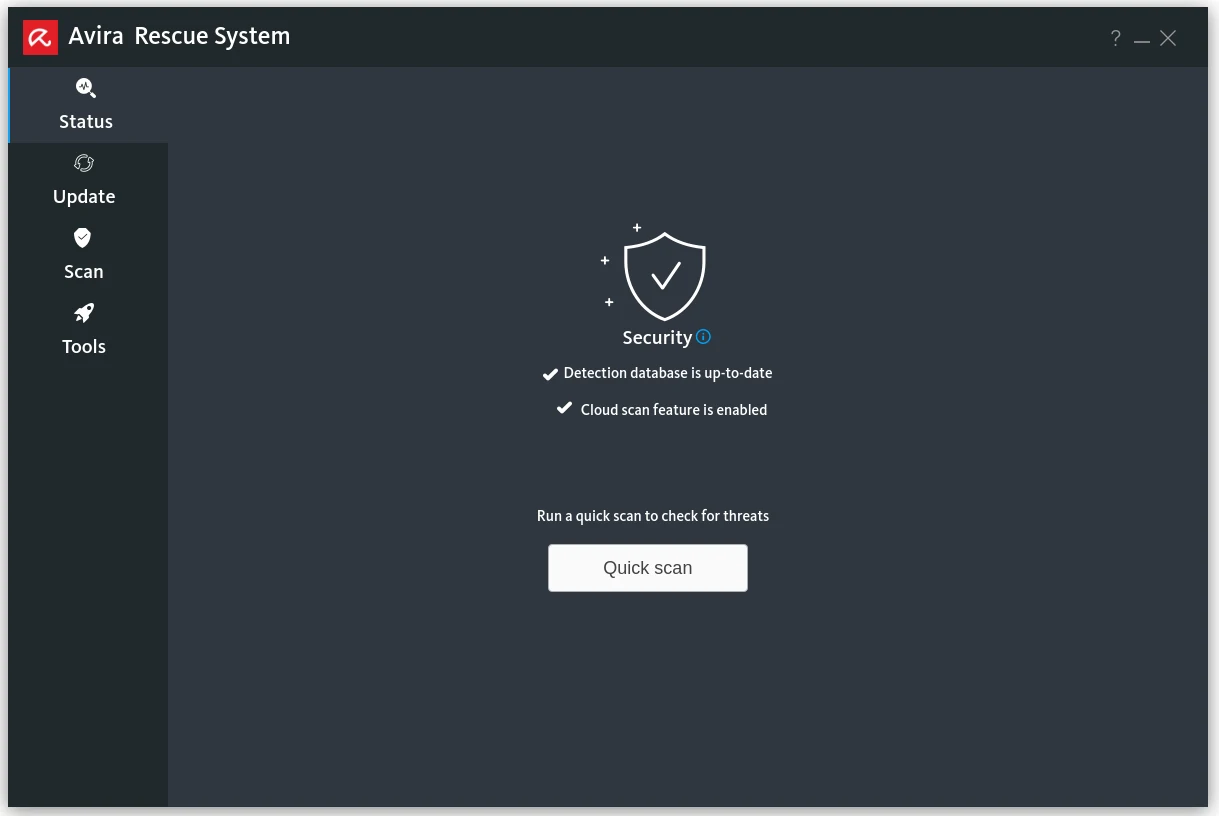
Choose Quick, Selective or Full scan by the incident—not the clock
| Scan | Use it for | Don't infer |
|---|---|---|
| Quick scan | A first pass over common locations when the incident is narrow and time matters | That an unvisited data volume or unusual persistence path is clean |
| Selective scan | A known download folder, mounted secondary volume or preserved evidence path | That the rest of Windows received equivalent coverage |
| Full scan | An uncertain system-wide infection, repeated symptoms or final file-system sweep | That accounts, firmware, memory-only activity and inaccessible encrypted content are clean |
For a computer that may have run an unknown remote-access tool, credential stealer or loader, choose Full scan after the update. Keep the computer on reliable power and Ethernet. A large disk or many archives can take hours. Heat, a noisy failing drive or repeated read errors are reasons to stop and preserve data, not to restart the same full scan until hardware fails.
Selective scan is useful when another tool already identified a path or when you're screening a recovered data volume before moving it. It isn't a shortcut for a whole-machine verdict. Quick scan is appropriate as an early triage step or when the machine's condition won't tolerate a long read, but the report must say it was quick.
Don't plug known-good backups into the potentially compromised Windows installation immediately after the scan. Scan restored data from a protected environment and restore only what is needed. Executables, scripts, browser extensions, scheduled-task exports and macro-enabled documents deserve extra scrutiny. The Windows 11 antivirus guide compares resident prevention layers; this recovery guide focuses on an already suspect disk.
A .rend file is contained, not automatically understood
Avira says Rescue System automatically renames suspicious files with a .rend suffix to prevent further damage. Record each detection name, original path and action before restarting. The path often matters more than a dramatic family label: a file in a browser cache, a user download and a Windows system directory imply different recovery consequences.
Don't bulk-restore everything because Windows fails to boot after cleanup. One renamed component may be a false positive or a system file that malware modified, but restoring it blindly can also restore the threat. Search the exact detection and path from a clean device, compare a legitimate file with Microsoft's signed source where possible and submit an uncertain sample through a vendor-supported channel without exposing private documents.
Don't bulk-delete every .rend file either. Preserve the scan summary and enough context for rollback. A business machine, regulated device or computer involved in fraud may need evidence retention rather than immediate cleanup. Contact the organization's incident-response owner before changing more timestamps or files.
The result screen saying the system has been cleaned is a product action summary, not a legal or forensic conclusion. The engine can report what it detected and renamed. It can't determine whether a password was copied yesterday, whether a remote attacker created an OAuth token, or whether a user approved a fraudulent transaction. That distinction controls the aftercare.
Preserve the result, affected paths and recoverable data
Photograph the final summary and any detailed detection list. Record the date, ISO file size, local SHA-256, update outcome, scan type, start and finish time, volumes visible, detections, actions and errors. If Rescue System offers a log export in the live build, save it to a separate labelled USB rather than assuming it will remain after shutdown. Verify the export opens on a clean computer.
Keep a clear boundary between rescue media, evidence media and backup media. Reusing the same drive invites accidental overwrites and muddles what came from where. A simple paper note with the drive label and purpose is better than guessing later. Don't connect every external backup simultaneously while imaging or scanning.
If the internal disk shows SMART warnings, disappears intermittently or makes abnormal mechanical sounds, stop scanning. Clone or image it through a data-recovery workflow before more reads. Malware removal can wait; a physically deteriorating disk may not. Avira's partition and encrypted-file exclusions make this boundary especially important.
For an ordinary home incident, screenshots and notes are enough to support later decisions. For suspected financial theft, workplace compromise, stalking or criminal access, use a separate safe device and qualified help. Cleaning the computer quickly can erase evidence needed to understand what happened or protect the person at risk.
Remove the USB, restore Secure Boot and verify the original settings
When the scan and evidence capture are complete, shut the rescue environment down. Remove the USB before starting the computer again. If you changed the permanent boot order, restore the internal Windows drive to its previous position. If you disabled Secure Boot, re-enable it using the original mode and keys; don't create or enroll unfamiliar keys.
Verify BitLocker protection after the planned firmware change. If Windows requests recovery, match the displayed key ID to the stored recovery key and follow Microsoft's supported flow. Don't disable encryption permanently just to avoid one recovery prompt. Once Windows starts, confirm BitLocker is protected or resumed and that Secure Boot is reported on in System Information or Windows Security.
If Windows doesn't start, return firmware storage, UEFI and boot settings exactly to the recorded preflight state before blaming the scan. Then use Windows Recovery Environment and Startup Repair for boot problems. Avira explicitly doesn't repair boot sectors or partitions, so repeated rescans aren't a boot-repair strategy.
Keep the rescue USB disconnected during normal use. It contains an older boot environment whose usefulness depends on a live update, not a permanently trusted daily tool. Recreate it from the current official image for a future incident rather than treating today's stick as current forever.
After a clean boot, contain accounts and look for persistence
Reconnect Windows to a trusted network only after firmware protection is restored. Install operating-system and application updates, then update the resident antivirus and run another full scan from Windows. Check Windows Security for the active provider and protection history. If Avira is the resident product, the full Avira review and Avira plans guide separate the scanner from bundle extras and renewal decisions.
Review startup apps, scheduled tasks, browser extensions, proxy settings, DNS, installed remote-access tools, local administrators and recently added accounts. Reset browsers only after preserving bookmarks and evidence that matters. Remove unknown extensions from the browser's own management screen; a clean file scan doesn't revoke a malicious cloud-synced extension.
Change potentially exposed passwords from a separate clean device, starting with primary email, password manager, financial accounts and the Microsoft or Google account that can recover others. Revoke active sessions, inspect forwarding rules and recovery methods, rotate API keys or remote-access credentials and enable phishing-resistant MFA where supported. The Avira Password Manager review covers vault and recovery tradeoffs; don't migrate secrets on a machine whose trust is still disputed.
If someone had interactive remote control, assume they could see anything opened during that session. Contact the bank through a known official number if payments or banking access may be involved. A scanner can't reverse a transfer or invalidate a stolen session. For shared or family computers, explain what happened without asking the exposed user to remember every click under pressure.
Monitor for repeated detections, new sign-ins, security-setting changes and unexpected recovery emails. One stable day is encouraging, not definitive. If symptoms return or the incident involved administrator access, move to reinstall rather than stacking cleanup tools until the machine becomes impossible to diagnose.
Reinstall Windows when the cost of uncertainty is higher than rebuilding
Microsoft's current Windows recovery decision table maps “you suspect your device has been infected” to reinstalling Windows with installation media. The same page calls reinstall more thorough than Reset and tells users to back up before recovery. That's a conservative baseline, not a claim that every blocked ad requires erasing the PC.
Prefer a clean reinstall when ransomware executed, a credential stealer or remote-access tool ran with administrator rights, security controls were disabled, new administrator accounts appeared, system files were modified, the infection returns, disk integrity can't be assessed or the machine handles high-value work. Also rebuild when hours of uncertain cleanup cost more than restoring a known configuration.
Create media on a clean computer through Microsoft's official installation-media instructions or the Windows 11 download page. Use a separate blank USB, preserve the product and BitLocker information, and verify backups before deleting partitions. Restore documents from known-clean copies and reinstall applications from their publishers rather than restoring the entire compromised system image.
Rotate credentials even after reinstalling. Rebuilding the disk removes local persistence but doesn't revoke tokens, forwarding rules, cloud applications or passwords already copied. Review the router too if its administration page was opened during remote control or DNS changed across several devices.
The Avira alternatives guide can help choose the resident protection after recovery. Don't make that purchase while the incident is still undefined. Recovery confidence comes from the rebuild, patches, account containment and clean restoration—not from switching antivirus logos.
Avira Rescue System troubleshooting by failure state
| Symptom | Likely boundary | Safe next action |
|---|---|---|
| USB not listed | Write failed, port/firmware mismatch, one-time menu or unsupported platform | Recheck Rufus completion, try a direct USB port, use the vendor boot menu and preserve current firmware settings |
| Security violation | Secure Boot rejected the rescue loader | Preserve BitLocker key, suspend if Windows works, disable only Secure Boot for the session and restore it afterward |
| Black screen or kernel error | Graphics, architecture or rescue-kernel compatibility | Photograph the error, try documented safe graphics options if Avira provides them, otherwise use Defender Offline or another supported route |
| Internal disk missing | BitLocker lock, VMD/RAID driver, unsupported controller or failing disk | Don't format or switch storage modes blindly; restore original settings and use WinRE, IT or data recovery |
| Update fails | No Ethernet/DHCP/DNS, wrong clock or Avira service problem | Fix networking, restart once and retry; label the result stale if update still fails |
| Scan freezes on one file | Large archive, read error or failing media | Record the path, check disk health and preserve data before repeated full reads |
| Windows won't boot after cleanup | Renamed system file, boot damage or firmware setting changed | Restore original firmware settings, use WinRE and consult the detection log; don't restore every .rend file |
| Detection returns after reboot | Persistence, inaccessible component, reinfection or synced browser/account state | Isolate, preserve evidence and clean-install rather than repeating the same removal indefinitely |
A community boot-trouble discussion is useful as evidence that users reach this task through firmware and compatibility failures, not only malware questions. It can't identify the cause on another computer. The actual error, model, firmware state, disk encryption and image source must drive the fix.
When asking Avira or a technician for help, provide the PC model, CPU architecture, firmware mode, Secure Boot state, BitLocker state without sharing the key, ISO byte size, Rufus version and settings, update error, visible volumes and exact scan message. “It doesn't work” invites random suggestions; a bounded state makes safe troubleshooting possible.
Avira Rescue System vs Microsoft Defender Offline
| Decision | Avira Rescue System | Microsoft Defender Offline |
|---|---|---|
| Launch route | Separate USB/DVD boot environment | Windows Security restarts into Windows RE |
| Best fit | Independent second opinion or Windows route unavailable | Simple first offline scan when Windows Security and WinRE work |
| Scan depth | Quick, Selective or Full | Microsoft describes a quick offline scan |
| Update handling | User must update inside Rescue System and verify success | Microsoft says the offline scan uses current definitions |
| Firmware work | May require Secure Boot change and external boot | Normally stays within the Windows trusted recovery path |
| Encrypted drive | External Linux environment may not access locked data | WinRE can integrate with BitLocker but may still request the recovery key |
Microsoft's Defender Offline documentation says it restarts the PC, runs a quick scan in Windows Recovery Environment using the latest definitions and automatically restarts when finished. If that route is available and the user wants a low-complexity first offline pass, it avoids a separate ISO and most Secure Boot decisions.
Avira earns its place when Windows can't start that scan, when another engine is useful or when a selective or full offline file-system scan is needed. It also introduces more things to validate: image provenance, USB writing, firmware compatibility, network update and storage visibility. More steps aren't inherently more security.
Neither route proves a heavily compromised PC trustworthy. Use scan results as inputs to the incident decision. If Microsoft itself recommends reinstall for suspected infection and the event involved valuable accounts or administrator-level access, the clean-media rebuild is often the shorter route to confidence.
Our practical recommendation
Use Rescue System as a controlled offline scanner, not a magic repair disc. It's worth keeping in the Avira toolkit because it can inspect a dormant Windows file system with an independent engine and provide full or selective scan choices. Its value collapses if the ISO came from a mirror, the database failed to update, the encrypted disk was never visible or firmware security was left disabled afterward.
For a low-risk home incident, start with Defender Offline when it works, then use an updated Avira Rescue USB as a second opinion if symptoms or uncertainty remain. For a computer that won't start, preserve the BitLocker key and data before changing firmware. For ransomware, credential theft, interactive remote access or recurring persistence, isolate and reinstall from official Microsoft media instead of spending days collecting green scan screens.
The Avira guide hub keeps this recovery job separate from Free vs Prime, browser protection, complete removal and billing cancellation. A user trying to recover a locked PC shouldn't have to scroll through pricing copy, and a buyer comparing plans shouldn't be forced through firmware instructions.
Avira Rescue System FAQ
Is Avira Rescue System still available in 2026?
Yes. Avira's official support article still links directly to a Rescue System ISO on download.avira.com. On July 29, 2026, the server returned a 2,016,014,336-byte file last modified February 28, 2025. That age is why the database and engine update inside the booted environment is a mandatory pass/fail check, not an optional polish step.
How large must the Avira Rescue USB be?
Avira says to use a 4 GB or larger USB drive. Its support copy still calls the ISO 1.2 GB, but the official file response was about 2.02 GB when checked July 29, 2026. A 4 GB drive remains large enough, although an 8 GB or larger disposable drive is often easier to identify. Writing the image erases the selected drive.
Does Avira Rescue System work with Secure Boot?
Avira says Secure Boot must be disabled to start Rescue System on affected UEFI computers. First preserve the BitLocker recovery key and, when Windows still starts, use Microsoft's documented BitLocker suspend flow for a planned firmware change. Never clear the TPM or delete Secure Boot keys. Restore Secure Boot immediately after the rescue session.
Can Avira Rescue System scan a BitLocker-encrypted drive?
Don't assume it can access a locked BitLocker volume. Avira says Rescue System doesn't repair encrypted files, and an external Linux environment may see an encrypted Windows volume as locked or unavailable. Keep the recovery key safe, but don't improvise destructive unlock or partition commands. Use Windows Recovery Environment or a qualified recovery workflow for encrypted data.
What does the .rend extension mean in Avira Rescue System?
Avira says suspicious files are automatically renamed with a .rend suffix so they can't continue operating under the original name. Record the original path and detection before acting. A renamed Windows component can affect boot or an application, while restoring an actually malicious file can reintroduce the threat. Escalate an uncertain business-critical file to a clean-device analysis workflow.
What if Avira Rescue System can't update?
Check Ethernet, DHCP, system time and whether the Avira update service is reachable, then retry once after a clean reboot of the rescue environment. Don't present the scan as current if the database or engine still fails to update. A 2026 community report describes this exact failure with the official ISO; it's a directional warning, not proof that every USB fails.
Is Avira Rescue System better than Microsoft Defender Offline?
They solve overlapping jobs. Defender Offline is the simpler first choice when Windows Security and Windows Recovery Environment still work: Microsoft says it restarts into WinRE, uses current definitions, performs a quick offline scan and reboots automatically. Avira is useful as an independent bootable second opinion or when Windows can't launch that flow, but it requires more firmware, update and recovery-key care.
Does a clean Avira Rescue System scan prove the PC is safe?
No. It reduces uncertainty about files its current engine can see, but doesn't prove that credentials, browser sessions, firmware, remote accounts or every persistence path are clean. After ransomware, credential theft, active remote access or unexplained administrator changes, isolate the computer and prefer a clean Windows reinstall from official Microsoft media plus restoration of known-clean data.