
Avira Secure Browser and Browser Safety Review 2026
Avira offers both a complete Chromium browser and a lighter extension for the browser you already use. We separate their protections, inspect the data each can handle and explain the version check that matters more than a “secure” label.

Quick answer: Use Avira Browser Safety if you already trust and promptly update Chrome, Firefox or Opera and only want Avira’s malicious-site, download and tracker warnings. Secure Browser adds a single privacy dashboard, Extension Guard, stricter fingerprinting controls, cookie handling and performance modes, but its safety depends on a current Chromium engine. Avira’s public version table still says 127 while Chrome stable was 150 in July 2026, so check the installed browser’s About page before using it for sensitive accounts. Neither product makes private mode anonymous, and privacy-first users should review telemetry and disable coupon or price-comparison features they don't want.
Avira Secure Browser verdict at a glance
Avira Browser Safety is the cleaner recommendation for most existing Avira users. It adds Avira’s URL reputation, tracker detection and potentially unwanted download warnings to a browser the user already understands. That smaller change preserves the browser’s normal update channel, profile, accessibility settings and password workflow. The extension still receives powerful access to browsing activity and page content, so “smaller” doesn't mean trivial.
Avira Secure Browser is a different product, not the extension with a larger window. It's a Chromium-based browser with Web Shield, Privacy Guard, Extension Guard, private mode, cookie controls, a privacy cleaner and memory or energy settings in one Security & Privacy Center. The unified controls can help a nontechnical family member avoid a maze of browser settings. They also create a second browser profile to update, migrate, back up and troubleshoot.
The decisive security question is the installed Chromium version. Avira’s public current-versions page still listed Secure Browser 127.0 when Google’s official release channel had desktop Chrome at major version 150 by July 21, 2026. That doesn't prove the downloaded Avira browser still uses engine 127: Avira’s installer was updated in June, and the public table may simply be stale. It does mean the marketing name and support table can't replace the About-page check on the installed product.
The privacy story is conditional. Avira says Browser Safety and Secure Browser block malicious sites, ads, trackers and fingerprinting under selected settings. Its product privacy notice also describes browsing-related telemetry, device and installation identifiers, location, installed extensions, a subset of URLs and—in the shopping feature—cart values, discounts and merchant domains, with several Secure Browser categories retained for 36 months. That isn't evidence that Avira sells every browsing history, but it's enough reason to configure rather than merely install.
Our verdict is therefore practical rather than absolute. Keep a fully patched mainstream browser and add Browser Safety only if its warnings add value. Choose Secure Browser when its consolidated controls genuinely reduce mistakes, then verify the engine, turn off coupons or price comparison unless wanted and test strict blocking on important sites. Neither option replaces the malware protection assessed in our full Avira antivirus review, and neither makes private browsing anonymous.
Avira Secure Browser vs Browser Safety: two different jobs
| Question | Secure Browser | Browser Safety | Our reading |
|---|---|---|---|
| What is installed? | A complete Chromium browser and separate profile | An extension inside Chrome, Firefox or Opera | Extension causes less migration |
| Core web protection | Web Shield and browser-integrated warnings | Malicious-site, search and download warnings | Overlap is substantial |
| Privacy controls | Privacy Guard, fingerprinting, cleaner, private mode | Tracker blocking and privacy signals within the host browser | Full browser centralizes more controls |
| Extension control | Extension Guard plus Chrome-compatible extensions | Doesn't govern every other extension | Useful if the user installs extensions casually |
| Update dependency | Avira must package Chromium security updates | Host browser updates through its normal vendor | Check the full browser’s actual engine |
| Migration cost | Bookmarks, passwords, history, defaults and habits | One extension and its settings | Browser replacement needs a rollback plan |
| Best fit | Someone who values one guided privacy dashboard | Someone happy with a current browser | Don't install both without a named gap |
Avira’s current Secure Browser page calls the browser free and promotes Web Shield, Privacy Guard, Extension Guard, anti-fingerprinting, ad and tracker blocking, private browsing and support for Chrome extensions. Its official FAQ places those controls inside a Security & Privacy Center and adds Cookie Consent Manager, Privacy Cleaner, password-manager selection, Memory Saver and Energy Saver.
Browser Safety stays inside the existing browser. Avira’s feature description says it scans page source for malicious content and trackers, checks searches through Avira URL Cloud and warns about potentially unwanted software links. That's closer to a web-reputation and privacy extension than a replacement security suite.
Installing both can feel like “more layers,” but duplication has a cost. Two filters can block the same script, show two warnings, make consent or payment flows harder to debug and give two components page access. Secure Browser already includes Avira’s own protections. Add Browser Safety inside it only when current Avira documentation identifies a specific missing function and a controlled test shows the extra layer improves that function.
The choice also changes support boundaries. A broken site in Chrome with Browser Safety can be tested by disabling one extension. A broken site in Secure Browser may involve Web Shield, Privacy Guard, strict fingerprinting, Cookie Consent Manager, another extension, profile data or the Chromium build. Consolidation makes normal use easier but can make fault isolation more involved.
Web Shield can stop known bad destinations, not every bad decision
Web reputation is useful because many attacks begin with a destination already associated with phishing, malware or unwanted downloads. Avira can warn before a page loads or a suspicious file is accepted. Search-result markers can also slow a hurried click. These are meaningful controls for mistyped domains, familiar scam kits and links shared through email or messaging.
The protection isn't a guarantee that an allowed page is safe. A newly created phishing domain may not yet have a reputation. A legitimate site can be compromised. A permitted cloud document can contain a fraudulent invoice, and a real remote-support tool can be abused by a scammer. A browser filter also can't decide whether a bank transfer, cryptocurrency payment or MFA prompt was socially engineered.
Browser Safety’s cloud lookup necessarily needs enough information to evaluate a destination. Avira’s policy describes browsing activity, search terms, blocked URLs and related metadata for this product, while its safe-browsing support page explains the visible warning and blocking workflow. That trade is common in reputation services, but users should understand it: stronger cloud classification isn't the same privacy model as a local blocklist that never sends a query.
Keep the host operating system, browser and extensions updated; use unique passwords or passkeys; require phishing-resistant MFA where available; and read the final domain before entering a credential. Avira’s Password Manager review covers autofill and passkey limitations, while the installation guide handles the separate antivirus and account setup. The browser is one control in that chain, not the whole chain.
Privacy Guard blocks trackers, but strict fingerprinting can break useful state
Privacy Guard is the strongest reason to consider the full browser. Avira combines advertising and tracker blocking with anti-fingerprinting behavior under stricter settings. Fingerprinting protection tries to reduce or alter the combination of browser, device, graphics, font and behavior signals that can distinguish one visitor even after cookies are cleared.
Avira’s FAQ attaches an important condition: fingerprint blocking is available with Strict Blocking. The same documentation warns that strict behavior can affect a bank’s “remember this device” function. That makes sense. A site may use device recognition as one input in fraud detection; changing exposed characteristics can cause a new-device challenge on every visit.
Start with Balanced or the normal default, then raise protection only after recording important flows. Test primary email, banking, checkout, government services, video meetings, streaming, password filling and any browser-based work application. If one breaks, add the narrowest site exception rather than disabling protection globally. Record why the exception exists so it can be removed when the site changes.
Blocking ads and trackers can improve page cleanliness, reduce network requests and remove some malicious-ad exposure. It doesn't remove every first-party analytics script, server-side measurement or account-linked observation. Signing in identifies the user to the service regardless of a blocked third-party cookie. The right claim is “reduces selected tracking surfaces,” not “prevents tracking.”
Avira’s privacy policy describes more data than the landing page suggests
| Product or feature | Examples in Avira’s policy | Why it may be used | Decision for the user |
|---|---|---|---|
| Browser Safety | IP, browser and OS details, browsing activity, search terms, blocked-site URLs, metadata | Site reputation, blocking, usage analysis and interest-tailored advertising | Keep only if cloud warnings justify the access |
| Secure Browser identity | Account, device and installation identifiers; Google Client ID, Android ID or Firebase Analytics ID | Operation, measurement and product communication | Review account and analytics settings |
| Device context | Location, device information, applications, network type and device count | Compatibility, security, analytics and service delivery | Limit permissions that aren't needed |
| Browser context | Installed/default browsers, installed extensions, subset of URLs and referrers | Browser features, protection and diagnostics | Don't equate with local-only browsing |
| Diagnostics | Event, crash and error logs; product and licence status | Reliability, support and product operation | Useful, but inspect telemetry choices |
| Coupons | Merchant domain, cart subtotal or total, discount and promo code | Shopping offers and attribution | Disable if the feature isn't wanted |
The source for this table is Avira’s current product privacy notice, not an inference from network traffic. Under Browser Safety, the notice lists browser and platform details, browsing activity, search terms, product information, blocked URLs and metadata. It says purposes include evaluating site safety, blocking threats, understanding product use and tailoring ads to interests.
For Secure Browser, the notice lists account and installation identifiers, device and location information, applications, network context, selected URLs and referrers, suspicious files, installed browsers and extensions, licence state and diagnostic logs. Many of these entries carry a 36-month retention period. It separately says IP is processed but not stored and normal browsing history is stored locally. Those statements should be preserved together rather than shortened into either “collects everything” or “collects nothing.”
The distinction between collection, processing and retention matters. A URL reputation service can process a destination without creating a permanent named history. A crash report can include the failing page or extension context. A shopping integration can receive a merchant domain and cart values without receiving card details. Users still deserve a clear list because the combined browser has a broader operational view than a simple local content blocker.
Avira is part of Gen Digital, but corporate ownership alone doesn't prove that every product shares every data field. Use the policy for the specific product and enabled service. The Avira Phantom VPN review maps a different network product’s records, and the pricing guide covers account and subscription data rather than browsing telemetry.
Coupons and price comparison are commercial features, not privacy shields
Avira can surface shopping offers or compare prices while a user browses retail sites. A relevant discount can be useful, but it isn't part of malware protection. Avira’s privacy notice says the coupon function can process the merchant domain, shopping-cart subtotal or total, discount, promo code and related data, and identifies NextGen Shopping LLC as the service provider.
Our privacy-first default is to turn the feature off unless the user actively wants it. Avira publishes price-comparison controls for the browser extension. After changing the setting, revisit a retail site in a new tab and confirm that offer panels no longer appear. Also inspect separate coupon or shopping extensions, because disabling one integration doesn't disable another.
A discount suggestion can change the commercial path even when no malware is involved. It may redirect through an affiliate link, prefer a participating merchant or apply a code with different conditions. Read the final seller, delivery, return policy and total price. The security tool’s brand shouldn't be treated as a warranty for the merchant or product.
This is a good example of why a feature inventory needs categories. Web Shield is a security control. Privacy Guard is a privacy and usability control. Coupons are a shopping service. Putting all three under a green “safe browser” dashboard can make them feel equally protective when they have different incentives and data flows.
Browser Safety’s permissions are powerful because the job is powerful
The current Chrome Web Store listing says Browser Safety handles location, web history and website content. It displayed roughly seven million users, a 4.1 rating from about three thousand ratings, version 4.3.1.57 and an update date of November 13, 2025 when checked. Store counts and ratings change; they're adoption and experience signals, not a security audit.
Reading page content and destinations is unsurprising for an extension expected to identify trackers, malicious pages and suspicious downloads. It's still sensitive. Google’s extension permission documentation explains that host permissions can allow requests, metadata access and programmatic content-script injection on matching sites. A compromised or malicious extension with equivalent access could observe forms and page data. Install only from Avira’s official store link, confirm the developer identity and remove obsolete extensions that expand the same attack surface.
The store says the developer declares no sale outside approved use cases, no use or transfer unrelated to the item’s single purpose and no use for creditworthiness or lending. Those are meaningful platform declarations. They don't cancel the more detailed Avira policy, and the store’s “follows recommended practices” designation shouldn't be described as an independent penetration test or code audit.
Check the extension manager after browser synchronization or an Avira suite update. A Chrome community thread describes confusion about Browser Safety returning after removal. One thread can't establish how often this happens or the current cause. It does justify checking browser sync, Avira component settings and managed-extension policy when an extension reappears, rather than assuming a successful manual removal will persist.
The public “127.0” label can't answer the 2026 Chromium question
Chromium browsers inherit a large security surface from their engine. The visible shields matter, but a stale rendering engine can retain vulnerabilities that upstream Chrome has already patched. A secure-browser review therefore needs the actual installed engine, update channel and restart behavior—not just the product’s marketing feature list.
Avira’s public current-versions page listed Secure Browser 127.0 for both Windows and Mac when checked. Google’s official July 21 desktop stable release was Chrome 150.0.7871.181 or .182. A 23-major-version gap would be unacceptable if those were directly comparable installed engines.
We didn't treat the table as proof of the live binary. Avira’s official Windows installer responded with a Last-Modified date of June 15, 2026, and its architecture can download components during installation. We didn't execute the installer on a production or personal system, and a static inspection didn't establish the resulting Chromium engine. The most plausible possibilities are a stale public table, a product number that isn't maintained alongside the live engine or a genuinely old installation. Only the About page resolves the user’s case.
- Open Help or About. Record the full Avira Secure Browser and Chromium version before changing anything.
- Let the check complete. Keep the page open until it reports current or offers an update.
- Restart the browser. A downloaded engine patch doesn't protect the running process until restart.
- Open About again. Confirm the version changed and no managed-policy or permission error remains.
- Compare the major version. Use the current official Chrome Releases channel as a security baseline, allowing only a short, explainable packaging delay.
- Stop on a large unexplained gap. Export bookmarks, reinstall from Avira’s current page or contact support before sensitive use.
Don't claim that every Chromium fork must show Google’s exact patch suffix on the same hour. Vendors can backport fixes and use their own build numbers. They should nevertheless publish a credible security-update cadence. If Avira’s About page actually reports major version 127 in July 2026, don't use that profile for banking, email, password administration or business consoles while waiting for clarification.
Private mode limits local traces; it doesn't make the session anonymous
Private browsing usually opens a temporary profile and discards local history, cookies and form data when every private window closes. That's useful on a shared computer and for testing a clean session. Downloads, bookmarks, screenshots, operating-system logs and files opened in other applications can remain. An account login also identifies the session to the service.
Private mode doesn't hide the connection from websites, a workplace or school network, an internet provider or a VPN operator. Enabled reputation, shopping or telemetry services can still process the fields described in their policies. Avira Phantom VPN changes the network path but has its own limits and data model; it's reviewed separately in our Phantom VPN analysis.
Secure Browser lets users select a password manager, but this isn't evidence that the browser itself provides the strongest vault. Turn off duplicate browser password saving after the chosen manager works, enable MFA on primary accounts and test whether autofill respects the exact domain. For sensitive credentials, an explicit click-to-fill flow is easier to supervise than filling every matching page automatically.
HTTPS encrypts the connection to the displayed domain. It doesn't prove the domain is honest. A phishing site can obtain a valid certificate, show a lock indicator and encrypt the credential it steals. Read the registered domain, use bookmarks for financial sites and treat certificate warnings as a stop signal rather than a screen to click through.
Avira’s own pages disagree about Windows and macOS support
The Secure Browser landing page currently states Windows 10 and Windows 11, 32- or 64-bit. The official FAQ also documents macOS 11 or later on Intel and Apple silicon and gives separate Mac installation steps. Both are current Avira-controlled pages, so a categorical “Windows only” or “Mac supported everywhere” claim would hide a real documentation conflict.
Availability can differ by region, distribution channel or product stage. A Mac user should begin from Avira’s regional product page, confirm that the live download is a signed macOS package and check the operating-system requirement before migrating a profile. Don't download an old installer from an archive site simply because the current landing page withholds the Mac option.
Browser Safety’s support documentation names Chrome, Firefox and Opera. Edge can run many Chrome extensions, but a product shouldn't be declared officially supported on Edge solely because installation is technically possible. Use Avira’s own store links and test updates on the required browser. Safari users need a separate verified current listing rather than an assumption based on the macOS Secure Browser.
The FAQ itself contains stale editorial clues: two passages say “Avast Secure Browser” inside the Avira article, and one feature list still mentions Flash Blocker even though browser Flash support ended years ago. These errors don't prove a vulnerability in the installed product. They do lower confidence in the public documentation and strengthen the case for verifying the live platform, interface and version rather than copying support labels uncritically.
Memory Saver can reduce background use, but the comparison needs a real workload
Secure Browser inherits a Chromium process model, so tabs, extensions, graphics and utility services can appear as separate processes. A larger process count isn't automatically a leak. Isolation can improve reliability and security at the cost of overhead. The useful measurements are total memory under the same tabs, idle CPU after pages settle, battery drain under a repeatable workload and the time to resume discarded tabs.
Avira documents Memory Saver and Energy Saver modes. Memory Saver can discard inactive tabs and reload them when selected; Energy Saver can reduce background activity or visual effects. Those features help a laptop with many dormant tabs, but a reloaded tab can lose unsaved state or interrupt a web application. Exclude critical dashboards, editors and calls from discarding where the browser supports it.
Test Secure Browser and the current browser with the same clean profile, the same five or ten sites and no extra extensions. Let every page settle, record memory and idle CPU, run a video call or playback test, then return to an old tab. Repeat three times. Don't compare a fresh Avira profile with a five-year Chrome profile containing twenty extensions and call the difference an engine result.
Privacy blocking can make some pages faster by preventing advertising and tracker requests. Extension Guard can also prevent a risky add-on from creating background load. Conversely, duplicate filters and scanning can add work. Keep whichever configuration is stable and measurable; a dashboard’s “saved memory” badge isn't a substitute for the user’s task completing correctly. The separate Avira System Speedup review applies the same baseline-first rule to the suite’s Windows optimisation tools.
A safe setup keeps the old browser until the new one proves itself
- Download from Avira. Use the current regional product page or the official browser-extension store, and reject unrelated third-party mirrors.
- Record the source and version. Check the installer signature or extension developer, then capture the initial About-page build.
- Don't make it default yet. Keep the existing browser, bookmarks and password workflow intact during the trial.
- Import selectively. Start with bookmarks. Import passwords only after choosing one vault and planning a protected backup.
- Update and restart. Confirm the Chromium engine or host browser is current before entering sensitive accounts.
- Configure privacy by category. Choose tracker and fingerprint settings, disable coupons if unwanted and review telemetry choices.
- Test important sites. Check email, banking, shopping, video, downloads, password filling and work applications.
- Test a warning safely. Use a recognised antivirus test page or Avira’s documented check, never a live phishing or malware sample on a personal machine.
- Back up and observe. Keep the old browser for at least a week, confirm sync and export bookmarks before changing the default.
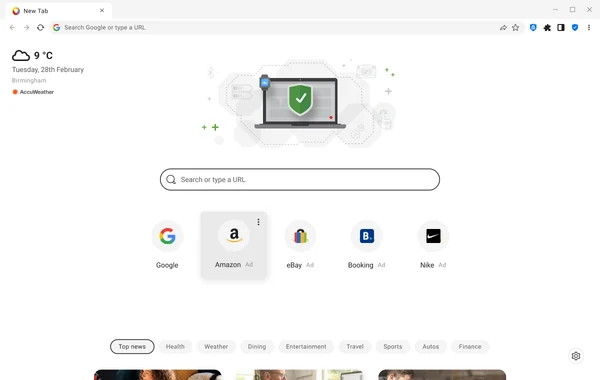
Don't use a live credential or payment card as the first compatibility test. Create a disposable browser profile and a low-value test login. If the browser fails to update, sync behaves unpredictably or a required site needs broad protection disabled, the trial has found a deployment problem before the profile becomes critical.
The broader Avira setup guide explains suite installation, account verification and first scan. This browser checklist stays separate because changing a default browser and migrating credentials aren't necessary steps for installing antivirus. A user can keep the antivirus and decline every Avira browser component.
Repair the smallest layer first, then remove cleanly if trust is gone
When one site fails, begin with that site rather than reinstalling the whole security suite. Update and restart the browser, reproduce the problem in a private window, pause the strictest per-site privacy control and test the extension list. Clear only that site’s cookies and storage before clearing the entire profile. A broad reset can erase useful evidence and create a second problem.
For Browser Safety, Avira’s official removal guide uses the browser extension manager for Chrome and Firefox. Remove the item, restart the browser and confirm the extension ID or entry is gone. If it returns, inspect browser synchronization, Avira’s optional-component settings and organisational policy before deleting files.
For Secure Browser, export bookmarks and required local data first, then follow Avira’s browser uninstall instructions. Don't assume browser removal cancels an Avira subscription or removes the antivirus. Those are separate account and product actions covered by the Avira cancellation guide and the planned complete Avira removal guide.
A community tech-support report describes Secure Browser disappearing during an Avira incident and the user worrying about browser data. A single report doesn't prove a current widespread defect or its cause. It does reinforce the rule that bookmarks and irreplaceable browser-only data need an export independent of the installed application.
Choose the extension, full browser or neither by the problem you have
Choose Browser Safety when Chrome, Firefox or Opera is already current, stable and configured, but Avira’s site-reputation and potentially unwanted download warnings add useful context. Review the extension permissions, disable shopping features you don't want and keep the host browser’s own protection enabled unless Avira documents a conflict.
Choose Secure Browser for a person who benefits from one visible privacy dashboard, Extension Guard, strict fingerprinting controls, cookie automation and guided cleaning. Verify the actual Chromium engine before migration, keep the old browser during the trial and back up bookmarks. The browser’s value is reduced configuration friction, not a magic security boundary.
Choose neither when a fully patched mainstream browser with built-in safe browsing, sensible privacy settings and a small extension set already meets the need. Another browser can increase update and profile maintenance without improving a specific threat. An enterprise-managed device should follow its administrator’s approved browser and extension policy rather than a personal bundle suggestion.
Don't stack both by reflex. If Secure Browser already supplies Web Shield and Privacy Guard, a second Avira filtering extension adds access and troubleshooting surface. Ask which exact attack or missing control it addresses, and remove it if the answer is only “more protection.”
Avira has assembled useful controls and explains several of their limitations more honestly than the landing page suggests. The unresolved weakness is update transparency: a public 127.0 table alongside a 2026 Chromium 150 baseline forces every careful user to verify the live build. Our final rating is therefore conditional: Browser Safety is a practical optional extension; Secure Browser is acceptable after a successful version and privacy audit, but not safer merely because of its name. The Avira guide hub connects this decision to the full review, pricing, repair, Android and removal materials without forcing them into one oversized page.
Avira Secure Browser and Browser Safety FAQ
Is Avira Secure Browser safe in 2026?
It can be a reasonable Chromium browser if its installed engine is current, automatic updates work and unwanted commercial or telemetry features are disabled. The “Secure Browser” name isn't enough. Avira’s public version table still listed engine 127 when desktop Chrome stable had reached 150 in July 2026, so open the browser’s About page and verify the actual installed build before using it for banking, email or administration.
What is the difference between Avira Secure Browser and Browser Safety?
Secure Browser is a complete Chromium-based browser with Web Shield, Privacy Guard, Extension Guard, private mode, cookie controls, a privacy cleaner and performance modes. Browser Safety is an extension for Chrome, Firefox or Opera that adds malicious-site, tracker, search-result and potentially unwanted download warnings. The extension is the lower-disruption choice when the existing browser is already patched and configured well.
Does Avira Secure Browser make me anonymous?
No. Private mode mainly limits local history, cookies and form data retained after the session. Websites can still see the connection, account activity and browser characteristics; a network operator can still observe connection metadata; and enabled Avira services may process URLs or telemetry described in the product privacy policy. Use a trustworthy VPN or Tor for different threat models, but don't treat either as invisibility.
Does Avira Browser Safety read browsing history?
The Chrome Web Store says the extension handles location, web history and website content, while Avira’s privacy notice lists browsing activity, search terms, blocked-site URLs, browser details and related metadata. That access supports URL reputation, tracker detection and warnings, but it's still privileged access. Read the policy, install only from the official store and remove the extension if the benefit isn't worth the access for you.
Should I install Browser Safety inside Avira Secure Browser?
Usually not by default. Secure Browser already includes Avira’s Web Shield and privacy controls, and stacking another filtering layer can duplicate warnings or break pages without proving better protection. Add the extension only if Avira documents a specific missing feature, then test banking, shopping, video calls, downloads and sign-in flows before keeping both.
How do I check whether Avira Secure Browser is updated?
Open the browser menu and its Help or About page, let the update check finish, restart the browser and record the full version. Compare the major Chromium version with a current official Chrome Releases entry, while allowing for a small vendor packaging delay rather than an unexplained gap of many major versions. If the About page reports 127 in July 2026 or can't update, stop sensitive use and reinstall from Avira’s current installer or contact support.
Can Avira Secure Browser block fingerprinting and cookie banners?
Privacy Guard offers tracker and ad blocking, and Avira says strict blocking also adds anti-fingerprinting behavior. Strict mode can break sites and can interfere with bank “remember this device” features. Cookie Consent Manager can choose banner options automatically, but Avira says it may fail to detect a banner or choose the most private option, so review important consent decisions yourself.
How do I remove Avira Secure Browser or Browser Safety?
Remove Browser Safety through the browser’s extension manager, restart and confirm it's absent. Uninstall Secure Browser through Windows Installed apps or the macOS application-removal process after exporting bookmarks and any browser-only data you need. If the extension returns, check Avira suite settings, browser synchronization and managed-extension policies instead of repeatedly deleting files by hand.