
Fake Scanguard Pop-Ups, Emails and Support Scams: Verify, Remove and Recover
A Scanguard logo does not identify who sent a message. The safe response is to close the interruption, verify the source, account and real transaction independently, then recover according to what you actually clicked, shared, ran or paid.

Do this first: do not click the alert, reply to the email or call the number it provides. Close it with browser or operating-system controls, then type Scanguard's site address yourself and check the signed-in account. Compare the claimed amount with the bank or card account opened independently. If there is no matching transaction, there is no renewal to “refund.” If remote access, a password, verification code, bank login or payment was involved, stop treating this as a popup-removal problem and move directly to the matching recovery section below.
One minute is enough to choose the safe lane
If the interruption asks you to call, install remote-control software, sign in to a bank, disclose a password or verification code, or move money, stop. Those actions do not become safe because the screen uses Scanguard colors or knows your name. Preserve a photo if it can be done without interacting, close the message and use another route to verify the claim.
If you only saw a popup or email, do not jump straight to a factory reset. First identify whether it came from the installed app, a browser tab, a website notification or an email sender. A website permission can produce convincing operating-system notifications without having installed Scanguard or malware.
If you already shared access or money, speed matters more than diagnosing the graphic. Disconnect remote control, secure accounts from a clean device and contact the bank or payment provider through a known channel. The table later in this guide separates those higher exposures from a message that was merely displayed.
Four different owners can put “Scanguard” on the screen
The first possibility is a genuine notice from the installed Scanguard application. The second is a genuine commercial communication: a renewal reminder, receipt, pricing change or cancellation-retention flow. Those messages can be unwelcome while still belonging to a real contract.
The third owner is a website. A browser page can imitate a virus alert, and a site that received notification permission can send a toast that appears to come from Windows or macOS. The fourth is an impersonator using an invoice, search ad, call or chat to obtain access, credentials or money.
| What you see | Possible owner | Evidence that matters | Safe first action |
|---|---|---|---|
| Notice inside installed Scanguard | App or overlay | Current signed app and matching event history | Close notice; reopen app from trusted shortcut |
| Renewal or account message | Scanguard or impersonator | Portal service row and real bank transaction | Ignore embedded route; check independently |
| Browser tab or OS-style toast | Website, push permission or extension | Address bar, source domain and site permissions | Close or revoke source without clicking toast |
| Call, refund or remote-help demand | Support agent or impersonator | Case created through independently opened Help Center | End inbound contact; start a fresh official case |
This distinction also matters when deciding whether Scanguard itself is legitimate. Company ownership and lab evidence cannot authenticate the specific message in front of you, while one fake email does not prove the real product sent it.
Use source, account and transaction as three independent checks
Start with the source. For a browser alert, read the actual address bar or notification-source domain. For email, inspect the full sender address and destination behind the link without opening it. A display name, logo, padlock or polished grammar is not enough; HTTPS can protect a connection to an impostor site just as well as to a real one.
Next check the account through a path you chose. Type the domain manually, use a known bookmark or launch the installed app from its trusted shortcut. The service, renewal date, amount and device history should match the claim. Do not sign in through the suspicious message to “see whether it is real.”
Finally, check the bank, card or store account independently. A claimed renewal that exists only in an email is not a transaction. A matching charge may be a genuine subscription issue rather than impersonation and belongs in our Scanguard charge and overcharge guide.
| Check | Open it how? | What should match? | Failure means |
|---|---|---|---|
| Source | Address bar, sender details or Notification Center | Real controlled domain/process | Message remains unverified |
| Account | Manual domain, bookmark or trusted app shortcut | Service, date, amount and case | Do not follow message workflow |
| Transaction | Bank/card/store app opened separately | Merchant, date and amount | No charge exists to refund |
The current Help Center is the verification route—not a copied number
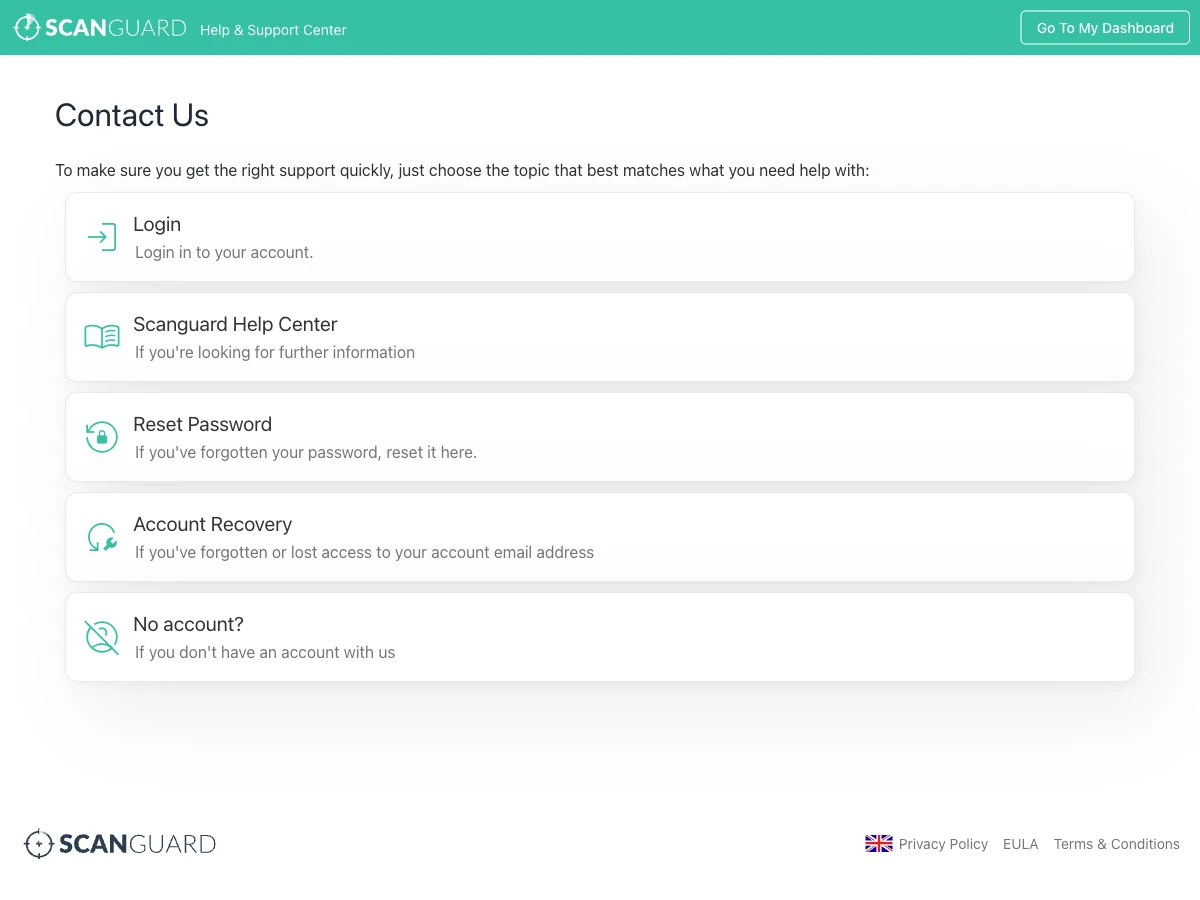
Scanguard's current Help Center contact page offers account login, help articles, password reset, account recovery and a no-account path. We use that independently opened web route as the durable trust anchor. Phone details can change, caller ID can be spoofed and search ads can place an impostor above the official result.
Scanguard's current charge-identification guidance says its secure lookup may use the first six and last four card digits and expiry. It also says the company never asks for the full card number, CVV or PIN there. That narrow vendor statement must not be expanded into permission to send card fragments by reply email or chat; enter them only in the secure flow you opened yourself.

For a legitimate account problem, our Scanguard account and device guide explains how to reconcile the email and service rows. Do not buy another subscription or disclose more data merely because an inbound agent says the account is missing.
An installed-app alert, browser tab and website notification leave different clues
A notice owned by the installed product should be reproducible after you close it and reopen Scanguard from the trusted application shortcut. Its status should match scan or protection history. If the alert disappears with a browser tab, shows an unrelated source domain or arrives as a website notification, the Scanguard logo is decoration rather than process identity.
Website notifications are particularly deceptive because the operating system renders them. The source is usually shown in smaller text. Do not click the toast to learn more; inspect Notification Center and browser site-permission settings. Removing the exact source permission is safer than interacting with the destination it wants to open.
A genuine Scanguard WebShield block is a fourth-looking but different case: it should identify a blocked destination within the actual product flow. Our Scanguard WebShield blocked-site guide shows how to test that owner without permanently disabling protection.
A full-screen page can imitate a locked computer without owning the computer
Microsoft's current tech-support-scam guidance describes websites that enter full screen, loop dialogs, play audio and imitate operating-system errors. Those tricks are designed to make a browser page feel like a system infection and push the victim toward the displayed hotline.
Use browser or operating-system controls rather than buttons inside the page. Try Escape to leave full screen, close the tab or window, or end the browser through the normal application controls if the page loops. Do not restore the suspicious tab when reopening the browser. Merely seeing the page does not prove code installed, but a downloaded or executed file changes the recovery lane.
The FTC says real security pop-up warnings do not ask the user to call a phone number. Its current tech-support-scam guide also explains that fake warnings aim to obtain remote access or payment. Treat a number in an unexpected security error as a stop signal, not a convenience.
Remove the source site in Chrome instead of clicking the fake Scanguard toast
In Chrome, open Settings → Privacy and security → Site settings → Notifications. Find the unfamiliar source displayed by the toast and block or remove it. Google's website-notification guidance explains that permission can be changed at any time and that Chrome may automatically suppress abusive or misleading notification prompts.
If pop-ups, redirects, search-engine changes or unknown toolbars continue, use Chrome Safety Check, inspect extensions and review recently installed software. Google's unwanted ads and malware guide distinguishes persistent browser changes from a single notification grant and advises downloading programs only from official sites.
Do not remove every permission blindly if you rely on legitimate calendar or messaging alerts. The source domain is the control point. A fake Scanguard logo from an unrelated site should lead to that site being blocked, not to weakening Safe Browsing or uninstalling an unrelated security app.
Edge, Firefox and Safari keep website-notification controls in different menus
The underlying mechanism is the same even when labels move. A permitted site can deliver messages after its original page is gone. Use the current vendor path for the browser you actually use and confirm the exact source before removal.
| Browser | Current permission path | Important distinction |
|---|---|---|
| Chrome | Privacy and security → Site settings → Notifications | Block the source domain; inspect extensions if behavior persists |
| Edge | Privacy, search and services → Site permissions → All sites | Website notifications differ from tabs and pop-ups |
| Firefox | Privacy & Security → Permissions → Notifications → Settings | Remove the permitted site or block new requests |
| Safari on Mac | Safari → Settings → Websites → Notifications | macOS Settings can also control how the site alert appears |
Microsoft documents that Edge website notifications can appear even when Edge is closed. Mozilla's Firefox Web Push guide says a site needs permission and shows how to remove it. Apple's Safari notification guide likewise notes that website alerts can arrive when Safari is not open.
Persistent alerts after permission removal justify a wider browser and app check
First restart the browser and confirm the exact site no longer appears in its allowed-notification list. Then inspect extensions, installed web apps, startup items and recently installed programs. A second unknown site may have the same permission, and a malicious extension can redirect pages without relying on push.
Look for concrete changes: a homepage or search engine that returns after correction, a toolbar or extension you did not install, repeated downloads, a new startup process or alerts that appear with every browser closed and no website listed. Those signs justify a trusted security scan and removal of the identified component.
One blocked notification does not justify resetting the whole computer. Conversely, deleting browser data alone is not enough after an executable, script or remote tool ran. Choose the response by the highest confirmed exposure rather than by how frightening the graphic looked.
A fake Scanguard renewal email tries to make the message its own help desk
The common pattern claims a large automatic renewal or purchase, adds a short cancellation deadline and tells the recipient to call a number in the invoice. The number is the payload: once called, the impersonator can request remote access, payment information or a bank login under the pretext of processing a refund.
Do not grade the email by spelling. Inspect the full sender and link destination, but do not let either become the final proof. Open the Scanguard portal and bank separately. The FTC says that if no matching tech-support subscription transaction exists, the renewal message is a scam claim rather than a real charge.
An attachment does not need executable malware to be dangerous. A PDF can simply display the fraudulent number and succeed through social engineering; a ZIP, HTML file, macro-enabled document or program adds code risk. Record what was opened and whether anything ran instead of assuming that viewing any invoice infected the system.
A genuine Scanguard renewal can still be surprising or unwanted
Scanguard's renewal-email help acknowledges that real notices can land in spam or promotions. Its promotional-pricing explanation says an introductory rate may renew at a standard price. Surprise and dissatisfaction are not enough to classify the sender as an impersonator.
Verify the service row, billing history, merchant descriptor and receipt before choosing the remedy. If the transaction is genuine but unwanted, use our Scanguard cancellation and refund guide. If the amount differs from the verified contract, preserve the evidence and use the charge guide rather than the email's route.
The broader Scanguard pricing and renewal guide owns plan and term comparison. This scam-response page only determines whether the communication and claimed event deserve trust.
The fake refund story escalates from an invoice to remote access and repayment
The FTC documents a sequence in which the victim calls about a fake renewal, grants remote access or enters banking information, and is then told that too much money was refunded. The impersonator demands the difference through gift cards, wire transfer, bank transfer, cryptocurrency or a payment app—methods chosen because recovery is difficult.
A screen displayed during remote control is not a reliable bank record. The scammer may edit a page, move money between the victim's own accounts or hide part of the screen. End the session and call the bank independently. Do not “return” an overpayment before the bank confirms that money actually arrived and is settled.
Remote access is too powerful to grant from an unverified inbound contact
Legitimate organizations may use remote-support tools, so the program name alone does not prove fraud. The verification process matters: you should independently create the support case through the current Help Center and know why a session is needed before installing or opening any tool.
Stop if the agent contacted you first to report an infection, asks you to open a bank while sharing the screen, requests a password or MFA code, hides the screen, claims ordinary Event Viewer messages prove hacking, or tells you not to speak with family or the bank. Gift cards, crypto, cash, gold and wire payment for `security` or a `safe account` are decisive scam signals.
Apple's current social-engineering guidance warns that caller ID can be spoofed and says to contact the company through official channels when an unexpected request asks for credentials, security codes or money. The same independent-contact rule applies when the caller says Scanguard rather than Apple.
A search result, advertisement or familiar caller ID is a route—not identity proof
Scammers buy ads or build pages around `Scanguard support number`, `cancel Scanguard` and `refund Scanguard`, hoping urgency will make the searcher call the first result. The FTC notes that fake support sites can appear in search results. Read the actual domain and navigate through the vendor's root site or Help Center instead of trusting placement.
Caller ID can display a legitimate-looking company number even when the call originated elsewhere. Knowing your name, email or product does not authenticate the caller either; those details can come from public records, prior breaches or information revealed during the conversation.
Never let the person who delivered the warning define the verification test. End the contact, open the official route yourself and ask whether a case exists. If there is no independently created or confirmed case, the inbound agent gets no remote access, credentials or payment.
Recovery depends on what actually happened—not how alarming the message looked
A proportional response prevents two failures: telling a remote-access victim to merely clear browser data, and telling someone who only saw a webpage to wipe a healthy computer. Select the highest row that occurred, even if lower rows occurred first.

| Highest exposure | Immediate action | Account or money action | Device action |
|---|---|---|---|
| Only saw message | Close; preserve evidence if useful | Verify portal/bank only if a transaction is claimed | Revoke exact notification source; no automatic reset |
| Clicked or entered credentials | Close and record destination | Change exposed/reused passwords; revoke sessions | Check downloads, permissions and extensions |
| File ran or remote access | Disconnect affected device | Secure accounts from clean device | Remove access/persistence, scan and assess rebuild |
| Paid or shared bank data | Stop contact and further transfers | Call bank/provider through known channel | Secure device and accounts in parallel |
If remote access was granted, assume the visible session did not show everything
End the session and disconnect Wi-Fi or Ethernet on the affected device. Do not use it to change sensitive passwords while a hidden or unattended session may remain. From another trusted device, secure the primary email first, then banking, payment, cloud storage and any account whose reset depends on that mailbox.
Remove the remote-control application and inspect whether unattended access, startup launch or a new system user was enabled. Review recently installed programs, browser extensions, downloads and security exclusions. Run current trusted scans, but remember that a clean scan cannot prove what information was viewed during a legitimate remote-control session.
A reset or professional rebuild becomes reasonable when an unknown executable ran with elevated rights, the agent maintained unattended access, security tools were disabled, new administrators appeared or the scope cannot be reconstructed. Microsoft likewise advises considering reset after a scammer controlled the computer; it is not the first response to a notification permission alone.
A password or verification code turns a message problem into account recovery
Change the exposed password from a clean device and change every account where it was reused. Revoke active sessions rather than assuming a password change closes them all. Enable MFA and review recovery email, phone and trusted-device settings.
If email was exposed, inspect forwarding rules, filters, sent mail, deleted items and recent logins. An attacker who controls the mailbox can reset other accounts and hide warnings. If a verification code was shared, identify which service issued it and contact that provider immediately; the code may have approved a login, password change or transaction.
Do not share another code with someone offering to `secure` the account. A genuine support workflow should never require the user to read back an authentication code intended for sign-in. Keep screenshots and timestamps so the provider can correlate the takeover attempt.
Payment recovery starts with the institution that moved the money
Call the card issuer or bank using the number on the physical card, trusted banking app or known statement—not a callback number supplied by the message. Report exactly what happened: card details shared, transfer authorized under deception, remote banking session, gift-card code, crypto destination or payment-app transfer. Follow its instructions for blocking transactions, replacing cards and securing online banking.
Contact a gift-card issuer, payment app, wire provider or crypto exchange immediately because speed can affect what it can freeze or flag. Preserve receipt numbers, wallet addresses, destination accounts and chat logs, but do not send more money to a person claiming they can `unlock` or recover the first payment.
If the transaction is a genuine Scanguard renewal rather than an impersonation payment, use the verified merchant dispute and refund route. A real billing disagreement and a fake support transfer can happen in the same incident; document them separately so the bank does not confuse the merchant charge with money sent to the impersonator.
Preserve enough evidence to report without continuing the conversation
Save a photo or screenshot of the popup, sender details, link destination, phone number, timestamps, remote-tool name, payment receipt and transaction destination. Do not reopen a dangerous attachment merely to improve the screenshot. Store copies away from the affected device when practical.
Report the scam to the impersonated company through its independently opened Help Center and to the relevant platform: mark phishing in the mail provider, report the unsafe site in the browser and report fraudulent ads through the search engine. US readers can use ReportFraud.ftc.gov; other readers should use their national fraud or cybercrime service.
A report helps connect domains, numbers and payment destinations, but no report form should delay the bank after money moved. Do not post unredacted card fragments, email addresses or access codes publicly when warning others.
Current community reports confirm the mechanisms, not a Scanguard campaign size
Current r/antivirus and r/computers discussions repeatedly identify antivirus-branded toasts as website notifications when a small unrelated source domain appears in the alert. A recent thread about a fake browser virus scan explains the same ownership clue. It did not test a Scanguard message.
Current r/Scams incidents show what changes after a call: verification codes are shared, remote tools are installed and the victim is moved into bank or refund stories. One recent family recovery discussion after a support popup is useful for understanding urgency, but it cannot establish universal recovery steps or attribute a campaign to Scanguard.
Community evidence is therefore directional. Browser-vendor documentation proves how push permissions work; the source shown on the reader's device identifies the site; the portal and bank identify a real account event. Votes and anecdotes do not replace those checks.
Prevent the next incident without buying a duplicate security subscription
Keep browser Safe Browsing or SmartScreen enabled, block notification requests you do not genuinely need and review existing permissions periodically. Keep the browser, operating system and extensions current. Use an ad blocker or reputable browser-protection layer to reduce malvertising exposure, but do not treat any extension as permission to ignore source domains.
Protect the primary email and financial accounts with unique passwords, a password manager and MFA. Teach family members one repeatable rule: security errors do not supply a phone number to call, and any urgent money move pauses until a second trusted person or independently contacted institution checks it.
Our best antivirus for scam protection guide compares broader tools, while browser security tools covers malicious-site and ad controls. Add a product only when it fills a defined gap; overlapping subscriptions can create more renewal messages without fixing weak account security.
Uninstall the genuine app only when the genuine app owns the problem or you no longer want it
If the source is an unrelated website notification, remove that site permission. If the source is a fake email, block and report the sender. Neither action requires removing Scanguard. Conversely, uninstalling Scanguard will not revoke a browser permission, invalidate a stolen password or reverse a transfer.
If you verified that repeated notices come from the installed product and no longer want it, use our complete Scanguard uninstall guide. Review quarantined items and browser components before removal, then verify services and extensions are gone.
Software removal and billing are separate. Cancel through the original merchant, save the confirmation and check every add-on or store subscription. Do not let a fake `uninstall support` agent turn a normal removal into another remote session.
Fake Scanguard pop-up and support scam FAQ
Is a Scanguard pop-up always fake?
No. It may be a genuine notice inside the installed app, a real account or renewal message, a browser page, a website push notification, or an impersonation. Close it without using its link or number, reopen Scanguard or the portal independently, and compare the source domain, signed-in account event and real bank transaction.
How can I tell whether a Scanguard virus alert is from the real app?
A real app event should reproduce inside the current signed Scanguard application and match its event or scan history. A browser tab, website notification or popup with a phone number is not authenticated by the logo. Close it, launch Scanguard from the trusted installed shortcut and check protection history there.
Why do Scanguard alerts appear when my browser is closed?
A website that received notification permission can send operating-system toasts even when its tab is closed; Edge and Safari can show them when the browser itself is not open. Check the small source domain in Notification Center, then remove that exact site in the browser notification-permissions list.
How do I stop fake Scanguard notifications in Chrome?
Open Chrome Settings, then Privacy and security, Site settings and Notifications. Remove or block the unfamiliar source domain, not a site merely because its icon resembles Scanguard. Run Safety Check and inspect extensions if redirects, changed search settings or unknown toolbars continue after the permission is gone.
Is a Scanguard renewal email a scam?
Not necessarily. Scanguard can send genuine renewal notices and receipts, and a real introductory price can change at renewal. Do not use the email link or number. Open the Scanguard portal and bank account independently. If neither shows the claimed transaction, an urgent refund or cancellation message has no legitimate charge to reverse.
What are the clearest signs of a fake Scanguard support call?
Stop if unsolicited support says it detected an infection, asks for remote control, tells you to open a bank while sharing the screen, requests a password or verification code, or demands gift cards, wire transfer, crypto or repayment of an accidental over-refund. Caller ID and knowledge of your name do not authenticate the caller.
Does real Scanguard support ask for my full card number or PIN?
Scanguard’s current charge-identification help says its independently opened secure lookup may use the first six and last four card digits plus expiry, and says it never asks for the full card number, CVV or PIN there. Never send payment details by replying to a suspicious message or entering them on a link it supplied.
I clicked a fake Scanguard link but entered nothing. What should I do?
Close the page, record the final domain if it is safe to do so, check browser downloads and permissions, and remove any new extension. If no file ran, no credential was entered and browser behavior remains normal, this is a lower exposure than remote access. Run a trusted scan if downloads or persistent changes appeared.
What if I entered my Scanguard or email password?
From a clean device, change the exposed password, change it anywhere it was reused, revoke active sessions and enable multi-factor authentication. For email exposure, inspect recovery details, forwarding rules and recent sign-ins because control of the mailbox can be used to reset other accounts.
What if fake support controlled my computer remotely?
End the session and disconnect the affected computer from the network. From a clean device, secure email, banking and other important accounts and call the bank if financial sites or card data were visible. Remove the remote tool, check unattended-access settings, startup items and new users, run trusted scans and consider a professional rebuild when the depth of access is uncertain.
What if I paid a fake Scanguard support agent?
Stop further contact and call the bank, card issuer, payment app or exchange through a known channel immediately. Ask for its fraud process and follow its card or credential replacement advice. Preserve the message, receipt, transaction identifier and destination, then report the scam. No legitimate recovery agent can guarantee the money back for another fee.
Should I uninstall the real Scanguard program to stop a fake popup?
Not when the source is a website notification or fake email. Remove the actual source first. Uninstall the genuine product only if you no longer want it or verified that it owns the alerts; software removal does not cancel a subscription, and cancelling payment does not remove a browser permission.
Bottom line: close the message, verify elsewhere and recover by exposure
The Scanguard name on a screen is a claim, not identity proof. A real app notice should reproduce inside the trusted application; a real account event should exist in the independently opened portal; a real charge should exist at the bank or store. The message's link, number and caller cannot perform those independent checks for themselves.
Most people who only saw a browser page or website notification need source removal and a quick browser check, not panic or a factory reset. Anyone who ran a file, granted remote access, shared credentials or moved money needs a wider response using a clean device, account-session revocation and the bank or payment provider.
Keep the lanes separate. A genuine but unwanted renewal belongs in billing and cancellation; a fake renewal belongs in scam recovery; a persistent website notification belongs in browser permissions. That discipline is faster, safer and far more useful than deciding from a logo whether the entire product is `real` or `fake`.