
Avira Antivirus for Android Review 2026: Strong Scanner, Stale Extras
Avira's Android scanner has excellent independent results. The harder questions are whether a patched phone needs another always-on app, which paid features still exist and whether its powerful Accessibility access earns a place on your device.

Quick answer: Avira Free is a credible optional second layer for an Android user who sideloads APKs, manages a relative's phone or wants a clearer permission audit. Avira 7.31 scored 18/18 in AV-TEST's May 2026 Android 15 test, and AV-Comparatives measured 99.9% protection with zero false positives in 2025. A patched, Play-Protect-certified phone using trusted Play Store apps doesn't automatically need another scanner. Pay for Pro mainly for web protection and deliberately configured privacy controls—not for Anti-Theft, which Avira discontinued, or camera protection on Android 10+, which Avira says was removed despite stale sales copy.
Avira Antivirus for Android verdict at a glance
The malware scanner is the strongest part of Avira's Android case. AV-TEST evaluated Avira Antivirus Security 7.31 on Android 15 in May 2026. It detected every sample in both the current-malware and widespread-malware sets, produced no false warnings and received 6/6 for protection, performance and usability. AV-Comparatives' May 2025 test measured 99.9% protection against 3,322 malicious APKs with zero false positives and low battery impact.
That doesn't make Avira necessary on every phone. A Play-Protect-certified device already scans Play Store and sideloaded apps, receives operating-system and app security updates, blocks some high-risk installations and includes safe browsing, permission controls and lost-device features. Someone who stays in Google Play, patches promptly and avoids suspicious Accessibility prompts may get more value from tightening those controls than from adding another always-on dashboard.
Avira Free becomes useful when the risk is concrete. It gives sideloaders a second engine, can schedule scans and detect potentially unwanted apps, groups sensitive permissions, locks selected apps, checks an email against breach data and includes a small VPN allowance. It can also provide a clearer routine for a person maintaining a parent's or child's phone. Those are practical jobs, not a promise that Android has become invulnerable.
The paid feature list needs skepticism. Web Protection can add malicious-site blocking across supported browsing flows, and microphone controls may help a user review app access. Avira Anti-Theft has been discontinued, however, and Avira Support says camera protection was removed on Android 10 and newer. Current sales and Play Store copy still contain camera and device-administrator language, so the live upgrade screen on the target phone is more reliable than a marketing checklist.
Our recommendation is Free for a defined need; Pro only after a feature audit. Keep Google Play Protect and Android updates enabled alongside Avira. Don't treat a clean scan as proof that a phone exposed to a hostile APK, remote-access scam or stolen account is safe. The broader Avira antivirus review covers Windows, macOS and company-wide lab evidence; this page judges the Android app on its own permissions and limits.
Does Android need Avira beside Google Play Protect?
| Job | Google/Android built in | Avira can add | Decision |
|---|---|---|---|
| App screening | Play Store checks, install and periodic Play Protect scans | A second detection stack and on-demand scan | Useful when APK risk is higher |
| Sideloaded apps | Play Protect can scan apps from other sources and block sensitive-permission abuse | PUA settings, schedules and another verdict | Neither makes untrusted sideloading safe |
| Web threats | Chrome Safe Browsing and browser controls | Paid Web Protection across supported flows | Test exact browsers and apps |
| Permissions | Privacy Dashboard, Permission Manager and auto-reset | Apps grouped by requested permission | Avira can make the audit easier |
| Lost phone | Find Hub and Android Theft Protection | No current Avira Anti-Theft service | Configure Android before loss |
| App access | Screen lock, private space and app-specific controls vary by device | Avira App Lock | Useful against casual access, not full encryption |
Google's current Play Protect documentation says the service checks Play Store apps before download, scans the device for potentially harmful apps from other sources, warns about harmful or unwanted software and can disable or remove it. It can also send unknown apps for code evaluation and block an unverified app that tries to use sensitive permissions commonly abused in financial fraud.
Avira doesn't replace that system layer. The useful model is overlap with different visibility. Google knows the store, device integrity and Android platform. Avira supplies another malware classification pipeline and a security-app workflow. In AV-Comparatives' 2025 mobile report, the tested Avira Android product used the Avast engine within the Gen Digital group; that statement applies to the tested mobile product, not automatically to every Avira platform or historical version.
A second opinion is most defensible when APKs come from GitHub, a vendor website, a work distribution system or another store, or when the user regularly helps a less experienced relative. It's least defensible when installed only to raise a vague “security score” on an already patched phone. Another powerful app adds its own update, telemetry and Accessibility surface.
Don't disable Play Protect to avoid duplicate scanning. Its integration can block a dangerous install before Avira sees a running app. Keep the phone Play-Protect certified, update Google Play system components and install monthly device patches. Our Android antivirus comparison explains when competing scanners add a genuinely different capability.
Avira's current Android lab results are excellent
| Lab and date | Tested product | Protection | False positives and impact |
|---|---|---|---|
| AV-TEST, May 2026 | Avira 7.31 on Android 15 | 100% of 3,039 latest samples; 100% of 2,665 widespread samples | 0 false warnings; 6/6 performance and usability |
| AV-TEST, January 2026 | Avira 7.30 on Android 15 | 100% latest; 99.9% widespread | 0 false warnings; 18/18 total |
| AV-Comparatives, May 2025 | Avira Free Security 7.28 | 99.9% of 3,322 malicious APKs | 0/500 false positives; battery band up to 3% |
| AV-Comparatives, November 2025 | Avira Antivirus Security 7.28 | 88% of 17 stalkerware cases | Specialist test, not general malware rate |
The May 2026 AV-TEST report used the latest publicly available product, allowed cloud lookups and tested realistic scenarios with all protection layers. Avira detected 100% of 3,039 current malicious Android apps and 100% of 2,665 widespread samples from the previous four weeks. It showed zero false warnings across 2,236 Play Store apps and 960 apps from third-party stores.
One excellent month can be a lucky snapshot, so January matters. The January 2026 cycle also awarded 18/18: 100% on latest attacks, 99.9% on widespread malware, no false warnings and no measured everyday slowdown, battery penalty or excessive traffic under the lab's criteria. The consistency supports the current scanner rather than one isolated badge.
AV-Comparatives' 2025 mobile review used real Android 15 phones and 3,322 unique malicious APKs collected shortly before the test. Avira blocked 99.9%, raised no false positives among 500 clean apps and fell in the lab's lowest battery-impact band. The lab gave it the Approved Mobile Product award and called it a straightforward anti-malware app with useful, if limited, privacy and optimisation tools.
These tests measure detection under their environments, not recovery from every real incident. They don't show whether a particular sideload exploited an unpatched kernel, stole a session before detection or persuaded the user to approve a bank transfer. Lab evidence answers “is the engine credible?” It doesn't answer “is this previously exposed phone now trustworthy?”
Avira Free vs Security Pro vs Prime Mobile
| Capability | Free | Security Pro | Prime Mobile or broader bundle |
|---|---|---|---|
| Malware scanning | Included | Included | Included |
| Permissions and App Lock | Included in current feature materials | Included | Included |
| Identity check | Included | Included | Bundle/account coverage can differ |
| VPN | 100 MB/day | Verify live entitlement | Prime marketing can include unlimited VPN |
| Web Protection | Upgrade prompt | Advertised paid feature | Included where the mobile licence covers it |
| Microphone control | Upgrade prompt | Advertised paid feature | Check Android and device support |
| Camera control | Not a modern Free reason | Stale marketing conflicts with removal notice | Don't pay for it on Android 10+ |
| Anti-Theft | Discontinued | Discontinued | Use Google Find Hub |
Avira's current Android feature guide places scanner, 100 MB/day VPN, optimizer, identity checks, privacy advisor and App Lock in the free app. It names Web Protection, microphone protection and camera protection as Pro additions. The live Security Pro page compares Free, Pro and Prime Mobile but renders price, tax, promotion and entitlement dynamically.
The scanner doesn't need Pro to become credible; the independent free-product results are already strong. Pay only when the additional web or privacy control solves a named gap. Record the purchase channel, devices, initial charge, renewal date, renewal amount and cancellation path. An in-app Google Play subscription, direct Avira licence and Prime bundle can have different account controls.
Prime can make sense when its desktop antivirus, full VPN and other services are independently wanted. It's poor value when the Android app is the only need and the paid list duplicates Android settings. The Avira Free versus Prime guide handles the bundle decision, and the pricing and renewal page explains why a promotional first year should never be treated as the ongoing cost.
Check the phone before checkout. Open each locked feature, read the permission prompt and confirm the function exists on the installed Android version. Take a screenshot of the upgrade comparison and receipt. That evidence is more useful in a refund dispute than an old global support table.
Smart Scan can inspect apps and files, but Android limits every non-root scanner
Avira's Smart Scan can examine installed apps, APK packages and accessible storage, apply local and cloud signatures, flag potentially unwanted applications and run on a schedule. AV-Comparatives found controls for PUA detection, scans when a storage device is connected and a user-defined schedule. Those are useful for someone who keeps APK installers or moves files through removable storage.
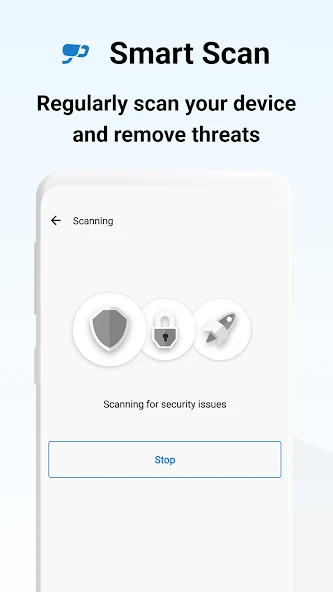
Android's sandbox prevents one normal app from reading every other app's private files. That's a security feature, but it also constrains forensic certainty. A scanner can inspect installed package information, accessible APKs, reputation signals and behavior exposed through permitted interfaces. It can't freely rummage through every private database, recover every stolen token or prove that no exploit ran before the app was removed.
A clean result means “Avira did not detect a threat in what this version could inspect at this time.” It doesn't mean “nothing malicious ever happened.” If an unknown APK had Accessibility, Device Administrator, VPN, notification access, screen-capture or install-unknown-app rights, assume it could have observed or changed more than a normal game. Containment decisions should be based on the permissions and accounts exposed, not only the scan result.
Don't download live malware to test Avira. The independent labs already use controlled samples and dedicated devices. For installation verification, use a recognised benign security test page or Avira's documented test procedure. A personal phone containing banking apps, MFA seeds and family photos isn't a lab.
Web Protection's Accessibility access is useful and powerful
The Google Play listing says Avira uses Accessibility Service to collect information about websites visited so it can alert when a malicious site is detected. It also says the service can observe which app is currently in use to block access to a protected app or camera-related control. That's the functional reason a web filter and App Lock may ask for unusually broad access.
Android's restricted-settings guidance warns that Accessibility can read content on the screen and interact with apps on the user's behalf. The permission isn't inherently malicious—screen readers, password managers and security tools have legitimate uses—but it belongs only to a trusted app for an active feature. A sideloaded app asking the user to bypass restricted settings deserves the opposite presumption.
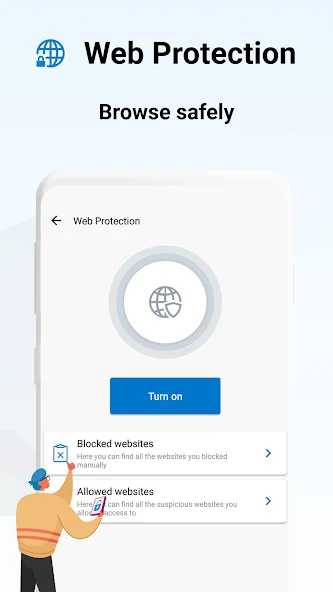
Enable Accessibility only after confirming the package came from Avira's Google Play listing and the requested feature is worth it. Then test Chrome, the default browser, in-app links, banking deep links and password autofill. A protection layer that breaks required flows or sees more apps than expected should be narrowed or removed rather than left enabled because the dashboard is green.
Web Protection overlaps with Chrome Safe Browsing and other application controls. Duplicate warnings are tolerable; duplicate VPN-style filters or accessibility services can create conflicts. Change one layer at a time and keep a note of which service handles which job. The Avira browser protection review covers the desktop extension and browser; it isn't the same implementation as Android Web Protection.
Permissions Manager informs; App Lock deters casual access
Permissions Manager groups installed apps by access such as camera, microphone, contacts, location or storage. Android already provides a Privacy Dashboard and per-permission view, but Avira's organisation can make a family audit easier. The label “high risk” should start a question, not convict an app. A navigation app legitimately needs location; a flashlight probably doesn't need contacts.
For each sensitive permission, ask whether the feature is used, whether access is needed always or only while using the app, and whether an approximate location is enough. Revoke one permission, test the app and keep the narrower state if it works. Android can auto-reset permissions for unused apps, so don't disable that protection merely to keep Avira's score unchanged.
App Lock places a PIN, pattern or biometric gate in front of selected apps. AV-Comparatives found controls for immediate or delayed locking, screen-off behavior, newly installed apps and a fake-crash screen. It can stop a child, coworker or casual borrower from opening chat, photos or a shopping app after the phone itself has been unlocked.
It isn't a separate encrypted vault for the protected app's data. Notifications, recent-app previews, files, share sheets, backups or another authorised app can expose information outside the lock screen. Use Android's strong device credential, hidden notification content and any vendor-supported Private Space or Secure Folder for stronger separation. Never use the same weak PIN for the phone, App Lock and financial apps.
The free VPN's 100 MB daily allowance is a sample, not full-phone coverage
Avira includes Phantom VPN in the Android app with a 100 MB daily cap. That can cover a short messaging or account-recovery session on untrusted Wi-Fi, but normal browsing, app updates, video, maps and calls can exhaust it quickly. A data counter reaching zero shouldn't silently return a user to an unsafe assumption that the VPN remains active.
A VPN encrypts traffic between the device and the VPN provider and replaces the public IP seen by destinations. It doesn't make a logged-in account anonymous, remove browser fingerprinting, stop a malicious app from reading data before encryption or guarantee that the destination is safe. The Google Play phrase “browse anonymously” is broader than the protection a VPN can honestly deliver.
Test connection state, DNS behavior, kill-switch or always-on options and what happens at the cap. If banking or work traffic must never leave outside the tunnel, use Android's always-on VPN and block-connections-without-VPN controls only after verifying that the Avira entitlement supports them reliably. A free sample that drops at 100 MB is a poor foundation for that policy.
The full Avira Phantom VPN review covers protocols, privacy records, streaming, paid limits and renewal. Don't buy Security Pro assuming it automatically includes the same unlimited entitlement as a separate Phantom VPN Pro or Prime licence; confirm the exact mobile checkout.
Identity Safeguard checks breach data; it doesn't watch the phone's identity
Identity Safeguard checks whether an email address appears in known breach records. That's useful for discovering an old service compromise, but the result needs interpretation. A match doesn't prove the current phone is infected, and no match doesn't prove the password is unique or the account session is safe.
When an address is found, change the affected service's password from a trusted device, choose a unique generated credential, enable passkeys or phishing-resistant MFA where offered and review active sessions and recovery details. Start with primary email because it can reset many other accounts. Don't change dozens of passwords on a phone that may still be controlled by a hostile Accessibility service.
Avira Password Manager can generate and fill unique passwords, but its vault, export and recovery model deserve a separate decision. Our Avira Password Manager review covers those boundaries. The Android antivirus dashboard shouldn't become evidence that every identity feature in the bundle is the best tool for the job.
A scam alert that says “your Google account is under attack” and demands a card number isn't Identity Safeguard. Open the account's official security page directly, not the ad or pop-up. A June 2026 r/antivirus question illustrates how scareware and advertisements can be mistaken for a legitimate free scan. It's directional evidence about confusion, not a claim about Avira showing that exact alert.
Avira Anti-Theft is discontinued; configure Google Find Hub instead
Avira explicitly says it decommissioned Anti-Theft because Android's built-in lost-device service offered better functionality and integration. This supersedes old Avira instructions about remote lock, location, wipe and Device Administrator. It also conflicts with AV-TEST's May 2026 feature row and Avira's current privacy notice, which still mention Anti-Theft. Those are stale references, not a reason to expect the service.
Google's current Find Hub instructions cover location, playing a sound, marking a phone as lost and factory-resetting a device that can't be recovered. The device needs power, a network connection, a signed-in Google account, Find Hub enabled and visibility in Google Play. Configure this before loss and store two-step-verification recovery methods somewhere outside the phone.
Modern Android also offers Theft Detection Lock, Offline Device Lock, Failed Authentication Lock and Remote Lock on supported devices. Enable the controls available on the target model, use a strong PIN rather than a simple pattern and hide sensitive notification content. Find Hub and Theft Protection solve different moments: locating or erasing a lost device versus locking rapidly during suspicious movement or disconnection.
Remove old Avira Device Administrator rights if they were granted only for the discontinued feature. Device admin can prevent normal uninstall and makes users think the app is “stuck.” The Play listing still says the app uses Device Administrator without explaining a current anti-theft job; check the live Android settings and leave the privilege off unless the current app clearly names an active function that needs it.
Camera protection marketing is stale on Android 10 and newer
Avira's current product and support feature lists still advertise camera and microphone protection as paid Android capabilities. Another Avira Support article states that camera protection was removed on Android 10 and above because of Google policy, and that updating the app removes it automatically. A modern buyer should follow the removal notice, not pay for a camera switch that can't appear.
Android already shows camera and microphone indicators and lets users revoke access per app. Use the Privacy Dashboard to inspect recent access, change a permission to “only while using,” select “ask every time” where practical and disable hardware sensors through Quick Settings on supported devices. These platform controls operate regardless of an Avira subscription.
Microphone protection may still provide an additional view or blocking workflow, but its exact behavior should be tested on the phone. Open the Pro feature, read the Accessibility or permission prompt, select a disposable recording app and verify whether Avira blocks, warns or merely links to Android settings. Marketing words such as “control” and “protect” don't define the enforcement mechanism.
The contradiction matters beyond one feature. It shows why a current update date doesn't guarantee every paragraph in the store and knowledge base was rewritten. We apply the same evidence rule across the Avira guide hub: live product behavior and the most specific official deprecation notice beat a broad comparison table.
Avira needs enough visibility to protect—and enough scrutiny to earn it
| Data or privilege | Documented purpose | Risk boundary | Recommended setting |
|---|---|---|---|
| Accessibility | Malicious-site warnings and app-aware locking | Can read screen context and interact with apps | Only for an active feature |
| Device Administrator | Listing doesn't explain a current precise job | Can obstruct uninstall and has powerful device rights | Off unless the live app proves the need |
| Location and IP | Language, general location, product reporting and feature operation | Privacy notice retains stale anti-theft wording | Use only-while-using where function permits |
| URLs and sites | Malicious-link and web protection | Browsing destinations are sensitive | Enable only with Web Protection value |
| Device and product data | Compatibility, delivery, diagnostics and improvement | Identifiers, hardware, OS and crash context | Review optional processing choices |
| VPN use | Operate and meter the VPN | Provider becomes part of the trust path | Read the Phantom VPN policy separately |
Avira's product privacy notice lists device identifiers, installed components, hardware, MAC address, screen resolution, operating system, product version and source, diagnostics, IP and geolocation, visited URLs, VPN traffic consumption, blocked-attacker IPs and connected Wi-Fi counts under the Avira Security family. The purposes include delivering the service, language and compatibility, product improvement, security warnings and reporting based on general location.
The same notice says account-linked Anti-Theft location can be collected every 24 hours even while the app is inactive. Because Avira has separately discontinued Anti-Theft, this is evidence of stale policy text, not evidence that the retired service is still secretly operating. The App Lock paragraph says its location processing remains on the device. A review should preserve both statements and the contradiction rather than choosing the more dramatic interpretation.
Google Play's Data safety panel says the app may share app activity, app information and performance, and device or other identifiers; may collect location, personal information and app activity; encrypts data in transit; and supports deletion requests. These are developer declarations within Google's categories. They complement rather than replace Avira's full notice and the actual Android permission screen.
Start with the official package, decline optional processing that isn't needed, grant permissions feature by feature and review the Privacy Dashboard after a week. A security app shouldn't receive permanent location, Accessibility or Device Administrator merely because the setup wizard asks quickly. The permission must correspond to a benefit the user can name and test.
Independent tests show low overhead; your enabled extras still matter
AV-TEST's May 2026 report says Avira didn't affect battery life, slow normal use or generate excessive network traffic under its test criteria. AV-Comparatives placed Avira in the up-to-3% battery-impact band in its 2025 simulated daily workload. That's better evidence than a vendor saying “lightweight,” and it supports leaving the scanner installed when the phone has enough storage and no conflict.
The lab configuration isn't every configuration. A scheduled scan, active VPN, Web Protection, multiple Accessibility services, a crowded App Lock list and aggressive cleanup can consume more resources than the basic scanner. Android may also restrict background work on some manufacturers, causing delayed scans or persistent “battery optimization” prompts. Don't disable system-wide battery controls without checking the consequence.
Measure the real phone for three normal days before and after installation. Use Android's Battery screen to compare Avira background use, mobile-data use and wakeups under similar behavior. Record whether scans finish while charging, whether the VPN reconnects and whether important notifications arrive. A percentage from one unusually heavy day isn't a trend.
Junk Cleaner can recover storage, but deleting caches doesn't make a healthy phone permanently faster. Android and apps use caches to avoid repeated downloads. Review large files and downloads manually, keep offline maps or media that will be needed, and never use cleanup as a response to unexplained crashes. The desktop Avira System Speedup review explains the same evidence-first principle in more depth.
Avira detected 88% of the 2025 stalkerware set—not all of it
Stalkerware is a special Android threat: software installed by an abusive partner, employer or other person with physical access to monitor location, messages, calls, audio or activity. Some products are disguised or presented as parental or employee monitoring. A normal malware rate shouldn't be used as evidence that a product catches every surveillance app.
In the AV-Comparatives Stalkerware Test 2025, Avira identified 88% of 17 selected cases. Malwarebytes detected all 17; Bitdefender, ESET, Kaspersky and McAfee reached 94%; several products scored lower. Avira's result is useful but leaves a clear gap, and the set is a dated snapshot rather than a complete catalog.
If stalkerware is suspected in an abusive situation, sudden removal can alert the person who installed it and escalate danger. Use a safer device to contact a trusted local domestic-violence or technology-safety service, preserve evidence if advised and plan account, location-sharing and device changes. This isn't the same workflow as cleaning a random adware APK.
Review Accessibility services, Device Administrator apps, notification access, VPNs, install-unknown-app permissions, location sharing, paired devices and unfamiliar accounts. A clean Avira result narrows the possibilities; it shouldn't overrule concrete evidence such as an abuser knowing private locations or messages. The article doesn't name or link stalkerware products because doing so would help misuse.
A safe Avira Android setup grants one permission at a time
- Patch first. Install the latest Android, Google Play system and app updates, then confirm Play Protect certification and scanning are on.
- Use the official listing. Install package
com.avira.androidfrom Google Play reached through Avira's official page. - Skip payment initially. Use Free long enough to verify scanner stability and identify a real paid-feature gap.
- Run the first Smart Scan. Update definitions, enable PUA detection if wanted and review every result before removal.
- Audit permissions. Use Avira and Android Privacy Dashboard together; reduce “always” access to a narrower option where possible.
- Choose one protected app. Test App Lock on a low-risk app before adding email, banking or authenticator apps.
- Decide on Web Protection. Read the Accessibility prompt, enable it only if the cross-browser warning adds value and test required sites.
- Leave Device Administrator off. Don't enable it for obsolete Anti-Theft instructions; require a current named function.
- Configure Google theft controls. Test Find Hub, store recovery codes and enable supported Theft Protection locks.
- Measure for a week. Review battery, data, scan completion, warnings, ads and permission activity before buying Pro.
This sequence prevents the setup wizard from turning every optional feature into a permanent privilege. It also creates a rollback path: when a site breaks or a battery prompt appears, the last permission granted is known. A green security score is less important than a phone whose controls the owner can explain.
Keep screenshots of the installed version, subscription screen and granted Accessibility service. They're useful when an app update moves a control or a renewal changes. The general Avira setup guide covers account and desktop installation; Android's permission model deserves this separate checklist.
After a suspicious APK, scan—but contain the exposed accounts too
A June 2026 r/antivirus question describes a relative installing a dubious app from a Facebook link and then worrying about a banking app. The replies disagree about the value of antivirus but converge on the limits of a post-event scan and the safety of a factory reset for high uncertainty. One thread isn't an incident statistic; it captures the exact decision a useful guide must solve.
- Stop using high-value accounts. Disconnect the phone from networks if active control or data transfer is suspected.
- Record the app. Note its name, package, source, install time and every permission granted before removing it.
- Revoke powerful access. Disable Accessibility, Device Administrator, VPN, notification access, display-over-other-apps and unknown-app installation.
- Uninstall normally. If removal is blocked, use Android Safe Mode or the device vendor's supported procedure rather than deleting random files.
- Scan with both layers. Run Play Protect and an updated Avira Smart Scan; preserve detection names and timestamps.
- Patch and inspect. Update Android, review account sessions, call forwarding, new user profiles, certificates and payment settings.
- Change exposed credentials elsewhere. Use a clean device for primary email, banking, Google and password-manager recovery.
- Reset when trust can't be restored. Back up documents and photos, factory-reset, update fully and reinstall only known apps from trusted sources.
Don't restore the suspicious APK or a full device backup that reintroduces its settings. Avoid copying unknown configuration files. For a company phone, stop and involve the administrator; erasing it can destroy evidence or violate response policy. For financial loss or coercive monitoring, preserve evidence and contact the appropriate institution or support service from another device.
Avira can contribute a detection, but it can't undo a bank transfer, revoke an OAuth token or know every password typed while hostile Accessibility access was active. That is why “no threats found” isn't the end of an incident. The planned Avira troubleshooting guide will cover scanner failures; it shouldn't be used to delay account containment.
Remove Accessibility, VPN and admin rights before uninstalling
Begin inside Avira: stop scheduled scans, disconnect the VPN and export any information that exists only in the app. Android uninstall doesn't cancel a Google Play or direct Avira subscription. Cancel the correct billing channel separately, preserve the confirmation and read the refund terms in our planned Avira cancellation guide.
Open Android Settings and review Accessibility, Device Administrator apps, VPN, notification access, display-over-other-apps and battery exceptions. Turn off Avira in each place where it was enabled. Device Administrator is especially important because Android can block uninstall while the role remains active. Don't follow an old Anti-Theft guide that tells you to reactivate it.
Uninstall through the Play Store or Settings, restart and confirm the package and VPN profile are gone. Keep Play Protect enabled and run its scan. If Avira was the only place recording an identity check or blocked URL, save only the evidence needed; don't keep the whole app for fear that removal makes Android unprotected.
If uninstall fails after privileges are revoked, update the app once from Google Play and try again, or use Android Safe Mode and the device maker's support. Random package-deletion or “cleaner” APKs can make the state harder to understand. The future complete Avira removal guide will connect Android cleanup with Windows and macOS without pretending their procedures are interchangeable.
Who should choose Avira Free, Pro or neither?
Choose Free when sideloaded APKs are a deliberate part of the workflow, a relative needs a clear scan and permission routine, or a second engine provides useful reassurance without weakening Android's built-in controls. The current lab record is strong enough to make this a serious free option rather than security theater.
Choose Security Pro only when cross-app Web Protection or a tested microphone-control workflow fills a real gap and the live phone shows the feature. Confirm the renewal and VPN entitlement. Don't pay for Avira Anti-Theft or modern camera protection: the former is discontinued and the latter was removed on Android 10+.
Choose neither when the phone is Play-Protect certified, patched, restricted to trusted Play Store apps and already has a disciplined owner who reviews permissions and account alerts. Another Accessibility service, VPN upsell and optimizer dashboard may add more maintenance than protection. Also choose a managed enterprise product when an employer needs reporting and policy control; the consumer app isn't an EDR console.
Choose a different specialist when the main concern is stalkerware, family safety, phishing-resistant account recovery, an unlimited VPN or a clean no-upsell scanner. Avira detected 88% of the 2025 stalkerware set, while another product detected all cases in that snapshot. Our planned Avira alternatives guide will separate switching one mobile component from replacing the whole desktop subscription.
Avira's Android scanner earns a recommendation on evidence: excellent current detection, no false alarms in the cited tests and low measured overhead. The bundle earns only a conditional recommendation because its own pages still advertise removed or retired features and ask for powerful access. Install the scanner for a named risk, grant the minimum privileges and let modern Android handle the jobs Avira has already abandoned.
Avira Antivirus for Android FAQ
Is Avira Antivirus good for Android in 2026?
Yes, as an optional second layer. Avira 7.31 detected 100% of both current and widespread Android malware sets in AV-TEST's May 2026 test, earned 18/18 and produced no false warnings. AV-Comparatives measured 99.9% against 3,322 malicious APKs with zero false positives in May 2025. Those results support the scanner; they don't prove every bundle feature is current or that a compromised phone is clean.
Do I need Avira if Google Play Protect is enabled?
Not necessarily. Play Protect already checks Play Store apps, scans installed apps from other sources and can warn, disable or remove harmful software. Avira can add a second detection engine, scheduled or PUA-focused scanning, permission organisation, App Lock, identity checks and optional web filtering. It's most defensible for sideloaders, family support or a specific feature gap, not as a requirement for every patched phone.
What is included in Avira Free Security for Android?
The current free feature set includes malware scanning, a permission or privacy advisor, App Lock, identity breach checking, an optimizer or junk-file view, call blocking in supported environments and Phantom VPN with a 100 MB daily limit. Availability can vary by Android version, device, region and policy. Anti-Theft is no longer current, even when an old lab or privacy page still lists it.
What does Avira Security Pro add on Android?
Avira markets Web Protection and microphone controls as core Pro additions, with paid bundles also changing VPN and account entitlements. It still advertises camera protection in some current pages, but Avira Support says that feature was removed on Android 10 and newer. Check the actual upgrade screen on the target phone before paying and compare the renewal, device count and cancellation terms.
Does Avira for Android use Accessibility Service?
Yes, when features that need it are enabled. The Google Play listing says Accessibility access is used to observe visited websites for malicious-site warnings and the app currently in use for App Lock or camera-related controls. Android warns that Accessibility can read screen content and interact with apps. Grant it only to the official Avira package for a feature you actively use, and revoke it before uninstalling.
Does Avira for Android include anti-theft?
No current Avira Anti-Theft service should be expected. Avira says it decommissioned the feature because Android's built-in lost-device service provided better functionality. Configure Google Find Hub, a strong screen lock, Theft Detection Lock where supported and two-step-verification recovery before the phone is lost. Old Avira privacy text and some lab feature tables still mention Anti-Theft.
Is Avira's free Android VPN unlimited or anonymous?
No. The free in-app VPN is capped at 100 MB per day, enough for short sensitive sessions but not normal streaming, video calls, app updates or all-day use. A VPN changes who can see network traffic and hides the public IP from destinations; it doesn't make an account, browser fingerprint or logged-in session anonymous. The separate Phantom VPN review covers paid limits and privacy details.
Can Avira prove a phone is safe after a suspicious APK?
No non-root scanner can give that guarantee. Uninstall the suspicious app, revoke its Accessibility, Device Administrator, VPN, notification and install-unknown-app privileges, run Play Protect and Avira, patch Android and review account sessions. If banking, email or device administration may have been exposed, change credentials from a clean device and consider a backed-up factory reset rather than trusting one clean scan.